Customer Ratings & Reviews
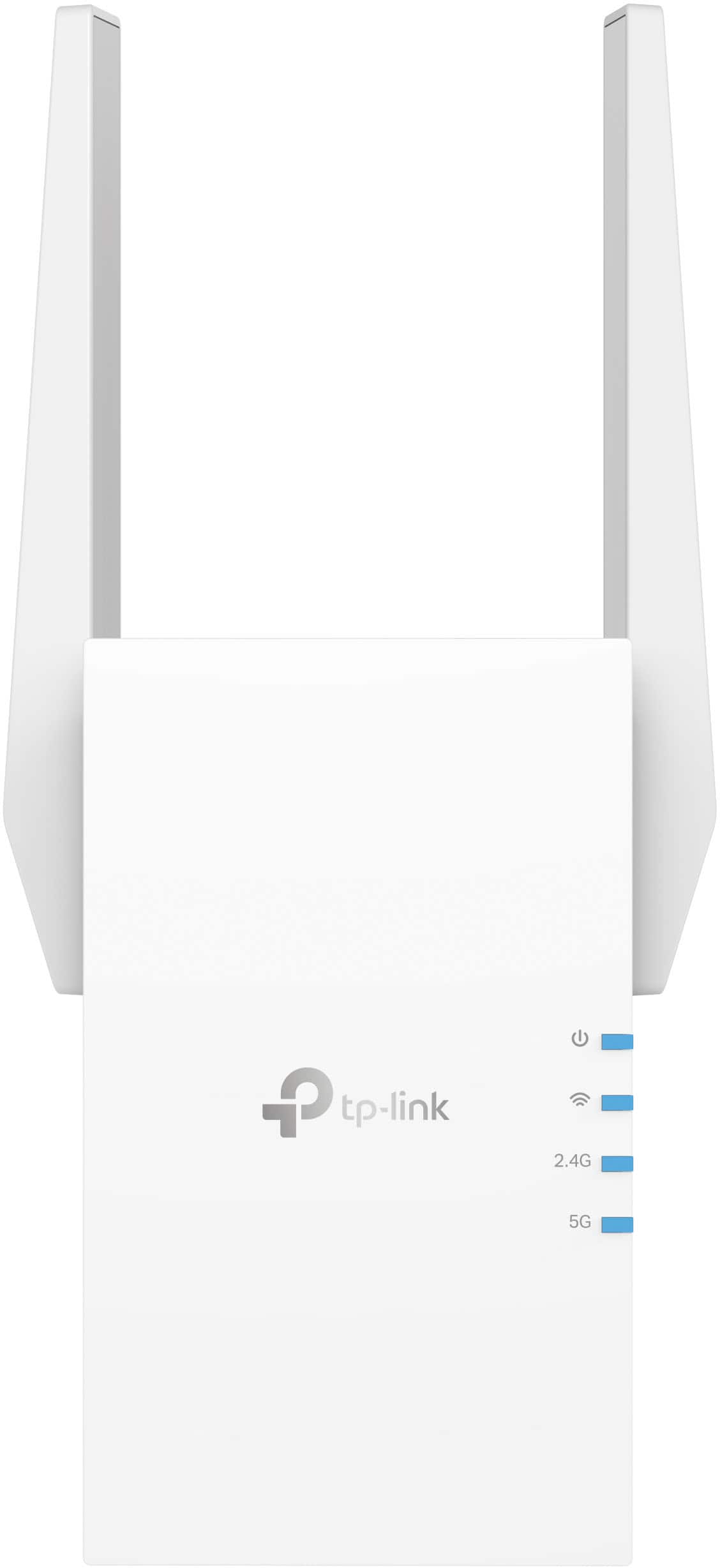

- Model:
- RE705X
- SKU:
- 6502060
Rating by feature
- Value
Rating 4.5 out of 5 stars
- Quality
Rating 4.6 out of 5 stars
- Ease of Use
Rating 4.6 out of 5 stars
Customers are saying
Customers appreciate the AX3000 Dual-Band Wi-Fi 6 Range Extender for its ease of use, extended range, and strong signal strength. Many users have found the setup process to be simple, and they are experiencing fast speeds and reliable connectivity. However, some customers have reported that the device can get warm, and a few have mentioned compatibility issues and its size being a potential concern.
This summary was generated by AI based on customer reviews.
not worth it
||Posted . Owned for 1 month when reviewed.This reviewer received promo considerations or sweepstakes entry for writing a review.did not increase range as advertised, small house, still same issues with limited wifi
No, I would not recommend this to a friendBrand response from TPLinkSupport
Posted .Hi,
Thank you for your review. If you haven't noticed a significant improvement in Wi-Fi coverage after installing the extender, we recommend relocating the unit to a position within your home where the router's Wi-Fi signal is sufficiently strong; yet far enough from the router to effectively extend its range. Please verify the RE status LED is indicating a solid connection.
We also recommend ensuring the extender's firmware is fully up to date using the steps outlined in FAQ 1406 on our official website: https://www.tp-link.com/us/support/faq/1406/
If you would like assistance with any of these steps, please reach out to our support team using any of the resources included with the product, or from our official website, and we'll gladly have a Support Agent follow up with you directly.
Thank you,
TP-Link Support
Tripled download/upload speed
||Posted .This reviewer received promo considerations or sweepstakes entry for writing a review.Tripled download and upload speed to my home office on the other side of house and upstairs from from router. Easy install through guided app.
I would recommend this to a friend- Cons mentioned:Compatibility
Wireless extender
||Posted . Owned for 1 month when reviewed.This reviewer received promo considerations or sweepstakes entry for writing a review.Not compatible w my router from spectrum ,just wasted my money
No, I would not recommend this to a friend - Pros mentioned:Setup, Signal strength
Excellent, more range extension than expected
Posted .This reviewer received promo considerations or sweepstakes entry for writing a review.I purchased this device to overcome a small dead zone on my deck and got much more coverage than I anticipated. I now have a relatively strong wifi signal over my entire yard (~1/3 acre) and I have the option to decrease the strength of the extender's signal for security reasons. The setup was very easy through the app and the quick start guide was easy to follow and contained information on how to create a seamless mesh network with roaming which is essential for use with portable devices like smartphones, tablets, and laptops. If you plan on using this only for a fixed device, I would suggest allowing the tp-link to broadcast separate wifi network with the _EXT suffix as it automatically sets up as it will make managing the extender easier. My only complaints are (1) that I could not use the web browser setup as my internet browser would hang while loading the interface and (2) when set up for a seamless mesh, the app will often have difficulty connecting to the device if it is switching between your main network and the extender network. That said, I strongly recommend downloading the app as it has a powerful suite of tools to tailor the extender's function to your use-case and is easy to use and navigate.
I would recommend this to a friend - Pros mentioned:Ease of use, Signal strength

Just the boost my house needed
|Posted .This reviewer received promo considerations or sweepstakes entry for writing a review.I finally have stable wifi in my garage area! I am not sure why I waited so long to try a range extender device, but now that I have, I can say that it is well worth it. When working in my garage, which is the farthest place at our home from the wifi router, I was having issues staying connected with a strong signal. Now that I have this device hooked up in the garage, I am getting the signal needed to stream content to my devices with ease. Using the app WiFiman, I have found that the signal strength to my extender is staying strong. So far I have had zero issues with the extender staying connected to the main router. One thing that would make range extenders better IMO, would be to seamlessly have your phone and devices auto switch to the strongest signal source (main router or extender) without having to select manually. As it stands, you need a third party app to manage this task, therefore I am taking one star for this reason alone. It would seem to me like this would be a very easy thing to have as an out of box experience. I am not sure if it is due to Android / iOS software, or the router/extender device itself. Nonetheless, manually switching between wifi points is not ideal. Installation and setup was a breeze with the Tether app. I had no issues getting up and running within minutes. Again, the speed is sufficient for my home. I am not sure how these would work if you had a lot of distance between the main router and the extender, but for our modest sized home, it is great. Another thing that is great about these extenders is that if you live in an older home, but use smart wifi security cameras that are placed a good distance from the main router, you can always use the extender to connect your camera and relay the signal for better performance. All in all, wifi extenders come in handy for a variety of reasons. Whether you want a separate access point for guests, or you have areas of your home that are simply too far and need a boost, you can’t go wrong trying this wifi extender. PROS: Speeds are fast and stable in my setup Antennas are large and amplify the reach to the router well Plug and play CONS: Tether app only performs basic functions but works well Tether app does not include an auto switch feature
I would recommend this to a friend - Pros mentioned:Ease of use, Setup
Good extender
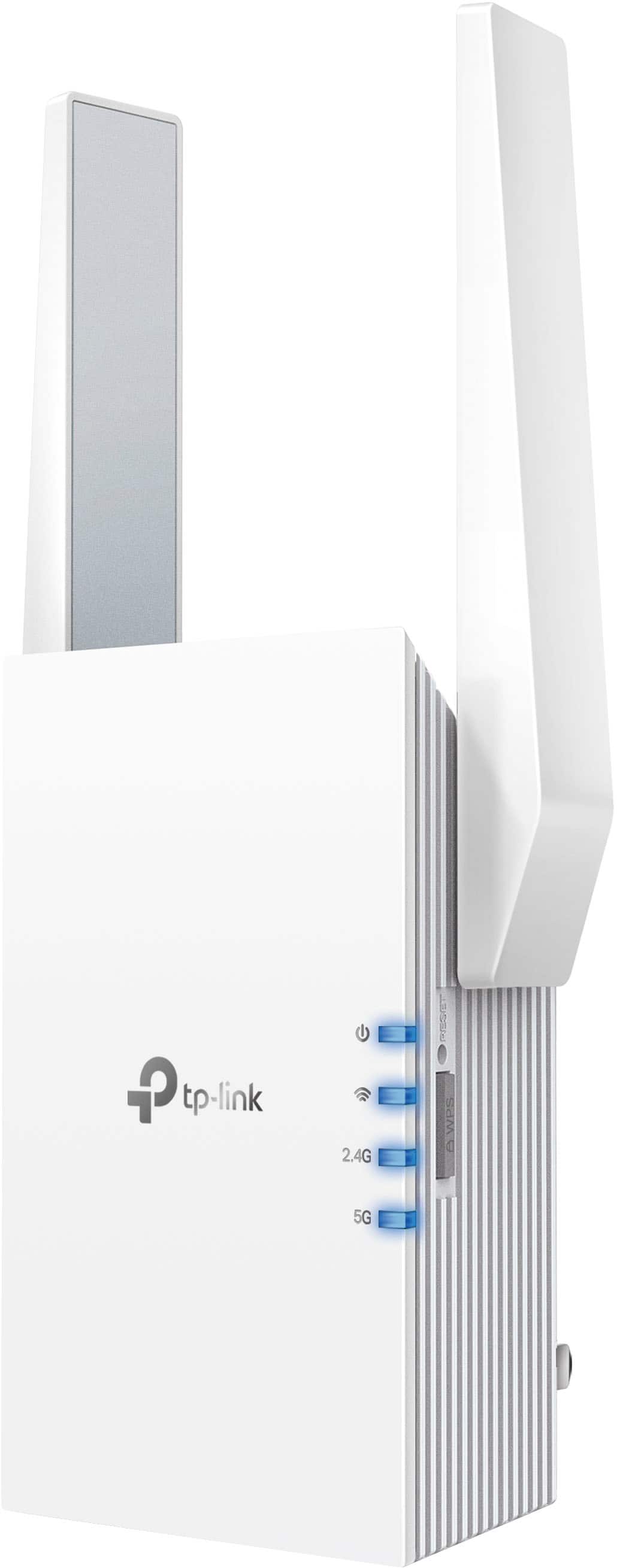
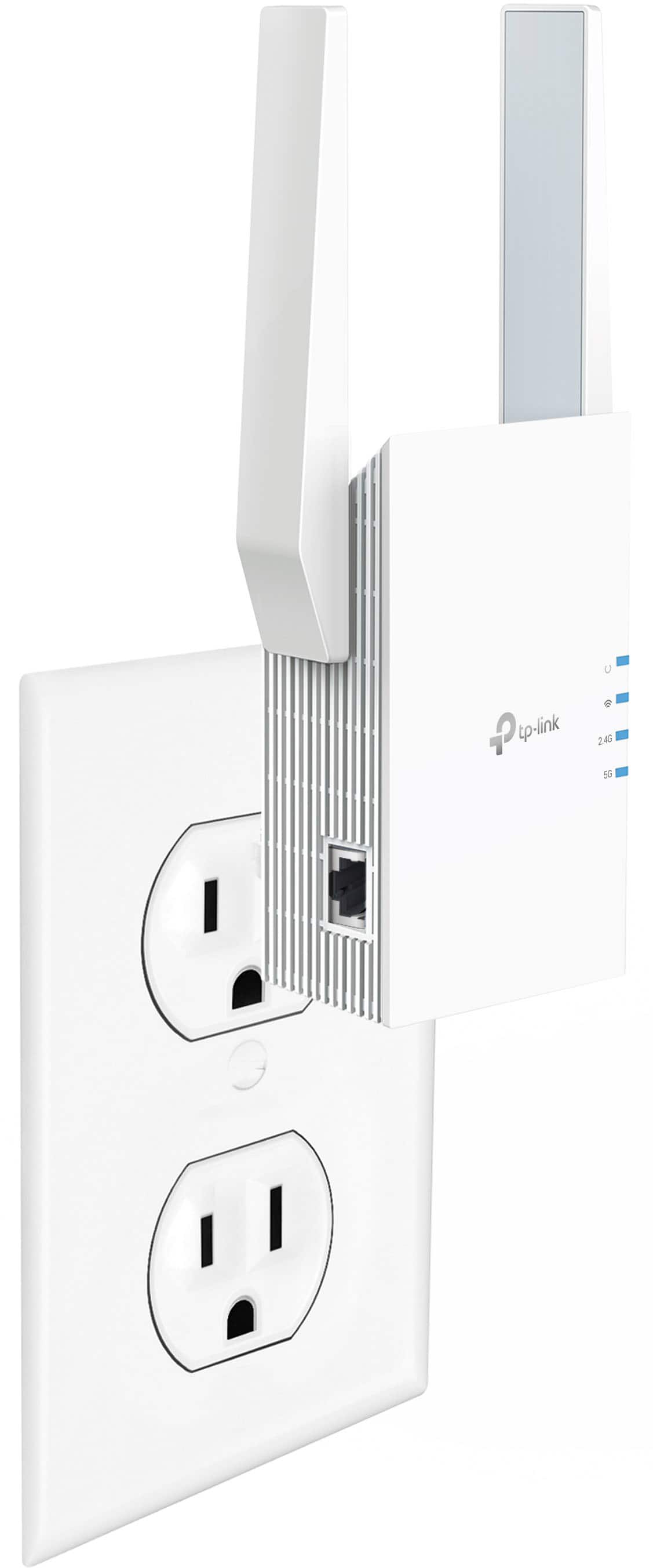
|Posted .This reviewer received promo considerations or sweepstakes entry for writing a review.I received this wifi range extender to test. I have had one from netgear in the past before I upgraded my system to a mesh in my house. The extender worked ok, but was not as easy tp set up as this one. I plugged this in at my office so that I could have coverage to the back room more consistently. This app is really easy to use, I created an account logged in, and the followed the instructions to on the ap set up this device. The quickstart guide given with the device leads your right down the order of things to do and well written, and i appreciate it. Overall it took maybe 5 minutes and I was set up. You start with the setup near the wifi device you want to extend, then once programed move it about 1/2 to the area you want covered, and make sure it has a good signal. All was good in my dead spot, but I had to login to the other network (id'd by "ext" added to other network name). Unfortunately the wireless routers I have does not support the onemesh setting, which it appears to be only their brands do, so this will not work as seamlessly with your devices as they claim unless you have one of the 19 main routers supported. Sure this will work with any device, just not the mesh feature. It appears easy enough to change which network you extend also. I did it between office and my home just to try and it worked good. You also have a lan line connector on it for devices that you want wired or may not habe wifi. So far, I'm pleased and would reccomed this to friends and family. 5 stars as an extender only, easy to set up and go. "works with existing router" is correct only as a simple extender. Onmesh feature is a gimmick they highlight, but bury in fine print limited to only their other products, and not something you should buy this for unless you have one of their devices. Still good extender.
I would recommend this to a friend Frozen movies..
||Posted . Owned for 2 weeks when reviewed.This reviewer received promo considerations or sweepstakes entry for writing a review.My wifi signal getting poorer when I added it as a extender , When you watched movies , it frozed anytime.. It’s better not to add this extender..
No, I would not recommend this to a friendBrand response from TPLinkSupport
Posted .With extenders, placement is everything. An extender should be placed in an open and unobstructed area with a strong signal from the router. It should placed between where you have the router and where additional coverage is needed. If this does not correct the drops in connect, please reach out to support.
Terrible
||Posted . Owned for 1 month when reviewed.This reviewer received promo considerations or sweepstakes entry for writing a review.Kept taking us off of our nighthawk router. Reset four times and find my gave up. Used for an extension to upstairs and then not meet our expectations
No, I would not recommend this to a friendBrand response from TPLinkSupport
Posted .Hi,
Thank you for your review. If you haven't noticed a significant improvement in Wi-Fi coverage after installing the extender, we recommend relocating the unit to a position within your home where the router's Wi-Fi signal is sufficiently strong; yet far enough from the router to effectively extend its range. Please verify the RE status LED is indicating a solid connection.
We also recommend ensuring the extender's firmware is fully up to date using the steps outlined in FAQ 1406 on our official website: https://www.tp-link.com/us/support/faq/1406/
If you would like assistance with any of these steps, please reach out to our support team using any of the resources included with the product, or from our official website, and we'll gladly have a Support Agent follow up with you directly.
Thank you,
TP-Link Support
- Pros mentioned:Ease of use, Performance, Setup
Easy set-up, works fine
Posted .This reviewer received promo considerations or sweepstakes entry for writing a review.Easy set up, works fine. Used for far bedroom from router for game playing.
I would recommend this to a friend Internet Booster
||Posted . Owned for 1 month when reviewed.This reviewer received promo considerations or sweepstakes entry for writing a review.It was awesome. Works great! It really helped the internet service in our area.
I would recommend this to a friendWireless Extender
||Posted . Owned for 3 weeks when reviewed.This reviewer received promo considerations or sweepstakes entry for writing a review.Works good only complaint is it has to have different network name from primary router.
I would recommend this to a friendSave your money
||Posted . Owned for 3 months when reviewed.This reviewer received promo considerations or sweepstakes entry for writing a review.The only thing it extended was the amount of time I wasted trying to get it to connect and then having to return it. Very poor user interface via the required app and zero improvement in wifi reach, regardless of where it was set up.
No, I would not recommend this to a friendBrand response from TPLinkSupport
Posted .Hi,
Thank you for your review. If you haven't noticed a significant improvement in Wi-Fi coverage after installing the extender, we recommend relocating the unit to a position within your home where the router's Wi-Fi signal is sufficiently strong; yet far enough from the router to effectively extend its range. Please verify the RE status LED is indicating a solid connection.
We also recommend ensuring the extender's firmware is fully up to date using the steps outlined in FAQ 1406 on our official website. To locate this FAQ, visit our website and enter 1406 in the top-right search field, then click the corresponding FAQ in the search results.
If you would like assistance with any of these steps, please reach out to our support team using any of the resources included with the product, or from our official website, and we'll gladly have a Support Agent follow up with you directly.
Thank you,
TP-Link Support
- Pros mentioned:Ease of use, Signal strength
Easy to set up!
|Posted .This reviewer received promo considerations or sweepstakes entry for writing a review.I just want to say this was extremely easy to set up. I jumped at the chance to acquire this extender. Reason being that on the other side of my home I keep getting dropped signal on a security camera and on my horticultural data logger that communicates with my tablet letting me know critical information when I'm not home. Not one dropped device unless my main router is down. I connected a switch to it and now have all my LAN devices hooked up to this extender, No issues whatsoever! I set it up using the WPS feature on the side of the device. Once I did that I did the same to my router, they both connected and I had great signal. I went to test my speed out on the net and there was absolutely no drop in speed or bandwidth whatsoever. I even tried to do a little gaming on my laptop and to no surprise, no issues again. I always liked TP-Link devices coming from a technical background myself with about 15 years experience in IT and this definitely get my stamp of approval. I'd recommend this to anyone who keeps losing signal on devises that are far away form their router. Personally I used it to connect my LAN devices and I didn't want to run Cat5e cable through the wall or along the floor. Just another Idea out there!
I would recommend this to a friend Good while it lasted
||Posted . Owned for 1 month when reviewed.This reviewer received promo considerations or sweepstakes entry for writing a review.It worked great but it died after about three weeks
I would recommend this to a friendBrand response from TPLinkSupport
Posted .Hi,
Thank you for your review. Your TP-Link Wi-Fi extender comes with a 2-year warranty, and we would greatly appreciate the opportunity to follow up with you and address your concerns. At your earliest convenience, please reach out to our free support team using any of the resources included with the product, or from our official website, and we'll gladly have a Support Agent follow up with you directly.
Thank you,
TP-Link Support
- Pros mentioned:Setup
Good but may not be the best extender
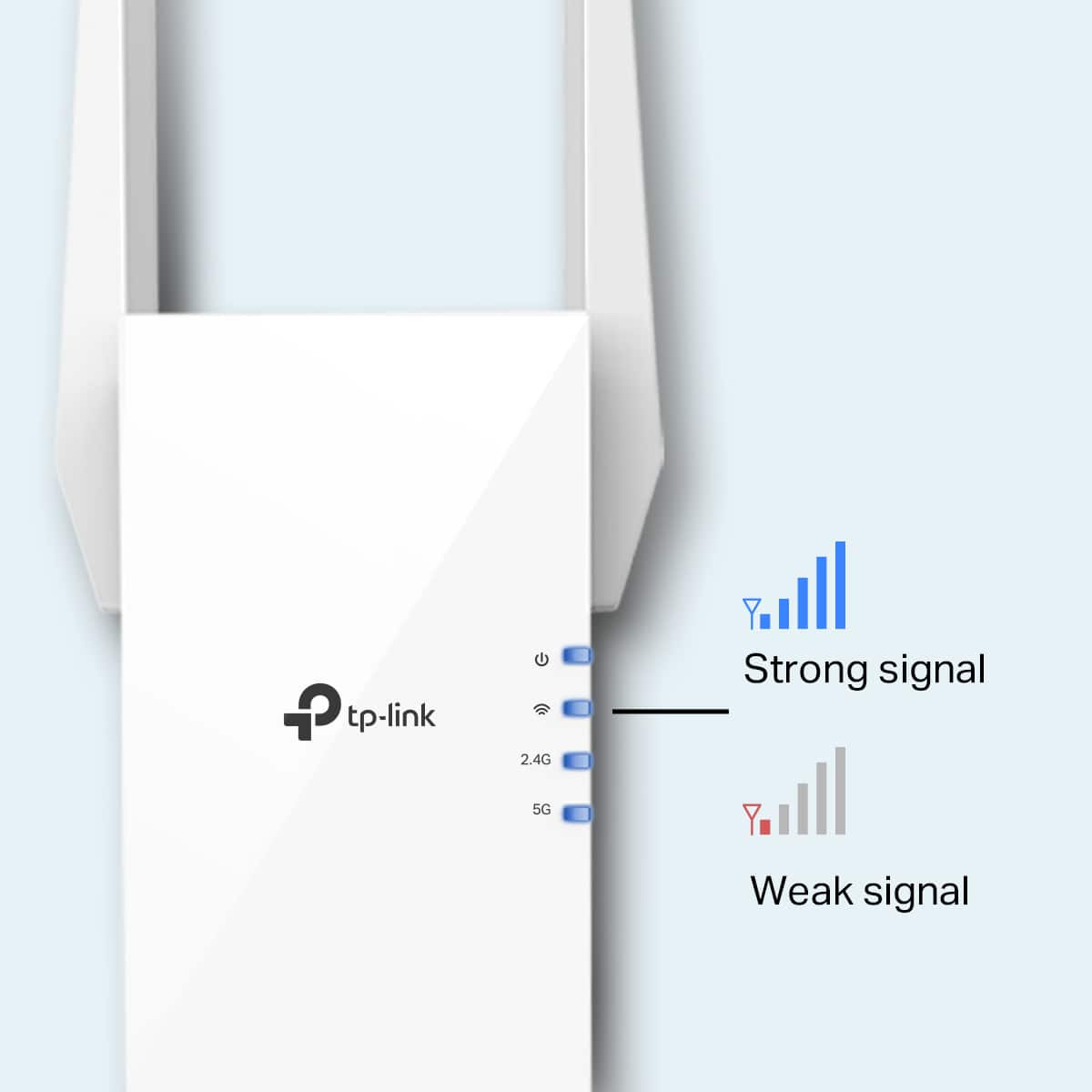
|Posted .This reviewer received promo considerations or sweepstakes entry for writing a review.TP-Link - RE705X AX3000 Dual-Band Wi-Fi 6 Range Extender Setup - It was super simple to setup the Extender. As per the instruction it was required to install the Tether app from the playstore and then connect the extender to the Wall socket near to the router for the initial setup. The entire setup process from the time when the extender was plugged in to the wall socket took only less than 5 min. As my main router (TP Link Archer AX20) was also TP Link i did not face any issues and I was able to choose my 2.4 GHz network that i wanted to extended from the Quick Setup menu in the app. Once I had done the initial setup i was able to go to the Extended Network tab to view the list of available extended networks. Also it is possible to reselect a different Main Network if required any time from the app. App Features: 1. One Mesh network - This is by default turned on where the Mobile device will seamlessly switch connection between the router or extender that provides the fastest speed when moving through the house. 2. High Speed Mode - The extender will automatically disable one of the wireless bands and speeds up the other. 3. Location Assistant - Helps in finding the best location for the extender by checking the signal strength received from the router. 4. Share Wifi - I did not test this feature 5. LED Control - Under Night Mode when enabled the LED will be off during the time specified. 6. Wifi Coverage - It is possible to choose between Maximum or Intermediate or Minimum coverage where more power is used when the Maximum coverage is selected. I did some tests with different coverages. Minimum is almost similar to the current network strength. Intermediate has slightly better coverage than Minimum and with Maximum coverage we almost get full signal. I live in an apartment where there are 4 rooms. The main router is in the living room followed by an open kitchen, then 2 bedrooms (one after another). I have kept the Extender in the 1st bedroom so that i will get good signal in the last room (2nd bedroom). I expected the Intermediate coverage to be a bit more powerful but it slightly performed less than my expectation. 7. Scheduled Power off - Helps to turn off the extender during a specified time. 8. Operation mode - Helps to choose between Range Extender or Access point(where a wired network is transformed to a wireless one) which I did not test either. Speed test: I used 3 different phones to perform the speed test (Moto X4 (4 years old phone), Samsung Galaxy S8 which is 3 years old and then Samsung A71 which is a little more than a year old. Here are the results. Note when I am in the Living room the signal was automatically getting picked from the Main router which has more speed than the extender always. We can know which devices are connected after selecting the Main Router or Extender from the main screen and then clicking on the # of Clients from the top screen. Moto X4 - Living Room (Source - Main router) - 100 Mbps 1st bedroom where the Extender is present (Source - Extender) - ~ 70 Mbps 2nd bedroom (Source - Main router) - ~ 60 Mbps Samsung X8 - Living Room (Source - Main router) - ~ 120 Mbps 1st bedroom where the Extender is present (Source - Extender) - ~ 80 Mbps 2nd bedroom (Source - Extender) - ~ 70 Mbps Samsung A71 - Living Room (Source - Main router) - ~ 160 Mbps 1st bedroom where the Extender is present (Source - Extender) - ~ 110 Mbps 2nd bedroom (Source - Extender) - ~ 100 Mbps I did the same test from my Samsung A71 phone with the Extender disconnected. To my surprise i saw that the speeds that I got in both the bedrooms where 10 to 20 Mbps more than that of the Extender. Not sure why the Extender was getting used when the Main router had more speeds than the Extender. Maybe for someone who have a little bit older router which is no Wifi 6 compatible I think the extender might be getting them good speeds. In my opinion people who have a latest router with more coverage may be disappointed as the Extender tries to use the extender as it is nearer even though the main router has better speeds. Downsides: 1. Heating - I was using the Wifi Extender with Maximum coverage option selected. I saw that the extender was very hot when i tried to unplug the extender from the wall socket. I feel TP Link should have done better in trying to cool the equipment as I am pretty confident if the device gets overheated it might stop working in few years. 2. Switching between Main Router and Extender... I think TP Link should be better able to select the fastest network than selecting the device which has more signal strength. I don't think this sounds right and TP Link should probably fix this. Having said that I doubt if the One Mesh network works as expected. Note - The speeds I have mentioned above are from the tests that I performed during a specific time. Even the difference in speed between each device might be + or - 10 to 20 Mbps. It may vary at different times and might vary depending on the hardware used.
I would recommend this to a friendBrand response from TPLinkSupport
Posted .Hi,
Thank you for your review. Please bear in mind Wi-Fi extenders utilize half-duplex transmission. As a result, throughput when connecting to the extender may be reduced when compared to the router. This is an industry standard for Wi-Fi extenders and is not exclusive to TP-Link.
While it is normal for the extender to run warm while in use, it should not be exceedingly hot. When using multiple Wi-Fi sources within a network environment - such as a router combined with an extender - please bear in mind that Wi-Fi roaming is purely a client (smartphone, TV, computer, tablet, etc.) decision. The wireless client is responsible for deciding it needs to roam, and then detecting, evaluating, and roaming to an alternative Wi-Fi source nearby.
Please take a moment to look over our FAQ 592 on our website about wireless roaming to ensure that your mobile device is properly set to ensure optimal wireless connection: https://www.tp-link.com/us/support/faq/592/
If you would like assistance with your TP-Link Wi-Fi extender, please reach out to our toll-free support team using any of the resources included with the product, or from our official website, and we'll gladly have a Support Agent follow up with you directly.
Thank you,
TP-Link Support
TP-Link AX3000 does not live up to their claims.
||Posted . Owned for 1 month when reviewed.This reviewer received promo considerations or sweepstakes entry for writing a review.This TP-Link Dual Band Wi-Fi 6 Range Extender did NOT improve my Wi-Fi signal in any room of the house. It was returned. I could not and do not recommend it.
No, I would not recommend this to a friendBrand response from TPLinkSupport
Posted .Hi,
If you haven't noticed a significant improvement in Wi-Fi coverage after installing the extender, we recommend relocating the unit to a position within your home where the router's Wi-Fi signal is sufficiently strong; yet far enough from the router to effectively extend its range. Please verify the RE status LED is indicating a solid connection.
We also recommend ensuring the extender's firmware is fully up to date using the steps outlined in FAQ 1406 on our official website: https://www.tp-link.com/us/support/faq/1406/
If you would like assistance with any of these steps, please reach out to our free support team using any of the resources included with the product, or from our official website, and we'll gladly have a Support Agent follow up with you directly.
Thank you,
TP-Link Support
Light on no one home
||Posted .This reviewer received promo considerations or sweepstakes entry for writing a review.Did not work. Four solid lights on it but fails to connect to network. Support unresponsive, will return.
No, I would not recommend this to a friendBrand response from TPLinkSupport
Posted .Hi,
Thank you for your review. If you haven't noticed a significant improvement in Wi-Fi coverage after installing the extender, we recommend relocating the unit to a position within your home where the router's Wi-Fi signal is sufficiently strong; yet far enough from the router to effectively extend its range. Please verify the RE status LED is indicating a solid connection.
We also recommend ensuring the extender's firmware is fully up to date using the steps outlined in FAQ 1406 on our official website: https://www.tp-link.com/us/support/faq/1406/
If you would like assistance with any of these steps, please reach out to our support team using any of the resources included with the product, or from our official website, and we'll gladly have a Support Agent follow up with you directly.
Thank you,
TP-Link Support
- Pros mentioned:Ease of use, RangeCons mentioned:Size
Great range extender, fast speeds!
|Posted .This reviewer received promo considerations or sweepstakes entry for writing a review.This thing will extend your range (while giving you an extra ethernet port), and its super easy to setup! I grabbed this little guy to put in our 3-season room to extend the wifi out to our backyard. Our full 200mbps connection is available pretty much to the edge of our property! (30-40ft through 1 wall) I expected the extra strain on our wifi would slow down other devices, but I connected a few devices (my oneplus 8, wifes iphone SE (2nd gen), fire tablet, random laptop) over to the extender, and testing at different times, all were able to pull our full internet connection also. Its a bit bulky which means it may block other large "wall wart" style adaptors. The antennas further its bulk/space needed, so you may need to keep that in mind for hidden outlets or tight spaces. Also, users need to be aware that extenders can only do so much. They cannot be right expected to push wifi at full speed while being placed right on the edge of wifi range its repeating. Usually it would be placed ideally 1/2-2/3s of the way. Overall, good extender for the price, and the ethernet port is a bonus!
I would recommend this to a friend AX3000 - Junk
||Posted . Owned for 4 months when reviewed.This reviewer received promo considerations or sweepstakes entry for writing a review.Do not use this, its junk. It drops connection if you try to extend more than 1 Wi-Fi.
No, I would not recommend this to a friendBrand response from TPLinkSupport
Posted .Hi,
Thank you for your review. If you haven't noticed a significant improvement in Wi-Fi coverage after installing the extender, we recommend relocating the unit to a position within your home where the router's Wi-Fi signal is sufficiently strong; yet far enough from the router to effectively extend its range. Please verify the RE status LED is indicating a solid connection.
We also recommend ensuring the extender's firmware is fully up to date using the steps outlined in FAQ 1406 on our official website: https://www.tp-link.com/us/support/faq/1406/
If you would like assistance with any of these steps, please reach out to our support team using any of the resources included with the product, or from our official website, and we'll gladly have a Support Agent follow up with you directly.
Thank you,
TP-Link Support
Junk
||Posted . Owned for less than 1 week when reviewed.This reviewer received promo considerations or sweepstakes entry for writing a review.What should have been an easy extender to my foyer was a pointless hour of frustration. Returning.
No, I would not recommend this to a friendBrand response from TPLinkSupport
Posted .Hi,
Thank you for your review. If you haven't noticed a significant improvement in Wi-Fi coverage after installing the extender, we recommend relocating the unit to a position within your home where the router's Wi-Fi signal is sufficiently strong yet far enough from the router to extend its range effectively. Please verify the RE status LED is indicating a solid connection.
We also recommend ensuring the extender's firmware is fully up to date using the steps outlined in FAQ 1406 on our official website: https://www.tp-link.com/us/support/faq/1406/
If you would like assistance with any of these steps, please contact our support team using any of the resources included with the product or from our official website, and we'll gladly have a Support Agent follow up with you directly.
Thank you,
TP-Link Support