Customer Ratings & Reviews
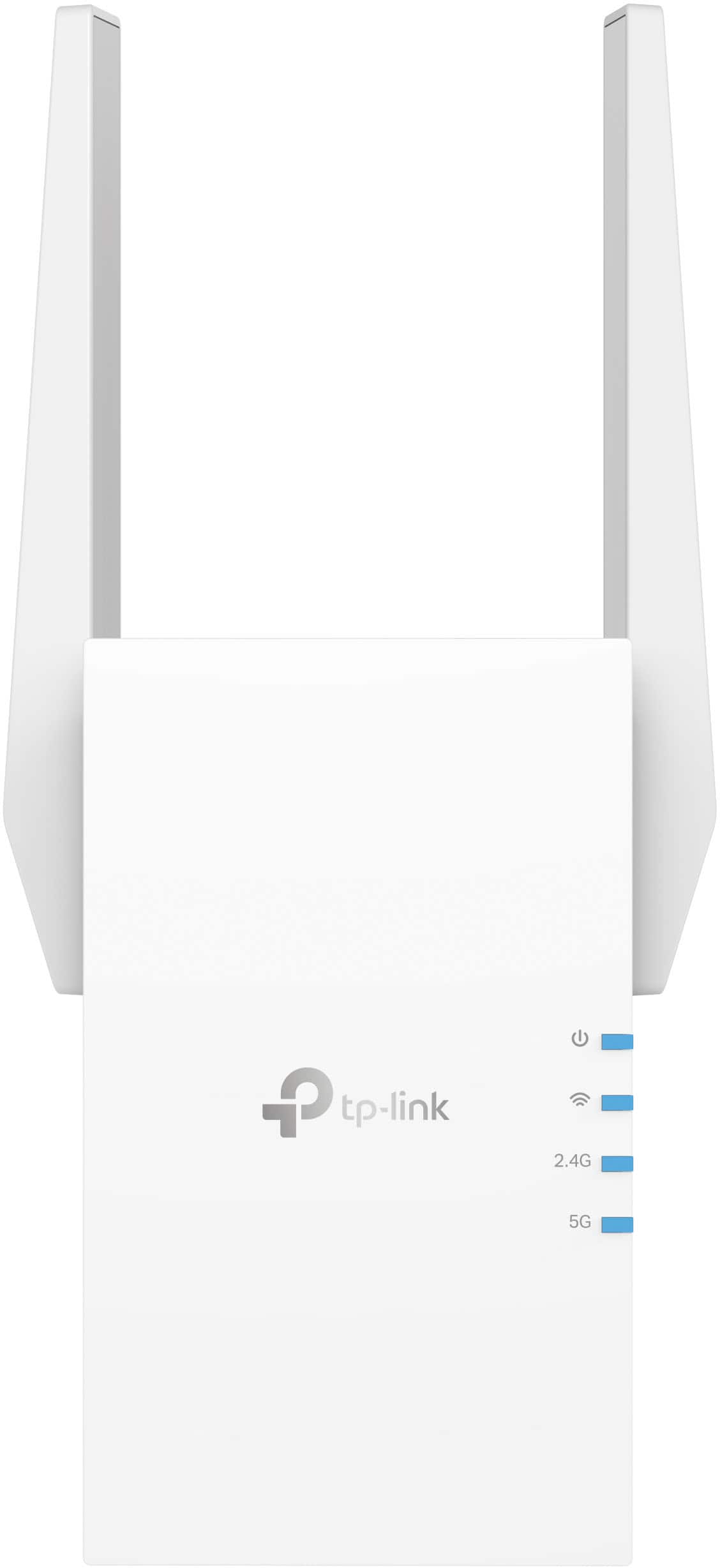

- Model:
- RE705X
- SKU:
- 6502060
Rating by feature
- Value
Rating 4.5 out of 5 stars
- Quality
Rating 4.6 out of 5 stars
- Ease of Use
Rating 4.6 out of 5 stars
Customers are saying
Customers appreciate the AX3000 Dual-Band Wi-Fi 6 Range Extender for its ease of use, extended range, and strong signal strength. Many users have found the setup process to be simple, and they are experiencing fast speeds and reliable connectivity. However, some customers have reported that the device can get warm, and a few have mentioned compatibility issues and its size being a potential concern.
This summary was generated by AI based on customer reviews.
Did not work
||Posted . Owned for 1 week when reviewed.This reviewer received promo considerations or sweepstakes entry for writing a review.Did not work. Put it inside of the wifi zone and it only extended the internet maybe 5 feet before dropping off. It was as if it wasnt even there.
No, I would not recommend this to a friendBrand response from TPLinkSupport
Posted .Hi,
Thank you for your review. If you haven't noticed a significant improvement in Wi-Fi coverage after installing the extender, we recommend relocating the unit to a position within your home where the router's Wi-Fi signal is sufficiently strong; yet far enough from the router to effectively extend its range. Please verify the RE status LED is indicating a solid connection.
We also recommend ensuring the extender's firmware is fully up to date using the steps outlined in FAQ 1406 on our official website: https://www.tp-link.com/us/support/faq/1406/
If you would like assistance with any of these steps, please reach out to our free support team using any of the resources included with the product, or from our official website, and we'll gladly have a Support Agent follow up with you directly.
Thank you,
TP-Link Support
slow
||Posted . Owned for 1 week when reviewed.This reviewer received promo considerations or sweepstakes entry for writing a review.the signal was acceptable but the speed of connected devices was not.
No, I would not recommend this to a friendBrand response from TPLinkSupport
Posted .When it comes to range extenders the common misconception is that they will improve speeds. Often the speed can be up to 50% slower than if connected to the router with a similar strength signal. This is because in RE mode extenders operate in a 1/2 duplex mode. This means the extender can only communicate in 1 direction at a time with 1 device at a time. So its either talking to the client or the router. But because it can only talk in 1 direction speed is reduced compared to the router that naturally communicates in Full-duplex or both directions at the same time. If you are looking for similar speeds at the distant locations you might want to consider using a Deco Mesh system.
DOES NOT WORK!
||Posted . Owned for 2 months when reviewed.This reviewer received promo considerations or sweepstakes entry for writing a review.I need a WIFI booster to function as what it is advertised as. Got it all set up and it does nit work! Returned.
No, I would not recommend this to a friendBrand response from TPLinkSupport
Posted .Hi,
Thank you for your review. If you haven't noticed a significant improvement in Wi-Fi coverage after installing the extender, we recommend relocating the unit to a position within your home where the router's Wi-Fi signal is sufficiently strong; yet far enough from the router to effectively extend its range. Please verify the RE status LED is indicating a solid connection.
We also recommend ensuring the extender's firmware is fully up to date using the steps outlined in FAQ 1406 on our official website: https://www.tp-link.com/us/support/faq/1406/
If you would like assistance with any of these steps, please reach out to our support team using any of the resources included with the product, or from our official website, and we'll gladly have a Support Agent follow up with you directly.
Thank you,
TP-Link Support
mark
||Posted . Owned for 3 weeks when reviewed.This reviewer received promo considerations or sweepstakes entry for writing a review.i could not hook it to my internet had to call them up on the phone for two hrs, i may return it
No, I would not recommend this to a friendBrand response from TPLinkSupport
Posted .Hi,
Thank you for your review. If you are experiencing difficulty connecting the extender to your router, we recommend setting up the device in the same room as your router, then relocating it after setup is complete. We also suggest re-verifying your router's Wi-Fi password during setup, or if using the WPS setup method, ensuring the WPS process is performed in the correct order. The extender's indicator LEDs will help you determine which position in your home is ideal.
We also highly recommend ensuring the extender's firmware is fully up-to-date using the steps outlined in FAQ 1406 on our official website: https://www.tp-link.com/us/support/faq/1406/
If you would like assistance with any of these steps, please reach out to our free support team using any of the resources included with the product, or from our official website, and we'll gladly have a Support Agent follow up with you directly.
Thank you,
TP-Link Support
Bad review
||Posted . Owned for 3 weeks when reviewed.This reviewer received promo considerations or sweepstakes entry for writing a review.Did not work up to my espectations! Will not tell nobody to buy this product t.
No, I would not recommend this to a friendBrand response from TPLinkSupport
Posted .Hello Juan,
We would like to talk with you about your expectations. It is possible its outside of the product's capabilities but we might have something that will work for you. Please reach out to us at [email protected] when you can so we can discuss this more.
Thank you
- Pros mentioned:Ease of use, Range

Finally, WiFi extenders are a solid choice.
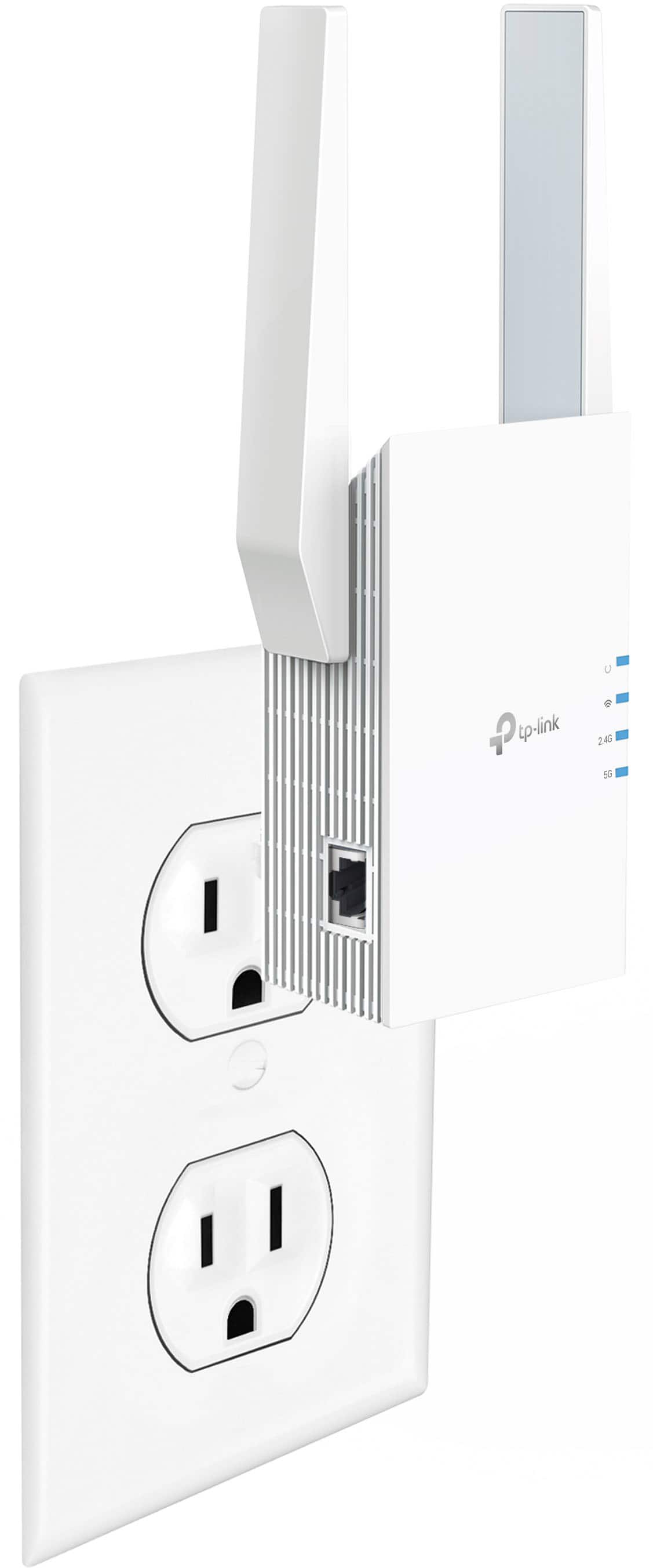
|Posted .This reviewer received promo considerations or sweepstakes entry for writing a review.I received this product in exchange for my fair and honest review. The TP-Link RE-705X AX3000 range extender is both an easy way to expand the coverage of your existing WiFi network and a great way to upgrade your network to 802.11AX WiFi 6 capability. It's easy to setup and use, and the included OneMesh feature makes it capable of seamlessly expanding your existing WiFi when using a compatible router. For those looking to expand your existing WiFi network's range - which is at least 90% of people looking at an extender like this - you'll want to use Tether mode, which allows you to quickly and easily connect the RE-705X to your existing network wirelessly. You can set this up using your tablet or smart phone and the TP-Link Tether app or using a PC or Mac computer with WiFi capability and the extender's built-in web interface. Either way, you tap/click on your network name, enter your password, and you're done. If you have a OneMesh-capable router, the rest of the configuration is automated; if you're using a router that doesn't support OneMesh, then you'll need to create new network names and passwords for the repeated networks, just like with a traditional WiFi extender. For those who already have a perfectly fine router that either lacks WiFi connectivity or you just want a faster WiFi connection, you'll want to use access point mode. You'll have to go in and configure the device through the web interface to use the ethernet port on it as its connection to your network, but once you do, you'll have a superfast WiFi connection available. Note that you cannot use the RE705X in OneMesh mode while using ethernet as the internet source. So now for the positives - the repeater mode works very well with WiFi 5/802.11AC and WiFi 6/802.11 AX routers, access point mode provides throughput speeds parallel with a wired gigabit connection with the right WiFi card in your computer or laptop, and the compact design is easy to hide. The negatives are that OneMesh only works with TP-Link OneMesh routers and nothing else, and OneMesh requires a wireless backhaul. All in all, I can recommend the RE-705X if you need to expand your WiFi coverage, even if you don't have a WiFi 6 router as your primary router. If you want to upgrade your router, however, just get a dedicated Mesh system instead of going extenders.
I would recommend this to a friend - Pros mentioned:Setup
It works!
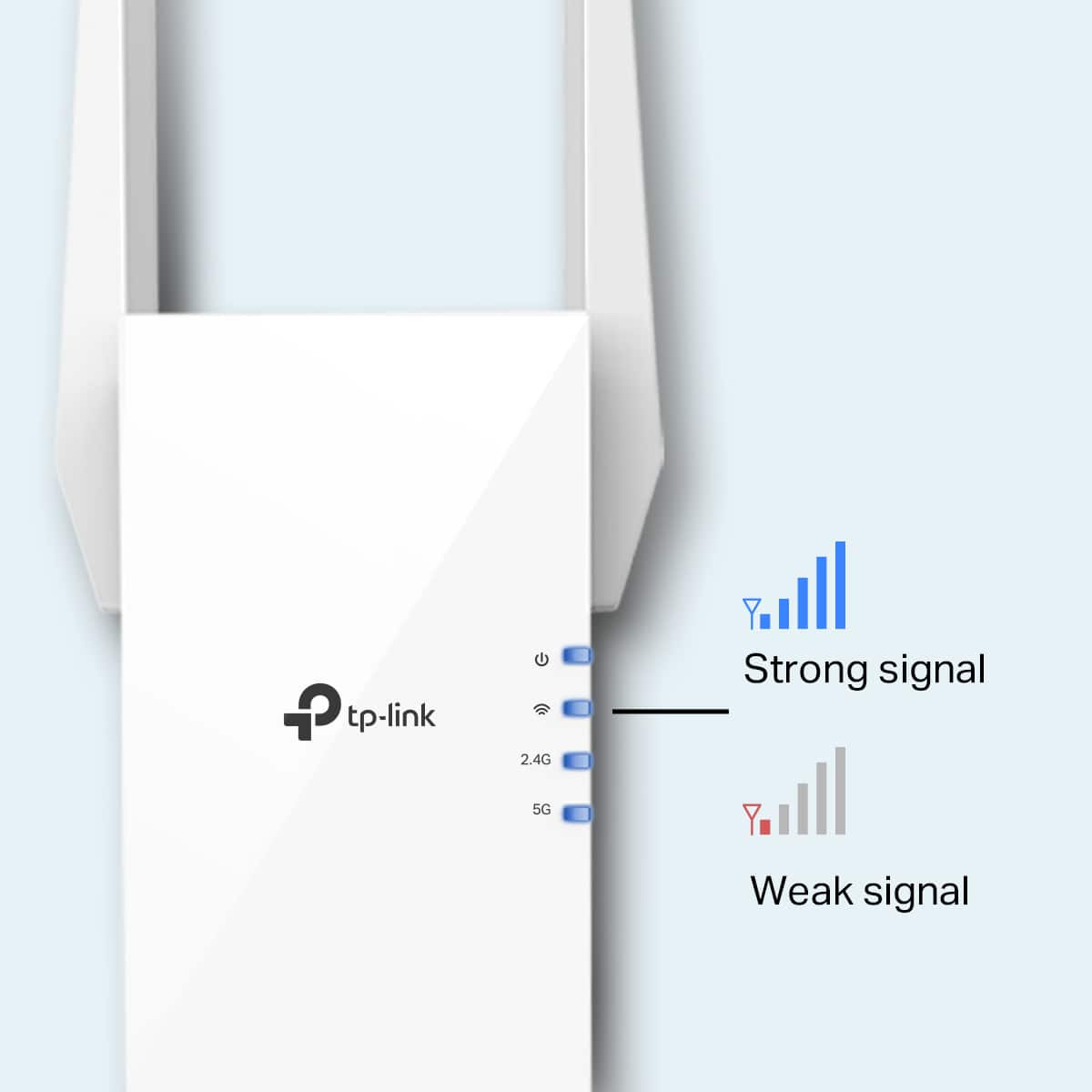
|Posted .This reviewer received promo considerations or sweepstakes entry for writing a review.TP Link RE705X AX3000 WI-FI 6 Range Extender The quick setup instructions included in the box make getting the extender up and running an easy task. You simply plug the unit into a power outlet near your router and then download the Tether App (both Android and Apple versions are available). Once you have a steady blue light on the extender, indicating that it has found your router (or routers, if you have more than one, as I do), you fire up the app and create an account. After creating your account, you use the app to set things up. The app connects to the extender, and you can choose which router (or routers) you want to connect to. In my case, since I have multiple routers, I chose one for the 2.4Ghz connection and another for the 5Ghz connection. It created two new choices that show up when choosing a network to connect to in “Settings”, both with the same first name as the chosen routers, but with the suffix _EXT (for Extender). Once the extender setup is finished, you can unplug it and move it to the area where you’re getting poor (or no) reception. Plug it in and wait for it to display solid blue lights. If it doesn’t, that indicates that you’ve moved it too far away from your router, so move it part way back and try again. Repeat until you get a row of solid blue lights, indicating that the extender is now located in a spot where it will work. In my case, my routers are on the second-floor rear, so my poor reception areas were on the first-floor front. That’s where I moved the extender after setup. Once I plugged it in, it locked right on, indicating that I hadn’t moved it too far away from the routers and that it would work just fine in that location. Now that it’s installed, I’ve got great coverage in the areas where I had poor (or no) reception before. So, this device does exactly what it’s supposed to do. And setting it up was a breeze. Life is good!
I would recommend this to a friend Do not buy
||Posted . Owned for 1 month when reviewed.This reviewer received promo considerations or sweepstakes entry for writing a review.Doesn’t do what I needed it to do and bestbuy won’t let me return
No, I would not recommend this to a friendBrand response from TPLinkSupport
Posted .Hi,
Thank you for your review. If you haven't noticed a significant improvement in Wi-Fi coverage after installing the extender, we recommend relocating the unit to a position within your home where the router's Wi-Fi signal is sufficiently strong; yet far enough from the router to effectively extend its range. Please verify the RE status LED is indicating a solid connection.
We also recommend ensuring the extender's firmware is fully up-to-date, using the steps outlined in FAQ 1406 on our official website: https://www.tp-link.com/us/support/faq/1406/
If you would like assistance with any of these steps, please reach out to our support team using any of the resources included with the product, or from our official website, and we'll gladly have a Support Agent follow up with you directly.
Thank you,
TP-Link Support
Terrible for gaming boost
||Posted . Owned for 9 months when reviewed.This reviewer received promo considerations or sweepstakes entry for writing a review.Booty cheeks through and through. This product boosted nothing.
I would recommend this to a friendBrand response from TPLinkSupport
Posted .Hi,
Thank you for your review. If you haven't noticed a significant improvement in Wi-Fi coverage after installing the extender, we recommend relocating the unit to a position within your home where the router's Wi-Fi signal is sufficiently strong; yet far enough from the router to effectively extend its range. Please verify the RE status LED is indicating a solid connection.
We also recommend ensuring the extender's firmware is fully up-to-date, using the steps outlined in FAQ 1406 on our official website: https://www.tp-link.com/us/support/faq/1406/
If you would like assistance with any of these steps, please reach out to our support team using any of the resources included with the product, or from our official website, and we'll gladly have a Support Agent follow up with you directly.
Thank you,
TP-Link Support
Save Your Money
||Posted . Owned for 1 month when reviewed.This reviewer received promo considerations or sweepstakes entry for writing a review.Does not work well. Did not extend my WiFi network as needed.
No, I would not recommend this to a friendBrand response from TPLinkSupport
Posted .Hi,
Thank you for your review. If you haven't noticed a significant improvement in Wi-Fi coverage after installing the extender, we recommend relocating the unit to a position within your home where the router's Wi-Fi signal is sufficiently strong; yet far enough from the router to effectively extend its range. Please verify the RE status LED is indicating a solid connection.
We also recommend ensuring the extender's firmware is fully up to date using the steps outlined in FAQ 1406 on our official website: https://www.tp-link.com/us/support/faq/1406/
If you would like assistance with any of these steps, please reach out to our support team using any of the resources included with the product, or from our official website, and we'll gladly have a Support Agent follow up with you directly.
Thank you,
TP-Link Support
Terrible
||Posted . Owned for 3 weeks when reviewed.This reviewer received promo considerations or sweepstakes entry for writing a review.Doesn’t not work well with my Wi-Fi . I’m returning i
No, I would not recommend this to a friendBrand response from TPLinkSupport
Posted .Hi,
Thank you for your review. If you haven't noticed a significant improvement in Wi-Fi coverage after installing the extender, we recommend relocating the unit to a position within your home where the router's Wi-Fi signal is sufficiently strong; yet far enough from the router to effectively extend its range. Please verify the RE status LED is indicating a solid connection.
We also recommend ensuring the extender's firmware is fully up-to-date, using the steps outlined in FAQ 1406 on our official website: https://www.tp-link.com/us/support/faq/1406/
If you would like assistance with any of these steps, please reach out to our support team using any of the resources included with the product, or from our official website, and we'll gladly have a Support Agent follow up with you directly.
Thank you,
TP-Link Support
- Pros mentioned:Range, Setup
Works like a charm!
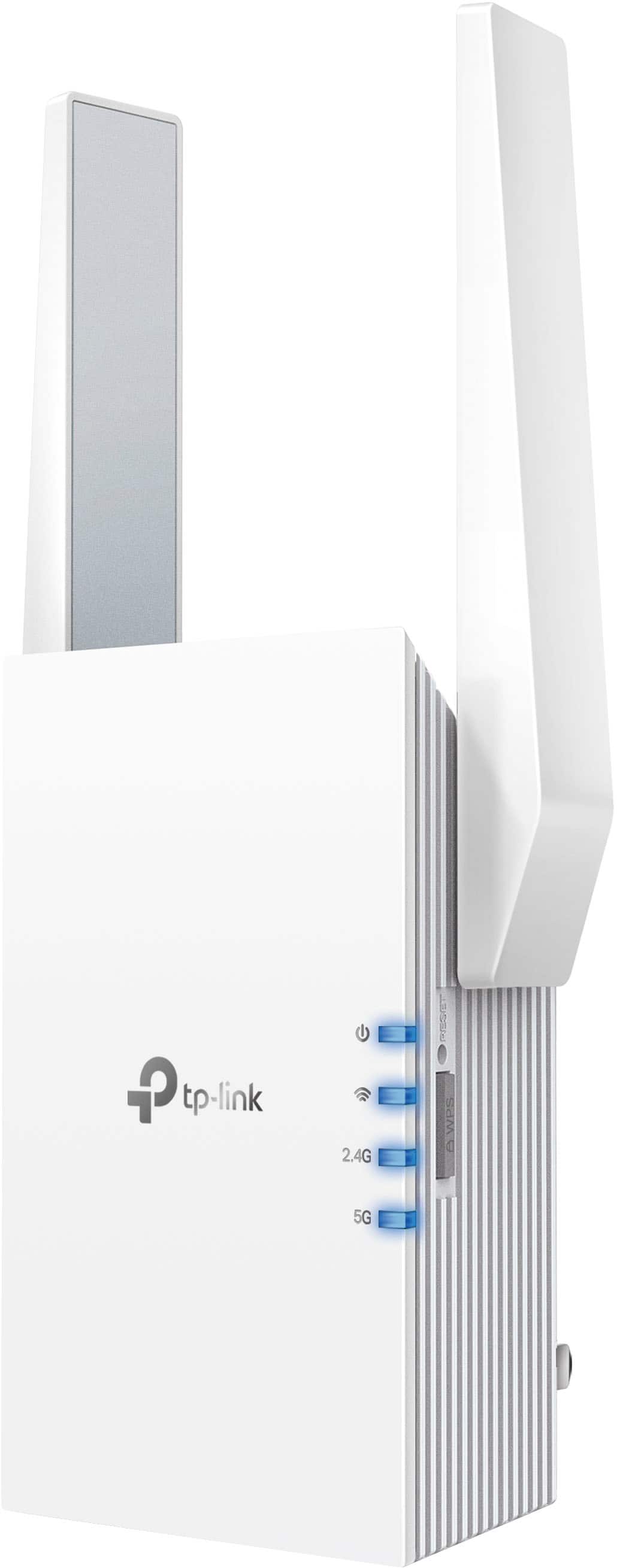
|Posted .This reviewer received promo considerations or sweepstakes entry for writing a review.The TP-Link RE705X AX3000 WiFi 6 Range Extender is a small, compact unit that simply plugs into an electrical outlet and connects to your router to extend the range of your WiFi. The setup was simple: I plugged it in near my router (not TP-Link) and it synced almost immediately with just the press of the WPS on the router and then on the extender. I did it again to make sure it was synced to both the 2.4 & 5 GHz channels. I then walked downstairs to where I felt my WiFi was weak. This happens to also be where I do a lot of video streaming. I simply plugged the TP-Link RE705x into an outlet there. It showed me with light indicators that I would have a strong signal there. I downloaded the Tether app and I was led thru the quick setup process. It set up a new network which was my network SSID with __ext attached. Now when I’m that room with the weak WiFi I simply change over to the new network and I’m able to stream without a problem. If you have a TP-Link Mesh router, it would be an even easier connection by connecting to the strongest signal automatically as you move throughout your home. I don’t happen to have that, but I just might soon! So does it extend the range of my WiFi? It certainly does. It was an easy fix to a frustrating problem. I would definitely recommend this TP-Link RE705X range extender.
I would recommend this to a friend - Pros mentioned:Performance
the little white box we all need...
|Posted .This reviewer received promo considerations or sweepstakes entry for writing a review.Finally a range extender that just works, at least it did for me. I happen to also be using the Tp-Link mesh system that is AC6 and so far everything has gone very smooth. One thing I learned from previous experience is to complete the setup near the actual mesh system and then move it to where you plan to use it and confirm that the performance feels the same. I was very happy with their mesh system but have always felt the mesh systems leave something to be desired and this gives me the flexibility I was missing. I was able to set it up using my phone and verify the firmware was up to date. The connections were fine and have seen no apparent speed issues. I like that I can tether a ethernet cable directly for a stable connection if my device does not have wifi built in such as some older smart tvs or desktop pcs without a wireless card. Another plus is it just looks cool, reminds me of my childhood. I can use it for extending both the 2.4GHz and 5GHz networks technically from multiple or different routers. I would definately change the default password which the software has you do when you first connect. I would recommend this for anyone with a mesh system or an older other system without built in wifi. I also like there support and website behind this brand is there.
I would recommend this to a friend - Pros mentioned:Performance, Setup
Great Extender
|Posted .This reviewer received promo considerations or sweepstakes entry for writing a review.I got this extender set up rather quickly and am now wondering what took me so long to get one. Doing a speed test from the area I have it in with and without the extender I'm getting 3x faster downloads and uploads from the extender vs the regular wifi connection. I primarily have it at the front of my house to get better access for my security cameras and the performance of the cameras are night and day better now with the extender. The extender was easy to set up and is managed with their Tether app. In the app you can then see which Clients/devices are connected. You can even go to one of the connected clients and choose to block it. In the app you can also choose to change the network name of the extender. One part that I thought was very handy is it carried over the same password as my main network so that I don't need two different passwords for direct or extended connected items. The only negative I could think of for this extender was the boot up time. It does take a little while to get booted up and re-connected but once it is, its a solid connection. I have not had it drop the connection to the network while its been powered on. Overall I am very pleased with this extender and would not hesitate to recommend.
I would recommend this to a friend - Pros mentioned:Range, Setup
Nice Wi-Fi 6 Extender
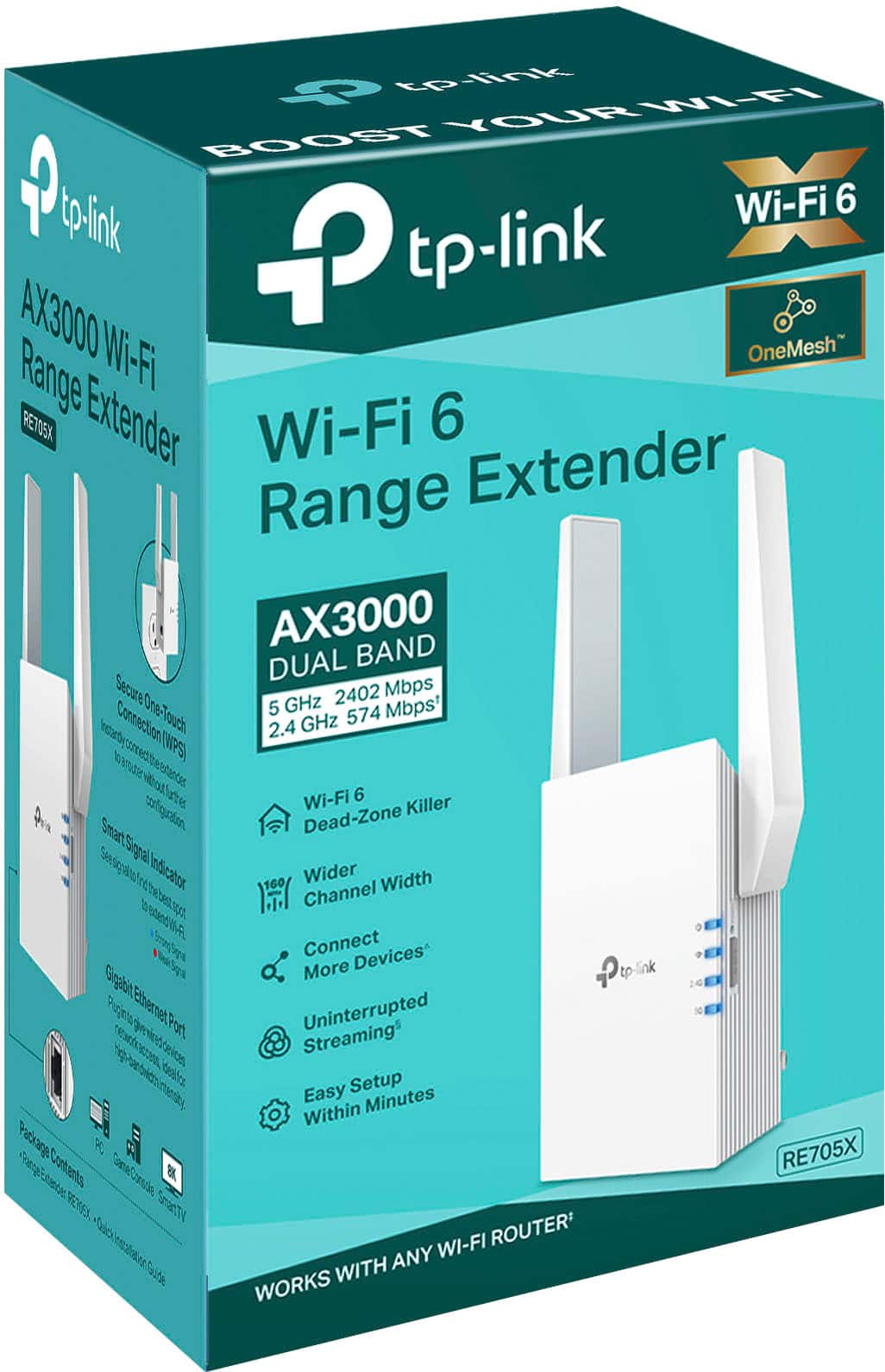
|Posted .This reviewer received promo considerations or sweepstakes entry for writing a review.There isn't too much to say about the RE705X AX3000 WI-FI 6 Range Extender. I had a couple of areas on my property that I wanted to mount Wireless security cameras. Unfortunately my Wi-Fi signals to those areas was weak and the Nest cameras would drop offline several times a day. That kind of defeats the purpose of the cameras if they are ever blind for minutes at a time. This Extender fixed that problem. I plugged into a wall outlet near an outside wall. I then loaded the software on my phone and followed the instructions. In under 5 minutes, my Wi-Fi extender was up and running. It took me longer to reconfigure my cameras than to setup the extender. The cameras have had no downtime since I installed the extender. On top of that, they are able to record without jitter and dropped frames. As an extender, it supports Wi-Fi 6. It is a dual band unit operating at both 5 Ghz ()2402 Mbpss) and 2.4 Ghz (574 Mbps). It also allows you to connect more devices to your network. In addition to being a range extender, it can also function as a Wi-Fi Access point to enhance your wired network with Wi-Fi capabilities. If you want to add Wi-Fi to your network or if your router doesn't reach all of the devices in and around your home, this could very well be the solution. They unit was very easy to setup and does everything that it is advertised to do. I can easily recommend this product.
I would recommend this to a friend Do Not Buy!
||Posted . Owned for 4 months when reviewed.This reviewer received promo considerations or sweepstakes entry for writing a review.We took a chance on buying this item and regret the purchase. This item never worked correctly without a lot of "manual intervention" on our part to get it to work. We should have returned it right away, but there was no other item that we could have used to fill the role that this sub-par item did. We finally ran an ethernet cable to the Roku unit in our back bedroom, which negated the need for this inferior item. Unfortunately, it is no longer "returnable" so it is now a $120 paperweight. Do not buy this item; you will regret it.
No, I would not recommend this to a friendBrand response from TPLinkSupport
Posted .Hi,
Thank you for your review. If you are experiencing difficulty connecting the extender to your router, we recommend setting up the device in the same room as your router, then relocating it after setup is complete. We also suggest re-verifying your router's Wi-Fi password during setup, or if using the WPS setup method, ensuring the WPS process is performed in the correct order. The extender's indicator LEDs will help you determine which position in your home is ideal.
We also highly recommend ensuring the extender's firmware is fully up to date using the steps outlined in FAQ 1406 on our official website: https://www.tp-link.com/us/support/faq/1406/
If you would like assistance with any of these steps, please reach out to our free support team using any of the resources included with the product, or from our official website, and we'll gladly have a Support Agent follow up with you directly.
Thank you,
TP-Link Support
- Pros mentioned:Ease of use
Easy setup and definitely extended my house WiFi
|Posted .This reviewer received promo considerations or sweepstakes entry for writing a review.Very simple device. Plug right into an outlet near my router (about 10 feet away) and setup with the easy TP Link "Tether" app. I already had a TP Link device in my house, so the app was easy to already log into. Per the simple instructions, add the device, found it right away, enter in the desired WiFI network info and its all set. Moved it for testing purposes to the bedroom furthest from the router and then into the garage to better reach an outdoor Ring cam. Connected just fine and fast speeds with no issues so far. Definitely recommend for an easy WiFi range extension in your house!
I would recommend this to a friend Finally one that works!
|Posted .This reviewer received promo considerations or sweepstakes entry for writing a review.I have a two story home, and the gaming console and our “media room” is on the second level of the house pretty far from router. There is enough of a link to run things, but the speed is on the edge of insufficient. I have in the past purchased a few different range extenders, but they were hit and miss. For the most part, they could connect to the existing signal and essentially extend it, but I only received minimal if any boost over running it off the origin signal alone. Waste of money, and I was not going to buy the double the price ones from my service provider. So TP-Link has been around forever and I have some of their other products. They are always well made, they are durable and they are of a higher level when if comes to function. So in trying the AX3000 I had a certain expectation with that in mind. After trying it for a few weeks now, I have to say I am not disappointed. The thing I like the most about it is that I get a decent boost. That is the point right? I tested the ratings on wifi alone and compared it to when I linked my phone to the extender. I saw a 15-20% boost depending on where I was upstairs. That is pretty significant and it was enough to give me a “good” signal on my TV in the media room. I also like that fact that it will handle your 2.4Ghz and 5Ghz signals separately. So devices like my smart lights and other items that prefer 2.4Ghz have their specific signal to connect to. With my service provider (and with most from what I learned) your signals broadcast with the same name and it is up to the individual device to distinguish which one they want. With my smart lights, I couldn’t get them to connect for the life of me and I was not going to buy a setup that would manage everything for me for $200+ dollars. Now it works just fine! Another thing that is awesome is the app. Not only is it extremely intuitive, it also steps you through connecting the two channels and you can name them something independent of what your router broadcasts. There is also a feature for showing you the optimal distance from the router for the device to be most effective. Unfortunate for me, I don’t have any plugs in the “optimal” location, but I placed it as close as I could to the ideal location and I am pleased with the results. Like I started with, I have never been impressed with range extenders but this one changed my mind. It can really handle a higher speed internet connection as well, for those of you measuring speed of 1GBPS or more. I think this is rated at up to 3 GBPS which is insane! I would definitely recommend this to anyone looking to boost a dead spot in their home like me. I am impressed and I will definitely get another one if I end up needing one.
I would recommend this to a friendIt Really Is a Dead Zone Killer!
|Posted .This reviewer received promo considerations or sweepstakes entry for writing a review.I have tried a couple of other WiFi extenders and they just did not work. I halfheartedly gave up on them, thinking that the solution to my home's on-again, off-again WiFi buffering and extended wait times when using the internet in certain areas of the house would sadly just have to be put up with, with no clear solution in sight. Enter this TP-Link WiFi Extender, and lo and behold, our unreliable WiFi connections are now toast! It took a few tries to get it up and running, but I was patient and kept on trying. I consider myself to be pretty tech-savvy, and in the end it all came together and I had it working. The directions are pretty clear cut--just plug in the Extender as close as possible to your WiFi router, download the Tether app, then follow a few more steps depending on whether you have a dual band router or not. I do have a dual band router, and it this is where it took a couple of tries to get my Spectrum-provided router to connect successfully to both bands. But once it did, that was the end of the installation--easy peasy, lemon squeezy. I then plugged in the Extender about halfway between my router and the dead zones in my house. I have a ranch/one floor house where there is only one location to hook up our modem and router, and of course it had to be all the way at one end of the house. So the other end of the house is the dead zone. But no longer! After installing this Extender and connecting all our tech located in the dead zone areas, I did speed tests which clearly showed that our internet speeds tripled and in some cases quadrupled in those former dead zone areas. No more buffering when streaming on our televisions or when online on our smartphones, tablets, computers, or when using our smart home products like smart speakers and smart clocks. If you have dead zones in your house, this TP-Link WiFi Extender will bring those zones back to life!
I would recommend this to a friend- Pros mentioned:Signal strength
Does the job
Posted .This reviewer received promo considerations or sweepstakes entry for writing a review.I have a deadzone in my living room where I watch shows and play games. The router isn't far, but there's something in these walls that's deadening the speed. I heard mixed reviews on extenders in general. While the speed isn't as amazing as wiring, my place discourages nails in walls/baseboards. This was a perfect solution. Speeds have increased by over 150%. Love it!
I would recommend this to a friend