Customer Ratings & Reviews


---
**HomeShield**
HomeShield is a built-in service, available in all HomeShield routers and Deco mesh products.
- Router Security Scan
- Wireless Security Scan
- IoT Device Identification
- Basic Parental Controls
- IoT Protection*
- Web Protection*
- Intrusion Prevention*
- Antivirus Protection*
*Included with HomeShield premium subscription service](https://pisces.bbystatic.com/image2/BestBuy_US/images/products/a41aafda-b784-4b7d-b891-b8eb4684069d.jpg)

- Model:
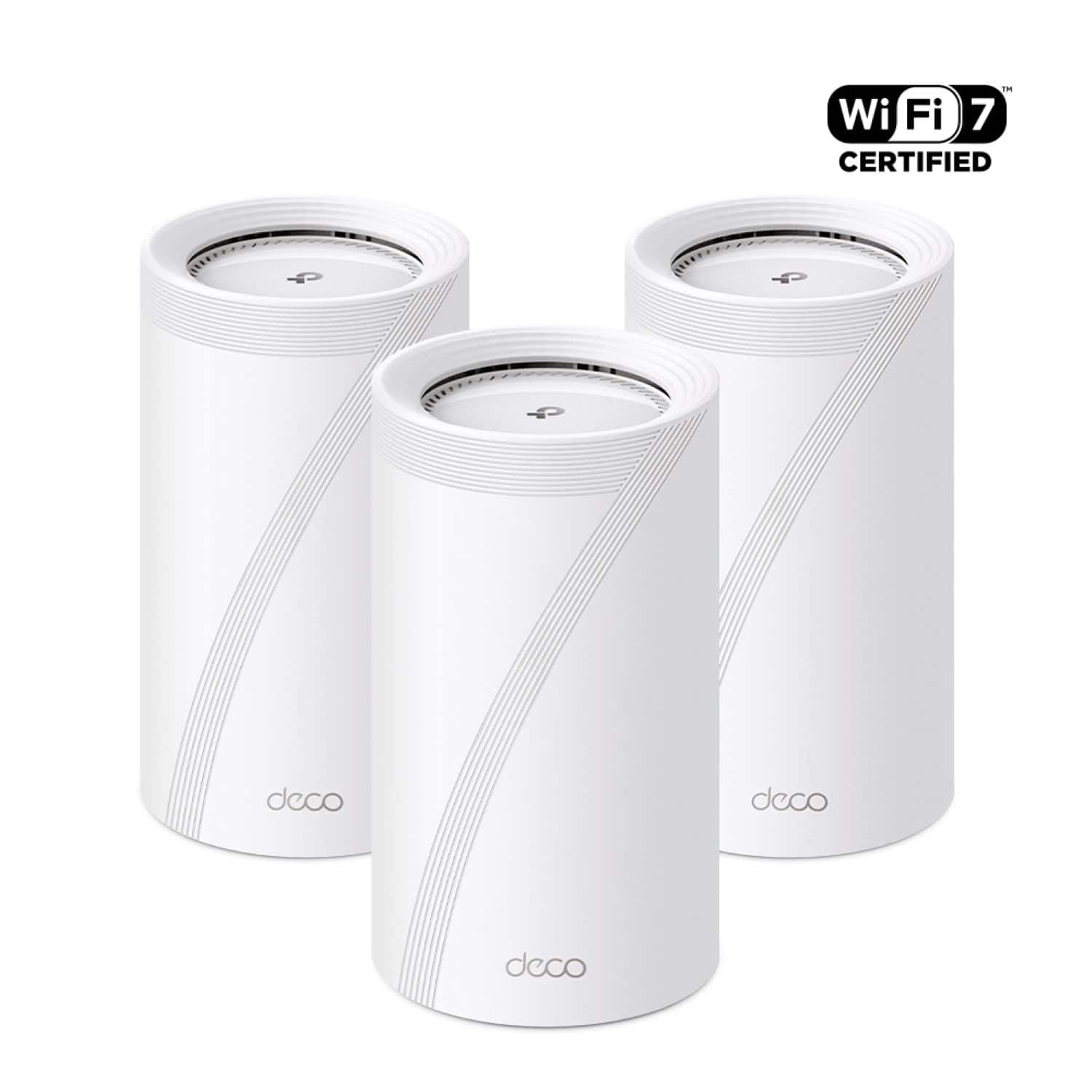
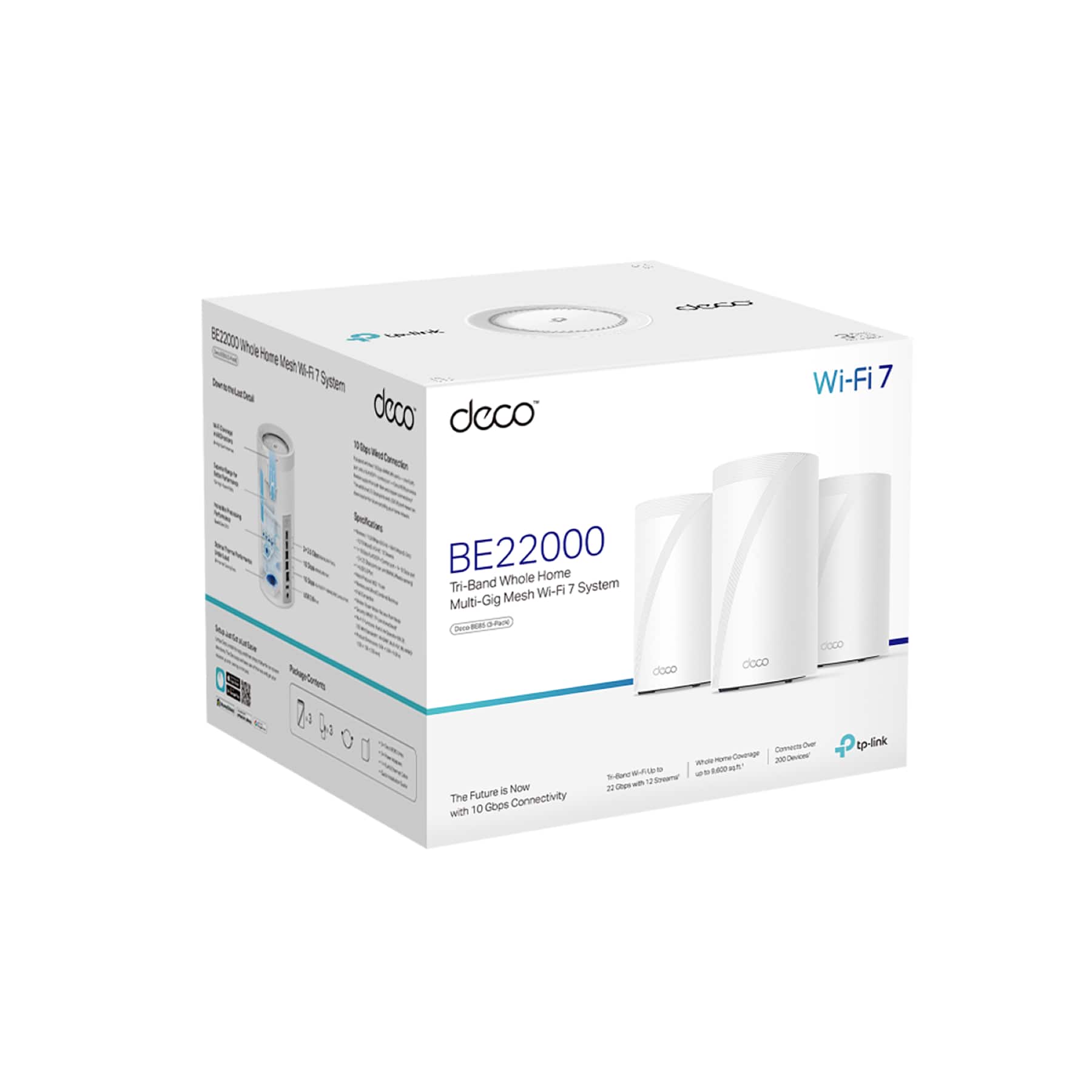
- Deco BE85 (3-Pack)
- SKU:
- 6536654
Rating by feature
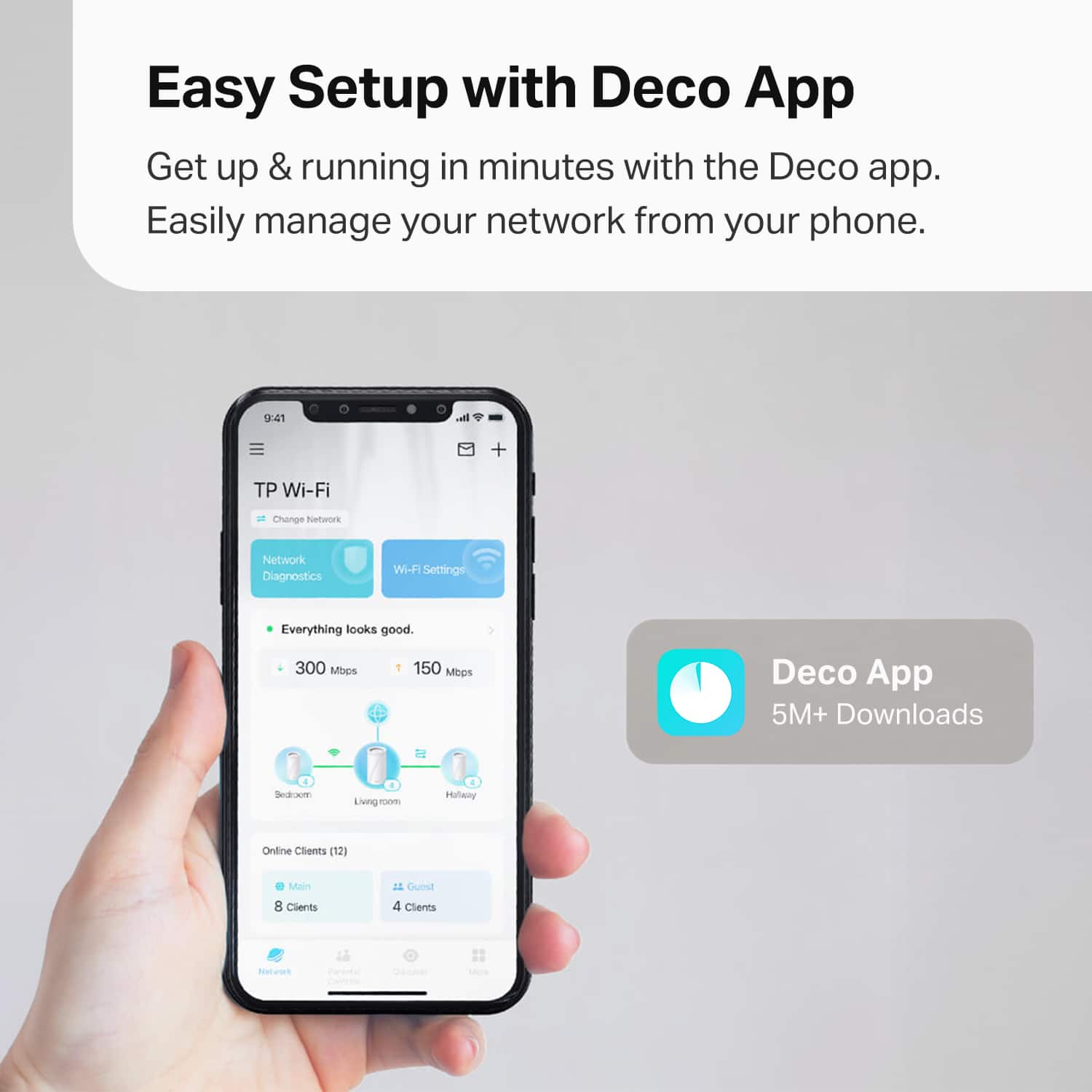
- Setup
Rating 4.5 out of 5 stars
- Range
Rating 4.3 out of 5 stars
- Signal Strength
Rating 4.3 out of 5 stars
Customers are saying
Customers often highlight the Deco BE85's exceptional speed, ease of setup, and extensive range, contributing to complete home coverage. The user-friendly app and overall system stability are also appreciated. However, some customers have reported concerns regarding network stability.
This summary was generated by AI based on customer reviews.
- Cons mentioned:Network stability
Disappointing purchase
||Posted . Owned for 7 months when reviewed.This reviewer received promo considerations or sweepstakes entry for writing a review.I’ve had nothing but trouble with this system. I’ve owned for over 6 months, and my Google devices, Nest Devices regularly drop and are unable to remain connected.
No, I would not recommend this to a friend - Cons mentioned:Network stability
New Product Woes
||Posted .This reviewer received promo considerations or sweepstakes entry for writing a review.Awful setup experience. Router kept rebooting itself ever 90 seconds. Even after finally making it through setup, it would disconnect and reboot. I attempted reaching out to Deco (TP Link) for troubleshooting and they issued me an RMA. However since I had just purchased it that same day, I opted to exchange it at BestBuy for another and have the same issues. I tried multiple ethernet cables and outlets as well as changing with node I attempted to use as the primarily.
No, I would not recommend this to a friendBrand response from TPLinkSupport
Posted .Hi,
Thank you for your review. We hear your concerns and would like to help address them for you. It is very unusual for one, let a lone two Deco BE85 units to exhibit this unusual behavior, so we would like to first rule out firmware or environmental influences within the network, and help you set up your new Deco, so you can enjoy its robust performance and features.
Please, first ensure your Deco app and firmware are fully up-to-date. We have released recent firmware for the Deco BE85 that are highly recommended to install.
Then, at your earliest convenience, please email [email protected] and include a reference to this review, as well as any details that are relevant to your concerns (such as your ISP, the steps taken during setup, the Deco's LED status, your existing modem or gateway model number), and we will assist you directly.
Thank you,
TP-Link Support
Great!
||Posted . Owned for 2 weeks when reviewed.This reviewer received promo considerations or sweepstakes entry for writing a review.Great WiFi mesh network. I am buying a fourth to expand my network.
I would recommend this to a friend- Pros mentioned:Coverage, Setup, Speed

Very Fast. Rock Solid. Total Coverage. FutureProof
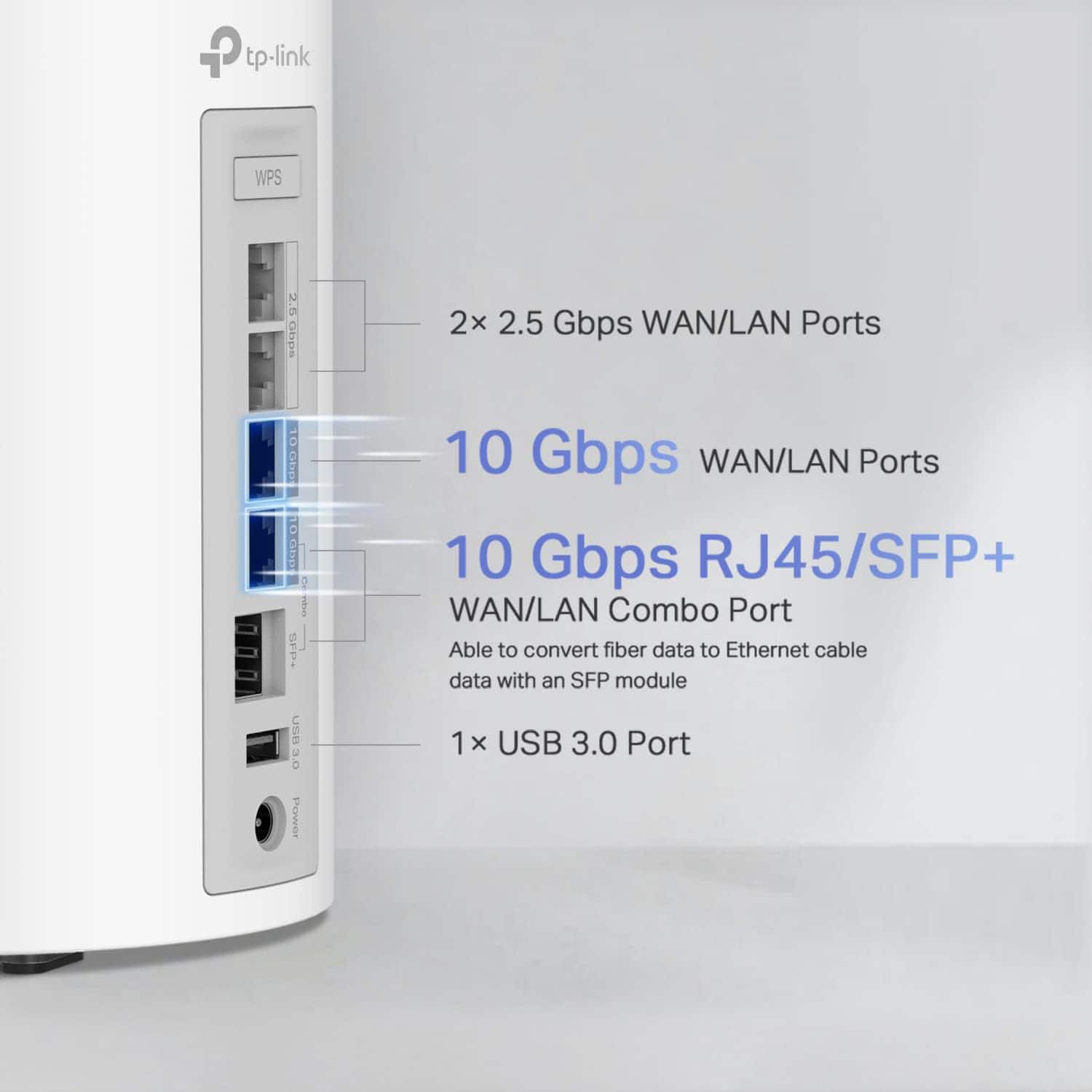
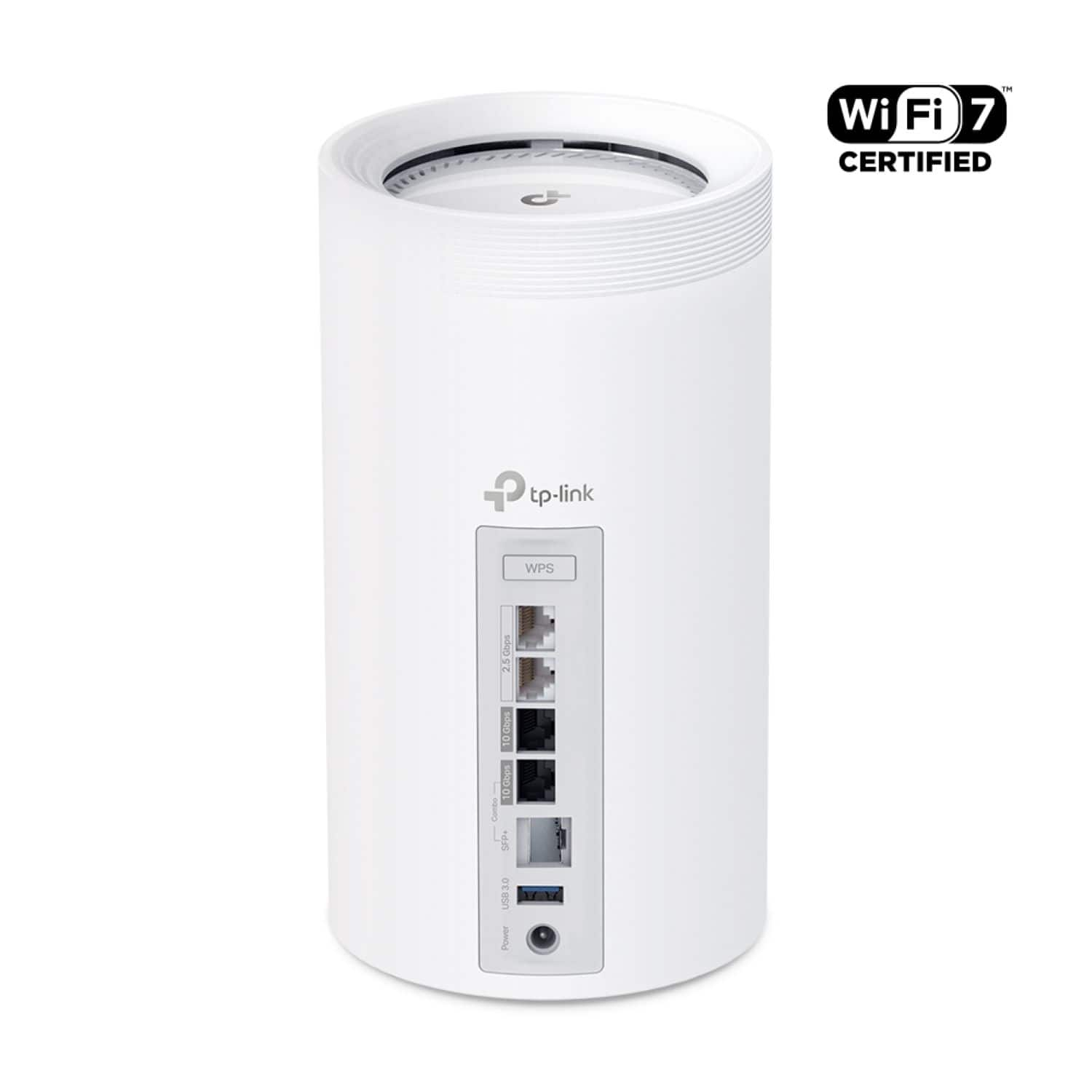
|Posted .This reviewer received promo considerations or sweepstakes entry for writing a review.Briefly, I got this up and running, and, frankly, I am kind of floored. Yes, there is a price involved, but I can’t imagine needing more. Now, or for some time. Out of the box, the three nodes are identical. This is just one way in which I found setup to be very simple. The app more or less just walks you through the entire process. I understand some may want some hard copy documentation, but I don’t really think it is needed. To sum up, you just need to connect one unit to your modem as the primary and the other units can be placed to create your mesh setup. I suspect most will use these wirelessly, but I went all ethernet cabling for my needs. Each unit has ample WAN/LAN connections, as well as a USB 3 for adding devices. I am sure some niche setups may require more, but I think just about everyone should be covered here. I also think most will be up and running in a very short amount of time. As for the nodes themselves, they are a bit large, but nothing crazy, and they have the requisite LED lights to display their status. They can’t be dimmed, so keep that in mind for placement. Also, while I guess the white styling should fit in better in most households, frankly, I do not really like the look of them. I know they can more or less be hidden away, but just something to note. I know this is a personal taste thing, so take it for what you will, but it is probably the only thing I really do not like about this system. Performance-wise? Just kind of WOW. On all fronts. Now, admittedly, my space is not that large, and taken as a whole, this system is perhaps overkill for me right now, but I have complete coverage. I mean complete. I can even venture a fair amount outside my home and still get good speeds. I know this will vary due to many factors, but at least based on my experience, I really can’t see this being an issue. Beyond that, I guess it should go without saying, but it has also been rock-solid so far. I do not have the most devices connected at all times, but it is easily in the 40s, and I have yet to have a problem with anything dropping. This is a nice change, as I did have some minor issues with my old setup. Lastly, my speeds have been just fantastic. Easily better than previously, and just about all I can get with my current ISP plan. Where I would definitely see quite a bit of variation on my old equipment, I just really did not see much with this setup, which I love. I am quite happy with how everything is running. So much so, I am looking into upping my plan to get some better speeds. Ultimately, this is just a great system. No doubt, this is premium equipment, with a premium price, and maybe it is overkill for some, but there is no denying the results. Insane coverage, reliable, robust enough for many devices, and very, very fast speeds. Given all the tech here, some that will not even come into play for some time to come (WiFi 7), I think this is a system that could be used for many, many years. For all you get, with some futureproofing, if your use case calls for it, I think nearly everyone would be pleased with this setup.
I would recommend this to a friend NOT READY
||Posted . Owned for 2 weeks when reviewed.This reviewer received promo considerations or sweepstakes entry for writing a review.I bought this item after reading the and watching all the reviews on YouTube. However ever after doing a firmware update still not able to get above 1gig download speed wired. And that was with CAT 8 cable. And could not get above 500mbs wirelessly using 6E. So again not even close to ready for prime time. Also never mind the fact it wasn't even close to easy to set up. In fact my eeros pro 6e works ten times better. And at least with my eeroes I can get almost 2gig download speeds.
No, I would not recommend this to a friendBrand response from TPLinkSupport
Posted .We would like to know more about your experience. We need to know such items as:
What Deco are you connected to?
What Ethernet port are you using?
Who is your ISP and what speed package do you have from them?
What Port is the Modem connected to on the Main Deco?
What is your modem
What type of network card do you have in your computer? (wired and wireless)
These questions and possibly more can assist us in determining what could be the cause of your concern. Please email [email protected] with the answer to these questions and our support team would be happy to assist.
Bought in March 2024 and by September 2024 I have
||Posted . Owned for 5 months when reviewed.This reviewer received promo considerations or sweepstakes entry for writing a review.Bought in March 2024 and by September 2024 I have nothing but issues. I was trying to go away from Asus routers due to the fact they keep having firmware issues after a while, but the customization on those routers were ideal. I wanted to use these strictly as APs and they failed miserably.
No, I would not recommend this to a friendBrand response from TPLinkSupport
Posted .Hi,
Thank you for your review. Our Deco Mesh Wi-Fi systems are designed to provide robust, seamless Mesh Wi-Fi for your whole home. In your case, we first recommend ensuring your Deco app and firmware are both fully up to date and your Deco units are optimally positioned within your home and in proximity to each other.
Our support team is always happy to help answer any questions you may have about our products. Please feel free to reach out using any of the resources included with the product, or from our official website, and we'll gladly have a Support Agent follow up with you directly.
Thank you,
TP-Link Support
Don’t Buy
||Posted . Owned for 2 months when reviewed.This reviewer received promo considerations or sweepstakes entry for writing a review.Horrible. Connection is very spotty even though you will have full strength. You loose connection for no reason. App is no help, just says good health. Customer service is non existent. Stick with Linksys or Google.
No, I would not recommend this to a friendBrand response from TPLinkSupport
Posted .Hi WilliamE,
Thank you for your review. Our Deco Mesh Wi-Fi systems are designed to provide robust, seamless Mesh Wi-Fi for your whole home. In your case, we first recommend ensuring your Deco app and firmware are both fully up to date and your Deco units are optimally positioned within your home and in proximity to each other.
Our support team is always happy to help answer any questions you may have about our products. Please feel free to reach out using any of the resources included with the product, or from our official website, and we'll gladly have a Support Agent follow up with you directly.
Thank you,
TP-Link Support
Not ready yet
||Posted . Owned for 1 month when reviewed.This reviewer received promo considerations or sweepstakes entry for writing a review.Just a huge not the promises of tri-band big bs most devices just get confuse
No, I would not recommend this to a friendBrand response from TPLinkSupport
Posted .Hello Ivan, I am not sure I quite understand what you are saying in your review. If you can please contact us with a copy/link of this review so we can review and address your concerns. We can be reached out [email protected]
- Pros mentioned:Setup, Speed
So far so really good
Posted .This reviewer received promo considerations or sweepstakes entry for writing a review.Have had this set up for about a week so far, and I am really impressed with the solid connectivity and speeds I am getting. Really easy to set up, and the app is pretty decent. Only small issue is reconnecting all my devices, but that is not really a function of this mesh system, and I knew that going into purchasing this. Not sure it is completely worth the high price point compared to other systems, but I am really happy with it so far.
I would recommend this to a friend - Pros mentioned:Setup, Speed
The Fastest
|Posted .This reviewer received promo considerations or sweepstakes entry for writing a review.First off, this mesh system is fast, I mean really fast. This was an upgrade from a Wi-Fi 6e mesh system that I had, and this TP Link is at least twice the speed of my previous system. I don’t have any Wi-Fi 7 devices but tested it with my Wi-Fi 6e devices and those run much faster. I can’t say enough about this. The mesh nodes work very well and also have a very fast wireless backhaul. Each node has four Ethernet ports for your wired devices. The app which is used to set it up and administer it is basic but gives you what you need to monitor it and basic configuration. If you like to tinker with all the router settings, you may find this limiting. The web interface gives you the same information and settings as the app. There is a service that you can use called HomeShield Pro that gives you better security, better logging, and parental controls for a yearly membership. I haven’t signed up for it but probably will. A necessity if these items are important for you. You also get a free 30-day trial of it. As for setting up it, this did not go as smoothly as I would have liked. There are no printed instructions for this, only steps through the app to set it up. The app does not give a great means to set it up and there are no instructions to say which device is the router and which devices are the nodes. It turns out they are all the same and any can be used as a router or node. There are also no directions as to which port the modem should be connected to. It turns out that the modem can be connected to any Ethernet port. After connecting and configuring everything, I could not connect to the Internet even though the devices could connect to the router. I tried everything possible to no avail. Two calls to tech support ended up disconnecting after a long hold time. The third call got me a tech support rep who could not solve it and escalated it to tier two support which was able to get everything working. The good news is that the mesh nodes worked right away. Just plug them in and after they boot up, they automatically connect to the router. No need to do anything. Once everything was set up, I have had no problems with it. The last thing worth mentioning is that all my laptops and devices in my house connect fine to it except for my Razer laptop which for some reason can’t connect to it. I updated the router firmware and wireless adapter driver but still can’t get it to work. I definitely recommend this if speed and coverage is very important and if you have the patience that you may need to get it set up and working.
I would recommend this to a friend - Pros mentioned:Ease of use, Speed
Internet upgrade
Posted .This reviewer received promo considerations or sweepstakes entry for writing a review.Excellent product. Easily setup and fun to use the QR code to connect devices. Blazing fast. The app is very useful as well.
I would recommend this to a friend - Pros mentioned:Coverage, Ease of use
Great Mesh Router
Posted .This reviewer received promo considerations or sweepstakes entry for writing a review.This wireless mesh router is awesome! It has great coverage and it's easy to set up.
I would recommend this to a friend