Customer Ratings & Reviews



- Model:
- ST-UCSHXLM
- SKU:
- 6502861
Rating by feature
- Value
Rating 4.5 out of 5 stars
- Quality
Rating 4.6 out of 5 stars
- Ease of Use
Rating 4.7 out of 5 stars
Customers are saying
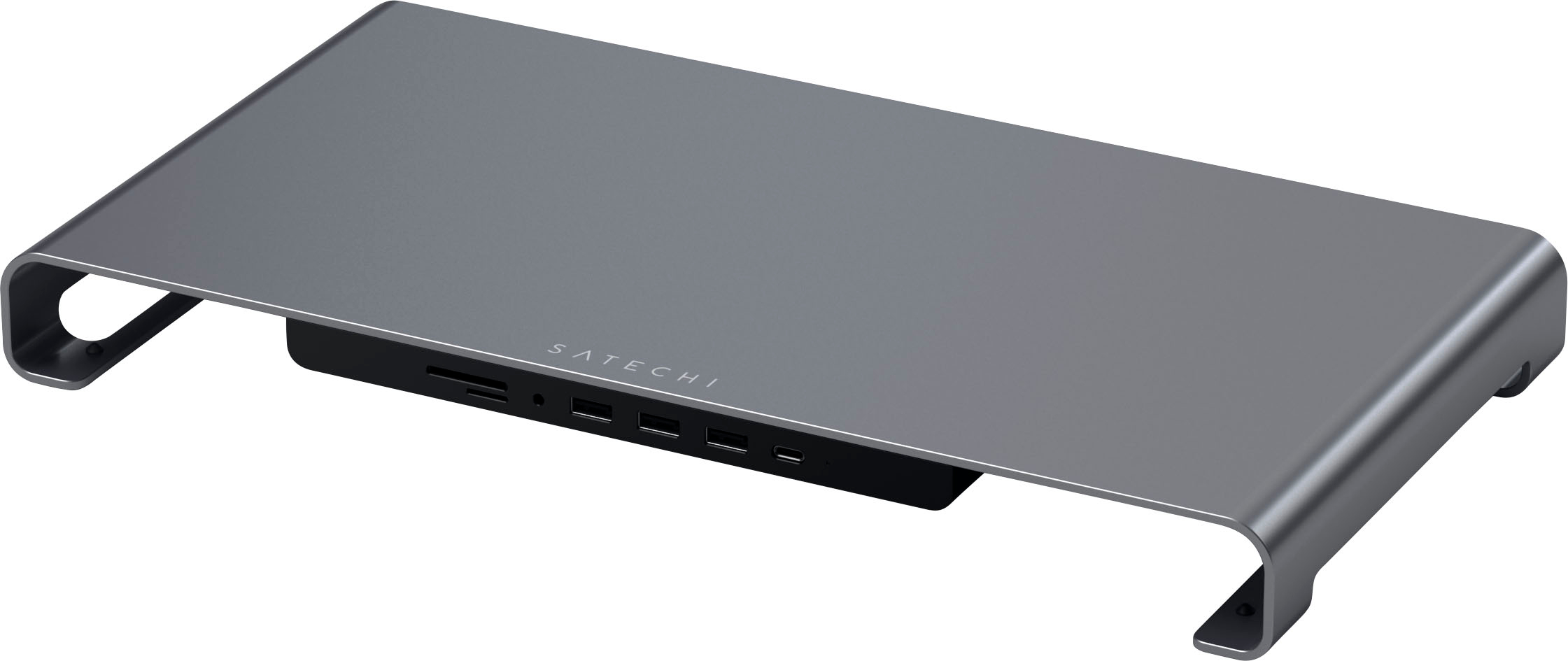
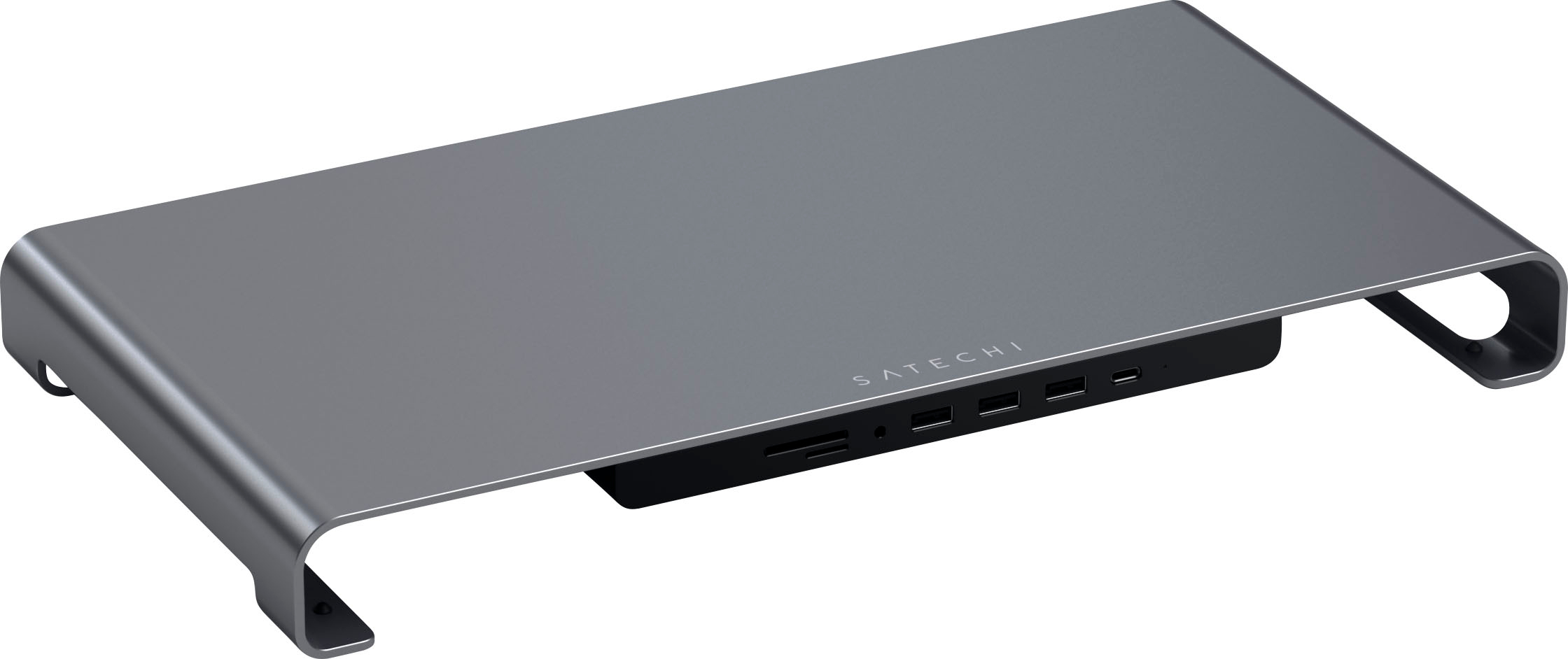
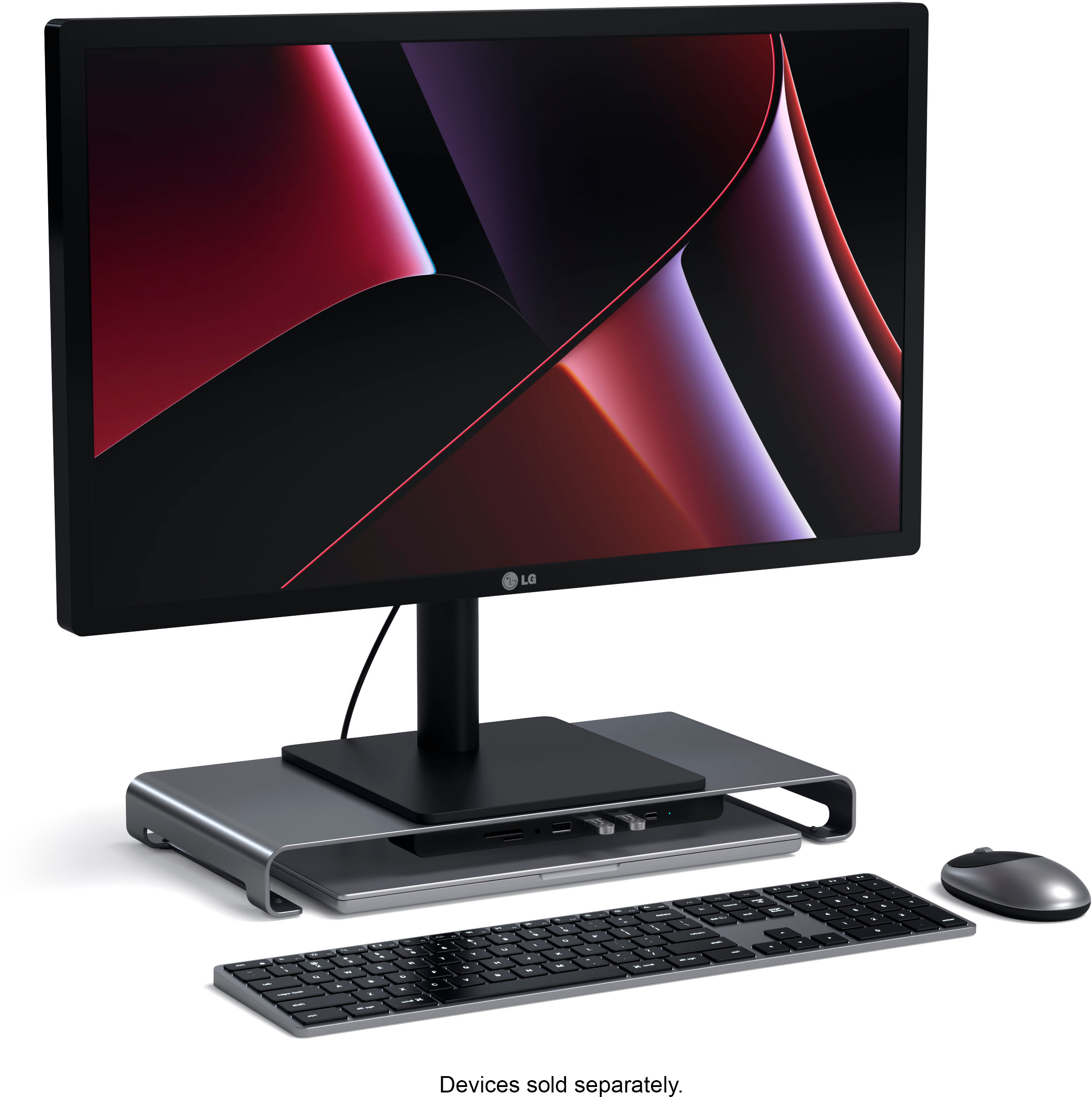
Customers have good things to say about the USB-C Monitor Stand Hub XL. The design is sleek and attractive, and the height is great for monitors. Customers appreciate the USB-C port, audio jack, and other expansion ports.
This summary was generated by AI based on customer reviews.
- Pros mentioned:Usb-c
Great Monitor Stand
||Posted . Owned for 1 month when reviewed.This reviewer received promo considerations or sweepstakes entry for writing a review.The monitor stand is very nice. My laptop fits snugly into the stand. The monitor doesn't sit too high and the additional USB ports are easy to connect to. There is also room for my DVD external drive and a spot for my weather station. The only thing I would change would be to use a standard USB connection.
I would recommend this to a friend - Pros mentioned:Design, Height, Usb-c

Great for the right setup or just really good.
|Posted .This reviewer received promo considerations or sweepstakes entry for writing a review.The Satechi - USB-C Monitor Stand Hub XL is only lacking the ability to add a second monitor. Both on the stand and via the hub ports. The stand is exceptionally pleasing aesthetically and the curves add a minimalist vibe. The unit is built well and holds my thirty-two inch twenty five pound curved monitor with ease. The base width is also equally portioned to support such a large monitor. The stand is tall enough that and the again width is accommodating enough for our thinner laptops. It does not fit my gaming laptops though. The number one reason, I have gone with four stars over three is the encouragement of cable management. Even though it did not fit my gaming laptop the riser allowed for me to neatly tuck all my protruding cables and cords underneath. It also allowed me to capitalize on the USB-C connections both from and to, something that my personal setup was missing. The reason I gave it four stars and not five is twofold. I think this setup would be great for the exact right niche user, who has an Apple Air and who also likes to take and edit photographs. Then, the disclaimer is that the front facing hubs are not meant as charging ports. Overall, a solid piece with which I am quite happy.
I would recommend this to a friend - Pros mentioned:Design, Usb-c
Just a tad short of being great
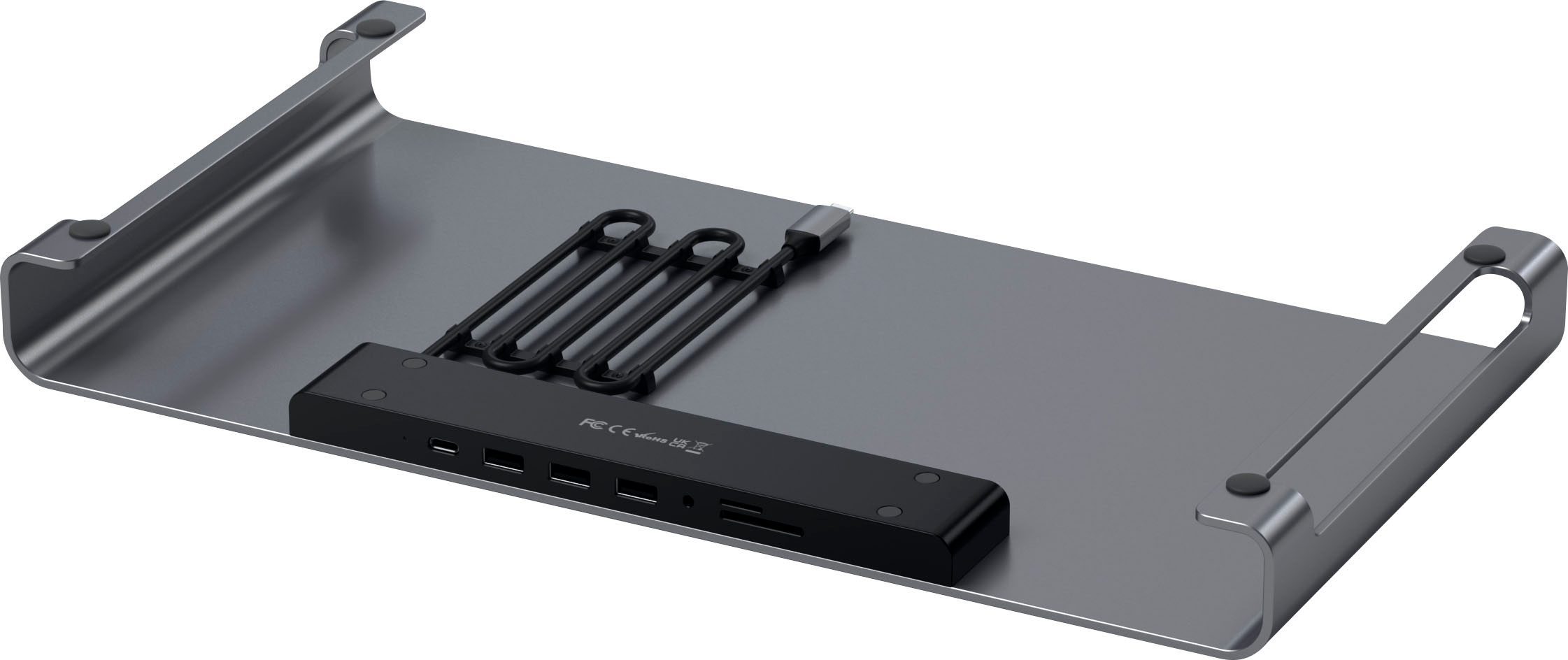
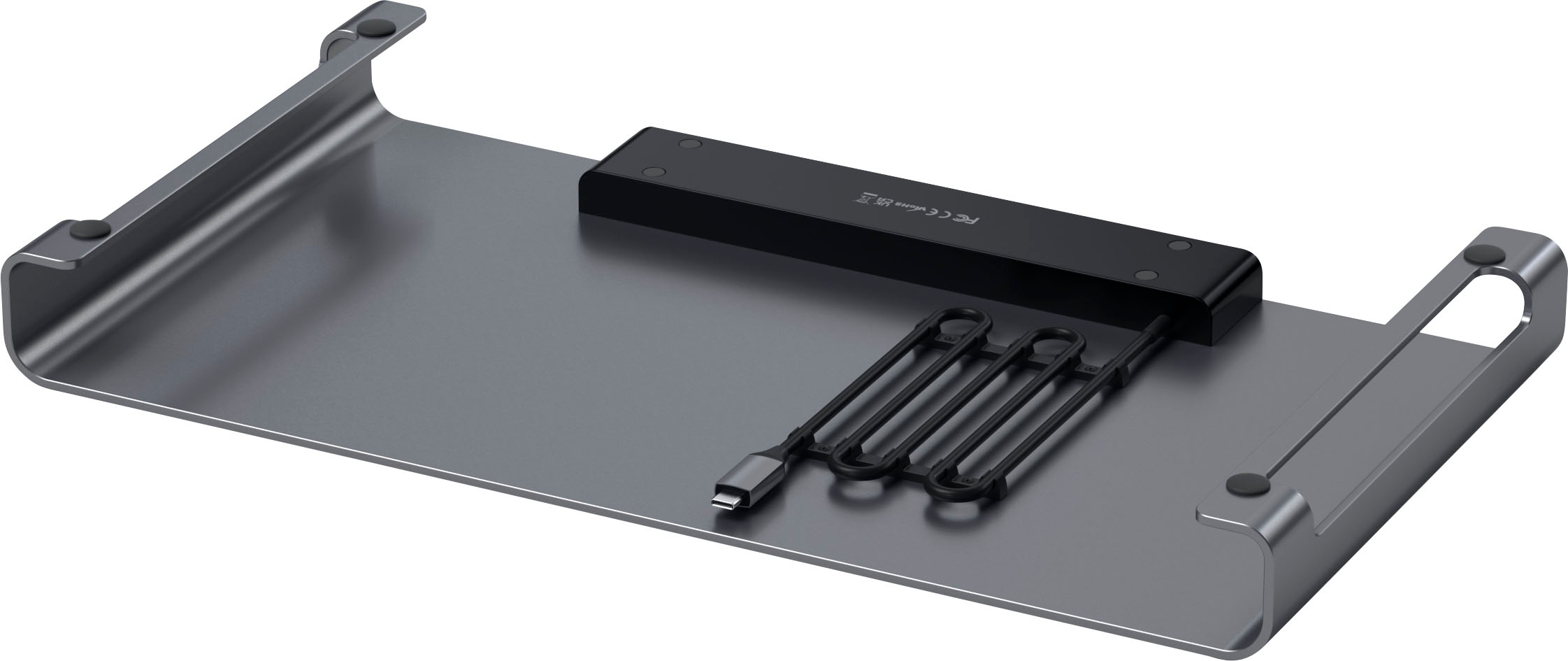
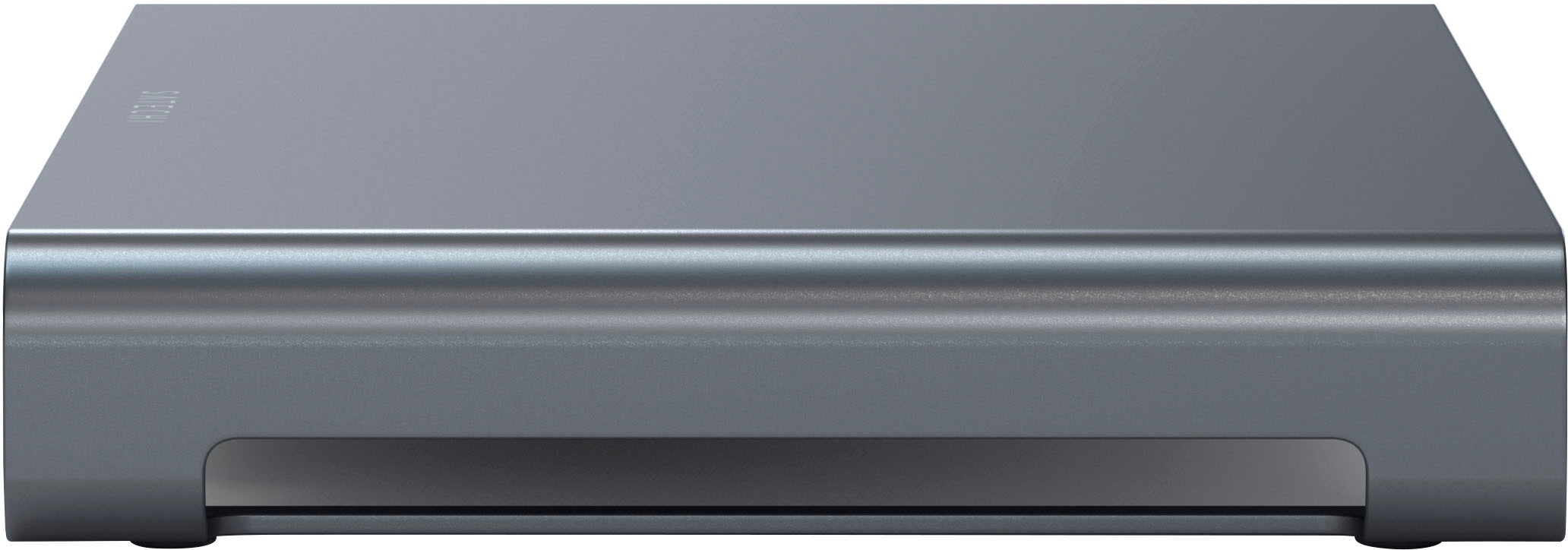
|Posted .This reviewer received promo considerations or sweepstakes entry for writing a review.I have used a Satechi Thunderbolt 4 dock for awhile and it has been great, if pricey. So was looking forward to testing this unit from them. The stand is nicely designed and lightweight with easy access to the ports/jacks/slots in the front. Its rounded edges give it a modern look as well. The opening I feel is very small at a tad less than 1 inch height and 14 inch width. Allowing for only small laptops and there is no way a keyboard would fit. There is no setup – just plug adapter into USB-C on computer. The 26-inch connecting cable stores under the top of the stand using clips – with length easily adjusted. You can connect; 1 USB-C – 5 Gbps 3 USB-A – 5-Gbps Micro & SD card slots Headphone jack LED indicator usage light States you cannot charge from any of the ports. The stand put the monitor (Lenovo all-in-on) at a nice viewing height. Since all the Lenovo connections are in back of the monitor it is cumbersome to use the ports. Having them all in front is very nice. I tested disk speeds using CrystalDiskMark8 and a M.2 PCI-e 500GB drive. Using the Lenovo I tried the drive connected directly to the USB-A and C ports in back and then to the stands corresponding ports. I got virtually the same initial read speeds of 454 MB/s and write speeds of 437 MB/s. Which would indicate there is no loss of speed using the stand. Micro-sd card goes in pin side up which is odd to me. I also had some issues getting it seated and extracted. Also had an SD adapter, and it went in pin side down and had no issues using it. Headphone jack worked great although instructions mention making sure it is selected but I had no such issues. When plugged into stand sound was thru there and when unplugged sound came through computer. 1-year limited warranty. Negatives are size and no monitor or ethernet connections. And no charging options. Overall, a nicely designed stand and I do recommend but make sure that it fits your size requirements.
I would recommend this to a friend Good election
||Posted . Owned for 3 weeks when reviewed.This reviewer received promo considerations or sweepstakes entry for writing a review.elegant, very practical and functional. an excellent option to optimize space
I would recommend this to a friend- Pros mentioned:Audio jack, Usb-c
One USB-C solution for me. This.
|Posted .This reviewer received promo considerations or sweepstakes entry for writing a review.Satechi did make a very good USB-C Monitor Hub that can fit most monitors on top. Getting me obvious out-of-the-way first. Monitors with wide legs will stick out from the stand and will fit but might hang off the stand. That means 27in gaming monitors really look a little odd sitting on top; if you going for a perfect pristine setup. The next thing I want to speak on is that this does not support video out through USB-C at least on the devices I tested. Data only. I’m sure it didn’t but wanted to test to be sure. Not at those things out the way, everything else about the monitor stand XL is wonderful. I didn’t have any issues connecting USB-C hard drives and the PC just recognize the monitor stand. It’s actually nice to be able to connect one cord with all the USB-C laptops or phones. All the peripherals connected and I didn’t have to fumble with connecting/disconnecting keyboards, mice, game controllers, and others. For what it is the stand is very nicely designed and will look really good with a MacBook sitting under it. Thin and Light laptops also look beautiful on there like Samsung Galaxy Pro or Dell XPS look great if they were to sit under the stand. Chunkier laptops like gaming laptops won’t fit underneath the base and I wouldn’t put one under if I could due to heat. They give you enough leeway for the cord to reach your laptop if you want to have it sitting next to it. The stand is also well constructed which will probably take a lot of bumps and bruises To use SD cards you must flip them over to use the ports. This may confuse people at first try a mild annoyance if you are going to be switching them out. To use the audio 3.5mm headphone jack your PC settings must select the audio source. Once that is out of the way it does its job. It feels great having all the ports on the front instead of fumbling around looking for ports on the PC itself. Just one cord to use all my things with. I’ll still give this a five out of five stars. Very small annoyance with the SD card but everything else is perfect. And I know this is the XL version but honestly would like the stand to be a tad bit bigger / larger. Also, a gamer-focused version where bigger stands and more clearance for people with those laptops would be great. But I’m the end this product is useful in more ways than I imagined.
I would recommend this to a friend - Pros mentioned:Audio jack, Usb-c
The perfect companion to my gaming laptop
|Posted .This reviewer received promo considerations or sweepstakes entry for writing a review.Being that most newer gaming laptops don’t have SD card slots, I was searching for a way to easily get my photos and videos into my gaming laptop from my camera's micro and standard SD cards. I wanted a way to expand the capabilities of my laptop without having the extra device be too large or too small. This stand fits the bill perfectly. By running the included USB-C cable from the stand to my laptop through the leg holes on the side, I now have a compact and stable stand for my laptop only, or for if I want to use an external monitor. When using an external monitor, you can also tuck the laptop under the stand (when not in use) if your dimensions allow. The depth of the stand is 8.25 inches, the width is 13.25 inches, and the clearance under the inputs is 1 inch, making it the perfect choice for my Rog Zephyrus. The inputs all work perfectly and the stand was completely plug-n-play. With this stand hooked up, I have gained three additional standard USB inputs, both a standard and micro SD card reader slot, and an additional 3.5mm audio/headphone jack. The USB-C type slots remained the same since one is needed to power the stand and only one is included on the front of the stand. The build quality seems very rugged and I see no issues with this lasting for years as long as the ports do the same. About the only thing I could suggest to Satechi for version two, would be for them to make the supplied USB-C cable be replaceable (double sided) in case of failure. As it stands, the supplied cable is hard wired into the hub that has all of the ports. On the flip side, I suppose it would be easier to lose the cable if this was the case. If you have the need to expand the capabilities of your newer laptop, look no further than the Satechi - USB-C Monitor Stand. It looks great, It feels solid, it’s not too big, and it is super light, therefore it would also be easy to put in a suitcase or backpack for travel. Highly recommended.
I would recommend this to a friend - Pros mentioned:Design, Height, Usb-c
Completely overpriced & useless
|Posted .This reviewer received promo considerations or sweepstakes entry for writing a review.Just a basic hub with no charging options, and no HDMI. There is absolutely NO REASON for this item to be priced the way it is. It does nothing its basic functions (USB and USB-C ports), but look fancy and nice on the desktop. This is nothing more than the $30 hub I got for my Macbook air, except its design may help with elevating the laptop off the desk so air can flow. Not really any good Pros and Cons honestly: PROS It looks nice Good size The ports that are available work fine CONS Has no charging options No HDMI Significantly expensive This item really should cost no more than maybe $20 or $30 tops for what it offers. A $149 price point for a hub that doesn't offer even charging options is very unreasonable and surprising. I would like to hear from the manufacturer actually on what is supposed to justify such a price tag for this item. If it were significantly cheaper, I would recommend it to a friend who needs or wants a basic hub, but at this price point, I would absolutely say to pass on this one.
No, I would not recommend this to a friend - Pros mentioned:Design
Sleek and convenient, missing video inputs.
|Posted .This reviewer received promo considerations or sweepstakes entry for writing a review.This stand is very sleek and attractive. I really love the way it looks on my desk. The aluminum finish matches my HP laptop. It connects via USB type C to your computer and acts as a USB hub. It features 3 USB ports, 2 memory card readers (SD and Micro SD), a 3.5 audio port, and another Type C connector. Once you plug it in you have all of the mentioned ports accessible front and center. The one glaring thing it is missing is an HDMI port. It could have really used one on the back of the hub, where it would be hidden from sight. I like that all of the other ports are in front, but an HDMI port could have been in back. I understand that it acts mostly as a USB hub, but then why does it include an audio jack? If it has audio, then it should also feature video. The stand could also be a little taller. It adds a few inches above the desk, but is still very low. It is recommended that your monitor is at or slightly above eye level. So depending on how tall you are and how your chair adjusts, this stand might not get you the height recommended for your viewing. Overall, this stand is very high quality and beautiful. I love that it adds some very useful ports that are easily accessible. I do wish it had at least one HDMI port, but it is still very nice.
I would recommend this to a friend - Pros mentioned:Audio jack, Usb-c
Satechi - USB-C Monitor Stand Hub XL
||Posted . Owned for 1 month when reviewed.This reviewer received promo considerations or sweepstakes entry for writing a review.The Satechi USB-C Monitor Stand Hub XL is a game-changer for my workspace. Here's a quick rundown: Design & Build: It looks sleek and feels sturdy. The aluminum build adds a touch of elegance to my desk. Functionality: The hub has all the ports I need—USB-C, USB 3.0, SD, MicroSD, and even a 3.5mm audio jack. It's like a connectivity powerhouse. Practicality: Elevating my monitor not only clears up space but also improves my posture. The stand is a multitasker. Performance: It does what it says on the box. No fuss, reliable data transfer, and seamless device connections. Drawback: My only gripe is the height. At 1.63 inches, I wish it were a bit taller for an even better ergonomic setup. In a nutshell, if you want a stylish stand that declutters your desk and amps up connectivity, the Satechi USB-C Monitor Stand Hub XL is a solid choice.
I would recommend this to a friend Compact, slim, but leaves you wanting more
|Posted .This reviewer received promo considerations or sweepstakes entry for writing a review.The shining piece of this monitor stand is its compact & thought-through design. Space underneath to slide other things you'd like to tuck away, or to run cables, cable management for its own USB-C connector, and rugged durability that happily supports my 34" curved Dell Monitor without issue. It's a *great* addition to any modern space, as we've all noticed that card readers and multiple USB ports are becoming a thing of the past with new laptops and tablets. This adds to my Surface Pro by plugging into the USB-C connector and giving me an additional USB-C + 3 USB-As and a micro SD and Mini SD card reader! Additionally, the color choice is "tech-neutral" and matches my monitor's stand but also the matte-white desktop on which it sits. My only complaint is that there is space to either side of the connectors where more could have been added. I would have loved to see an additional USB-C and USB-A port to make it even more versatile and *completely* replace the laptop dock I'm running today. As it is, I still need the dock for more USB-A ports, sadly.
I would recommend this to a friendWorks fine, but some design flaws
||Posted . Owned for 2 months when reviewed.This reviewer received promo considerations or sweepstakes entry for writing a review.This monitor stand/USB hub is solid, with most of it being made of aluminum. The various ports work as advertised and allow both the use of peripherals and data transfer. Unfortunately, it isn't wide or tall enough for universal compatibility. In order to be able to slide a laptop underneath without scratching it, you need to raise the stand up a bit, which I achieved with some extra felt pads for chairs and furniture that I had laying around. In order to slide a laptop so that its long edge is parallel to that of the monitor stand, the stand needs to be a little bit wider. As it is, trying to connect anything to the laptop, such as an HDMI cord for a monitor, is very difficult with the laptop underneath the stand. To alleviate this issue, I have to put my laptop sideways underneath the stand and thread the HDMI cable under the back of the stand. Luckily, my laptop is designed to have a USB-C port on the same side as the HDMI port, so the relatively short length of the USB-C cord for the hub isn't an issue. With my current setup, I am able to slide my laptop out from underneath the stand in order to turn it on, then close the lid and slide it under to use it more like a desktop PC.
I would recommend this to a friendfunctional but could be more
|Posted .This reviewer received promo considerations or sweepstakes entry for writing a review.I am using the Satechi - USB-C Monitor Stand Hub XL for my gaming laptop which I primarily use for video editing purposes. I placed my 28-inch 4K monitor on top of the stand and although the aluminum stand is well built in did seems to have a slight bend even though my monitor only weighs about 17 pounds (the stand is rated for 50 pounds). Perhaps the bend is only an optical illusion, not sure. In any case my slim laptop actually fits underneath the stand and clears the bolted-on expansion hub which was awesome for storage purposes. As for the expansion hub, it connects to your device via USB-C, perfect for my laptop or so I thought. The hub has three USB-A ports and USB-C port, a SD card and Micro SD card reader and a 3.5mm audio jack. A couple of items with the hub that made me wonder about the versatility. The hub does not pass power other than standard USB supplied power, it cannot power peripherals that require additional power (for instance external hard drive). I also would have loved some type of video interface, HDMI would have been awesome, but no I essentially had to use a Satechi USB-C on the go 9 in 1 Multiport Adapter to pass video and daisy chained it to the hub in the stand, this essentially reduces the functionality of the hub. In addition, the micro-SD card slot is a bit tricky to insert and eject cards. Is the stand usable, absolutely – but the integrated hub not as much due to the issues I mention, bolt on a functional the Satechi USB-C on the go 9 in 1 Multiport Adapter and this stand would be 150% more useful for my purposes. Pros: - Built well, color matching well with my black desk and monitor - Hub functionality Cons: - Hub functionality (yes and pro and a con) - Micro SD card insertion and ejection difficulties - No USB supplied power for charging or powering more that basic devices. - No HDMI, DisplayPort or VGA output ports
I would recommend this to a friend
Great Product, Short Cord
|Posted . Owned for 2 months when reviewed.This reviewer received promo considerations or sweepstakes entry for writing a review.Looks good, works well, but why is the cord so short? Would recommend if using with a laptop or small all-in-one, but not for use with a desktop.
I would recommend this to a friendUsb port, stand
||Posted . Owned for more than 2 years when reviewed.This reviewer received promo considerations or sweepstakes entry for writing a review.Worked very good for awhile, one port feels as if it is worn out, other ports are still functional, but totally would purchase another, if needed.
I would recommend this to a friend- Pros mentioned:Usb-c
Great Deal
||Posted . Owned for 3 weeks when reviewed.This reviewer received promo considerations or sweepstakes entry for writing a review.Purchased a new Apple computer and needed a versatile stand with several USB port options, got this on clearance, great deal, works perfect.
I would recommend this to a friend - Pros mentioned:Usb-c
Attractive stand
||Posted . Owned for 3 weeks when reviewed.This reviewer received promo considerations or sweepstakes entry for writing a review.Very attractive for a laptops stand. It has an attached usb c cord about 3 feet long. This makes sence for laptops. I tried to use as a monitor stand for a desktop. The cord was too short
I would recommend this to a friend Great stand
||Posted . Owned for 1 month when reviewed.This reviewer received promo considerations or sweepstakes entry for writing a review.Great stand, but not high or big enough fit my 14" laptop plugged in under it as advertised, and it would have been nice if it was able to charge other electronics, but other than everything else works great.
I would recommend this to a friend- Pros mentioned:Usb-c
Perfect height
||Posted . Owned for 3 weeks when reviewed.This reviewer received promo considerations or sweepstakes entry for writing a review.Had a hard time finding a low profile monitor stand, but this one fit the dimensions. No problems with the product itself. Just wished it had pass through power.
I would recommend this to a friend - Pros mentioned:Height
Sir Richard, esq.
||Posted . Owned for 3 weeks when reviewed.This reviewer received promo considerations or sweepstakes entry for writing a review.Extra plug-ins and height is great for monitor. Not intrusive. Love it!
I would recommend this to a friend Almost perfect, but not for 16"
||Posted . Owned for less than 1 week when reviewed.This reviewer received promo considerations or sweepstakes entry for writing a review.The stand technically fits a 16", but it would be better to make an XXL version in addition. When you slide a 16" under, it scrapes against the side of the stand. I haven't noticed any degradation but over time, I expect that to change. It would be nice if it were an inch wider. Satechi could've also made the USB-C cable removable so that we can change the length of the cable, or replace it if it gets damaged. I am leaving it as 4/5 because it is recommended for the 16" but the size is too tight, and I think that is an oversight. A detachable cable would be nice, but I purchased knowing that it was static. Another issue is that when you plug in headphones, there is a loud pop that is incredible painful depending on what headphones you are wearing. This is not a sound that you hear when plugging into the MacBook directly. However, this is something that is not inconvenient as it only takes a moment of mindfulness to ensure you are not wearing the headphones. They should re-release this product with a removable cable, wider chassis (this is ideal for 14" MBP 2021, not 16" due to how it scrapes), and with TB4 capabilities. It was almost perfect, but I find that I may return this unit for something else, as I don't feel comfortable with the two machined aluminum counterparts grinding every time I remove it from docked. 100% recommend if you just need quick front ports and a quality riser, but if you have a 16" MBP and/or need faster ports, keep looking.
I would recommend this to a friend