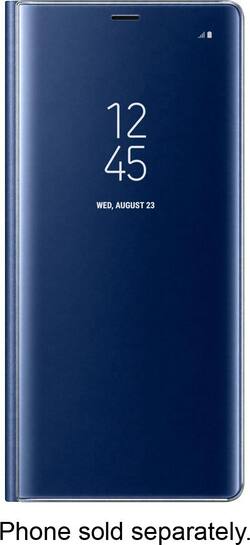
S View Folio Case for Samsung Galaxy Note8 - Deep Sea Blue
- Key Specs
- Brand Compatibility: Samsung
- Model Compatibility: Samsung Galaxy Note8
- Case Style: Folio
- Integrated Stand: true
- General
- Product Name: S View Folio Case for Samsung Galaxy Note8
- Brand: Samsung
- Model Number: EF-ZN950CNEGUS
- Color: Deep Sea Blue
- Compatibility
- Brand Compatibility: Samsung
- Model Compatibility: Samsung Galaxy Note8
- Features
- Case Style: Folio
- Integrated Stand: true
- Other
- UPC: 887276235622
Access notifications when your Galaxy Note8 is closed with this blue Samsung S View cover. It offers impact protection during drops and falls, and its built-in kickstand offers an optimal viewing angle for videos on the Infinity screen. This Samsung S View cover lets you accept or reject incoming calls with a simple swipe.
- Designed for use with Samsung Galaxy Note8 cell phones: For a precise fit.
- Infinity display: Its dedicated UX makes it easy to check alerts, take calls and more, all without opening it up.
- Built-in kickstand: Provides easy landscape media viewing.
Whats Included
- Samsung S View Folio Case for Samsung Galaxy Note8
Q: Can this case hold your credit cards and cash as well?
A: No not with this case. You'll have to wait for the new LED Wallet case that's coming out soon for the Note 8. That also will be the same price.
Q: Will the wireless charging capability of the phone work without removing this case?
A: According to the SamSung website you can wireless charge through the case
Q: What kind of material is the case made of?
A: A lightweight hard plastic
A: Yes you can. I am typing with it and the cover folded behind the phone now. It's a great case and cover.
A: If you go to, Settings-lock screen and security-Always on Display, you can select Digital, Analog, Calender, Picture...etc. You can also change the time it turns on and off. There is an alternative, you can do a theme selection that changes everything, or just the Always On Display. Go to Settings-wallpapers and Themes, and at the bottom it gives you options. Select either Themes, or AOD(always on display) for pay and free options. I hope this was helpful





















