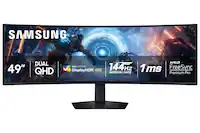
Samsung - 32" Odyssey OLED G8 (G80SD) 4K UHD 240Hz 0.03ms Smart Gaming Monitor with HDR - Silver
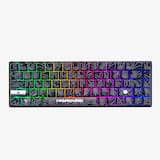 Higround - Performance 65 65% Wired Hall-Effect Linear Dynamic Actuation Switch Rapid Trigger Gaming Keyboard with RGB Lighting - Black Ice$140.21$164.99
More Buying Options
Highlights
- Key Specs
- Refresh Rate: 240Hz (The number of frames per second the device can produce natively without enhancement. Higher rates help produce smooth, seamless pictures.)
- Maximum Resolution: 3840 x 2160 (Maximum resolution refers to the highest number of pixels that a screen can process and display. Higher resolution signals produce more detailed images.)
- Response Time: 0.03 milliseconds (The speed at which pixels can change colors is called response time. It is measured in milliseconds (ms).)
- Panel Type: Not Applicable (Technology that affects response time and image quality.)
- Synchronization Technology: FreeSync Premium Pro (AMD Adaptive Sync), G-SYNC Compatible (NVIDIA Adaptive Sync) (Generally, these technologies allow syncing between a computer/console game's frame rate and the device's refresh rate for a smoother display without tearing.)
- Screen Size: 32 inches (Size of the screen, measured diagonally from corner to corner.)
- OLED Technology: Standard OLED
- Display Connector(s): 1 x DisplayPort 1.4, 2 x HDMI 2.1 (The number and type of connectors used to connect to an external display.)
- General
- Brand: Samsung
- Model Number: LS32DG802SNXZA
- Product Name: 32" Odyssey OLED G8 (G80SD) 4K UHD 240Hz 0.03ms Smart Gaming Monitor with HDR
- Color: Silver
- Operating System Compatibility: Not Applicable
- Display
- Refresh Rate: 240Hz (The number of frames per second the device can produce natively without enhancement. Higher rates help produce smooth, seamless pictures.)
- Maximum Resolution: 3840 x 2160 (Maximum resolution refers to the highest number of pixels that a screen can process and display. Higher resolution signals produce more detailed images.)
- Native Resolution: 3840 x 2160 (Native resolution of a screen refers to its single, fixed resolution. Sometimes screens must scale an image up or down in order to fit the native resolution. This can cause a loss of resolution or detail.)
- Contrast Ratio: 1,000,000:1 (Measured difference between a displayed image's brightest whites and darkest blacks. The larger the first number, the more detail and color that can be displayed.)
- Response Time: 0.03 milliseconds (The speed at which pixels can change colors is called response time. It is measured in milliseconds (ms).)
- Display Type: OLED
- Panel Type: Not Applicable (Technology that affects response time and image quality.)
- Synchronization Technology: FreeSync Premium Pro (AMD Adaptive Sync), G-SYNC Compatible (NVIDIA Adaptive Sync) (Generally, these technologies allow syncing between a computer/console game's frame rate and the device's refresh rate for a smoother display without tearing.)
- Aspect Ratio: 16:9 (The measurement of the width of a screen compared to the height of a screen, expressed as a ratio.)
- Curved Screen: false
- Brightness: 250 candela per square meter (A measure of the total light output.)
- Screen Size: 32 inches (Size of the screen, measured diagonally from corner to corner.)
- High Dynamic Range (HDR): true (An HDR-compatible 4K TV or other HDR-compatible product displays HDR video content when it's available from sources like 4K Ultra HD Blu-ray Discs and 4K streaming services.)
- High Dynamic Range Format: HDR 10+ (There are a few HDR formats that tell the TV or other HDR-compatible product how to best utilize its capabilities to display HDR content. HDR technology can support one or multiple formats, each with various benefits to picture quality.)
- Horizontal Viewing Angle: 178 degrees (The maximum angle at which the display can be viewed with acceptable visual performance from either side.)
- Vertical Viewing Angle: 178 degrees (The maximum angle at which the display can be viewed with acceptable visual performance from above or below.)
- Touch Screen: false (Touch-screen devices make navigating more intuitive. Using a touch-screen display, you can do things such as tap to select, hold and drag to move items, swipe to scroll, and pinch to zoom.)
- Display Surface: Anti-glare
- Color Gamut (NTSC): 99 percent
- OLED Technology: Standard OLED
- Color Gamut (Standard RGB): 99 percent
- Connectivity
- Number of DisplayPort Inputs (Total): 1
- Number of HDMI Inputs (Total): 2
- Number of VGA Ports: 0 (VGA (Video Graphics Adapter or Video Graphics Array) is a display standard that transmits via analog signals. This type of interface is typically used to connect a computer to a display device such as a monitor, projector, or TV.)
- Number of DVI Inputs: 0 (The number of digital cables carrying analog (VGA) video signals that can be connected to the product.)
- Number of Mini DisplayPort Inputs: 0
- Number of Thunderbolt Ports (Total): 0
- Display Connector(s): 1 x DisplayPort 1.4, 2 x HDMI 2.1 (The number and type of connectors used to connect to an external display.)
- Number of USB Ports (Total): 2
- USB Ports: 2 x USB-A 3.0 (The number and type of USB ports the product has.)
- Headphone Jack: false (The device features an interface that allows for the connection of headphones.)
- Compatibility
- Wall Mountable: true (The product is able to be secured to a wall. Some products are designed ready to mount, while others may require additional hardware/accessories for installation.)
- VESA Wall Mount Standard: 100mm x 100mm (VESA wall mount standards refer to the spacing of screw holes built into a TV in order to fit with standard TV wall mounts. These standards are implemented into most TVs and monitors.)
- Works With: Amazon Alexa, SmartThings (Compatible with or able to be connected to other smart devices or applications.)
- Voice Assistant Built-in: Amazon Alexa (A digital assistant built into the device that uses voice commands to answer questions and control smart devices.)
- Features
- Tiltable: true
- Adjustable Stand Height: true
- Anti-Glare: true (Product has features, such as a matte finish, that reduce the likelihood for screen glare.)
- Eye Relief Features: Anti-glare, Flicker free, Low blue light
- Built-In Webcam: false
- Integrated Speaker(s): true
- Smart Capable: true (Smart, or smart-capable devices are able to connect directly to your home network in order to stream content from the Internet, run Internet-based apps, or connect to other smart devices.)
- Dimensions
- Product Height With Stand: 23 inches
- Product Height Without Stand: 16.3 inches
- Product Width: 28.3 inches (The out of box width of the item. Width is measured as the horizontal distance from one side of the item to the other as it would be primarily used or placed.)
- Product Depth (With Stand): 10.4 inches
- Product Depth Without Stand: 1.9 inches
- Product Weight: 18.5 pounds (The out of box weight of the item.)
- Stand Included: true
- Cord Length: 59 inches
- Power
- Power Consumption: 180 watts
- Certifications Listings & Approvals
- ENERGY STAR Certified: false (Devices carrying the ENERGY STAR service mark, such as computer products and peripherals, kitchen appliances, and other products, generally use 20% to 30% less energy than required by federal standards.)
- EPEAT Qualified: false (The Electronic Product Environmental Assessment Tool (EPEAT) was designed to provide an environmental assessment tool for purchasers. In order to qualify for EPEAT, a product must meet all 23 required criteria.)
- Warranty
- Warranty - Parts: 3 years
- Warranty - Labor: 3 years
- Other
- UPC: 887276831022
Samsung's 32" Odyssey OLED G8 Gaming Monitor brings content to life with 4K UHD OLED. Images shine with 250 nits of brightness and a wider spectrum of colors, shades, and contrasts. 240Hz refresh rate, and 0.03ms response time (GtG) allow near-instant response time to stay ahead of the competition, and AMD FreeSync Premium Pro eliminates screen lag and image tears. The new OLED Safeguard+ – including Dynamic Cooling & Thermal Modulation systems – helps prevent burn-in. OLED Glare-free technology significantly reduces glare, and the Dynamic Black Equalizer analyzes and adjusts sharpness, saturation, and black details. Gaming Hub provides instant access to streaming platforms and gaming consoles, or you can watch your favorite shows with Smart TV apps. The sleek metal design with heightadjustable screen that swivels and tilts for total gaming comfort, and the Easy Setup Stand enables installation of the monitor with no tools or screws. 3-Year warranty.
- 4K UHD Resolution: Content springs to life in 4K OLED. Brilliant imagery shines with 250 nits (typ) of brightness and a wider spectrum of colors, shades and contrasts. The NQ8 AI Gen3 Processor also upscales lower resolutions to nearly 4K, so you can enjoy higher quality images through the Gaming Hub and Smart TV apps.
- 240Hz Refresh Rate & 0.03ms Response Time (GtG): Dodge, counter and engage faster than the rest with OLED technology, offering a near-instant 0.03ms response time (GtG). Stay ahead of the competition with HDMI 2.1 and DisplayPort connections, providing a 240Hz refresh rate in UHD resolution. Every millisecond counts when you're facing tough opponents.¹
- OLED Glare-free: Glare-free technology significantly reduces glare from external light sources, so the OLED screen's perfect black and color experience are presented without distractions. With a screen 54% less glossy than conventional Anti-Reflection film.
- Dynamic Cooling System: For the first time ever, a Pulsating Heat Pipe was introduced into the monitor to prevent burn-in. Dynamic Cooling System reduces temperature at the core, evaporating and condensing a coolant, which diffuses heat 5x better than the older graphite sheet method.²
- Thermal Modulation System: Algorithms predict surface temperature and automatically control brightness to reduce heat accordingly.³
- Logo and Taskbar Detection: The brightness on static images, like logos and taskbars, is automatically reduced to prevent burn-in.
- Screen Saver: The screen dims itself after 10 minutes of inactivity, and comes back to regular brightness with any input.
- AMD FreeSync Premium Pro: Hyper action made seamless. Support of variable refresh rate (VRR) with AMD FreeSync Premium Pro keeps the GPU and panel synced up to eliminate choppiness, screen lag, and image tears. Fast-action and complex game scenes are stable and stutterfree for your competitive edge.
- Deep Black Levels: Uncover every secret with infinite expression. See true black and dark colors on screen without pixel light bleed for supreme color and depth expression in every game.
- Dynamic Black Equalizer: Traverse into the shadows fearlessly. The Dynamic Black Equalizer analyzes the brightness of game scenes and adjusts sharpness, saturation, and black details automatically. Get more visibility without any manual adjustments.⁴
- Gaming Hub powered by AI: Gaming Hub provides instant access to your favorite streaming platforms and gaming consoles, without downloads. Responsive gameplay is powered up by Samsung's advanced NQ8 AI Gen3 processor, which enables AI upscaling to nearly 4K for more immersive experiences, even when streaming games.
- Smart TV Apps with AI: Use the Odyssey OLED G8 as an extra TV when it's time to take a gaming break. Catch up on must-see streaming shows and free live content through Samsung TV, with no downloads or sign-ups. Your desktop is your complete entertainment center.
- AI Motion Enhancer Pro: The NQ8 AI Gen3 processor leverages AI to sharpen and smooth out the motion of objects and text. Now it's easier to stay in the action for fast-moving streaming content, and to keep up with the play-by-play while watching your favorite sports.
- Active Voice Amplifier Pro: Built-in speakers take gaming to the next level without extra wires or external equipment. Active Voice Amplifier Pro uses AI to analyze your background noise and enhance voices with advanced audio processing.
- Stunning in any space: Sleek Metal Design: An upgraded sleek and modern design transforms any room into a high-tech paradise. CoreLighting+ matches your mood and vibe with ambient lighting. Get your space set up in a snap with the Easy Setup Stand.
- Extend winning streaks comfortably: Ergonomic Stand: Reach the height of winning. Swivel, tilt, and adjust your monitor until all enemies are in perfect view. Your display can be moved freely so you can find total gaming comfort.
Whats Included
- HDMI Cable
- DP Cable
- USB Type A to B Upstream Cable
- Remote Controller
Disclaimers
- ¹Based on GtG measured under internal test conditions. Results may vary by content and monitor settings. GtG (Gray to Gray) measures the time taken for a monitor pixel to change from one gray value to another. Refresh rate and response time may vary based on the performance of the input source.
- ²Images simulated for illustrative purposes.
- ³When "Adjust Logo Brightness" setting is on "Off" or "Low," Thermal Modulation is active in preset picture modes only. When "Adjust Logo Brightness" setting is on "High," Thermal Modulation is always active.
- ⁴Screen images simulated for illustrative purposes. To use the Dynamic Black Equalizer, Game Mode must be activated in settings.
Q: What is the peak brightness of this Samsung monitor?
A: This monitor has a peak brightness of 250 nits.
Q: How does this monitor prevent burn-in?
A: This monitor utilizes a Dynamic Cooling System and OLED Safeguard+ to help prevent burn-in.
Q: Does this monitor include built-in speakers?
A: Yes, this monitor has built-in speakers that eliminate the need for extra wires or external equipment.
Q: What is the response time of this Samsung monitor?
A: This monitor has a near-instant 0.03ms response time (GtG).
Q: Can I use this monitor with AMD FreeSync?
A: Yes, this monitor supports AMD FreeSync Premium Pro for a smoother gaming experience.
Q: What type of stand does this monitor have?
A: This monitor has an ergonomic stand that can swivel, tilt, and adjust to your preferences.
Q: How does this monitor handle glare?
A: This monitor uses glare-free technology to reduce glare from external light sources.
Q: does the warrenty cover burn-in?
A: Thank you for your question! OLED Safeguard+ helps prevent burn-in allowing Samsung OLED monitors to consistently deliver superior brightness with an expansive spectrum of colors and nearly limitless shades. This gives us high confidence to include burn-in coverage into our 3 year warranty for this model.
Compare similar products

Samsung's 32" Odyssey OLED G8 Gaming Monitor brings content to life with 4K UHD OLED. Images shine with 250 nits of brightness and a wider spectrum of colors, shades, and contrasts. 240Hz refresh rate, and 0.03ms response time (GtG) allow near-instant response time to stay ahead of the competition, and AMD FreeSync Premium Pro eliminates screen lag and image tears. The new OLED Safeguard+ – including Dynamic Cooling & Thermal Modulation systems – helps prevent burn-in. OLED Glare-free technology significantly reduces glare, and the Dynamic Black Equalizer analyzes and adjusts sharpness, saturation, and black details. Gaming Hub provides instant access to streaming platforms and gaming consoles, or you can watch your favorite shows with Smart TV apps. The sleek metal design with heightadjustable screen that swivels and tilts for total gaming comfort, and the Easy Setup Stand enables installation of the monitor with no tools or screws. 3-Year warranty.

Samsung’s 32" Odyssey OLED G8 Gaming Monitor offers stunning 4K UHD detail with a OLED screen. OLED Glare Free technology eliminates reflections, while VESA DisplayHDR True Black 400 enhances contrast and color with deep blacks. The OLED Safeguard+ Dynamic Cooling System reduces heat 5x faster than graphite, preventing burn-ins. Thermal Modulation controls brightness to prevent overheating, and Logo & Taskbar Detection dims static images. With a 240Hz refresh rate and 0.03ms response time, gameplay is ultra-smooth. AMD FreeSync Premium Pro and VRR reduce screen lag and tearing. The premium metal design features CoreSync & CoreLighting+ for full immersion, and the Ergonomic Stand offers customizable comfort. 3-Year Warranty.

The UltraGear OLED 32GX870A is built for gamers who demand both visual precision and speed. Dual Mode refresh rate lets you switch between stunning 4K/UHD at up to 240Hz for graphics-driven adventures or Full HD at an ultra-responsive 480Hz for lightning-fast competitive play—all with a quick hotkey press.¹ The 32” OLED panel with VESA DisplayHDR True Black 400 brings HDR games to life as developers intended, delivering deep blacks, bright highlights—up to 1300 nits peak brightness—and rich contrast for immersive visuals that pull you in. NVIDIA G-SYNC compatibility and AMD FreeSync Premium Pro ensure ultra-smooth, tear-free gameplay. This UltraGear is loaded with connectivity options, including DisplayPort 2.1 for ultra-fast, high-bandwidth performance. Built-in speakers provide crisp, immersive audio without extra clutter. Designed to be the centerpiece of any battlestation, the virtually bezel-less 32GX870A is height, tilt, swivel, and pivot adjustable for the perfect setup.
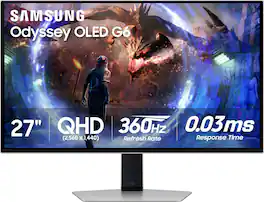
Samsung's OLED G6 Gaming Monitor delivers superior brightness with an expansive spectrum of colors and nearly limitless shades. The 360Hz refresh rate and 0.03ms response time (GtG), along with AMD FreeSync Premium Pro, allow ultra-fast & smooth gaming action. OLED Safeguard+ technology includes a groundbreaking Dynamic Cooling System and thermal modulation that auto-controls brightness to prevent burn-in. OLED Glare Free technology significantly reduces glare from external light sources, and deep black levels with dynamic contrast enable supreme depth expression. Features a sleek metal design and ergonomic stand for optimal comfort when playing for extended periods of time. 3-Year Warranty.
| Pros for Samsung - 32" Odyssey OLED G8 (G80SD) 4K UHD 240Hz 0.03ms Smart Gaming Monitor with HDR - Silver | |||
|---|---|---|---|
| Picture Quality, OLED Quality, Refresh Rate, HDR, Color | Refresh Rate, Color Quality, Glare Reduction | Refresh Rate, OLED Quality, Overall Performance, Resolution, Size | Picture Quality, Refresh Rate, OLED Quality, HDR, Black Levels |
| Cons for Samsung - 32" Odyssey OLED G8 (G80SD) 4K UHD 240Hz 0.03ms Smart Gaming Monitor with HDR - Silver | |||
| Speakers, Burn-in, Price, Smart Features, Software | There were no cons for this product— | Brightness | Glare, Cable Management |
Specs
Reviews
Customers are saying
Customers find value in the 32" Odyssey OLED G8 monitor's exceptional picture and OLED quality, along with its fast refresh rate and vibrant colors. The monitor's HDR performance and design are also well-received. However, some users have expressed concerns about the quality of the built-in speakers and the functionality of the smart features. A few have also mentioned issues with the software.
Customer Images
The vast majority of our reviews come from verified purchases. Reviews from customers may include My Best Buy members, employees, and Tech Insider Network members (as tagged). Select reviewers may receive discounted products, promotional considerations or entries into drawings for honest, helpful reviews.
- Rated 5 out of 5 stars
Excellent 32" 4K OLED for gaming/work
Been using this monitor for a few months now and it's pretty great. The OLED screen is really nice - blacks are super deep, colors look good, and 240 Hz is smooth as hell. Works well for gaming and regular work stuff. HDR looks good too. Menu is simple to use, feels solid, and has all the ports I need. Only issue: sometimes the screen goes black for like 2-3 seconds. Everything else works fine though, so I think it's probably my cable or GPU, not the monitor. Overall really happy with it. Picture quality is great and it's super responsive. The black screen thing doesn't happen much and it's probably just my setup. Would definitely buy again.
Posted by Maksim
- Rated 5 out of 5 stars
Exceeds expectations
I was apprehensive buying this on release because there were no reviews, but I'm incredibly happy with this monitor. The color is great, text has minimal fringing, build quality is actually wild... gaming is amazing, switching between PC, PS5, Switch is so smooth. The OS is fast and snappy! Speakers get surprisingly loud. Are you worried about brightness? Don't be, this monitor can get plenty bright for an OLED. I'm a brightness junkie and it was one of the biggest concerns I had going in, but it clears in that department. Love the connectivity, being able to use the remote with my PS5 or turn on my Switch through the OS of the monitor, etc.. HDR looks really good. Picture quality is so much better than my previous monitor Optix MPG321UR QD. Don't worry about the matte coat.. it's a new matte technology and it's about as close to glossy as matte has ever looked. It tricks your brain into thinking you're just looking at a glossy screen. The only negative for me is that the OS is a bit convoluted and invasive. Sometimes you just want a quick way to toy with settings, but unfortunately you need to dive deep into the OS and get past tons of ads for game consoles you don't own, or streaming services you don't want, etc., just to find a simple setting. Not taking a mark for it because I'm getting really fast at navigating the maze. I'm like 65% productivity use, and I find that this monitor works well for both work/fun. As of now, I wholly recommend this monitor.
Posted by chuuuIria
- Rated 4 out of 5 stars
Awesome, but has (minor) flaws
I want to stary off by saying that overall this is an excellent monitor and I highly recommend it, however I can’t say it’s a perfect monitor. Let’s start off with what I really love about this montior, the resolution and refresh rate are superb! Not to mention that the OLED screen has stunning images. Out of the box it comes with a few cables you can use to connect your PC to this monitor, it has an 8k DP cable and an ultra high speed HDMI cable. The base of this monitor is a beautiful piece of hefty aluminum and the monitor arm has a mix of both metal and plastic, but is also has a good design behind it. Mounting the monitor to the arm and base is simple and doesn’t require any tools, just make sure you hear the click and try not to force things. Now for the items I’m indifferent about, this monitor can also act as a smart tv and will require some set up and account linking. The external power brick can take up some space, but with some clever cable management, it isn’t too much of an issue. This monitor has built-in speakers, but they don’t have the greatest sound quality, not bad for built-in speakers though. There’s a remote included for this monitor and its kind of okay, it can smudge easily, but it has a simple layout that’s easy to use. Finally, time for the few negatives I had, the rear connector panel can sink in if you use a little too much force. It doesn’t take much force, so I would definitely be careful on how much force you use when plugging in your cables back there. Last one is very minor, but out of the box, it gets set up as a tv and not a gaming monitor. You’ll have to go into the settings and manually change it into PC/Monitor mode.
Posted by AOcampo