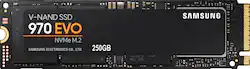
Samsung - 970 EVO 250GB Internal PCI Express 3.0 x4 (NVMe) Solid State Drive with V-NAND Technology
- Key Specs
- Storage Drive Type: SSD (Traditional, mechanical hard disk drives are the most common type of storage because they're relatively inexpensive and offer huge capacities. However, they also generate both noise and heat. Solid state drives, also known as SSDs, are many times faster than hard disk drives and have no moving parts to wear out, but typically offer less capacity for the same price.)
- Maximum Write Speed: 1500 megabytes per second (The greatest speed at which the device can write information; for example, saving files.)
- Interface(s): PCIe Gen 3 x4 (Refers to the types of connections that devices use to interact and communicate with each other.)
- General
- Product Name: 970 EVO 250GB Internal PCI Express 3.0 x4 (NVMe) Solid State Drive with V-NAND Technology
- Brand: Samsung
- Model Number: MZ-V7E250BW
- Performance
- Storage Drive Type: SSD (Traditional, mechanical hard disk drives are the most common type of storage because they're relatively inexpensive and offer huge capacities. However, they also generate both noise and heat. Solid state drives, also known as SSDs, are many times faster than hard disk drives and have no moving parts to wear out, but typically offer less capacity for the same price.)
- Maximum Write Speed: 1500 megabytes per second (The greatest speed at which the device can write information; for example, saving files.)
- Compatibility
- Internal Or External: Internal
- Interface(s): PCIe Gen 3 x4 (Refers to the types of connections that devices use to interact and communicate with each other.)
- Features
- Security Features: None
- Data Encryption: false
- Memory
- Cache Buffer Size: 512 megabytes (The data capacity of the cache buffer (or disk buffer) that acts as temporary memory for the drive. The cache holds the most recently and frequently used data to save the drive the extra step of pulling it from permanent storage every time it's needed, which helps increase the drive's overall speed.)
- NAND Flash Memory Type: TLC (Single Level Cell (SLC) stores 1 bit of data per memory cell; Multi Level Cell (MLC) stores 2 bits per cell, Triple Level Cell (TLC) 3 bits, and Quad Level Cell (QLC) 4 bits. Vertical NAND (V-NAND) or 3D NAND stores more data by layering cells vertically. Similarly, there are 3D MLC, 3D TLC and 3D QLC stacked cells.)
- Other
- UPC: 887276261935
Back up important data with this 250GB Samsung solid-state drive. Its V-NAND technology uses a 3D, stacked layout to maximize storage capacity while minimizing bulk, and it has no moving parts, so it's less susceptible to physical damage and drive failure. This Samsung solid-state drive operates quietly to reduce disturbances.
- 250GB storage capacity: Provides ample storage space for your music, movies and other files.
- PCI Express 3.0 x4 (NVMe) interface: Offers simple connection to your computer.
- 512MB cache buffer: Offers rapid processing speed.
Whats Included
- Samsung 970 EVO 250GB Internal PCI Express 3.0 x4 (NVMe) Solid State Drive for Laptops with V-NAND Technology
Q: Is it compatible with lenovo legion y530?
A: Yes, I installed it into my y530
A: The HP Z420 system board does not have M.2 compatibility. You can purchase a PCIe x4 expansion card that you can then mount the Samsung 970 EVO M.2 NVMe SSD. However, You will not be able to make the 970 the boot drive as the BIOS of the Z420 doesn't support NVMe boot disks at this time. There is no mention of NVMe support on any BIOS release for the Z420 from version 3.88 Rev.A, Jun 19, 2015, until the newest BIOS version 3.94 Rev.A, Jul 12, 2018. There are people that are creating custom "Modded" BIOS files that claim to support NVMe boot. But you would have to try that at your own risk, and your mileage may vary with those as well. A google search for "Will the Z420 Workstation boot from a PCIe NVMe SSD?" should point you in the right direction
A: I say yes. But the photo quality is kinda low so it’s hard to tell. I say you good though
Q: For laptops only? What about desktops?
A: Works fine with a desktop. You just need to make sure your motherboard has the appropriate connector.
Q: I bought a G7 series Dell and i want to change it with the Evo 970 250gb. Thanks
A: Basically your question is how to do it? Easiest answer would be to drop the computer off the the Geek Squad. The can migrate the data off of the old drive and install the new one. You’ll need to call your local store. At the same time you could also upgrade the internal 1TB Sata to a SATA 1TB SSD and have a screaming machine.
Q: HI I have hp destop modelo 290-p0014 this samsum 970 Work in this computer. Thank you
A: You can look up your particular HP module through Google and get the info. According to HP tech specs the motherboard with that particular model does have M2 SSD support. So, I would say yes .
Q: will this fit in the new 2019 LG Gram 17
A: The Gram looks like it has an M.2 slot or two, and according the a quick google search it supports the NVMe protocol this drive is capable of using. Short answer, yes!