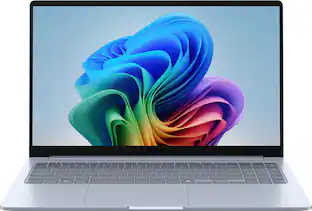
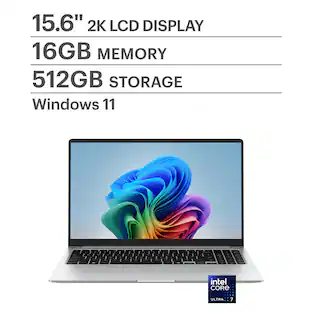
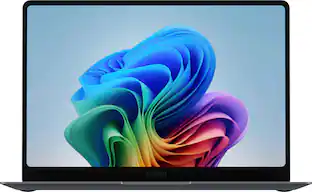
Samsung - Galaxy Book6 - Copilot+ PC - 16" IPS LED Touch Screen Laptop - Intel Core Ultra 7 - 16GB Memory -512GB SSD - Gray
Key Accessories:
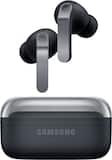
- Samsung - Galaxy Buds4 Pro Wireless Earbud Headphones - Black$249.99
More Buying Options
Related Item

Highlights
- Key Specs
- Screen Type: IPS
- Screen Size: 16 inches (Size of the screen, measured diagonally from corner to corner.)
- Screen Resolution: 1920 x 1200 (Full HD+) (Screens come in a range of resolutions (measured in pixels, horizontal x vertical). The higher the resolution, the greater the picture quality.)
- Touch Screen: true (Touch-screen devices make navigating more intuitive. Using a touch-screen display, you can do things such as tap to select, hold and drag to move items, swipe to scroll, and pinch to zoom.)
- Refresh Rate: 120Hz (The number of frames per second the device can produce natively without enhancement. Higher rates help produce smooth, seamless pictures.)
- Brightness: 350 nits (A measure of the total light output.)
- Processor Model: Intel Core Ultra 7 Series 3 (Your computer's processor is like its brain. Working in combination with system memory, the power of the processor determines the complexity of software you can run, how many programs you can have open at the same time, and how fast those programs will run. Most computers feature an AMD, Intel or Snapdragon processor.)
- Storage Type: SSD
- Total Storage Capacity: 512 gigabytes
- System Memory (RAM): 16 gigabytes (Random-access memory (RAM) is a computing device's short-term data storage, which allows active information to be accessed quickly. The size and type of RAM determines how efficiently the device can handle large amounts of information at one time. For example, gaming or video editing requires more RAM for optimal performance.)
- Graphics: Intel Graphics (Often referred to as a "graphics processing unit" (GPU), this device is responsible for displaying image content and decoding/encoding video content in programs and games.)
- Display Connector(s): 1 x HDMI (The number and type of connectors used to connect to an external display.)
- Battery Life (up to): 24 hours (Battery life will vary depending on the product configuration, product model, applications loaded on the product, power management setting of the product and the product features used by the customer. As with all batteries, the maximum capacity of this battery will decrease with time and usage.)
- Battery Chemistry: Lithium-ion
- Backlit Keyboard: false (Integrated lights allow for visibility of the keys in low-light conditions.)
- General
- Brand: Samsung
- Model Number: NP760XJG-KG2US
- Product Name: Galaxy Book6 - Copilot+ PC - 16" IPS LED Touch Screen Laptop - Intel Core Ultra 7 - 16GB Memory -512GB SSD
- Color: Gray
- Year of Release: 2026
- Display
- Display Type: LED
- Screen Type: IPS
- Screen Size: 16 inches (Size of the screen, measured diagonally from corner to corner.)
- Screen Resolution: 1920 x 1200 (Full HD+) (Screens come in a range of resolutions (measured in pixels, horizontal x vertical). The higher the resolution, the greater the picture quality.)
- Touch Screen: true (Touch-screen devices make navigating more intuitive. Using a touch-screen display, you can do things such as tap to select, hold and drag to move items, swipe to scroll, and pinch to zoom.)
- Refresh Rate: 120Hz (The number of frames per second the device can produce natively without enhancement. Higher rates help produce smooth, seamless pictures.)
- Brightness: 350 nits (A measure of the total light output.)
- Processor
- Processor Brand: Intel
- Processor Model: Intel Core Ultra 7 Series 3 (Your computer's processor is like its brain. Working in combination with system memory, the power of the processor determines the complexity of software you can run, how many programs you can have open at the same time, and how fast those programs will run. Most computers feature an AMD, Intel or Snapdragon processor.)
- Processor Model Number: 355
- CPU Cache Memory Level: L3
- L3 Cache: 12 megabytes (Cache memory, also called CPU memory, is random-access memory (RAM) that a computer microprocessor can access more quickly than it can access regular RAM. This memory is typically integrated directly with the CPU chip or placed on a separate chip that has a separate bus interconnect with the CPU.)
- Storage
- Storage Type: SSD
- Total Storage Capacity: 512 gigabytes
- Solid State Drive Capacity: 512 gigabytes (The amount of data that can be stored on the device's solid state drive (SSD). SSD is a flash-based storage with faster speeds than a hard disk drive (HDD).)
- Memory
- System Memory (RAM): 16 gigabytes (Random-access memory (RAM) is a computing device's short-term data storage, which allows active information to be accessed quickly. The size and type of RAM determines how efficiently the device can handle large amounts of information at one time. For example, gaming or video editing requires more RAM for optimal performance.)
- Type of Memory (RAM): LPDDR5X (Each type of RAM delivers a different level of speed, bandwidth, energy efficiency and performance.)
- Graphics
- Graphics Type: Integrated (Dedicated graphics uses a separate graphics card for processing video images. Because it does not use memory from the system's RAM, there is no extra burden on the CPU and graphics are processed more efficiently. Integrated graphics shares system RAM to process video images.)
- GPU Brand: Intel
- Graphics: Intel Graphics (Often referred to as a "graphics processing unit" (GPU), this device is responsible for displaying image content and decoding/encoding video content in programs and games.)
- Compatibility
- Operating System: Windows 11 Home (The operating system manages all software and hardware, including files, memory and connected devices. Most importantly, it lets you interact with your device and your programs in a visual way; otherwise, you'd be typing computer code to get anything done.)
- Voice Assistant Built-in: Bixby (A digital assistant built into the device that uses voice commands to answer questions and control smart devices.)
- Works With: Amazon Alexa, SmartThings (Compatible with or able to be connected to other smart devices or applications.)
- Connectivity
- Display Connector(s): 1 x HDMI (The number and type of connectors used to connect to an external display.)
- USB Ports: 2 x USB-A 3.2, 2 x USB-C (The number and type of USB ports the product has.)
- Number of USB Ports (Total): 4
- Number of USB-A Charging Ports: 2
- Number of USB-C Charging Ports: 2
- Headphone Jack: true (The device features an interface that allows for the connection of headphones.)
- Wireless Connectivity: Wi-Fi, Bluetooth (The manner in which a device sends data to another device over a short distance without the use of wires or cables.)
- Wireless Standard: AX (The wireless networking protocol used by the device. Each iteration of the protocol is based on the 802.11 standard developed by the Institute of Electrical and Electronics Engineers (IEEE) Standards Association. Denoted by letters following 802.11 (802.11a, 802.11ac, etc.), each version, published in alphabetical order, encompasses all previous versions.)
- Cooling
- CPU Cooling System: Air
- Power
- Power Supply Maximum Wattage: 45 watts
- Battery Life (up to): 24 hours (Battery life will vary depending on the product configuration, product model, applications loaded on the product, power management setting of the product and the product features used by the customer. As with all batteries, the maximum capacity of this battery will decrease with time and usage.)
- Battery Cells: 4-cell
- Battery Chemistry: Lithium-ion
- Expansion
- Number of M.2 Slots: 2 (This interface is most commonly used for high-speed solid state drives (SSDs), and is often used in laptops due to its small size.)
- Camera
- Front-Facing Camera: true
- Front Facing Camera Megapixels: 2 megapixels (The more megapixels, the more detail that the camera facing the user can capture.)
- Features
- Backlit Keyboard: false (Integrated lights allow for visibility of the keys in low-light conditions.)
- Customizable Keyboard Lighting: No
- GPS Enabled: false
- Media Card Reader: true (A hardware device that allows for access to data on a memory card and enables the transfer of its files to a computer. These devices may have one or multiple slots for various types of memory cards, and may be integrated into the computer or available as an external device.)
- Windows AI: Copilot+ PC
- Cable Lock Slot: None
- Casing Material: Aluminum
- Dimensions
- Product Height: 9.76 inches (The out of box height of the item. Height is measured as the vertical distance from the bottom of the item to the top as it would be primarily used or placed.)
- Product Width: 14.06 inches (The out of box width of the item. Width is measured as the horizontal distance from one side of the item to the other as it would be primarily used or placed.)
- Product Depth: 0.66 inches (The out of box depth of the item. Depth is measured as the distance from the front of the item to the back as it would be primarily used or placed.)
- Product Weight: 4.06 pounds (The out of box weight of the item.)
- Certifications Listings & Approvals
- ENERGY STAR Certified: true (Devices carrying the ENERGY STAR service mark, such as computer products and peripherals, kitchen appliances, and other products, generally use 20% to 30% less energy than required by federal standards.)
- EPEAT Qualified: true (The Electronic Product Environmental Assessment Tool (EPEAT) was designed to provide an environmental assessment tool for purchasers. In order to qualify for EPEAT, a product must meet all 23 required criteria.)
- EPEAT Level: Silver (The Electronic Product Environmental Assessment Tool (EPEAT) was designed to provide an environmental assessment tool for purchasers. In order to qualify for EPEAT, a product must meet all 23 required criteria. Products are rated Bronze, Silver or Gold based on how many of 28 optional criteria they meet (below 50%, 50%, 75%).)
- Included
- Numeric Keypad: false
- Stylus Included: false
- Warranty
- Warranty - Parts: 1 year
- Warranty - Labor: 1 year
- Other
- UPC: 198957281754
Galaxy Book6 Touch is anything but basic. From Storage Share to Multi Control, Galaxy Book6 Touch brings in unmatched ecosystem functionality to make your days easier than ever. The latest Intel Core Ultra 7 Processor (PTL) works together with a stunningly bright touchscreen to help you do more every day. So level up your life with a hands on PC that powers your goals with incredible design inside and out.
- The power your day demands: Experience incredible power with a hands on PC that matches your energy Galaxy Book6 Touch. The latest and greatest Intel Core Ultra 7 Processor (PTL) makes tackling everyday tasks easier than ever. From polishing presentations to studying smarter, this Galaxy PC packs on the speed and responsiveness you need to take life to the next level.
- See and feel the world from your fingertips: Elevate everything you do with a hands on screen that looks great and performs even better. The stunning display of Galaxy Book6 Touch responds to your tap and delivers crisp visuals with a refresh rate of up to 120Hz and 350 nits of peak brightness.
- Elevated design. Easier carrying.: Turn heads and make moves on the go with a lightweight PC that blends style with substance. Galaxy Book6 Touch has been redesigned to fit right into your life with a sleek new look including a stylish and symmetrical design, two tone keyboard and clickpad. Discover a heavy hitting PC that won't weigh you down.
- Your phone, on your PC. Your day, crushed.: Stay in your productive flow with Phone Link on Galaxy Book6 Touch. With the ability to access and respond to phone calls and text messages directly from your PC¹ without checking your Galaxy phone, you can keep up with your conversations and the task at hand.
- A simple way to share large files: Share files between your Galaxy devices in a snap with Quick Share. ²Galaxy Book6 Touch effortlessly sends large files, photos and documents without having to email them or install extra transfer apps. Simply select your file and send.
- Access your phone storage right from your PC: Have your files exactly where you need them with Storage Share ³on Galaxy Book6 Touch. Remotely access photos, videos and documents stored on your Galaxy phone directly from your PC no cables or file transfers required. With seamless two way access across Galaxy devices, your files follow you within the ecosystem without having to handle external drives.
- Drag from your phone. Drop on your PC. So easy.: Unleash the combined power of all your Galaxy devices with Multi Control ⁴ on Galaxy Book6 Touch. A seamless connection gives you the power to drag a file from your PC to your phone or Tab, and vice versa. Plus, you can click or type on another Galaxy device using just the keyboard and clickpad on your Book6 Touch.
- Two connected screens, one connected Galaxy: Transform your workspace using Second Screen ⁵ with Galaxy Book6 Touch. Pair a Galaxy Tab as a second display and expand your screen real estate for multitasking, creative work or presentations. With more room to work, multiply your productivity and keep your focus where it belongs.
- A battery built to keep you going: Keep your day going strong with Galaxy Book6 Touch, featuring a battery lasts up to 24 hours. ⁶You never miss a beat, and neither should your PC, so get back to your work quicker with Super Fast Charging 2.0, delivering up to a 33% charge in 30 minutes ⁷The Book6 Touch charger is also compatible with all your other Galaxy devices, so no need to hassle with multiple cords.
- Trace it. Search it. Done.: The info you need is now easier to get using AI Select ⁸ with Galaxy AI. Simply trace an image on the screen of your Galaxy Book6 Touch and quickly get more information about it. This applies to text, links and QR codes too. AI Select also handles text translation and measurement conversion, all without leaving your current window. It's a shortcut that keeps your attention on what matters most.
- Describe it. Find it. It’s that easy with Intelligent Search.: Finding files is simple on Galaxy Book6 Touch no need to remember file names or locations. Just describe what’s in the file using natural language like "Where's my report for Chemistry class?" Intelligent Search ⁹ with Galaxy AI helps you find it fast so you can keep your focus where it belongs.
Whats Included
- Adapter
- Type-C cable
- Quick Start Guide
- Warranty Card
Disclaimers
- ¹Requires Galaxy smartphone running Android 8.0 (Oreo) or later and a PC running Windows 10 (with the October 2022 update or later). For optimal compatibility and performance, we strongly recommend using Android 10 (Q) or newer and the latest version of Windows 11. Both devices must have Bluetooth, be connected to the same Wi Fi network, and use the same Microsoft account. Some mobile apps may have security features that prevent the mobile app from being viewed on PC.
- ²Quick Share between Galaxy devices available with the following OS: smartphones and tablets with Android OS version 10.0 (Q) and One UI 2.1 or above, PCs running Windows 10 or later. Wi Fi and Bluetooth connection is recommended for optimal performance.
- Quick Share to iOS and Android devices available by sending shared link: individual files shared cannot exceed 10GB (for a total of 10GB per day) and link will expire after two days; sender's device requires a Samsung account, and both sender and receiver devices require internet connection.
- ³Each device must be signed in to the same Samsung account and must have both Wi Fi and Bluetooth turned on. Requires updated Galaxy smartphones with One UI 7 or higher and kernel version 5.15 or higher and Galaxy Book2 or later (Intel) and Galaxy Book4 or later (ARM). Feature availability may vary by region and device model.
- ⁴Each device must be signed in to the same Samsung account and connected to the same Wi Fi network. Multi Control is supported on Galaxy smartphones and tablets running on One UI 5.1.1 or above, Galaxy Book series devices released in 2021 or later with Samsung Settings v1.5 (Intel) or Samsung Settings v3.3 (ARM). Feature availability may vary by region.
- ⁵Compatible only with Galaxy Tab S Series. Both devices must be Wi Fi network activated.
- ⁶Testing conditions: Local 1080p movie playback, Windows video players (Media Player, Movies & TV) with full screen, Brightness 150nits, Earphone (default volume), Airplane On (Wi Fi not connected), KBD Backlight Off, discharged to 2%.
- ⁷Conducted with 65W charger while it has 2% of power remaining, with all the services, features and screen turned off.
- ⁸Works with compatible apps. Requires internet connection; results may vary by uniqueness, clarity and framing of circled image and related factors. Accuracy of results is not guaranteed.
- ⁹Supported apps are Samsung Gallery, Samsung Settings and Quick Search. For syncing of photos on Samsung Gallery, it requires internet connection, Samsung Account and Microsoft OneDrive Account.
- Search accuracy not guaranteed, check results.
Q: What operating system does this PC use?
A: This PC uses Windows 11 Home as its operating system.
Q: How much system memory does this PC have?
A: This PC has 16 gigabytes of system memory.
Q: Is the keyboard on this PC backlit?
A: No, the keyboard on this PC is not backlit.
Q: Does this PC have a touch screen?
A: Yes, this PC has a touch screen.
Q: What is the maximum battery life of this PC?
A: The maximum battery life of this PC is up to 24 hours.
Q: Does this PC have a headphone jack?
A: Yes, this PC has a headphone jack.
Q: What is the refresh rate of the screen?
A: The refresh rate of the screen is 120Hz.
Compare similar products
Galaxy Book6 Touch is anything but basic. From Storage Share to Multi Control, Galaxy Book6 Touch brings in unmatched ecosystem functionality to make your days easier than ever. The latest Intel Core Ultra 7 Processor (PTL) works together with a stunningly bright touchscreen to help you do more every day. So level up your life with a hands on PC that powers your goals with incredible design inside and out.

Galaxy Book5 Pro gives you premium performance and pro-level power in a device designed to move as fast as you do. From creating presentations to editing large files, the AI-powered Intel Core Ultra 7 processor makes it all feel unbelievably fast and smooth. With its lightweight build and long-lasting battery, you can seamlessly transition from your desk to a cafe to a client meeting without missing a beat. Packed with cutting-edge technology, Book5 Pro has smart features like AI Select¹ and Copilot AI assistance to help you simplify complex tasks and streamline your workflow. Because work rarely happens on just one device, Book5 Pro is also built with advanced features that make it easy to work in sync with the rest of your Galaxy devices. Get an important notification or need to respond to a text mid-project? Phone Link ² puts your phone screen right on Book5 Pro, allowing you to access all your important phone features and control it right from your PC. Sharing big files between your devices? With Quick Share³ you can do it wirelessly, quickly and safely. Plus, Auto Hotspot⁴ kicks in when your Wi-Fi doesn’t, so your laptop stays connected even when your day takes a detour. No matter where work takes you, Galaxy Book5 Pro keeps you a step ahead.
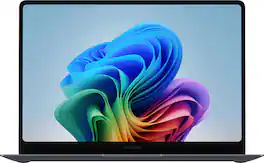
Power through your busiest days with Galaxy Book6 Pro. This PC is engineered for perfection and works together with your Galaxy devices as an unmatched force with features like Storage Share¹, Phone Link² and more. Perform your best with the latest Intel Core Ultra 7 Processor (PTL) with the latest ARC GPU that brings exceptional speed and responsiveness. Whatever you’re working on, the immersive 14” Dynamic AMOLED 2X touch display helps put your work in the best light. And, get more hands on with your projects thanks to its light design, seamless haptic touchpad and long lasting battery.
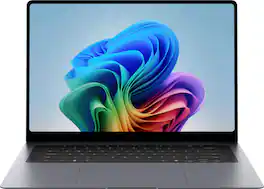
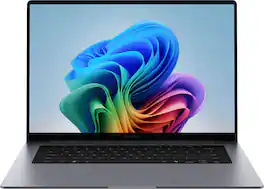
Power through your busiest days with Galaxy Book6 Pro. This PC is engineered for perfection and works together with your Galaxy devices as an unmatched force with features like Storage Share¹, Phone Link² and more. Perform your best with the latest Intel Core Ultra 7 Processor (PTL) with the latest ARC GPU that brings exceptional speed and responsiveness. Whatever you’re working on, the immersive 16” Dynamic AMOLED 2X touch display helps put your work in the best light. And, get more hands on with your projects thanks to its light design, seamless haptic touchpad and long lasting battery.
| Pros for Samsung - Galaxy Book6 - Copilot+ PC - 16" IPS LED Touch Screen Laptop - Intel Core Ultra 7 - 16GB Memory -512GB SSD - Gray | |||
|---|---|---|---|
| Screen Quality, Battery Life, Portability, Processor Speed | Screen Quality, Processor Speed, Portability, Battery Life, Overall Performance | Build Quality, Battery Life, Processor Speed, Portability, Performance | Build Quality, Keyboard Layout |
| Cons for Samsung - Galaxy Book6 - Copilot+ PC - 16" IPS LED Touch Screen Laptop - Intel Core Ultra 7 - 16GB Memory -512GB SSD - Gray | |||
| Keyboard | There were no cons for this product— | There were no cons for this product— | There were no cons for this product— |
Specs


Reviews
Top Mentions
- Screen Quality (5)
- Battery Life (3)
- Portability (3)
- Keyboard (3)
Customer Images
The vast majority of our reviews come from verified purchases. Reviews from customers may include My Best Buy members, employees, and Tech Insider Network members (as tagged). Select reviewers may receive discounted products, promotional considerations or entries into drawings for honest, helpful reviews.
- Rated 5 out of 5 stars
Strong Productivity Laptop, Good Value
SUMMARY: Samsung delivers good value with the Galaxy Book6 16 but there are a couple of design choices you need to consider. It lacks keyboard backlighting, uses Intel Integrated Graphics and the screen is a 1920x1200 IPS LCD. But the Book6 delivers where it counts for business, students, home and even content creators, a good keyboard, good screen, low weight and plenty of horsepower. It's not a gaming powerhouse but it’s a versatile laptop. PRO’s - 16 LPDDR5X RAM and 512 SSD gb storage - Fingerprint reader - 16” Responsive Touch Screen (1920 x 1080 resolution ,120hz) - Intel Core Ultra 7 Series 3 - Reasonable number of ports, 2 USB-C ports (data and charging), 2 USB-A ports, 1 HDMI port, 1 full ethernet port, 1 SD card reader and 1 headphone jack. - 4 lbs light, easy to carry, robust construction, looks good - Good keyboard (responsive, easy to type on and not too cramped) - Decent 2 mp webcam - Good battery life - Windows 11, CoPilot+ - Samsung Galaxy Ecosystem A MATTER OF TASTE (Is this the computer for you? None of these are bad, but they are choices.) - Good screen (1920 x 1080 FHD resolution, 350 nits) - Decent Speakers (weak on base) - Air Cooled (but quiet for standard operations). CON’s - No back light keyboard MORE WORDS – The Samsung Galaxy Book6 is made to be productive. It has an attractive design for fitting in the boardroom, and it’s robust fitting into a backpack easily (won’t break easily with responsible use). The touchscreen works well and really adds to the overall experience. And for computer power, it has it. I use it with Lightroom Classic on 61 mp files (Huge for cameras), and it didn’t sweat. I have a full-on gaming rig for POV shooters, but the integrated graphics works fine for slower moving games (cards) so even that is fine. One point of consideration, but designed for the budget, is the screen is low nits (350, for indoor use), and only 1920 x 1200 (almost 2k). But the color is good (it IS Samsung), the size is great (16”) and the refresh is a butter smooth 120hz, so it’s your call if you want 4k OLED or not, won’t get that with a touch screen at this price. I found the screen fine for documents, web browsing, streaming and even light photography work. 16 gb ram and 512 gb storage is enough for AI tools, school, home, and work. If you need more storage, it has 2 fast USB-C ports. BOTTOM LINE: The Samsung Galaxy Book6 is good value for business, home, and school… The are no real shortcomings (except for lack of backlit keyboard), packs a powerful CPU punch, and has decent RAM and storage specs. In or out of the Galaxy ecosystem, this is a laptop you will enjoy owning.
Kcir Posted
- Rated 5 out of 5 stars
Great Laptop for working or school
The Samsung Galaxy Book6 is great for working, emails, and web browsing. This is not a gaming laptop. It has a 16” 1920x1200 screen, 16GB RAM, 512GB M.2 for storage, and an Intel Core Ultra 7 Series 3 355 processor. It includes a mic, camera, and 2x USB-C and 2x A ports. It can connect wirelessly up to Wi-Fi 6 and has a built in 1 GB Ethernet port. There is HDMI port, and Bluetooth for wireless devices. The manual says it has 2 M.2 slots, so you could add another M.2 for more storage if you want to take it apart. The memory seems to be fixed to 16GB. The battery is 61.2w. Th package comes with the laptop, a USB-C cord, and a 45w charger. It weighs ~4 pounds. The color is a nice gray and opening it up, it has a large trackpad in the lower middle, and regular laptop style keyboard, no numpad. The keyboard does not have a lot of travel in the key press. The screen displays colors nicely and is big enough to see work documents or the web well. The power button doubles as a finger button for passwordless logins. I got full Wi-Fi 6 speeds with no issues and the ethernet port works fine too. Connecting to an external monitor is plug and play. The CPU is efficient as a 24 hour battery life is claimed. The camera and mic work fine for video calls. As it has an integrated GPU, only more basic games will work well with it. The cooling system was quiet overall, noise was minimal. Connecting Bluetooth devices was standard it support external keyboards, mice and headsets with no issues. The setup was just over 30 minutes from power on to ready to after upgrades and updates. There is a lot of bloatware in the computer. From Microsoft to Samsung, a lot of programs, and “AI” features are on the machine. I took off over a GB with easy to see programs. You will find more if you want. The issue is after Microsoft tries to get your information; Samsung does the same requests again. Sharing wi-fi password, phone integration, links etc etc. If you are in the Samsung ecosystem, you can seamlessly connect to your other Samsung devices such as tablets, phones, ear buds etc for an integrated experience. Bixby and the other standard Samsung programs and “AI” are all there on the laptop. Working just as on any other Samsung device. However, you can opt out and not share information. For work and the web, 16GB RAM, and the 355 CPU are more than enough to handle workloads. If you want something with a decent screen and lightweight with enough to get through work or school, this is an excellent option. If you want full integration into the Samsung ecosystem this will work great for you. If not, you can claim back a lot of storage easily.
grimmace Posted
- Rated 5 out of 5 stars
Nice laptop
Setup on this computer takes about an hour with several updates and reboots. They try and sell you several services and Microsoft 365 during setup. The power button can be configured for fingerprint recognition. I didn’t see face recognition as an option. A good choice for home or business. Not for gaming. Nice selection of ports and the USB ports also can be used for charging. Ports: 1 HDMI 2 USB-A 3.2 2 USB-C Headphone Jack (nice) Windows 11 Home edition is installed. The screen resolution 1920 x 1200 Full HD+ with great color and touch screen capability. 16GB RAM and an Intel Ultra 7 355 2.3GHz processor makes for fast processing for an average user. For some reason this 16” screen feels small, but it really is 16”. I wish there was a numeric keypad as it could easily have fit. The keyboard is not backlit. There is an integrated Intel 128MB Graphics card and an included front-facing camera. Battery life is very good. Heavy use for a full day and still 30% left. I have only charged it once in 5 days. A feature that I don’t use is to access your Galaxy phone files directly from the laptop. If you have a lot of Galaxy devices there is seamless integration for file sharing. There are also included AI features but AI is still a work in progress. Nice laptop and very lightweight but sturdy.
47states Posted
Explore tech essentials Sponsored
 $799.99The price was $1,199.99
 $1,099.99The price was $1,449.99