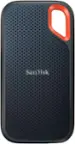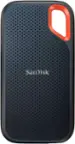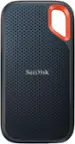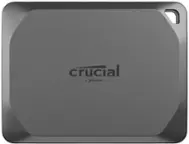
- Key Specs
- Storage Drive Type: SSD (Traditional, mechanical hard disk drives are the most common type of storage because they're relatively inexpensive and offer huge capacities. However, they also generate both noise and heat. Solid state drives, also known as SSDs, are many times faster than hard disk drives and have no moving parts to wear out, but typically offer less capacity for the same price.)
- Interface(s): USB 3.1 Gen2 (Refers to the types of connections that devices use to interact and communicate with each other.)
- General
- Brand: Samsung
- Model Number: MU-PA500RWW
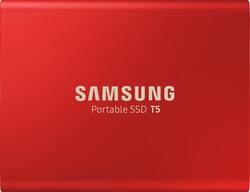
- Product Name: T5 500GB External USB Type C Portable Solid State Drive
- Color: Metallic Red
- Performance
- Storage Drive Type: SSD (Traditional, mechanical hard disk drives are the most common type of storage because they're relatively inexpensive and offer huge capacities. However, they also generate both noise and heat. Solid state drives, also known as SSDs, are many times faster than hard disk drives and have no moving parts to wear out, but typically offer less capacity for the same price.)
- Compatibility
- Internal Or External: External
- External Hard Drive Type: Portable (Physical characteristics of the hard drive, including size, weight and how you connect to your device.)
- Interface(s): USB 3.1 Gen2 (Refers to the types of connections that devices use to interact and communicate with each other.)
- Minimum System Requirements: Microsoft Windows 7 or later, Android 4.4 (KitKat) or later, Apple MacOS X 10.9.x or later
- Features
- Security Features: Password Protection
- Data Encryption: true
- Encryption Algorithm: 256-bit AES (The algorithm standard used to encrypt data on a device.)
- Usage: Everyday computing
- Power
- Power Source: USB port
- Dimensions
- Product Height: 2.3 inches (The out of box height of the item. Height is measured as the vertical distance from the bottom of the item to the top as it would be primarily used or placed.)
- Product Width: 2.9 inches (The out of box width of the item. Width is measured as the horizontal distance from one side of the item to the other as it would be primarily used or placed.)
- Product Weight: 1.8 ounces (The out of box weight of the item.)
- Other
- UPC: 887276341439
Store and transport multiple files with this Samsung 500GB portable SSD. The ample storage capacity accommodates thousands of files, and the USB 3.1 interface accelerates file transfers with speeds of up to 540MB/sec. This Samsung 500GB portable SSD has a compact design that fits comfortably in pockets for easy portability.
- 500GB storage capacity: Provides plenty of space to store music and other media files.
- USB 3.1 Gen 2 interface: Offers an easy-to-use connection to devices. Backward compatible with USB 2.0 for simple connection to your computer. USB-powered.
- Password protection and 256-bit AES hardware encryption: Help keep your files secure.
- Solid state drive with no moving parts: Ensures cool, quiet operation.
- Portable design: Lets you take your data on the go.
- Compatible with PC, Android and Mac: For flexible installation options.
- 500GB storage capacity: Provides plenty of space to store music and other media files.
- USB 3.1 Gen 2 interface: Offers an easy-to-use connection to devices. Backward compatible with USB 2.0 for simple connection to your computer. USB-powered.
- Password protection and 256-bit AES hardware encryption: Help keep your files secure.
- Solid state drive with no moving parts: Ensures cool, quiet operation.
- Portable design: Lets you take your data on the go.
- Compatible with PC, Android and Mac: For flexible installation options.
Whats Included
- Samsung T5 500GB External USB Type C Portable Solid State Drive
- Samsung T5 500GB External USB Type C Portable Solid State Drive
Product Manuals
A: This is a solid state external hard drive. It has no moving parts and uses special memory chips instead of a spinning platter. This makes it VERY fast! You would use it anywhere you would need an external hard drive. For me, I use it with my Xbox One X, so that my favorite games load up extremely fast.
A: Obviously I can’t speak to this specific device, but I have a couple of SSD drives that are still running six years later with no apparent issues. I would suggest that you consider the use case and make your choices accordingly. If you are using a drive to make regular backups, I would recommend replacing it every three years, which jibes with your experience. Speed, capacity and price should make that a favorable time anyway. There is also the difference between “have to have” and “nice to have” backup protection that only you are equipped to decide. This drive wouldn’t be my first choice for backup storage, where capacity is more important than speed. This is a blazing fast external drive, but it’s capacity is only 500 gb. I use this as a caching drive and it’s worked wonderfully for that purpose and it’s small size makes it highly portable.
A: You should probably call the store.... I doubt most of us reading this question work at Best Buy let alone work your particular Best Buy :)
A: Connect the SSD to your device. On Windows, open File Explorer, and it should be located on the left side, drag any file from another window or desktop to the SSD’s location. I found it best to open two File Explorer windows side-by-side to see the transfer easier. (Ex. One window would be Documents, and the other would be the SSD) On a Mac, same as above, and you can open different tabs if you don’t want separate windows. On tablet or phone, go to file manager and move the files to the ssd through a long press. Go to settings to automatically download to the SSD, if it’s always connected
A: Yes, you can connect this external hard drive to your laptop and view/ edit Microsoft Office files directly.
A: I just copy my data to the external drive and then copy the files back to the target PC.
A: It comes with a software that can walk you through a PC backup but I did it manually because it was easy. This drive is super fast and would highly recommend it over tradional external hard drives.
A: I asked the same question when I got mine as I expected to see some kind of software. It's actually pretty simple. I just open 'file explorer'. Under 'files', you can open another window. One window shows the files on your computer and the other shows the external drive. Highlight the files you want to copy and just drag them into the external drive. Good Luck!