Seagate - Expansion Desktop 8TB HDD - Black
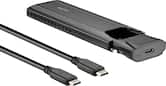 Insignia™ - M.2 NVMe to USB-C SSD Enclosure - Black$34.99
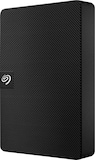

More Buying Options
Related Item

Specifications
- Storage Capacity8000 gigabytesStorage Drive TypeHDDInterface(s)USB-C (USB 3.0 Gen1)
- Key Specs
- Storage Capacity: 8000 gigabytes (Measured in megabytes (MB), gigabytes (GB) and terabytes (TB), this is the amount available for storing files, music, movies, photos and more. The total includes the capacity of the hard disk drive and solid state drive if both are included on the computer.)
- Storage Drive Type: HDD (Traditional, mechanical hard disk drives are the most common type of storage because they're relatively inexpensive and offer huge capacities. However, they also generate both noise and heat. Solid state drives, also known as SSDs, are many times faster than hard disk drives and have no moving parts to wear out, but typically offer less capacity for the same price.)
- Interface(s): USB-C (USB 3.0 Gen1) (Refers to the types of connections that devices use to interact and communicate with each other.)
- General
- Brand: Seagate
- Model Number: STKP8000400
- Product Name: Seagate Expansion Desktop 8TB HDD
- Color: Black
- Capacity
- Storage Capacity: 8000 gigabytes (Measured in megabytes (MB), gigabytes (GB) and terabytes (TB), this is the amount available for storing files, music, movies, photos and more. The total includes the capacity of the hard disk drive and solid state drive if both are included on the computer.)
- Performance
- Storage Drive Type: HDD (Traditional, mechanical hard disk drives are the most common type of storage because they're relatively inexpensive and offer huge capacities. However, they also generate both noise and heat. Solid state drives, also known as SSDs, are many times faster than hard disk drives and have no moving parts to wear out, but typically offer less capacity for the same price.)
- Compatibility
- Internal Or External: External
- External Hard Drive Type: Desktop (Physical characteristics of the hard drive, including size, weight and how you connect to your device.)
- Interface(s): USB-C (USB 3.0 Gen1) (Refers to the types of connections that devices use to interact and communicate with each other.)
- Minimum System Requirements: Windows® 10 or higher, Mac OS ® X 10.12 or higher operating system
- Features
- Usage: Backup, Everyday computing
- Power
- Power Source: AC adapter
- Dimensions
- Product Height: 4.921 inches (The out of box height of the item. Height is measured as the vertical distance from the bottom of the item to the top as it would be primarily used or placed.)
- Product Width: 1.44 inches (The out of box width of the item. Width is measured as the horizontal distance from one side of the item to the other as it would be primarily used or placed.)
- Product Weight: 2.593 ounces (The out of box weight of the item.)
- Included
- Included Software: Toolkit backup software
- Warranty
- Warranty - Parts: 1 year
- Warranty - Labor: 1 year
- Other
- UPC: 763649160657
Ideal for the home, office, or dorm, Seagate Expansion desktop drive offers enormous desktop storage for photos, movies, music and more. Backing up and transferring content is incredibly easy — just drag and drop! To get set up, connect the USB hard drive to Windows or Mac — no software required. For Apple Time Machine, simply reformat. Included is an 18-inch USB 3.0 cable and 18W power adapter. Plus, Seagate Expansion comes with Rescue Data Recovery Services for additional peace of mind.
- 8tb storage capacity: Offers enormous desktop storage for photos, movies, music and more.
- Rescue Data Recovery Services: Enjoy peace of mind with the included limited warranty and Rescue Data Recovery Services.
- PC and Mac compatible: Automatic recognition of Windows and Mac computers for simple setup (Reformatting required for use with Time Machine).
- USB 3.0 interface: Take advantage of the fast data transfer speeds by connecting to a USB 3.0 port.
- Easy file saving: Drag-and-drop file saving right out of the box.
- 8tb storage capacity: Offers enormous desktop storage for photos, movies, music and more.
- Rescue Data Recovery Services: Enjoy peace of mind with the included limited warranty and Rescue Data Recovery Services.
- PC and Mac compatible: Automatic recognition of Windows and Mac computers for simple setup (Reformatting required for use with Time Machine).
- USB 3.0 interface: Take advantage of the fast data transfer speeds by connecting to a USB 3.0 port.
- Easy file saving: Drag-and-drop file saving right out of the box.
Whats Included
- Seagate Expansion desktop hard drive, 18-inch (45.72cm) USB 3.0 cable 18W power adapter, Quick start guide, Rescue Data Recovery Services
- Seagate Expansion desktop hard drive, 18-inch (45.72cm) USB 3.0 cable 18W power adapter, Quick start guide, Rescue Data Recovery Services
Q: Does this hard drive come with any software?
A: Yes, the Seagate Expansion external hard drive comes with Toolkit backup software.
Q: What comes with the Seagate Expansion desktop drive?
A: The Seagate Expansion desktop drive comes with an 18-inch USB 3.0 cable, an 18W power adapter, and Rescue Data Recovery Services.
Q: How do I save files to this hard drive?
A: This hard drive allows for easy file saving with a simple drag-and-drop feature right out of the box.
Q: What is the storage capacity of this Seagate hard drive?
A: This Seagate Expansion desktop hard drive has a storage capacity of 8 terabytes.
Q: How do you set up this external hard drive?
A: For Windows and Mac computers, this hard drive is automatically recognized for simple setup. (Reformatting is required for use with Apple Time Machine).
Q: What kind of interface does this hard drive use?
A: This hard drive uses a USB 3.0 interface for fast data transfer speeds.
Q: Is this drive bus-powered? I don't see any power supplies (or their cords) in any of the pictures.
A: No it is not. Although the Best Buy description currently indicates the power source is USB that is incorrect. I provided feedback on that so maybe they will fix it. The power source is the included 18W power adapter. If you look at the picture of the back of the drive you can see the USB port and the power adapter plug. From Seagate's website "Setup is straightforward; simply plug in the included power supply and USB cable, and you are ready to go."
Q: Will this work the Xbox one S and PS5 gaming console?
A: I connected it to my ps5
Compare similar products
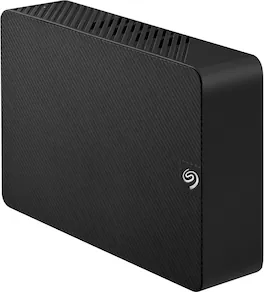
Ideal for the home, office, or dorm, Seagate Expansion desktop drive offers enormous desktop storage for photos, movies, music and more. Backing up and transferring content is incredibly easy — just drag and drop! To get set up, connect the USB hard drive to Windows or Mac — no software required. For Apple Time Machine, simply reformat. Included is an 18-inch USB 3.0 cable and 18W power adapter. Plus, Seagate Expansion comes with Rescue Data Recovery Services for additional peace of mind.
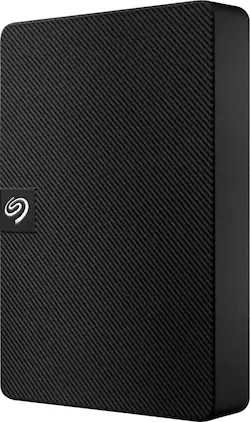
Expansion portable drive is an easy-to-use solution for instantly adding storage to Windows or Mac—and taking those files on the go. Take advantage of fast data transfer speeds with USB 3.0 and consolidate files into a single location. Free up space on your computer with a simple drag and drop—file saving is that easy. Plus, Seagate Expansion comes with Rescue Data Recovery Services for additional peace of mind.
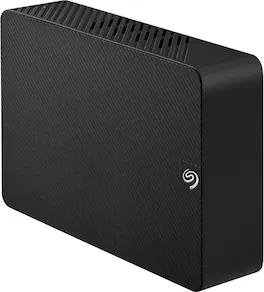
Ideal for the home, office, or dorm, Seagate Expansion desktop drive offers enormous desktop storage for photos, movies, music and more. Backing up and transferring content is incredibly easy — just drag and drop! To get set up, connect the USB hard drive to Windows or Mac — no software required. For Apple Time Machine, simply reformat. Included is an 18-inch USB 3.0 cable and 18W power adapter. Plus, Seagate Expansion comes with Rescue Data Recovery Services for additional peace of mind.
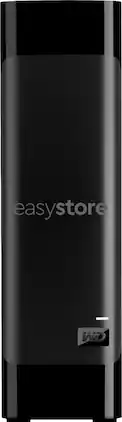
Find a reliable storage solution for large files with this WD easystore external desktop hard drive. The USB 3.0 interface and backward-compatibility with USB 2.0 offer broad connectivity, while the automatic backup solution reduces the risk of data loss. This WD easystore external desktop hard drive features a 8TB capacity to provide ample space for videos and photos.
| Pros for Seagate - Expansion Desktop 8TB HDD - Black | |||
|---|---|---|---|
| Storage Capacity, Overall Performance, Ease of use, Speed, Price | Storage Capacity, Overall Performance, Speed, Connectivity, Portability | Storage Capacity, Overall Performance, Connectivity, Drive Speed | Storage Capacity, Ease of use, Price, Reliability, USB |
| Cons for Seagate - Expansion Desktop 8TB HDD - Black | |||
| There were no cons for this product— | There were no cons for this product— | Noise Level | Heat |
Specs

Reviews
Customers are saying
Customers are impressed with the Expansion 8TB External USB 3.0 Desktop Hard Drive's large storage capacity, ease of use, and reliability. Many appreciate its affordability and convenient size. Positive feedback highlights the drive's compatibility with various devices and its seamless integration into existing workflows. The product's performance and value for the price point are frequently praised.
Customer Images
The vast majority of our reviews come from verified purchases. Reviews from customers may include My Best Buy members, employees, and Tech Insider Network members (as tagged). Select reviewers may receive discounted products, promotional considerations or entries into drawings for honest, helpful reviews.
- Rated 5 out of 5 stars
(Mac user) Time Machine and Storage 8TB
Took a little understanding of how everything worked with formatting. The application Disk Utility is what you want to have open so you can see your HDD and anything else connected to your mac. Also might have to select View in the top left of Disk Utility and click “show all”. Sometimes they wont show up on the screen if they’ve been pre-formatted with different settings from the supplier. In order to get best of both worlds from this desktop external drive I partioned one half of for time machine backups and the other for normal drag and drop storage of pics, videos and whatever else. In order to do this click the external drive and then click partition on the top of the application window. Set how much you want to partition and rename it and set formats. Important part is making sure the time machine half is formatted “Mac OS Extended” and the storage part is using “APFS”. Long story short i had a old 1tb mobile seagate drive that somehow already allowed me to time machine backup and drag and drop so I just reversed engineered the 8tb desktob one to be just like it! No more switching and unplugging! Hope this helps!
Posted by Seymour
- Rated 4 out of 5 stars
Great product! No really. Buy it!
I purchased this hard drive intending on using it for video game storage, it definitely holds the files but accessing the game causes it to lag or be slow because the power and data output of the hard drive seems to only be able to handle media not necessarily running a game right out of it, but other than that I have zero problems with it, very easy to install kind of does it itself when you plug it in and connects itself to your computer automatically configuring to your specific computer that is unless if for some reason your computer is from the 1700’s should be fine, stores tons from media like pictures and videos to video games running straight from the external hard drive! I’ve ran battlefield 2042 through this device and it ran just fine, although I wouldn’t recommend long term usage for video games, it’s better for storage or lower end games but hey, it will work in a pinch! Need it for games? Get it, it will work. Slowish but still. Data transfer is pretty quick when it comes to files, video games take longer just for the nature of their software obviously but all in all I would definitely purchase this again. Price is always a teeth clencher but it pays for itself in my opinion. So get it!
Posted by KenT
- Rated 4 out of 5 stars
Works as intended
Works great as a way to store most of my games that I play, the only issue I had, which isn't on the product itself, was transferring all my games, I couldn't just copy paste, I ended up having to reinstall everything on this new hard drive which was a bit of a bummer, but once everything was reinstalled it all worked great, theres just a couple games, mostly VR games, that didn't want to run properly on the hard drive, so I had to reinstall them back on my main hard drive to play them
Posted by MICAHF