Laptop for 3D Printing
Find a laptop for 3D printing that fits your modeling and slicing workflow. Compare laptops by processor, memory, graphics, and storage against your software’s requirements, whether you’re preparing existing models or creating designs from scratch. Before choosing, check that the operating system and connection options are compatible with your software and 3D printer.


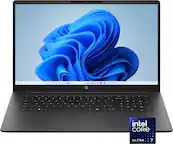
Laptop for 3D Printing
FAQs
Start with the system requirements for the 3D modeling and slicing software you plan to use. Check processor, memory, graphics, storage, and operating system requirements, along with the connection options supported by your 3D printer.
A slicer converts a 3D model into instructions your printer can follow. If you want to create or modify designs, you may also need CAD or 3D modeling software. Choose software that supports your printer and the file formats you plan to use.
A dedicated graphics card is not a universal requirement for 3D printing. Some modeling applications require or recommend one, while many slicing applications support integrated graphics. Review the graphics requirements for your intended software before choosing a laptop.
Both Windows and macOS can support 3D printing workflows, provided your modeling software, slicer, and printer tools are compatible. Check support for your operating system version and processor architecture, especially if your printer requires a particular application or driver.
Depending on the printer, you may transfer print files through USB, Wi-Fi, Ethernet, or removable storage. Some workflows require a continuous laptop connection, while others let the printer read a transferred file independently. Check your printer’s supported transfer methods and your laptop’s available ports.