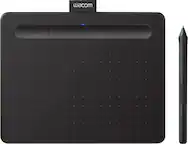
Wacom - One 12 (2023 Version) 11.6” Pen Display Drawing Tablet - White
FREE shipping to
 Standard Pen for 2023 Edition Wacom One displays and tablets - White/Gray$34.95

More Buying Options

Specifications
- Screen Size11.6 inchesScreen Resolution1920 x 1080Active Area10.1 x 5.7 inColor Gamut (Adobe RGB)99 percentTotal Storage Capacity0 gigabytesBattery ChemistryNot battery powered
- Key Specs
- Screen Size: 11.6 inches (Size of the screen, measured diagonally from corner to corner.)
- Screen Resolution: 1920 x 1080 (Screens come in a range of resolutions (measured in pixels, horizontal x vertical). The higher the resolution, the greater the picture quality.)
- Active Area: 10.1 x 5.7 in (The size of the screen area that a user interacts with, either by stylus and/or touch (if supported).)
- Color Gamut (Adobe RGB): 99 percent (This number represents the percentage of colors on the RGB spectrum that are visible, as specified by the International Commission on Illumination (CIE).)
- Total Storage Capacity: 0 gigabytes
- Battery Chemistry: Not battery powered
- Pressure Levels: 4096 (Allows the device to recognize different pressures from a compatible pen or stylus, which may control line thickness, opacity, or color. The more pressure levels, the more responsive the pen will feel.)
- General
- Brand: Wacom
- Model Number: DTC121W0A
- Product Name: One 12 (2023 Version) 11.6” Pen Display Drawing Tablet
- Color: White
- Year of Release: 2023
- Display
- Screen Type: IPS
- Screen Size: 11.6 inches (Size of the screen, measured diagonally from corner to corner.)
- Screen Resolution: 1920 x 1080 (Screens come in a range of resolutions (measured in pixels, horizontal x vertical). The higher the resolution, the greater the picture quality.)
- Stylus Input: Active (Electromagnetic Resonance) (An active stylus/pen is able to communicate directly with a compatible device; active electromagnetic resonance (EMR) pens are powered via a device's screen and active electrostatic (AES) pens require an additional power source. A passive stylus does not have electronic features and is compatible with most capacitative touch screens.)
- Response Time: 18 milliseconds (The speed at which pixels can change colors is called response time. It is measured in milliseconds (ms).)
- Active Area: 10.1 x 5.7 in (The size of the screen area that a user interacts with, either by stylus and/or touch (if supported).)
- Aspect Ratio: 16:9 (The measurement of the width of a screen compared to the height of a screen, expressed as a ratio.)
- Brightness: 275 candela per square meter (A measure of the total light output.)
- Color Gamut (Adobe RGB): 99 percent (This number represents the percentage of colors on the RGB spectrum that are visible, as specified by the International Commission on Illumination (CIE).)
- Contrast Ratio: 1400:1 (Measured difference between a displayed image's brightest whites and darkest blacks. The larger the first number, the more detail and color that can be displayed.)
- Storage
- Total Storage Capacity: 0 gigabytes
- Compatibility
- Operating System Compatibility: Windows, Mac OS, Android, Chrome
- System Requirements: PC (Win 10 +), Mac (OS 11 +), Chromebook (latest Chrome OS) & Android smartphones/tablets (OS version 8.0 +); connect via USB-C (some devices require second USB-C + power adapter or connection with HDMI 3-in-1 cable sold separately) (The software that a product must have for it to be able to integrate with another product.)
- Connectivity
- Interface(s): USB-C (Refers to the types of connections that devices use to interact and communicate with each other.)
- Power
- Charging Interface(s): USB-C (The connection for transmitting power to charge the device.)
- Battery Chemistry: Not battery powered
- Features
- Cable Lock Slot: Kensington Security Slot (K-Slot)
- Pressure Levels: 4096 (Allows the device to recognize different pressures from a compatible pen or stylus, which may control line thickness, opacity, or color. The more pressure levels, the more responsive the pen will feel.)
- Tilt Angle (Maximum): 60 degrees (Greatest angle of tilt between the pen and active screen area that the device can recognize. Allows for intuitive functions when using the pen, such as more natural brush strokes or shading.)
- Dimensions
- Product Height: 0.4 inches (The out of box height of the item. Height is measured as the vertical distance from the bottom of the item to the top as it would be primarily used or placed.)
- Product Width: 7.5 inches (The out of box width of the item. Width is measured as the horizontal distance from one side of the item to the other as it would be primarily used or placed.)
- Product Depth: 11.8 inches (The out of box depth of the item. Depth is measured as the distance from the front of the item to the back as it would be primarily used or placed.)
- Product Weight: 1.5 ounces (The out of box weight of the item.)
- Included
- Stylus Included: true
- Stylus Model Included: Wacom One Pen
- Warranty
- Warranty - Parts: 1 year
- Warranty - Labor: 1 year
- Other
- UPC: 753218984791
Say goodbye to traditional paper and hello to the digital canvas of the Wacom One 12, the redesigned Wacom One graphic tablet lets you express yourself with the natural feel of pen and paper on a full-color 11.6” HD screen. The Wacom One 12 is not just a drawing tablet with screen; it's a gateway to the world of digital art. Whether you're sketching, painting, creating animations or communicating your ideas, this graphics tablet is equipped with everything you need to express your artistic vision. With its seamless compatibility with PC, Mac, Chromebook, and Android devices, you can effortlessly bring your art to life on any platform. This product works with devices capable of running the latest version of Chrome OS and has been certified to meet Google's compatibility standards. Google is not responsible for the operation of this product or its compliance with safety requirements. Chromebook, Android, and the Works with Chromebook badge are trademarks of Google LLC.
- Beautiful Display: Whether sketching or brainstorming, see it all come to life in a full color spectrum on this 11.6" HD fully-laminated anti-glare display designed for drawing, editing photos or visual communication.
- Create with a natural pen experience: Enjoy superior control and precision with Wacom’s EMR, battery-free pen technology - that feels as natural as drawing on paper.
- Software and training: Register your Wacom One and gain access to the Wacom Adventure Program including creative, education & productivity software; online training; and ongoing inspiration to help you get the most from your display.
- Save time: Shortcut buttons on the pen that can be customized for your favorite keyboard shortcuts like undo or copy/paste, helping you stay immersed in your art.
- Compatibility: PC (Win 10 +), Mac (OS 11 +), Chromebook (latest Chrome OS) & Android smartphones/tablets (OS version 8.0 +); connect via USB-C (some devices require second USB-C + power adapter or connection with HDMI 3-in-1 cable sold separately).
- Beautiful Display: Whether sketching or brainstorming, see it all come to life in a full color spectrum on this 11.6" HD fully-laminated anti-glare display designed for drawing, editing photos or visual communication.
- Create with a natural pen experience: Enjoy superior control and precision with Wacom’s EMR, battery-free pen technology - that feels as natural as drawing on paper.
- Software and training: Register your Wacom One and gain access to the Wacom Adventure Program including creative, education & productivity software; online training; and ongoing inspiration to help you get the most from your display.
- Save time: Shortcut buttons on the pen that can be customized for your favorite keyboard shortcuts like undo or copy/paste, helping you stay immersed in your art.
- Compatibility: PC (Win 10 +), Mac (OS 11 +), Chromebook (latest Chrome OS) & Android smartphones/tablets (OS version 8.0 +); connect via USB-C (some devices require second USB-C + power adapter or connection with HDMI 3-in-1 cable sold separately).
Whats Included
- Wacom One 12 Pen Display
- 2 x USB-C to C Cable 1.8M
- Wacom One Standard Pen
- Quick Start Guide, Regulation sheet, IPI, PD notice sheet
- Wacom One Power Adapter
- 10 Wacom One Pen Standard Nibs, nib remover
- Wacom One 12 Pen Display
- 2 x USB-C to C Cable 1.8M
- Wacom One Standard Pen
- Quick Start Guide, Regulation sheet, IPI, PD notice sheet
- Wacom One Power Adapter
- 10 Wacom One Pen Standard Nibs, nib remover
Q: What operating systems are compatible with this tablet?
A: The Wacom One is compatible with Windows (Win 10+), Mac (OS 11+), Chromebook (latest Chrome OS), and Android smartphones/tablets (OS version 8.0+).
Q: What is the screen size of this drawing tablet?
A: The Wacom One drawing tablet features an 11.6-inch HD screen.
Q: What is the response time of the Wacom One's screen?
A: The screen boasts a response time of 18 milliseconds.
Q: How many pressure levels does the Wacom One pen support?
A: The Wacom One pen supports 4096 levels of pressure sensitivity.
Q: Does this Wacom tablet come with a stylus?
A: Yes, the Wacom One includes a battery-free pen that utilizes Wacom's EMR technology.
Q: Do you need a computer to work?
A: It is not a stand alone item, you need something to run an art program, it's just a drawing pad with a screen. From the system requirements: PC (Win 10 +), Mac (OS 11 +), Chromebook (latest Chrome OS) & Android smartphones/tablets (OS version 8.0 +); connect via USB-C (some devices require second USB-C + power adapter or connection with HDMI 3-in-1 cable sold separately)
A: I literally bought my daughter this for Christmas due to the same line of thinking. Don't do it, the software is janky, our display didn't even work, it's not portable as it has to be plugged in to a wall outlet and a display. Utter garbage, I recommend staying away from this one and instead just find a tablet and install IBIS paint.
Q: Does the 12" model come with a pen?
A: Yes, it comes with a pen.
Compare similar products

Say goodbye to traditional paper and hello to the digital canvas of the Wacom One 12, the redesigned Wacom One graphic tablet lets you express yourself with the natural feel of pen and paper on a full-color 11.6” HD screen. The Wacom One 12 is not just a drawing tablet with screen; it's a gateway to the world of digital art. Whether you're sketching, painting, creating animations or communicating your ideas, this graphics tablet is equipped with everything you need to express your artistic vision. With its seamless compatibility with PC, Mac, Chromebook, and Android devices, you can effortlessly bring your art to life on any platform. This product works with devices capable of running the latest version of Chrome OS and has been certified to meet Google's compatibility standards. Google is not responsible for the operation of this product or its compliance with safety requirements. Chromebook, Android, and the Works with Chromebook badge are trademarks of Google LLC.
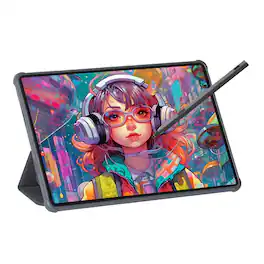
The sleek gray metal Viewedge Tab 11 (505g, 7.5mm thick) features an 11-inch Nano anti-glare display (1920x1200, 90Hz) for vivid visuals. Powered by MediaTek Helio G99, it has 6GB RAM, 128GB storage (expandable to 1TB), Wi-Fi 5, Bluetooth 5.0, 8MP front/13MP rear cams. It includes quad speakers, 8000mAh battery, USI 2.0 V Pen, and runs Android 14—ideal for work, study, or entertainment.
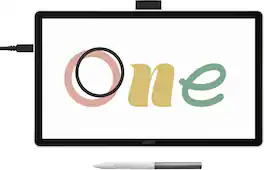
Ready to dive into digital art? The Wacom One drawing tablet is where your creative dreams begin. This graphics tablet with screen is the ideal pen display for creative beginners, casual artists, and visual thinkers looking to go digital or make the transition from traditional drawing. With a generous 14" anti-glare, anti-fingerprint screen and 98% sRGB color space coverage, you'll experience vibrant, true-to-life artwork with professional accuracy. The larger screen provides plenty of space to draw, sketch, annotate, or edit photos, while a smaller bezel means less real estate on your desk.

No cords, no setup, no computer - just pick up the pen and start sketching. This lightweight all-in-one tablet delivers Wacom's legendary pen experience for spontaneous creativity, whether you're doodling on the couch or capturing an idea on the go. Running Android 14, an 11" anti-glare etched glass screen, and one-tap Quick Draw, it's perfect for anyone who wants to draw more often - no experience required. Just you, your pen, and a world of possibilities. No limits - just draw.
| Pros for Wacom - One 12 (2023 Version) 11.6” Pen Display Drawing Tablet - White | |||
|---|---|---|---|
| Overall Performance, Ease of use | There were no pros for this product— | There were no pros for this product— | Overall Performance, Pen Weight, Portability |
| Cons for Wacom - One 12 (2023 Version) 11.6” Pen Display Drawing Tablet - White | |||
| Compatibility | There were no cons for this product— | There were no cons for this product— | There were no cons for this product— |
Specs
Reviews
Customers are saying
Customers are delighted by the overall performance of the One 12 (2023 Version) 11.6” Pen Display Drawing Tablet, with users reporting that the tablet works as expected. However, some customers have expressed concerns about compatibility issues with the included cord and certain PCs. Additionally, a few users feel that the tablet's portability is not ideal, suggesting that they might prefer the versatility of an alternative product.
Customer Images
The vast majority of our reviews come from verified purchases. Reviews from customers may include My Best Buy members, employees, and Tech Insider Network members (as tagged). Select reviewers may receive discounted products, promotional considerations or entries into drawings for honest, helpful reviews.
- Rated 5 out of 5 stars
Smooth Vibes & Solid Lines
Real talk — the Wacom One is just clean. Super smooth to draw on, pressure sensitivity feels natural, and it’s got that paper-like texture that makes sketching actually fun. Plugged it in, and it was ready to roll in minutes. Great for beginners or even if you just wanna zone out and doodle. Been using it for digital art and notes, and it hasn’t missed a beat. No regrets, just vibes.
Posted by LukeB
- Rated 5 out of 5 stars
Wacom One 12" drawing tablet, on PC
The tablet itself is a very light table and made of plastic, the screen is decent resolution, and the refresh is just enough. The quality is there, the tablet and drivers work great when they are installed right and are running properly. The biggest issues I have had were the driver, and connections. On a PC, that does not have usb-c lightning or usb-c displayport you need the adapter from wacom as well located in my second picture for it to work, plug one end into the usb on the motherboard and the other to the hdmi output on the gpu/graphic card. It is called " Wacom One 3 in 1 cable " you will have to order from Wacom, it is like 50 bucks and will necessary to use the screen as a display, without it the screen act like a large touchpad mouse on PC. Most laptops don't have this issue if they have c-ports. After that the drivers installed and worked properly, and the tablet has been amazing at drawing and being used just a touch screen for my pc
Posted by DannyMcC
- Rated 5 out of 5 stars
A Game-Changing Tablet for Lightroom and Photoshop
I'm thrilled with this tablet's performance, especially in Lightroom and Photoshop. The included pen works seamlessly, eliminating the need for a mouse or trackpad. Its functionality has exceeded my expectations, and I look forward to utilizing it for years.
Posted by EdmondB