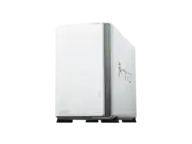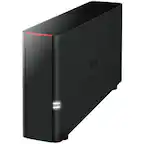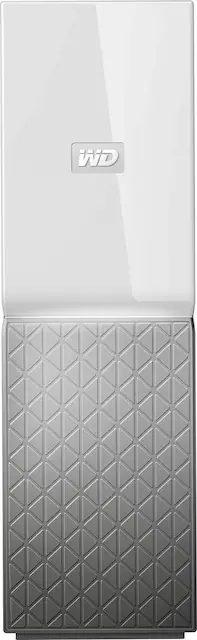
WD - My Cloud Home 4TB Personal Cloud - White
- Key Specs
- Security Features: None
- Storage Capacity: 4000 gigabytes (Measured in megabytes (MB), gigabytes (GB) and terabytes (TB), this is the amount available for storing files, music, movies, photos and more. The total includes the capacity of the hard disk drive and solid state drive if both are included on the computer.)
- Number Of Drives Included: 1
- Number of Bays: 1 (Each bay, or enclosure, holds an individual drive.)
- Processor Model: Not Applicable (Your computer's processor is like its brain. Working in combination with system memory, the power of the processor determines the complexity of software you can run, how many programs you can have open at the same time, and how fast those programs will run. Most computers feature an AMD, Intel or Snapdragon processor.)
- General
- Product Name: My Cloud Home 4TB Personal Cloud
- Brand: WD
- Model Number: WDBVXC0040HWT-NESN
- Color: White
- Security
- Security Features: None
- Features
- Storage Capacity: 4000 gigabytes (Measured in megabytes (MB), gigabytes (GB) and terabytes (TB), this is the amount available for storing files, music, movies, photos and more. The total includes the capacity of the hard disk drive and solid state drive if both are included on the computer.)
- Number Of Drives Included: 1
- Number of Bays: 1 (Each bay, or enclosure, holds an individual drive.)
- Power Supply: AC adapter
- Ports
- Number of RJ-45 Ports: 1 (An RJ-45 port, or jack, is an 8-pin connection between a device and a local area network (LAN), using an Ethernet, or RJ-45, cable.)
- Number of USB Ports (Total): 1
- Processor
- Processor Brand: Not Applicable
- Processor Model: Not Applicable (Your computer's processor is like its brain. Working in combination with system memory, the power of the processor determines the complexity of software you can run, how many programs you can have open at the same time, and how fast those programs will run. Most computers feature an AMD, Intel or Snapdragon processor.)
- Compatibility
- System Requirements: Apple MacOS, Microsoft Windows, Android, Apple iOS (The software that a product must have for it to be able to integrate with another product.)
- RAID Support: None (A Redundant Array of Independent Disks (RAID) includes a collection of separate disks that your computer recognizes as one disk unit. Each configuration offers a different level of mirroring, striping and read/write speeds.)
- Ethernet Standard: 10/100/1000 (Each standard is a variation of the IEEE 802.3 set of computer networking technologies known as Ethernet. New versions evolved to include higher bandwidth, different physical media, and other new and improved features. Standards are often denoted by speeds (in Megabits per second). For example, a 10/100/1000 Ethernet port transmits at 10 Mbps, 100 Mbps, and 1000 Mbps (1 Gbps).)
- Memory
- Type of Memory (RAM): Not provided (Each type of RAM delivers a different level of speed, bandwidth, energy efficiency and performance.)
- Dimensions
- Product Height: 6.9 inches (The out of box height of the item. Height is measured as the vertical distance from the bottom of the item to the top as it would be primarily used or placed.)
- Product Width: 2.1 inches (The out of box width of the item. Width is measured as the horizontal distance from one side of the item to the other as it would be primarily used or placed.)
- Product Weight: 37 pounds (The out of box weight of the item.)
- Other
- UPC: 718037848327
Work with your files on the road via this My Cloud Home personal storage device. Mobile, desktop and web-based apps let you access to up to 4TB of files from anywhere there's an internet connection. This My Cloud Home personal storage device plugs directly into your Wi-Fi router for convenient centralized file storage and backups.
- 4TB storage capacity: Provides ample space for storing documents, photos, music and more in one central place.
- Gigabit Ethernet port: Provides a high-speed Internet connection.
- USB port to import photos and videos from external devices: Quickly import photos and videos from other devices scattered around your house, like USB flash drives and external hard drives, using the USB port on the back of the My Cloud Home.
- On-the-go access with the My Cloud Home mobile app, desktop app or MyCloud.com: Allows you to access, upload and share those photos and videos from anywhere with an internet connection using My Cloud Home apps for mobile, desktop and web.
- Time Machine compatible: Back up your entire system directly to the drive.
- Compatible with Apple MacOS, PC, Android and Apple iOS: For flexible installation options.
Whats Included
- Personal cloud storage
- Ethernet cable
- AC adapter
- Quick Install Guide
A: I purchased a My Cloud, and then got the My Cloud Home when it came out to compare. From what I've seen, the main differences are that the MyCloud Home has a faster ethernet link (1 Gig) and faster internal processor, but the tradeoff is that for some reason WD made the decision to take away the Admin console that comes with the original MyCloud. This would allow you to set up permissions and share folders across multiple users (for instance, you, your spouse, and your kids could all have their own separate storage space, but you could also set up a shared "Family" folder that you all had access to in order to share files\photos\etc... that everyone in your family had access to. The MyCloud Home does not allow you to do that. You each sign up and get your own separate space, but you do not have the option of setting up any shared folders. This makes absolutely no sense to me and I don't see why WD would choose to come up with an update to their product line that actually removes useful functionality that was already available on previous versions. Weighing taking the MyCloud Home back because of this.
A: Yes, it does back up your photos and videos automatically.You have the option to turn on the backup only when in a wireless network and turn off the backup when in 4G.
Q: How do you back up this drive? Can you attach a USB drive to it and back up to that?
A: No, the only ways to "back up" this device are to use one of the online cloud services that this device supports and use the auto file sync feature, or to use your computer as a means to copy data from the device to another device that is connected to your computer either directly or through a network connection. The USB port is meant to be a way to add files to the WD MyCloud, but in my experience it is very finicky and will only recognize a select small number of external USB storage devices. My older WD external drive was not recognized and several of my USB flash drives were also not recognized. You cannot add or access data by directly connecting a computer to the USB device.
Q: Like other Cloud services is there a monthly storage fee?
A: No, instead of using a third party cloud you are creating your own. So the "cloud" is in this case just a fancy way of saying "local networked storage.". The way that you store information is similar to how you'd store it on a third party fee for service cloud. I'd encourage you to Google WD My Cloud security problem though before you buy. It seems that there have been some serious bugs detected in the software that WD provides to implement the cloud functionality. It' was serous enough that I passed on buying the drive when I was looking.... Perhaps they have since fixed the issue but it is definitely worth the few minutes it will take to look a bit further into the situation. Hope that helps.
Q: How well does this work with time machine?
A: Easy set up. Flawless execution. Highly recommend.
Q: My wife has a Mac, I have a PC. Can we both use this at the same time?
A: Absolutely..... Because access is web based... It matters but what you use to access it... As long as you have access to the internet.... At our church we sometimes use it to transfer files between the Macs and PCs....
A: It has sleep mode turned on by default. But can be overridden with the wd Drive Utilities - which I would recommend. the lag time from wake up is annoying.
A: Yes. You will need the link and password to access from another device. Link: files.mycloud.com Microsoft Edge is not supported but other browsers can be used to access My Cloud. ie Internet Explorer, Google Chrome or Mozilla Firefox Learning support can be found at http://learn.mycloud.com/