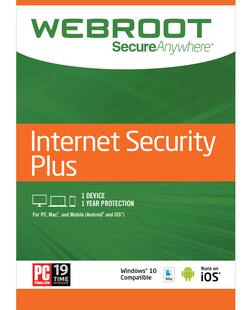
Webroot - Internet Security Plus with Antivirus Protection 2019 (6-Devices) (1-Year Subscription) - Android, Apple iOS, Mac OS, Windows
- Key Specs
- Number of Users: 1
- Number of Devices: 6
- Number of Licenses: 1
- Operating System Compatibility: Android, Apple iOS, Mac OS, Windows
- Software Format: Physical (Physical software requires a disc, cartridge, etc. be inserted into the gaming console or computer to download and/or operate the software. Digital software allows for downloading and/or playing the software on the gaming console or computer without a physical disc, cartridge, etc. Physical (Download Code Only) software is purchased in physical form with a code that allows for downloading and/or playing the software on the gaming console or computer without a physical disc, cartridge, etc.)
- Subscription Period: 1 Year
- General
- Product Name: Webroot Internet Security Plus with Antivirus Protection 2019 (6-Devices) (1-Year Subscription)
- Brand: Webroot
- Publisher: Webroot
- Model Number: WEB803800F111
- Features
- Included Mobile App(s): true
- Protection Type(s): File backup, Malware, Password, Phishing, Ransomware, Spyware/adware, Virus
- Real-Time Protection: true
- Parental Controls: true (Allows user to block unwanted content, signals, channels, networks, etc. from being received or accessed.)
- Firewall Type: None (The method the firewall uses to filter and process data to increase network security, primarily by blocking malicious traffic requests while allowing legitimate traffic through.)
- In-Software Purchases: Subscriptions
- Language(s): English
- Cloud Based Software: true
- Purchase Rights
- Number of Users: 1
- Number of Devices: 6
- Number of Licenses: 1
- Purchase Rights: Install on 1 Computer.
- Compatibility
- Operating System Compatibility: Android, Apple iOS, Mac OS, Windows
- Software Format: Physical (Physical software requires a disc, cartridge, etc. be inserted into the gaming console or computer to download and/or operate the software. Digital software allows for downloading and/or playing the software on the gaming console or computer without a physical disc, cartridge, etc. Physical (Download Code Only) software is purchased in physical form with a code that allows for downloading and/or playing the software on the gaming console or computer without a physical disc, cartridge, etc.)
- Number Of Discs: 1
- Requirements
- System Requirements: Android, Mac, Windows, iOS (The software that a product must have for it to be able to integrate with another product.)
- Subscription: true
- Subscription Period: 1 Year
- Download Requirements: Internet connection
- Download File Size: 0.0013 gigabytes
- Other
- UPC: 667208102266
Powerful, lightweight protection for PC, Mac and Android devices. 100% cloud-based Webroot SecureAnywhere Internet Security Plus with AntiVirus protects your personal information by blocking the latest malware, phishing, and cyberattacks. We continuously analyze and classify billions of apps, files, websites, and more every day to keep you safe as you bank, shop, and browse online. Using real-time threat intelligence, Webroot helps protect against known and zero-day malware. The password manager feature keeps your data secure and accessible from all your devices, and you can manage security for all your devices from one simple dashboard. Plus, with our no-software-conflict design, Webroot protection is the Smarter Cybersecurity solution that won't slow you down.
- Stay protected everywhere you go: With cloud-based protection against viruses and other online threats.
- Identity theft prevention: Defends you against identity theft by protecting private information like usernames, passwords, account numbers, and more.
- Password manager: Encrypts, and saves all your passwords, so you only have to remember one.
- Safer web browsing: Total security software proactively scans the internet to block phishing, ransomware, and other malicious attempts to steal your money and personal information.
- Never slows you down: Scans your computer for viruses and malware in seconds, and uses almost no storage space thanks to cloud-based architecture.
Whats Included
- Webroot SecureAnywhere Internet Security Plus (1-Device) (1-Year Subscription)
Q: What is the difference between Webroot Security Plus & Security Complete?
A: Webroot Secure Anywhere Internet Security Plus protects against Threats: virsuses, spyware, rootkits, and other threats; scans for threats in less than 2 minutes; continually updates itself, blocks harmful websites before you connect, has firewall and network connection monitor. Identity Protection: "Sandbox" protection on shopping and banking websites, blocks phishing attacks, encrypts passwords and personal information, syncs passwords between your devices. Webroot Secure Anywhere Complete does the above and: Wipes away all traces of online activity, makes deleted files unrecoverable. System and File Protection: Backs up your files online automatically, syncs files across your devices, diagnoses slowdowns and security vulnerabilities. Mobile Device Protection: Protects your Android and Apple iOS devices, locates your smartphone or tablet if lost or stolen. All this information can be found on the back of either WEBROOT boxes. The best product is the Webroot Secure Anywhere Complete which I purchased 2 years in a row. This year I purchased the Webroot Secure Anywhere Internet Security Plus because that was all that I could afford. $49.99 vs. $79.99. Webroot was recommended to me when I had brought my computer in to Best Buy with 3 viruses and a Trojan Horse. The anti-virus software that I thought was protecting my computer did not. I have had no problems with viruses since purchasing Webroot.
A: If you purchase in a local store you can get a real cd that you can run in your computer .I like to get the real cd as opposed to a online download .Just incase something goes hay wire later on you have a real cd you can put back into computer
Q: I got an email that I need to renew, I did and got a thankyou but no Key
A: Best Buy handles their subscriptions but our support team can assist if you are not able to get through. Please try emailing [email protected] if you can not get through by phone. Mike R Webroot Community Team
A: Thank you very much for your feedback. These concerns are best addressed by one of our tech support agents. We recommend that you contact our support team so that we can assist you further: https://www.webroot.com/us/en/support/contact.
Q: how do put webroot on my notebook
A: If you have any virus protection on your notebook, be sure to uninstall before or they will freeze up. Then download as a fresh copy.
Q: Will Geek squad install it if you take laptop into a store
A: Yes, they will charge you what the going rate is for installing software.
Q: does this protect 3 computers
A: The standard Antivirus is for one device, however we do offer coverage for multiple via different items, such as the Internet Security Plus.














