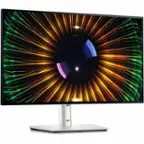
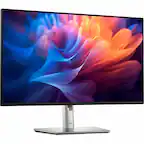
Dell - UltraSharp 42.5" IPS LCD 4K UHD 75Hz Monitor (USB, HDMI) - Silver
More Buying Options
Related Item

Highlights
- Key Specs
- Refresh Rate: 75Hz (The number of frames per second the device can produce natively without enhancement. Higher rates help produce smooth, seamless pictures.)
- Maximum Resolution: 3840 x 2160 (Maximum resolution refers to the highest number of pixels that a screen can process and display. Higher resolution signals produce more detailed images.)
- Response Time: 5 milliseconds (The speed at which pixels can change colors is called response time. It is measured in milliseconds (ms).)
- Panel Type: IPS (Technology that affects response time and image quality.)
- Synchronization Technology: Not Applicable (Generally, these technologies allow syncing between a computer/console game's frame rate and the device's refresh rate for a smoother display without tearing.)
- Screen Size: 42.5 inches (Size of the screen, measured diagonally from corner to corner.)
- Display Connector(s): 2 x DisplayPort, 2 x HDMI (The number and type of connectors used to connect to an external display.)
- General
- Brand: Dell
- Model Number: DELL-U4323QE
- Product Name: UltraSharp 42.5" IPS LCD 4K UHD 75Hz Monitor (USB, HDMI)
- Color: Silver
- Operating System Compatibility: Not Applicable
- Display
- Refresh Rate: 75Hz (The number of frames per second the device can produce natively without enhancement. Higher rates help produce smooth, seamless pictures.)
- Maximum Resolution: 3840 x 2160 (Maximum resolution refers to the highest number of pixels that a screen can process and display. Higher resolution signals produce more detailed images.)
- Native Resolution: 3840 x 2160 (Native resolution of a screen refers to its single, fixed resolution. Sometimes screens must scale an image up or down in order to fit the native resolution. This can cause a loss of resolution or detail.)
- Contrast Ratio: 1000:1 (Measured difference between a displayed image's brightest whites and darkest blacks. The larger the first number, the more detail and color that can be displayed.)
- Response Time: 5 milliseconds (The speed at which pixels can change colors is called response time. It is measured in milliseconds (ms).)
- Display Type: LED
- Panel Type: IPS (Technology that affects response time and image quality.)
- Synchronization Technology: Not Applicable (Generally, these technologies allow syncing between a computer/console game's frame rate and the device's refresh rate for a smoother display without tearing.)
- Aspect Ratio: 16:9 (The measurement of the width of a screen compared to the height of a screen, expressed as a ratio.)
- Curved Screen: false
- Brightness: 350 candela per square meter (A measure of the total light output.)
- Screen Size: 42.5 inches (Size of the screen, measured diagonally from corner to corner.)
- High Dynamic Range (HDR): false (An HDR-compatible 4K TV or other HDR-compatible product displays HDR video content when it's available from sources like 4K Ultra HD Blu-ray Discs and 4K streaming services.)
- Horizontal Viewing Angle: 178 degrees (The maximum angle at which the display can be viewed with acceptable visual performance from either side.)
- Vertical Viewing Angle: 178 degrees (The maximum angle at which the display can be viewed with acceptable visual performance from above or below.)
- Touch Screen: false (Touch-screen devices make navigating more intuitive. Using a touch-screen display, you can do things such as tap to select, hold and drag to move items, swipe to scroll, and pinch to zoom.)
- Display Surface: Anti-glare
- Color Gamut (Standard RGB): 100 percent
- Connectivity
- Number of HDMI Inputs (Total): 2
- Display Connector(s): 2 x DisplayPort, 2 x HDMI (The number and type of connectors used to connect to an external display.)
- Number of USB Ports (Total): 9
- Compatibility
- Wall Mountable: true (The product is able to be secured to a wall. Some products are designed ready to mount, while others may require additional hardware/accessories for installation.)
- Voice Assistant Built-in: No (A digital assistant built into the device that uses voice commands to answer questions and control smart devices.)
- Features
- Tiltable: true
- Adjustable Stand Height: true
- Anti-Glare: true (Product has features, such as a matte finish, that reduce the likelihood for screen glare.)
- Eye Relief Features: Anti-glare, Low blue light
- Built-In Webcam: false
- Integrated Speaker(s): true
- Dimensions
- Product Height With Stand: 25 4/5 inches
- Product Height Without Stand: 22 1/10 inches
- Product Width: 38 1/10 inches (The out of box width of the item. Width is measured as the horizontal distance from one side of the item to the other as it would be primarily used or placed.)
- Product Depth (With Stand): 10 9/100 inches
- Product Depth Without Stand: 2 1/2 inches
- Product Weight: 29.01 pounds (The out of box weight of the item.)
- Stand Included: true
- Certifications Listings & Approvals
- ENERGY STAR Certified: true (Devices carrying the ENERGY STAR service mark, such as computer products and peripherals, kitchen appliances, and other products, generally use 20% to 30% less energy than required by federal standards.)
- EPEAT Qualified: true (The Electronic Product Environmental Assessment Tool (EPEAT) was designed to provide an environmental assessment tool for purchasers. In order to qualify for EPEAT, a product must meet all 23 required criteria.)
- EPEAT Level: Gold (The Electronic Product Environmental Assessment Tool (EPEAT) was designed to provide an environmental assessment tool for purchasers. In order to qualify for EPEAT, a product must meet all 23 required criteria. Products are rated Bronze, Silver or Gold based on how many of 28 optional criteria they meet (below 50%, 50%, 75%).)
- Warranty
- Warranty - Parts: 3 year limited
- Warranty - Labor: 3 Year Limited
- Other
- UPC: 884116434498
Meet the monitor designed for more. More seamless productivity. More connectivity than ever. More considerate of the environment. Expand your productivity by organizing your display in up to four unique FHD partitions via Internal Multi-Stream Transport (iMST) when connected to a single PC. No external software or DisplayPort splitter needed. Work on four different PCs using a single keyboard and mouse. KVM and Auto KVM enable seamless switching from one PC input to another. Enjoy the convenience of front-facing, pop-out USB-A and USB-C (15W charging) ports to connect your peripherals. When you are done, just pop the ports back in to maintain a clean look. Connect your devices to a single monitor through a whole range of ports, from HDMI to multiple USB-A and USB-C ports. Power your laptop with a single USB-C cable to transmit data, audio and video while delivering up to 90W of power. The RJ45 (1Gbps) provides a fast and stable network connection.
- 4K UHD: Experience breathtaking level of details when you open your eyes to the clarity of 4K UHD screen
- Viewable Screen Size and Panel Type: 42.5in screen size with LED backlight that enhances the display performance to deliver an outstanding color range and contrast ratio
- LCD Display: Enjoy stunning, luminescent visual images with LCD display
- Viewing Angle: This stylish LCD Monitor offers 178°/178° viewing angles for some great viewing experience no matter where and how you look at it
- VESA Compatible: VESA mount compatibility allows you to mount the display on a wall or with a stand depending on your specific needs
- Brightness: View your content easily in well-lit areas with 350 Nit brightness
- 4K UHD: Experience breathtaking level of details when you open your eyes to the clarity of 4K UHD screen
- Viewable Screen Size and Panel Type: 42.5in screen size with LED backlight that enhances the display performance to deliver an outstanding color range and contrast ratio
- LCD Display: Enjoy stunning, luminescent visual images with LCD display
- Viewing Angle: This stylish LCD Monitor offers 178°/178° viewing angles for some great viewing experience no matter where and how you look at it
- VESA Compatible: VESA mount compatibility allows you to mount the display on a wall or with a stand depending on your specific needs
- Brightness: View your content easily in well-lit areas with 350 Nit brightness
Whats Included
- DELL-U4323QE
- DELL-U4323QE
Product Manuals
Q: Does this monitor have an anti-glare feature?
A: Yes, this monitor has an anti-glare feature for comfortable viewing.
Q: What is the response time of this Dell monitor?
A: This monitor has a response time of 5 milliseconds.
Q: What type of panel does this monitor use?
A: This monitor uses an IPS panel.
Q: What is the maximum resolution supported by this monitor?
A: The maximum resolution supported is 3840 x 2160.
Q: Does this monitor have built-in speakers?
A: Yes, the Dell UltraSharp monitor has integrated speakers.
Q: Can I connect a laptop to this monitor for charging?
A: Yes, you can power your laptop using a single USB-C cable, delivering up to 90W of power.
Q: Do you have the dimensions of the base it stands on?
A: The Dell UltraSharp 42.5" 4K UHD Monitor (model U4323QE) has a base of 15.75 inches wide (400 mm) and 10.04 inches (255 mm) depth.
Q: How much does the assembled monitor weigh in pounds and ounces?
A: Please find the Dimensions & Weight Details: With stand (lowest position) - width: 38.1 in - depth: 10.1 in - height: 23.4 in - weight: 40.9 lbs. With stand (highest position) - width: 38.1 in - depth: 10.1 in - height: 25.8 in - weight: 40.9 lbs. Without stand - width: 38.1 in - depth: 2.5 in - height: 22.1 in - weight: 29 lbs.
Compare similar products

Meet the monitor designed for more. More seamless productivity. More connectivity than ever. More considerate of the environment. Expand your productivity by organizing your display in up to four unique FHD partitions via Internal Multi-Stream Transport (iMST) when connected to a single PC. No external software or DisplayPort splitter needed. Work on four different PCs using a single keyboard and mouse. KVM and Auto KVM enable seamless switching from one PC input to another. Enjoy the convenience of front-facing, pop-out USB-A and USB-C (15W charging) ports to connect your peripherals. When you are done, just pop the ports back in to maintain a clean look. Connect your devices to a single monitor through a whole range of ports, from HDMI to multiple USB-A and USB-C ports. Power your laptop with a single USB-C cable to transmit data, audio and video while delivering up to 90W of power. The RJ45 (1Gbps) provides a fast and stable network connection.
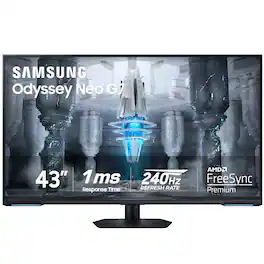
Explore the 4K UHD Odyssey Neo G7 gaming monitor with 1ms response time (MPRT), Quantum Mini LED, and VESA Display HDR600. Experience a versatile screen for both games and streaming videos. With a size of 43", the G7 is the perfect entertainment screen that has an ideal design for both console and PC games
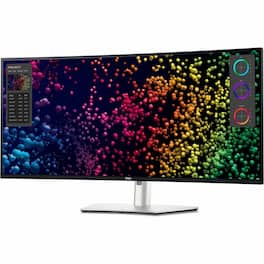
Transform the way you work with the Dell UltraSharp 40 Curved Thunderbolt Hub Monitor. This impressive 40" 5K curved monitor features a 120Hz refresh rate for an expansive field of view with smooth and responsive visuals. See true-to-life color with 99% DCI-P3/Display P3 color coverage and get a wide viewing angle with IPS Black panel technology that delivers deeper blacks with 2000:1 contrast ratio. Experience fast connectivity and image transmission with this Thunderbolt 4 hub monitor that delivers up to 140W power delivery (PD) through a single cable. Multitask effortlessly with Internal multistream transport (iMST). Partition your display as if there were two 2560x2160 physical monitors instead of one. No external software or DisplayPort splitter needed. New Network KVM feature on Dell Display Manager allows you to work across two PCs for improved productivity.

Dell UltraSharp 4K Thunderbolt Hub Monitors. Experience enhanced IPS Black with 3000:1 contrast ratio, improved ComfortView Plus technology, an ambient light sensor, and a 120Hz refresh rate display.
| Pros for Dell - UltraSharp 42.5" IPS LCD 4K UHD 75Hz Monitor (USB, HDMI) - Silver | |||
|---|---|---|---|
| Display Quality | Picture Quality, Refresh Rate, Price, Size, HDR | There were no pros for this product— | There were no pros for this product— |
| Cons for Dell - UltraSharp 42.5" IPS LCD 4K UHD 75Hz Monitor (USB, HDMI) - Silver | |||
| There were no cons for this product— | Ghosting, Connectivity | There were no cons for this product— | There were no cons for this product— |
Specs




Reviews
Customers are saying
Customers are satisfied with the UltraSharp 42.5" IPS LCD 4K UHD 75Hz Monitor's display quality. Many appreciate the vivid and crisp visuals, finding it perfect for their needs and suitable for various uses. The monitor's performance is also frequently praised. There were no negative customer comments reported.
Customer Images
The vast majority of our reviews come from verified purchases. Reviews from customers may include My Best Buy members, employees, and Tech Insider Network members (as tagged). Select reviewers may receive discounted products, promotional considerations or entries into drawings for honest, helpful reviews.
- Rated 5 out of 5 stars
Astonishing
The monitor is aesthetically pleasing, with a sleek, minimalistic design and a perfect size for a regular at-home desk space. The performance, along with the vivid and crisp display, is nothing short of astonishing. I originally ordered the 43” monitor and found it somewhat lacking in definition and much too large. I returned it in hopes this 32” downsize would do. I rather like it, as it’s perfect for my needs. I highly recommend this product.
Posted by rmmr
- Rated 3 out of 5 stars
Nice, but too flawed for me.
I really wanted to like this monitor. However, it wasn't worth the price, and the built-in KVM is a pain, even with their software. tl;dr O.K., I'm a systems admin with over 35 years of experience on far too many platforms. I know my way around monitors. Sue to severe vision loss, I need a large screen to work off of. Currently, I'm using a 43" Samsung "smart" monitor that works decently well, but I hate the "smart" part, and would love more ports. Not to mention a way to get rid of my external KVM that I use to control three Macs and one Linux PC while I'm working. Generally, I like Dell monitors, and I already own a couple. So, I thought this would be a no-brainer, probably giving me a better image as well as clearing up some of the clutter on my desk. I wrestled it onto my monitor arm (WARNING: it's heavy, even without the base), and proceeded to connect the two newer Macs (an M2 Studio and M4 Mini) to it via DP, and and an older 2013 Mac Pro and the Linux PC via HDMI. I also connected all four machines to the USB-C ports and assigned them to the inputs in the KVM setup. I also connected my keyboard and mouse to the USB-A ports on the bottom of the monitor. I need to stop here and make a comment about the OSD and controlling it; the joystick is on the back of the right side of the monitor, and it's RIGHT NEXT TO the power button. You can probably guess that the placement led to some frustration. After it was all set up, I installed the Dell DDPM software on all the machines, and set up the KVM functions and some hot keys. That's when I discovered that the hot keys only work if the computer is on and the screen is unlocked. Otherwise, pressing them does nothing. Giving the monitor a reach around to get to the joystick and manually change inputs is just a pain. I do applaud Dell for having Mac and Linux software, but it's not very stable and tended to do odd things. It crashed the 2013 Mac Pro once, but I can't blame Dell. They state that you should be using a 2018 Mac or newer, and I'm sure they aren't keen on supporting a machine running OpenCore. So be it. In the end, it went back. I might've kept it and hooked it up to the HDMI KVM if the display was noticeably better than the Samsung (which cost half as much), but it isn't. Just to make sure, I put them side-by-side and had my spouse look at them with her very good vision. She agreed that the difference, if any, was minimal. So, at least in my case, it wasn't a good fit. The onboard KVM is really clumsy to use, the display quality is nice, but not significantly better than monitors costing less. And, it's really, really heavy. Oh, one more small nitpick: the VESA mounts are in a recessed area, and I had to use spacers to attach the VESA bracket from my monitor arm. Be warned on that one.
Posted by BasenjiBuddy
- Rated 5 out of 5 stars
Great monitor, too big for me
The monitor itself was great, but I had to return it because it was too big for what I needed.
Posted by MattGary