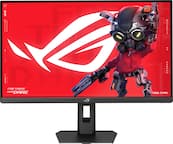
ASUS - ROG Strix 49” Curved FHD 144Hz FreeSync Gaming Monitor with HDR (DisplayPort,HDMI,USB) - Black
More Buying Options
Related Item

Highlights
Compare similar products

Immerse yourself in a multimedia experience with ASUS ROG Strix gaming monitor. The curved 49-inch display with a 3840 x 1080 resolution offers a wide-ranging view, and multiple HDR settings adjust to gaming or video creation. This ASUS ROG Strix gaming monitor features FreeSync 2 technology for enhanced contrast and brightness, and the 144Hz refresh rate delivers lag-free visuals.
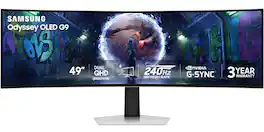
Samsung’s 49" Odyssey OLED G9 Dual QHD Curved Gaming Monitor takes gaming to new heights. Content springs to life with a wider color spectrum and vibrant images on a 5120 x 1440 resolution screen. OLED technology delivers near instant reaction time with 0.03ms (GtG) and a 240Hz refresh rate. G-Sync compatibility keeps the GPU and panel in perfect sync, which reduces choppiness, screen lag, and image tearing. The wide 32:9 screen in Dual QHD resolution and 110 PPI provides an unparalleled level of clarity. OLED Glare Free technology significantly reduces glare from external sources for a distraction-free presentation. OLED Safeguard automatically adjusts brightness, reduces heat, and dims during breaks. Deep Black Levels depict truer black and dark colors on screen for supreme depth in every game. The ergonomic height-adjustable stand with tilting enables the ideal angles during game play. HDMI 2.1, Micro HDMI, DisplayPort, USB-C Upstream and Downstream ports provide increased flexibility and reduce cable clutter. CoreSync & Core Lighting+ add color and enhance the screen’s surroundings for an immersive experience. Picture-in-Picture and Picture-by-Picture makes multitasking easy and efficient. 3-Year Warranty.

Samsung's 49" Odyssey G9 Curved Gaming Monitor with a 1000R curved display creates an immersive panoramic gaming experience. Curved Dual QHD features an ultra-wide 32:9 screen, equivalent to two side-by-side 16:9 monitors, providing a full view with unsurpassed details. VESA DisplayHDR 600 delivers more contrast with deeper blacks and brighter whites. 144Hz Refresh Rate and near-instant 1ms Response Time (GtG) captures all your moves with reduced lag for ultra-smooth gameplay. AMD FreeSync Premium Pro and VRR (variable refresh rate) reduce choppiness, screen lag, and image tears, even for the most intense fast-action gaming sessions. Picture-by-Picture enables a split screen that can be used to its maximum potential for side-by-side gameplay, while Picture-in-Picture allows seamless multitasking to manage all content on a single screen. Auto Source Switch+ instantly switches to a new source signal when connected devices are turned on, without having to use multiple inputs. The ergonomic stand makes it simple to tilt and adjust the monitor for total gaming comfort.
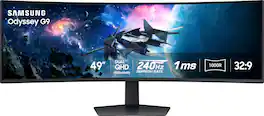
Experience immersive epic play with the G95C Odyssey Monitor, featuring a 49" screen with 1000R curve and Dual QHD resolution for full peripheral vision with maximum detail. 240Hz refresh rate, 1ms(GtG)* and AMD FreeSync Premium Pro give you a competitive edge with hyper-fast action. VESA DisplayHDR 1000 brings nit peak brightness and 1,000,000:1 contrast ratio for intensified color and depth. CoreSync & CoreLighting+ enhance the space around your screen with amazing color. Ergonomic stand enables you to swivel, tilt, and adjust height to find your winning position. Picture-by-Picture and Picture-in-Picture offer versatility, while AutoSource Switch+ gets you to your gaming action faster. Adaptive Picture and Eye Saver Mode minimizes eye strain, day or night
| Pros for ASUS - ROG Strix 49” Curved FHD 144Hz FreeSync Gaming Monitor with HDR (DisplayPort,HDMI,USB) - Black | |||
|---|---|---|---|
| There were no pros for this product— | Overall Performance, Screen Size, Refresh Rate, Resolution, OLED Quality | Screen Size, Overall Performance, Resolution, Refresh Rate, Immersion | Screen Size, Overall Performance, Refresh Rate, Resolution, Gaming |
| Cons for ASUS - ROG Strix 49” Curved FHD 144Hz FreeSync Gaming Monitor with HDR (DisplayPort,HDMI,USB) - Black | |||
| There were no cons for this product— | Connectivity, Speakers, Glare, Port Selection | Connectivity, Weight | There were no cons for this product— |
Specs
Reviews
Customer Images
The vast majority of our reviews come from verified purchases. Reviews from customers may include My Best Buy members, employees, and Tech Insider Network members (as tagged). Select reviewers may receive discounted products, promotional considerations or entries into drawings for honest, helpful reviews.
- Rated 5 out of 5 stars
Great ulta-wide monitor for gaming
When I was looking to replace my 60Hz monitor, I was looking for something a bit bigger, still curved & that offered a 144Hz refresh rate... and boy did this monitor deliver! First off, it's huge. When I hoisted it onto my desk the first time, for a brief moment I thought it wasn't going to fit. That ticked the first box. As someone who doesn't enjoy the bezels on the tri-monitor setup, this is exactly what I wanted - a panel that fills my entire field of vision without arbitrary plastic lines in the way. Moving up to 144Hz was worth it as well. I never put much stock in the refresh rate, but I now appreciate why gamers aim for this 144 magic number. Everything feels so much more responsive & games look fantastic. If you are moving from a 60Hz panel, just remember to update your graphics settings to 144Hz in the OS to ensure you get the benefit. For general use this monitor makes multi-tasking a breeze. It's the size of 2 standard 27" monitors side-by-side & using the Windows shortcut Win+Left Arrow\Right Arrow, you can easily "dock" a window to fill 50% of either side of the screen. Again, without any pesky bezels in the way. Two minor criticisms I have, one of which is not under Asus's control: 1) 4ms response time - this causes you to see just the faintest of ghosting on text when you're scrolling super fast, but honestly, I had to go looking for it to notice. I've not been able to definitively pick this up while gaming, only on text on high-contrast backgrounds. Certainly not an issue for me, but if you're looking for the ultimate crispness, you might consider looking at 1ms panels from Samsung or Dell. 2) Ultra-wide support in games - I've come across some oddities in some games where the ultra-wide support is somewhat lacking. From cutscenes rendered in the center with black borders (understandable, if the cutscene was pre-rendered at a certain resolution), to UI elements sitting way off in the corners. Consider checking support for your games on ultra-wide before diving in. Some games do have excellent support though - The Division 2 "centers" the HUD off from the sides, making it easier to see without having to turn your head. In all I think it's an excellent monitor. Clocking in at a full $100 less than the comparable Samsung panel, it provides rich color fidelity, very good response times & loads of screen real estate to render stuff on. Would definitely recommend for gaming or for heavy workloads that require constant focus switching.
This review is from ASUS - ROG Strix 49” Curved FHD 144Hz FreeSync Gaming Monitor with HDR (DisplayPort,HDMI,USB) - Black
Hein Posted
- Rated 5 out of 5 stars
So far a good monitor
Have only had it for a month and my opinion is that it's awesome. I am a flight simmer, cockpit soooo much bigger and along with TrackIR I can't say enough. Also nice to have several windows open like navigation maps and another maybe a tv show I missed. I have always trusted Asus products and this one I trust.
This review is from ASUS - ROG Strix 49” Curved FHD 144Hz FreeSync Gaming Monitor with HDR (DisplayPort,HDMI,USB) - Black
skipy Posted
- Rated 5 out of 5 stars
Great product. Not too big not too small
Phenomenal. Sensational. Curved screen wasn’t hard to get use to at all. A lot of settings to fine tune to your liking. Cool features such as permanent crosshair setting
This review is from ASUS - ROG Strix 49” Curved FHD 144Hz FreeSync Gaming Monitor with HDR (DisplayPort,HDMI,USB) - Black
MattM Posted