
Canon - PIXMA Megatank G620 Wireless All-In-One Supertank Inkjet Printer - Black
Canon - PIXMA Megatank G620 Wireless All-In-One Supertank Inkjet Printer - Black
- Insignia™ - Multipurpose 8.5" x 11" 500-Count Paper - White$9.29
Related Item

Specifications
- NetworkingWirelessENERGY STAR CertifiedYesPrinter TypePrinter, Copier, Scanner, All In OneISO Color Print Speed3.9 pages per minuteISO Mono Print Speed3.9 pages per minuteTouch ScreenNo
- Key Specs
- Networking: Wireless
- ENERGY STAR Certified: true (Devices carrying the ENERGY STAR service mark, such as computer products and peripherals, kitchen appliances, and other products, generally use 20% to 30% less energy than required by federal standards.)
- Printer Type: Printer, Copier, Scanner, All In One
- ISO Color Print Speed: 3.9 pages per minute (The number of color pages able to be printed per minute in the device's default single-side mode, as tested by the International Standards Organization (ISO).)
- ISO Mono Print Speed: 3.9 pages per minute (The number of black ink (grayscale) pages able to be printed per minute in the device's default single-side mode, as tested by the International Standards Organization (ISO).)
- Touch Screen: false (Touch-screen devices make navigating more intuitive. Using a touch-screen display, you can do things such as tap to select, hold and drag to move items, swipe to scroll, and pinch to zoom.)
- General
- Brand: Canon
- Model Number: 4620C002
- Product Name: PIXMA Megatank G620 Wireless All-In-One Supertank Inkjet Printer
- Color: Black
- Display Screen: true
- Display Screen Size: 1.7 inches
- Dimensions
- Product Height: 6.6 inches (The out of box height of the item. Height is measured as the vertical distance from the bottom of the item to the top as it would be primarily used or placed.)
- Product Width: 17.6 inches (The out of box width of the item. Width is measured as the horizontal distance from one side of the item to the other as it would be primarily used or placed.)
- Product Depth: 13.4 inches (The out of box depth of the item. Depth is measured as the distance from the front of the item to the back as it would be primarily used or placed.)
- Product Weight: 14.5 pounds (The out of box weight of the item.)
- Features
- Automatic Document Feeder: false
- Photo Printing: true
- Wide Format Printing: false (Machines with this function support printing on media with widths between 18 and 100 inches, such as posters, banners, canvases, and more.)
- Wide Format Scanning: false
- Monochromatic/Color: Color
- Automatic Reduction/Enlargement: true
- Automatic Two-Sided Printing: false
- Tray Capacity: 100
- Duty Cycle: Unknown (The maximum number of pages per month that the device can produce without failing, as specified by the manufacturer.)
- Connectivity
- Wired Connectivity: USB-A
- Wireless Connectivity: Wi-Fi (The manner in which a device sends data to another device over a short distance without the use of wires or cables.)
- Minimum System Requirements: Windows: Windows 10, Windows 8.1, Windows 7 SPI | Mac: macOS v10.12.6-10.15 (Catalina) | Mobile Operating Systems: iOS, Android
- Certifications Listings & Approvals
- EPEAT Qualified: false (The Electronic Product Environmental Assessment Tool (EPEAT) was designed to provide an environmental assessment tool for purchasers. In order to qualify for EPEAT, a product must meet all 23 required criteria.)
- Scanner Info
- Scanner Type: Flatbed
- Duplex Scan Function: false
- Scanner Resolution: Up to 600 x 1200 (Refers to the number of pixels/dots, both horizontally and vertically, of the image produced by the scanner. Generally, the higher the resolution, the sharper and cleaner the produced image.)
- Fax Info
- Integrated Fax: false
- Ink
- Compatible Cartridges: Canon GI-23
- Ink Subscription Service Available: false (The printer monitors ink usage and alerts the subscription provider when levels are low. A purchased subscription provides refills of ink based on usage.)
- Ink Cartridges Required: None (The quantity and color of ink cartridges required for the printer to operate.)
- Ink Cartridges Included: None (The quantity and color of ink cartridges included.)
- Ink Bags/Bottles Required: 1 x Cyan, 1 x Magenta, 1 x Yellow, 1 x Gray, 1 x Black (The quantity and color of ink bags/bottles required for the printer to operate.)
- Ink Bags/Bottles Included: 1 x Cyan, 1 x Magenta, 1 x Yellow, 1 x Gray, 1 x Black (The quantity and color of ink bags/bottles included.)
- Memory
- Memory Card Slot: false
- Paper Info
- Maximum Document Length: 47 inches
- Maximum Document Width: 8.5 inches
- Supported Paper Sizes: 3.5” x 3.5” (Square), 4” x 6”, 5” x 5” (Square), 5” x 7”, 7” x 10”, 8” x 10”, Letter (8.5” x 11”), Legal (8.5” x 14”), Envelopes (U.S. #10, DL, CS, Monarch), Card Size (91 mm x 55 mm) Custom Size: Width: 2.2” - 8.5” / Length: 3.5” x 47”
- Paper Feeder: Tray loader
- Paper Handling: INPUT 100 Sheets of Plain Paper OR 20 Sheets 4” x 6” / 10 Sheets 5” x 7”
- Performance
- First Page Out Time: 20 seconds (The time it takes the printer to print and deliver the first page in the output tray. May depend on the complexity of the copy being printed.)
- Printer Resolution (Black): Up to 4800 x 1200 (Refers to the number of pixels/dots, both horizontally and vertically, of the image produced by the printer in black ink. Generally, the higher the resolution, the sharper and cleaner the produced image.)
- Printer Resolution (Color): Up to 4800 x 1200 (Refers to the number of pixels/dots, both horizontally and vertically, of the image produced by the printer in colored ink. Generally, the higher the resolution, the sharper and cleaner the produced image.)
- Warranty
- Warranty - Parts: 1 year limited
- Warranty - Labor: 1 year limited
- Compatibility
- Works With: Amazon Alexa, Google Home (Compatible with or able to be connected to other smart devices or applications.)
- Other
- UPC: 013803332810
Print more stunning photos for less with the Canon PIXMA G620 MegaTank Photo Printer. On just one full set of ink bottles, you can print up to 3,800 4” x 6” color photos1 — just 2.5 cents per print2! With a 6-Color Dye-based Ink system, including Red and Gray inks, you will get beautiful vivid photos with an expanded color gamut. Designed for high volume, high quality photo printing, the PIXMA G620 is perfect for memory makers & keepers for photo albums, scrapbooks, and more. Plus, setup out of the box is a breeze and printing is easy through high-speed USB or wirelessly5 from a computer or mobile devices.
- High Page Yield: Print up to 3,800 4" X 6" color photos on a full set of ink!1
- Up to 4800 x 1200 dpi (dots per inch) color resolution: High resolution for producing incredible quality and detail in documents and photos.
- Prints up to 3.9 ISO ipm* in black and color: Produces a 4" x 6" photo-quality print in as little as 47 seconds.
- Works with mobile printing solutions & apps: Compatible with AirPrint6, Mopria7, Canon PRINT app8, Easy-PhotoPrint Editor app18, PIXMA Chat Print19, PIXMA Cloud Link (for mobile devices)8, Canon Print Service (for AndroidTM)20, Canon Creative Park App21
Whats Included
- PIXMA G620 Wireless MegaTank Photo All-In-One Printer
- Set of Ink Bottles (GI-23: C, M, Y, BK, R, GY)
- Documentation
- Power Cord
Product Manuals
Disclaimers
- *Requires a high-speed Internet connection.
Q: How long does it take to print a 4x6 photo?
A: It takes as little as 47 seconds to print a 4x6 photo.
Q: Does this Canon printer have wireless connectivity?
A: Yes, this Canon printer offers wireless connectivity via Wi-Fi.
Q: What is the color resolution of this printer?
A: The printer has a color resolution up to 4800 x 1200 dpi.
Q: Can I print from my phone or tablet to this printer?
A: Yes, the printer is compatible with mobile printing solutions and apps such as AirPrint, Mopria, and the Canon PRINT app.
Q: What is the page yield for this Canon printer?
A: This printer can print up to 3,800 4" x 6" color photos on a full set of ink.
Q: Will this print on card stock paper? 100lbs to 110lbs?
A: I regularly print on 245 g/m2 photo paper which converts to about 165-pound paper.
Q: How often do you have to print with the Canon Pixma G620?
A: I've had the printer for a few months. I printed heavily at first (catching up after lacking a full-color printer), more or less every day or two. Since then I've slowed down to using it whenever necessary, which can sometimes be a good week or two between prints, and I have had no problem with the ink drying out. Neither have there been any problems with the print quality falling off due to lack of use. Honestly, so far at least, it's been a big step up for me from the standard cartridge-style of printers (of which I've had a few).
A: Canon offers other printers that conform to the standard multi-function printer that is seems you are seeking. I happily traded away the document feed function (I have an HP for that) to get the photo printing quality this unit offers.
Compare similar products

Print more stunning photos for less with the Canon PIXMA G620 MegaTank Photo Printer. On just one full set of ink bottles, you can print up to 3,800 4” x 6” color photos1 — just 2.5 cents per print2! With a 6-Color Dye-based Ink system, including Red and Gray inks, you will get beautiful vivid photos with an expanded color gamut. Designed for high volume, high quality photo printing, the PIXMA G620 is perfect for memory makers & keepers for photo albums, scrapbooks, and more. Plus, setup out of the box is a breeze and printing is easy through high-speed USB or wirelessly5 from a computer or mobile devices.
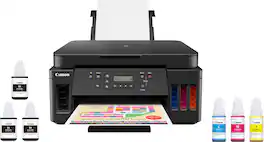
Canon PIXMA MegaTank G6020 Wireless All-In-One Printer: Save big on ink with this Canon PIXMA MegaTank inkjet printer. The MegaTank ink storage container can be easily refilled to offer over 30 times as much ink compared to standard cartridges. Tackle big print jobs with a page yield of up to 6,000 black or 7,700 color sheets from this Canon PIXMA MegaTank inkjet printer. Prints up to 13 ISO ipm* in black, up to 6.8 ISO ipm* in color
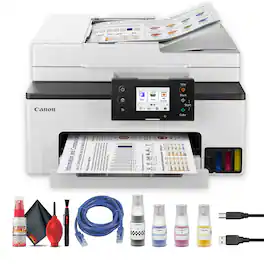
The Canon MAXIFY GX2020 Wireless MegaTank All-In-One Color Printer is built for users who demand efficiency, quality, and long-term savings. Its MegaTank ink system dramatically lowers printing costs while supporting high-volume output, making it an excellent choice for home offices and small businesses. With print, copy, scan, and fax functionality in one streamlined unit, it simplifies everyday document management. Wireless and mobile printing capabilities allow seamless operation across devices, while fast output speeds keep productivity on track. Durable construction, easy-to-monitor ink levels, and professional pigment inks ensure reliable performance and consistently sharp results for reports, forms, and marketing materials.Manufacturer Included Items:Canon MAXIFY GX2020 Wireless MegaTank All-In-One Color PrinterSetup Black Ink BottleSetup Cyan Ink BottleSetup Magenta Ink BottleSetup Yellow Ink BottlePower CordFax Modular CableBundle Items Include:Canon MAXIFY GX2020 Wireless MegaTank All-In-One Color Printer Deluxe Cleaning KitPrinter CableEthernet Cable

Designed for home and home offices, the Canon PIXMA G3290 MegaTank All-in-One inkjet printer delivers high-quality, low-cost printing, and outstanding wireless connectivity in a compact size. Get serious print productivity with a high page yield of up to 6,000 Black / 7,700 Color pages per full ink bottle ¹ set and a low cost per print - MegaTank means Mega Savings. The PIXMA G3290 comes with a full set of ink, so you can print with confidence. The PIXMA G3290 is easy to set up and maintain and offers great media versatility to print on a variety of media types and sizes, including photo paper, envelopes, banners and more. Use Poster Artist Online ⁷ to create professional-posters, banners and signage. Print both documents and photos on a variety of paper types using a hybrid ink system with pigment black for sharp black text and dye-based colors for vivid borderless ² photos up to 8.5” x 11”. Produce crisp, colorful documents quickly and cost-effectively with fast print speeds and a high quality 4-color pigment-based ink system. Keep printing with a plain paper capacity of up to 100 sheets or 20 photo sheets (4”x6”). Easily connect and print through high-speed USB or wirelessly³ from computers or mobile devices. Print on the go using Canon PRINT ⁴ and more using your compatible mobile device. This comes with a 1-year limited warranty ⁵ and is backed by Canon's Service and Support network.
| Pros for Canon - PIXMA Megatank G620 Wireless All-In-One Supertank Inkjet Printer - Black | |||
|---|---|---|---|
| Print Quality, Ease of use, Overall Performance, Color | Print Quality, Ease of use, Overall Performance, Setup | There were no pros for this product— | There were no pros for this product— |
| Cons for Canon - PIXMA Megatank G620 Wireless All-In-One Supertank Inkjet Printer - Black | |||
| Display | Display, Connectivity, Control Panel, Noise Level | There were no cons for this product— | There were no cons for this product— |
Specs
Reviews
Customers are saying
Customers are impressed with the PIXMA MegaTank G620 Wireless All-In-One Inkjet Printer's amazing color and print quality, as well as its ease of use and overall great performance. However, some customers feel the display window is too small.
Customer Images
The vast majority of our reviews come from verified purchases. Reviews from customers may include My Best Buy members, employees, and Tech Insider Network members (as tagged). Select reviewers may receive discounted products, promotional considerations or entries into drawings for honest, helpful reviews.
- Rated 5 out of 5 stars
Excellent and Efficient Photo Printer!
I should preface my review by saying that I purchased this printer solely for the purpose of printing my pictures. I was not concerned with documents, scans, copies, etc... as I already have a Brother printer that is perfect for such jobs. The short version: If you are primarily considering purchasing this printer for photo prints, just do so already! The quality of prints it produces, all while being incredibly more efficient/cost-effective than its cartridge-based counterparts makes this printer absolutely worth it. I couldn't care less that is has an aged LCD screen, as all of the settings/print process can EASILY be managed via a computer or Canon's smartphone app. If your only concern (like me) was to find a printer that can deliver in terms of photo quality, this is definitely it! The ONLY real downside to this printer is that you are limited to prints that can't exceed 8'5 x 11, but I figured I can always order larger prints online, while saving a tremendous amount with smaller sized prints (which are generally 90%+ of my shots) Longer Version: I honestly debated whether or not to purchase the G620, or jump up to the Pro 200/300 (primarily for quality of the print and freedom to choose almost any sized print). I ended up going with the G620, as the thought of spending $120+ in order to replace the ink cartridges for the Pro series after what would surely be just a few dozen prints was hard to swallow. I will say that this printer has exceeded all of my expectations! The prints themselves are truly stunning, and far exceed the quality you would receive with the vast majority of "printing services" (other than the higher end, more reputable ones; usually found online). It is a truly amazing feeling to be able to print all of your favorite shots, without having the constant sense of dread that your ink supply will run out any minute from now. Since its delivery (which was now 3 days ago) I have print at least 50+ 4x6 and 15+ 8.5x11, yet the ink wells have barely dropped from their initial fill level. If anything, I am now more worried about having to spend too much on photo paper, instead of ink! Not only are the prints stunning, but they are also VERY close to matching what I have on my screen. That said, I do use a Canon R5 for my shots, as well as the Canon photo print paper, so this may play a certain small role in it. In the end, I am thrilled that I chose to go with the Pixma G620, as I can now print as many of my photos as I want, instead of having to carefully choose which ones I'd rather print so as to avoid constantly paying $100+ in order to purchase new ink cartridges. Granted, I've only had it for a few days, so things can still happen. But if it continues to do what it has been doing these last few days, I will be sure to recommend the G620 to any photographer looking for an efficient way to get great prints of their favorite shots! This printer will pay for itself in no time!
AvidPhotographer Posted
- Rated 5 out of 5 stars
best entry printer ever
i bought this for a demand it was not made to meet or even handle, this in the time i have bought it and set it up has printed ( still printing ) over 3244 high quality 4k realistic photos and blender 5.0 model > 2D designs. the printer has failed to print in most cases due to its issue over bandwidth data exceeding print quality demand exceeding 4k depth details, after some adjustment in the settings and changing the ink from the OEM to a home brew ink type it has never stopped, over heated or stall failed on a print again. for a consumer lever machine thats at most going to see 100 - 200 prints a month for a normal end user, this is by far the BEST printer you can buy at a good entry level cost if your looking at doing high detail and heavy color demands hands down! i see me getting a second one to run in tandem wwith the one i have now to keep up with the current print demand.
Joshl Posted
- Rated 4 out of 5 stars
Good print quality
Print quality is nice but the apps that you have to use with it kinda suck
Tara Posted







