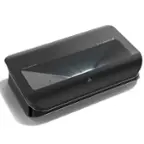
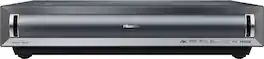
Epson - 100" EpiqVision Ultra LS500 4K PRO-UHD Short Throw Laser Projection TV with HDR and screen included - Black
FREE delivery to
Delivery of this item is restricted to drop-off only Elite Screens - Aeon CineGrey 3D®, 110" D,16:9, Ceiling Ambient Light Rejecting EDGE FREE Fixed Frame Std Long Throw Screen AR110DHD3 - Gray$459.00$726.99
Related Item

Specifications
- Product Weight20.5 poundsLight SourceLaserResolution4K (2160p)Color Brightness (IDMS)4000 lumensWhite Brightness (ISO)4000 lumensContrast Ratio2000000:1
- Key Specs
- Product Weight: 20.5 pounds (The out of box weight of the item.)
- Light Source: Laser
- Resolution: 4K (2160p) (Refers to the number of pixels, both horizontally and vertically, used to capture video/images. The higher the resolution the finer the detail that can be seen.)
- Color Brightness (IDMS): 4000 lumens (Measurement of the device's color light output measured accordance with standards established by the Information Display Measurements Standard (IDMS). The more lumens, the brighter the output. In large and/or well-lit environments, such as auditoriums or rooms with plenty of natural light, a higher brightness improves the color quality of the projected image.)
- White Brightness (ISO): 4000 lumens (Measurement of the device's white light output measured in accordance with standards established by the International Organization for Standardization (ISO). The more lumens, the brighter the output. In large and/or well-lit environments, such as auditoriums or rooms with plenty of natural light, a higher brightness improves the quality of the projected image.)
- Contrast Ratio: 2000000:1 (Measured difference between a displayed image's brightest whites and darkest blacks. The larger the first number, the more detail and color that can be displayed.)
- Projector Use: Home Theater
- Projector Throw Type: Standard Throw (The distance from the screen that the projector can be placed to project images. Standard throw projectors typically need to be at least 6 feet away while short throw and ultra short throw projectors can be placed closer to the screen for use in smaller rooms.)
- Portability: Fixed (Fixed projectors are ideal when creating an authentic theater atmosphere in your home. Often designed to stay in one place they may require significant recalibration if moved. Portable projectors, weighing around 5 pounds, are easy to move, but will still require set-up calibration and often have technology to reduce the complexity. Ultra-portable projectors are very light, often battery-powered, and ideal for on-the-go use.)
- Smart Capable: true (Smart, or smart-capable devices are able to connect directly to your home network in order to stream content from the Internet, run Internet-based apps, or connect to other smart devices.)
- Smart Platform: Android TV (Just like a computer, a smart TV needs an operating system (also called a smart platform) in order to access the Internet, connect with entertainment apps, and play streaming content. Some common TV smart platforms are; Roku TV, Android TV, and Chromecast.)
- Wireless Connectivity: None (The manner in which a device sends data to another device over a short distance without the use of wires or cables.)
- Display Connector(s): 3 x HDMI (The number and type of connectors used to connect to an external display.)
- Works With: Google Assistant (Compatible with or able to be connected to other smart devices or applications.)
- Power Source: Plug-in
- General
- Brand: Epson
- Model Number: LS500BATV100EP
- Product Name: 100" EpiqVision Ultra LS500 4K PRO-UHD Short Throw Laser Projection TV with HDR and screen included
- Color: Black
- Dimensions
- Product Height: 9 inches (The out of box height of the item. Height is measured as the vertical distance from the bottom of the item to the top as it would be primarily used or placed.)
- Product Width: 18 inches (The out of box width of the item. Width is measured as the horizontal distance from one side of the item to the other as it would be primarily used or placed.)
- Product Depth: 14.7 inches (The out of box depth of the item. Depth is measured as the distance from the front of the item to the back as it would be primarily used or placed.)
- Product Weight: 20.5 pounds (The out of box weight of the item.)
- Display
- Light Source: Laser
- Resolution: 4K (2160p) (Refers to the number of pixels, both horizontally and vertically, used to capture video/images. The higher the resolution the finer the detail that can be seen.)
- Resolution (Native): 1920 x 1080 (Native resolution of a screen refers to its single, fixed resolution. Sometimes screens must scale an image up or down in order to fit the native resolution. This can cause a loss of resolution or detail.)
- 3-Chip Technology: true (Projectors with this technology are able to display images with optimal brightness, color, and detail. Because of their high-performance design, these projectors are primarily used in large venues and digital cinemas.)
- Color Brightness (IDMS): 4000 lumens (Measurement of the device's color light output measured accordance with standards established by the Information Display Measurements Standard (IDMS). The more lumens, the brighter the output. In large and/or well-lit environments, such as auditoriums or rooms with plenty of natural light, a higher brightness improves the color quality of the projected image.)
- White Brightness (ISO): 4000 lumens (Measurement of the device's white light output measured in accordance with standards established by the International Organization for Standardization (ISO). The more lumens, the brighter the output. In large and/or well-lit environments, such as auditoriums or rooms with plenty of natural light, a higher brightness improves the quality of the projected image.)
- High Dynamic Range (HDR): true (An HDR-compatible 4K TV or other HDR-compatible product displays HDR video content when it's available from sources like 4K Ultra HD Blu-ray Discs and 4K streaming services.)
- High Dynamic Range Format: Hybrid Log-Gamma (HLG), HDR 10 (There are a few HDR formats that tell the TV or other HDR-compatible product how to best utilize its capabilities to display HDR content. HDR technology can support one or multiple formats, each with various benefits to picture quality.)
- Contrast Ratio: 2000000:1 (Measured difference between a displayed image's brightest whites and darkest blacks. The larger the first number, the more detail and color that can be displayed.)
- Aspect Ratio: 16:9 (The measurement of the width of a screen compared to the height of a screen, expressed as a ratio.)
- Throw Ratio Range: 0.28, 0.38 (This measurement indicates what size of projected image can be produced from a certain distance. The smaller the ratio, the closer the projector can be to the screen while still producing a large image.)
- Digital Keystone Correction: true ("Keystone effect" refers to the distortion of an image when it is projected on an angled surface or when the projector is positioned too high or too low from the center of the display. Projectors with a digital keystone correction feature are able to scale the image as needed before it is projected, resulting in the correct image orientation no matter where it is displayed.)
- 3D Technology: true
- Viewing
- Minimum Projector Distance: 1.28 feet (Minimum distance that the projector can be placed from the screen to produce a display with acceptable visual performance.)
- Maximum Projector Distance: 1.28 feet (Maximum distance that the projector can be placed from the screen to produce a display with acceptable visual performance.)
- Minimum Viewable Screen Size: 100 inches
- Maximum Viewable Screen Size: 100 inches
- Features
- Projector Use: Home Theater
- Projector Throw Type: Standard Throw (The distance from the screen that the projector can be placed to project images. Standard throw projectors typically need to be at least 6 feet away while short throw and ultra short throw projectors can be placed closer to the screen for use in smaller rooms.)
- Portability: Fixed (Fixed projectors are ideal when creating an authentic theater atmosphere in your home. Often designed to stay in one place they may require significant recalibration if moved. Portable projectors, weighing around 5 pounds, are easy to move, but will still require set-up calibration and often have technology to reduce the complexity. Ultra-portable projectors are very light, often battery-powered, and ideal for on-the-go use.)
- Smart Capable: true (Smart, or smart-capable devices are able to connect directly to your home network in order to stream content from the Internet, run Internet-based apps, or connect to other smart devices.)
- Smart Platform: Android TV (Just like a computer, a smart TV needs an operating system (also called a smart platform) in order to access the Internet, connect with entertainment apps, and play streaming content. Some common TV smart platforms are; Roku TV, Android TV, and Chromecast.)
- Remote Control Included: true
- Featured Streaming Services: Google Play Movies & TV, Max, Netflix, YouTube, Hulu (Streaming services and other programs are available on this device. Keep in mind, there may be more services supported than just those shown here.)
- Screen Mirroring: Mobile to screen (Casts the screen of one device onto another wirelessly, using a common protocol (typically Bluetooth).)
- Minimum Noise Level: 36 decibels
- Exposure Control
- Focus Adjustment: Manual (The method used to focus the device in order to view or display a sharper image.)
- Optical Zoom: 1.3x (The optical zoom uses a combination of lenses that magnify the image prior to it being registered at high resolution by the imaging sensor.)
- Connectivity
- Number of HDMI Inputs (Total): 3
- Wireless Connectivity: None (The manner in which a device sends data to another device over a short distance without the use of wires or cables.)
- Display Connector(s): 3 x HDMI (The number and type of connectors used to connect to an external display.)
- Network Connector(s): 1 x RS-232
- Audio Only Outputs: No audio only outputs
- HDMI Audio Return Channel (ARC): ARC
- Number of USB Port(s): 2
- Audio
- Integrated Speaker(s): true
- Speaker(s) Included: true
- Watts Per Channel: 10 watts
- Compatibility
- Works With: Google Assistant (Compatible with or able to be connected to other smart devices or applications.)
- Certifications Listings & Approvals
- ENERGY STAR Certified: true (Devices carrying the ENERGY STAR service mark, such as computer products and peripherals, kitchen appliances, and other products, generally use 20% to 30% less energy than required by federal standards.)
- Power
- Power Source: Plug-in
- Warranty
- Warranty - Parts: 2 Year Projector Limited Warranty Terms and Conditions
- Warranty - Labor: 2 Year Projector Limited Warranty Terms and Conditions
- Other
- UPC: 010343958524
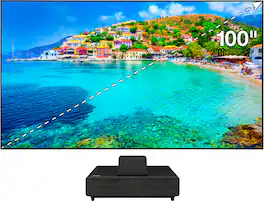
With an immersive 4K HDR3 viewing experience, Epson Laser Projection TV1 represents a new generation of digital projection that redefines the everyday television experience by offering a stunning 100" picture. Equipped with proprietary 4K PRO-UHD®2 3LCD technology, Epson Laser Projection TV1 combines an advanced, ultra-short-throw laser projector — along with an ultra-high-resolution, ambient-light-rejecting screen — to produce vivid colors and deep blacks for an exceptionally bright, colorful and sharp picture in virtually any viewing environment. Whether you’re watching a live sporting event, streaming your favorite series, gaming on the latest generation of consoles, or watching a blockbuster movie, Epson Laser Projection TV1 will simply amaze you.
- A Complete Solution : Epson Laser Projection TV1 includes an ultra-short-throw laser projector with an ultra-high-resolution, ambient-light-rejecting screen for an exceptionally bright, colorful and sharp picture
- Ultra-short-throw Technology : for a breakthrough viewing experience with no shadows, plus easy installation; simply place the projector close to the wall and beam a 100" image
- Immersive 100" Display : a new generation of digital projection that redefines the everyday television experience by offering a stunning 100" picture; easy to set up and with no-glare
- 4K PRO-UHD2 Projection Technology : advanced processing for resolution enhancement, color and image processing, resulting in an exceptionally sharp picture
- Incredibly Bright Picture : displays 4K HDR3 content at an exceptional level of brightness of 4000 lumens in color; for all-day viewing in virtually any lighting environment
Whats Included
- LS500 Projector
- Remote
- Power Cable
- 100" Screen
- Install Kit
Product Manuals
Q: Is the Ambient Light Rejecting screen design by Epson?
A: I have seen this screen in action and the picture is amazing, even with a lot of ambient light. As an option compared to a 120" flat-panel TV (for about 1/20 the price) it can't be beat! I don't have one yet, but I plan to soon!
Q: Can the included screen be raised and lowered remotely or does it have to be mounted on a wall?
A: Hello NeedNewProjector. The LS500 screen cannot be raised or lowered remotely. It can only be mounted on the wall. Regards, Sam - The Epson Team.
A: Hi Robby127. The Epson - EpiqVision Ultra LS300 Projector does not support rear projection. For additional information, please visit the official Epson Support website. Regards, Kevin - The Epson Team.
Q: Is the ambient light rejecting screen design by Epson?
A: Hi Tyrone, Yes. We designed the 100- and 120-inch display to optimize resolution and brightness – while minimizing the effects of ambient room lighting. Our Epson SilverFlex Ultra ALR Display is really amazing technology. Regards, Nancy - The Epson Team.
Q: Do I need any special furniture for the LS500?
A: Hi, No, most lowboy or side tables will work. Consider furniture with shelves for your video sources and audio gear. Salamander Company makes a quality cabinet specifically for the LS500. You can see it at your local Magnolia showroom or online. Regards, Nancy - The Epson Team.
Q: Who is EpiqVision designed for?
A: Hi, Epson designed this product for people who want a larger TV experience in their homes. Today's TVs max-out at about 86". The Epson EpiqVision LS500 Laser Projection TV has very impressive performance. And, when this level of performance is being displayed at 100" or 120", the immersive experience is simply epic. Nothing else even comes close. Regards, Nancy - The Epson Team.
Q: Can I buy the Epson LS500 Ultra Short Throw Projector without the Epson Screen?
A: Hi, Yes, you can purchase the projector separately through your local Magnolia store. We highly recommend using an appropriate screen. The picture will look much, much better than on a wall. A Magnolia associate can assist you with that. They can sell you other screens such as roll-downs, different sizes, etc. There are a number of great third-party screens that are also compatible with our Epson LS500 Ultra Short Throw Laser Array Projector. Regards, Nancy - The Epson Team.
Q: What comes in the box when I purchase?
A: Hi Nina, You get a single box with the following items inside: the Epson EpiqVision™ Ultra LS500 Laser Array Projector (in the color you’ve chosen – white or black), the Epson SilverFlex™ Ultra ALR Screen (in the size you’ve chosen – 100” or 120”), two pairs of white gloves to help with the screen assembly and installation, a quick setup guide, power cord, and the Android TV HMDI dongle with a remote and AAA batteries. You also get a cardboard jig to help you quickly align the projector to your wall. Regards, Nancy - The Epson Team.
Compare similar products
With an immersive 4K HDR3 viewing experience, Epson Laser Projection TV1 represents a new generation of digital projection that redefines the everyday television experience by offering a stunning 100" picture. Equipped with proprietary 4K PRO-UHD®2 3LCD technology, Epson Laser Projection TV1 combines an advanced, ultra-short-throw laser projector — along with an ultra-high-resolution, ambient-light-rejecting screen — to produce vivid colors and deep blacks for an exceptionally bright, colorful and sharp picture in virtually any viewing environment. Whether you’re watching a live sporting event, streaming your favorite series, gaming on the latest generation of consoles, or watching a blockbuster movie, Epson Laser Projection TV1 will simply amaze you.

Transform your room into a cinematic escape with the Lifestudio Grand Ultra Short Throw Laser Projector. Designed to deliver stunning visuals, powerful sound and seamless streaming—all in one sleek, compact device. With ultra short throw technology, you can place the Lifestudio Grand projector just inches from the wall and enjoy a massive, theater-like display up to 120". Whether you're in a small room or a spacious living area, you'll get a truly immersive picture without needing a ceiling mount or long throw distance. Experience exceptional clarity with cutting-edge 4K PRO-UHD¹, while advanced HDR10² picture processing delivers incredible detail, vibrant color and deep contrast—without sacrificing brightness. Powered by advanced 3-chip 3LCD technology, the Lifestudio Grand produces an impressive 3,600 lumens of color brightness (IDMS Rated) and 3,600 lumens of white brightness (ISO Rated)³, creating a vivid, true-to-life picture in nearly any lighting condition—even in daylight or with the lights on. Enjoy immersive sound that fills the room with Lifestudio, the world’s first smart streaming projectors featuring Sound by Bose technology. The custom-designed 2.1 stereo system creates audio you can feel, delivering rich, balanced sound with deep bass, pulling you—and everyone around you—right into the action. We can’t wait for you to hear it. Go beyond movies and shows with the Epson Studio app⁴. Easily create and share personalized videos that bring your favorite moments to the big screen. It’s a whole new way to entertain. And finding something to watch has never been easier. Just power on your Lifestudio Grand projector and the built-in Google TV⁵ puts over 10,000 streaming apps at your fingertips⁶, including Netflix, Disney+, and Hulu. With Google Assistant you can use the included voice remote to search across all apps, including live TV and even YouTube to find exactly what you’re looking for. Welcome to the Epson family of Lifestudio Short Throw Projectors. What unforgettable moments will you create?
The world's first UST projector designed for Xbox, PX3-PRO Laser Cinema, brings the silver screen home with advanced TriChroma triple-laser projection technology. With an expansive 80-150" screen size range, 110% of the BT.2020 color gamut, and a Delta-E score of 0.9 color accuracy, the PX3-PRO delivers vivid, lifelike images and exceptional color, making every scene a masterpiece of depth and subtlety. Embrace the future of home cinema with a viewing experience that captures the magic of big-screen storytelling, all within the comfort of your home.

Go Epic with a Courtside View! The best way to watch sports, the Epson EpiqVision Ultra LS800 3-Chip 3LCD Smart Streaming Laser Projector produces a larger-than-life picture up to 150" for an astounding 4K HDR1 experience. Equipped with proprietary 4K PRO-UHD2, 3-chip 3LCD technology and an incredible 4,000 lumens of color and white brightness3, the LS800 Laser Projector combines an advanced ultra short-throw lens with a laser-array light source—along with an optional Epson SilverFlex high-resolution ambient light rejecting screen4—to produce vivid colors and deep blacks for an exceptionally bright, colorful and sharp picture in virtually any viewing environment—even in brightly lit rooms. Featuring a sleek, modern design, the LS800 Laser Projector seamlessly fits within a variety of décor styles and complements the full range of audio/video furniture to create an amazing-looking system. Plus, with its unique ultra short-throw lens, the LS800 Laser Projector can be placed mere inches from the wall for easy, obstruction-free viewing. Whether you’re watching a live sporting event, streaming your favorite series, gaming on the latest generation of consoles or watching a blockbuster movie, the Epson EpiqVision Ultra LS800 Smart Streaming Laser Projector will simply amaze you.
| Pros for Epson - 100" EpiqVision Ultra LS500 4K PRO-UHD Short Throw Laser Projection TV with HDR and screen included - Black | |||
|---|---|---|---|
| There were no pros for this product— | Picture Quality, Brightness | Picture Quality, Brightness, Setup | Picture Quality, Brightness, Throw Distance, Ease of use, Design |
| Cons for Epson - 100" EpiqVision Ultra LS500 4K PRO-UHD Short Throw Laser Projection TV with HDR and screen included - Black | |||
| There were no cons for this product— | There were no cons for this product— | Black Levels | Black Levels, Price, Fan Noise, Focus, Input Lag |
Specs
Reviews
Customer Images
The vast majority of our reviews come from verified purchases. Reviews from customers may include My Best Buy members, employees, and Tech Insider Network members (as tagged). Select reviewers may receive discounted products, promotional considerations or entries into drawings for honest, helpful reviews.
- Rated 5 out of 5 stars
EPSON LS500
Epson LS500 was easy to install. Took me 3 to 5 hours total for setting the screen and also setting up the projector aligning. Epson Customer service is excellent and they have a direct private number to assist you with anything, with zero to none hold time. Configuration / calibration could take up to few days if you doing it on your own. That is because you have to get used to the cinema views if you’re coming from a regular LCS/ OLED type TV. If you are not an expert on collaboration, I highly recommend Best Buy‘s geek squad to do calibration for you.
This review is from Epson - 100" EpiqVision Ultra LS500 4K PRO-UHD Short Throw Laser Projection TV with HDR and screen included - Black
Posted by LS500
- Rated 5 out of 5 stars
Amazing Image Both Day and Night!
The screen is bright and has a fantastic image both day and night! During the pandemic, our family has not been to the movie theater. With the sound bar I purchased, the EpiqVision is a close second to the theater. And the kids absolutely love playing their Xbox games on the system. First, the screws to attach the hanging brackets are not included. In the instructions, it is advised to buy screws that work best for your wall. We live in the country, so to prevent driving back and forth to the hardware store, for under $10, we purchased 8 metal screws in sizes #18, #20 and #24. Each bracket takes two screws. I used a larger head size on the top and a smaller one on the bottom. Also, painter's tape and a level make the next step easier. The most time consuming part of the install for us was projecting the template on the wall and ensuring it is the right size and that it is level, before we mounted the screen. Download the template from Epson and connect a laptop with a hdmi cable. The template is great, (see attached image), because it has all of the measurements needed to hang your brackets in the correct spots on your wall. At first, we projected the image and had tool bars around it, which made the size incorrect. We ended-up saving the image in a PowerPoint and displayed it in "Slideshow" mode to view it in full screen. Our biggest hurdle was that when we used the provided cardboard jig, the projection was 2 inches too large. When the projector was moved, or if we used the sizing features in set-up, sometimes it made the height correct, but then the width was off and vice versa. Eventually, we took blue painters tape and put a rectangle with the correct screen dimensions on the wall and then moved the projector to fit the image inside of the blue tape. After that, the remaining install went quickly. Keep in mind, if any parts of the installation and set-up of the screen and projector seem tedious, it is completely worth it in the end! (See attached image.) This is a review for the Epson 100” EpiqVision Ultra LS500 Short Throw Laser Projection TV that I received free of charge to do a beta test and review.
This review is from Epson - 100" EpiqVision Ultra LS500 4K PRO-UHD Short Throw Laser Projection TV with HDR and screen included - Black
Posted by JKHogberg
- Rated 5 out of 5 stars
Huge Bright Beautiful Picture in Nearly Any Room
Overview: The Epson LS500 is an impressive Home Cinema Projector that brings a huge, high quality image to your living room or bedroom in a way that few people could ever have experienced before. The set up is a bit of a challenge, but for the effort that it takes to assemble a piece of furniture, you can wow friends and family with an image that is 4 times the size of most TVs. Unboxing and Assembly: We received our LS500 and immediately took out the projector to see how it performed without the included screen and to decide the best placement for the product. We are putting it in the master bedroom and this product turned out to be ideal because the picture in beautiful in a dark room, but can also handle a good amount of ambient light and our bedroom is reasonably bright during the day. The projector itself is very easy to get started. It comes with a streaming stick and has built in speakers so you can be up and running with the projector itself in a couple of minutes. Right out of the box, the picture is bright and beautiful. The projector has a number of picture settings. I tend to like the Dynamic setting. It is the brightest and most vibrant color setting. The image is a bit over saturated in that mode, but it really pops. We could tell already that we were going to love the projector. Screen and Projector Set Up: Next, we opened the screen. The box was big and a bit intimidating at first, but in actuality, it only had a few parts to assemble. If you know where you are placing the projector, have an open spot to assemble the screen and have two people, you can get this knock this out fast. 1. First, you need to find a large open space where no kids or pets are going to wander for about 45 minutes. 2. Next, you just need to take 10 minutes to assemble the 4 frame pieces. This part is incredibly straight forward. 3. Once you had the frame assembled, you simple move the frame away for a moment and roll out the screen material face down. 4. Center the frame on top of the screen material and attach the fabric to the frame with the included springs. Two pieces of advice. Make sure that the screen ins centered on the frame AND don’t forget to use the included hook to attached the springs. This will save your hands and tremendous amount of time! 5. Next you need to hang the brackets. We found that you really only needed the top two brackets. To ensure that we got the brackets in the right place, we simply projected the image and marked the top center of the screen. Then found the studs in the wall on either side of the center and measured 3 and 1/4 “ from the top of the screen and use a standard wall screw to mount the two brackets. We used a level to make sure the two brackets were exactly level. This is important because the projector is very sensitive to any angle. The screen came with two bottom brackets, but we found that we did not need those. 6. We hung the screen and made a few small adjustments to the image to ensure it fit perfectly in the frame. The projector is a bit sensitive to misalignment but it does have keystone correction and some limited leg adjustment for small changes in height. Picture and Sound Quality: The picture with the screen and projector together really popped. It was bright and the colors were rich. With direct light, the darker scenes can look a bit light, but I found that my old flat panel TV suffered from reflection with direct light so this was affair trade off for an image that was sooo much bigger. It is worth going into some of the advanced picture settings to get the image the way you want it. Epson offers a good amount of adjustments to meet your personal taste. The speaker is loud enough and offers a good sound with virtually no set up at all. Laser Engine: One thing worth noting for people that are used to projectors, is that I found that the projector was quick to turn on and was not particularly loud. It felt more like a TV than the front projectors I have used in the past. Overall: If you are looking for a big image and a cool new technology, the LS500 is an ideal fit. “This is a review for the Epson 100” EpiqVision Ultra LS500 Short Throw Laser Projection TV that I received free of charge to do a beta test and review.”
This review is from Epson - 100" EpiqVision Ultra LS500 4K PRO-UHD Short Throw Laser Projection TV with HDR and screen included - Black
Posted by Innovation123