Epson - RapidReceipt RR-60 Mobile Receipt and Color Document Scanner - White
About this product
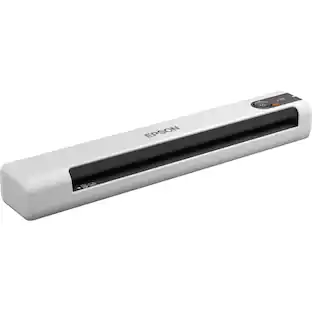
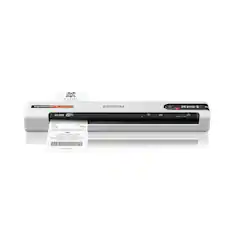
Unleash the power of AI¹ with the Epson RapidReceipt RR-60 mobile business scanner. Driven by Epson ScanSmart AI PRO technology, you’ll quickly and intelligently convert scanned information into smart digital data – making your documents AI-ready for Microsoft Copilot, Apple Intelligence, ChatGPT workflows and more. Going beyond simple document capture, the RapidReceipt RR-60 mobile scanner utilizes an extensive data model of various invoices and receipts to quickly turn stacks of unorganized paperwork into categorized digital data that easily integrates into financial applications such as QuickBooks and TurboTax². The smallest and lightest mobile single-sheet document scanner in its class³, weighing under 10 oz, the RapidReceipt RR-60 mobile scanner offers productive features, including the ability to create searchable and editable PDFs, in a conveniently portable design. Plus, this portable scanner can be charged via USB for added convenience. One of the smartest investments you can make for your business, the Epson RapidReceipt RR-60 mobile business scanner, powered by ScanSmart AI PRO, enables you and your business to stay organized and efficient by unleashing the power of AI.
ScanSmart AI PRO Technology
Intelligently convert and extract scanned information into smart digital data – making your documents AI-ready
Quickly Organize Receipts and Invoices
Turn stacks of receipts and invoices into automatically categorized digital data
Export to Financial Software²
Easily integrate organized receipt and invoice details into financial applications, such as QuickBooks and TurboTax
Smallest and Lightest in Its Class³
USB-powered; weighs under 10 oz
Fast Scanning
Scan up to 10 pages per minute⁴ in Automatic Feeding Mode
Create Searchable and Editable PDFs
Includes powerful PDF creation and editing software for Windows and Mac
HyperClear Technology
High-resolution optics produce enhanced scans of each page – including auto cropping, background removal and more
Scan to Cloud⁵
Such as OneDrive, Dropbox and Google Drive from your PC, Mac, or via the Epson Smart Panel mobile app
Versatile Scanning
For everyday receipts, invoices, documents, business and ID cards, and long pages up to 8.5" x 72"
Save Time with Automatic File Naming
Recognizes receipts versus invoices versus standard documents and integrates into file names
- NetworkingNot ApplicableScan (Color) Speed5.5 copies per minuteScan MethodSingle pass
Reviews
Rating 4.7 out of 5 stars with 150 reviews
Customer Images
The vast majority of our reviews come from verified purchases. Reviews from customers may include My Best Buy members, employees, and Tech Insider Network members (as tagged). Select reviewers may receive discounted products, promotional considerations or entries into drawings for honest, helpful reviews.
Compare similar products

Unleash the power of AI¹ with the Epson RapidReceipt RR-60 mobile business scanner. Driven by Epson ScanSmart AI PRO technology, you’ll quickly and intelligently convert scanned information into smart digital data – making your documents AI-ready for Microsoft Copilot, Apple Intelligence, ChatGPT workflows and more. Going beyond simple document capture, the RapidReceipt RR-60 mobile scanner utilizes an extensive data model of various invoices and receipts to quickly turn stacks of unorganized paperwork into categorized digital data that easily integrates into financial applications such as QuickBooks and TurboTax². The smallest and lightest mobile single-sheet document scanner in its class³, weighing under 10 oz, the RapidReceipt RR-60 mobile scanner offers productive features, including the ability to create searchable and editable PDFs, in a conveniently portable design. Plus, this portable scanner can be charged via USB for added convenience. One of the smartest investments you can make for your business, the Epson RapidReceipt RR-60 mobile business scanner, powered by ScanSmart AI PRO, enables you and your business to stay organized and efficient by unleashing the power of AI.
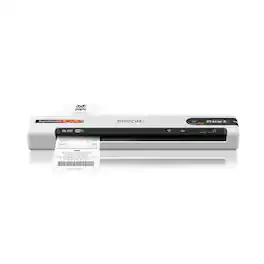
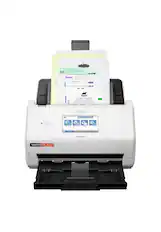
Unleash the power of AI¹ with the Epson RapidReceipt RR-70W mobile business scanner. Driven by Epson ScanSmart AI PRO technology, you’ll quickly and intelligently convert scanned information into smart digital data – making your documents AI-ready for Microsoft Copilot, Apple Intelligence, ChatGPT workflows and more. Going beyond simple document capture, the RapidReceipt RR-70W mobile scanner utilizes an extensive data model of various invoices and receipts to quickly turn stacks of unorganized paperwork into categorized digital data that easily integrates into financial applications such as QuickBooks and TurboTax². The lightest wireless mobile single-sheet document scanner in its class³, the RapidReceipt RR-70W helps increase your productivity with scan speeds up to 15 ppm⁴ and the ability to create searchable and editable PDFs. Plus, this portable scanner can be charged via USB or battery for added convenience. One of the smartest investments you can make for your business, the Epson RapidReceipt RR-70W mobile business scanner, powered by ScanSmart AI PRO, enables you and your business to stay organized and efficient by unleashing the power of AI.

Create digital copies of important documents with this Epson WorkForce scanner. Its versatile document-handling capability accommodates standard paper, ID cards and receipts, and the included Nuance OCR software converts output into editable files or searchable PDFs for efficient archiving. This Epson WorkForce scanner’s small, lightweight design offers portability, and the USB interface provides easy connectivity.
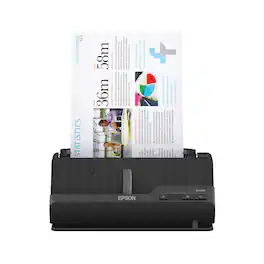
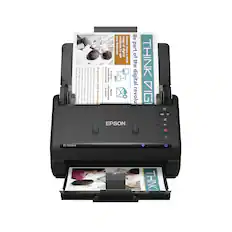
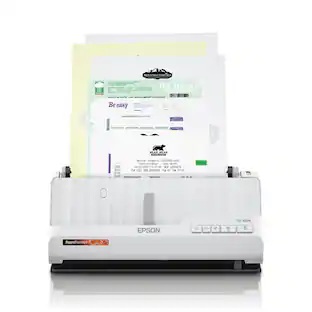
A compact modern wonder, the WorkForce ES-C220 keeps things simple with its intuitive design and exceptional flexibility. With the ES-C220, you can organize stacks of documents and make keeping piles of paperwork for your records a thing of the past. Ideal for the home or office, this easy-to-use scanner is the definition of innovation, saving 60% of desk space and scanning two sides at once as fast as 30 ppm/60 ipm. Offering a robust solution to managing your workflow, the included Epson ScanSmart software allows you to preview, email and upload your scans. In addition, help save valuable time with automatic file name suggestion for streamlined file management. The scanner features a 20-page Auto Document Feeder that makes it easy to scan in batches. In addition, the versatile ES-C220 scans papers of varying sizes up to 8.5" x 120". Maintain amazing quality with intelligent image adjustments such as cropping, paper skew correction and dirt detection. The ES-C220 proves bigger isn’t always better.
| Pros for Epson - RapidReceipt RR-60 Mobile Receipt and Color Document Scanner - White | |||
|---|---|---|---|
| There were no pros for this product— | Ease of use, Scanning Speed, Size, Overall Performance, Wireless | Ease of use, Size, Overall Performance, Scan Quality, Speed | Scanning Speed, Ease of use, Overall Performance, Size, Setup |
| Cons for Epson - RapidReceipt RR-60 Mobile Receipt and Color Document Scanner - White | |||
| There were no cons for this product— | There were no cons for this product— | Connectivity, Software, Compatibility, Paper Handling | Connectivity |
Specs
Will this scanner sort items into categories? I do itemized tax returns and spend hours tracking expenses. Wondering if this would help.
Answered by EpsonHello Terri. The RR-60 includes Epson ScanSmart software. Using this software, you can organize your saved items into separate categories. Additionally, if you use third-party software like Quickbooks or TurboTax, you can export your data there also. Regards, Kevin - The Epson Team.

Does this scan photos?
Answered by EpsonHi, Yes, you can use the RapidReceipt RR-60 to scan photos. Regards, Mark - The Epson Team.
Does this scanner come with software for receipt management?
Yes, the Epson RapidReceipt RR-60 scanner includes receipt management software without any subscription fees.
This question and answer was generated by AI based on customer and product data.How is this scanner powered?
The Epson RapidReceipt RR-60 is USB-powered for easy portability.
This question and answer was generated by AI based on customer and product data.What is the maximum document length this scanner can handle?
The Epson RapidReceipt RR-60 scanner can handle documents up to 72 inches in length.
This question and answer was generated by AI based on customer and product data.
Customers often buy these together
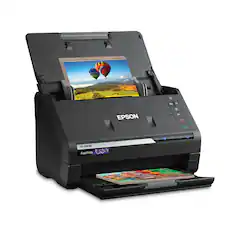
Epson - FastFoto FF-680W Wireless High-speed Photo Scanning System - Black
Top Deal$559.99The price was $629.99
Epson - WorkForce ES-50 Mobile Color Sheetfed Document Scanner - Black
$139.99The price was $159.99



Customers ultimately bought
 $299.99The price was $399.99
 $229.99The price was $279.99
 $179.99The price was $199.99
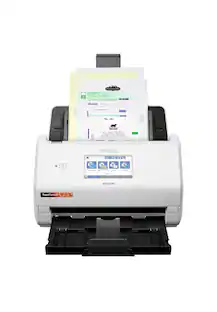 $379.99The price was $529.99

Discover lifestyle innovations Sponsored

Discover related products
 $169.99The price was $199.99
 $119.99The price was $129.99