Logitech - Pebble 2 Combo Compact Wireless Scissor Keyboard and Mouse Bundle for Windows, macOS, iPadOS, Chrome - Rose
Color
RoseKey Accessories:
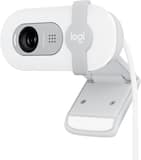
- Logitech - Brio 100 1080p Full HD Webcam for Meetings and Streaming - Off-White$39.99


More Buying Options
Related Item

Specifications
- Lighting TypeNoneForm FactorCompact (60%)Keyboard TechnologyScissorConnection TypeWireless
- Key Specs
- Lighting Type: None
- Form Factor: Compact (60%) (The size, arrangement, and physical configuration of the product.)
- Keyboard Technology: Scissor (Type of technology that detects a key press.)
- Connection Type: Wireless
- General
- Brand: Logitech
- Model Number: 920-012199
- Product Name: Pebble 2 Combo Compact Wireless Scissor Keyboard and Mouse Bundle for Windows, macOS, iPadOS, Chrome
- Color: Rose
- Features
- Lighting Type: None
- Numeric Keypad: false
- Touchpad: false
- Palm Rest: false
- Spill Resistant: false (Designed to resist some degree of accidental liquid spill. The level of spill-resistance is indicated by the product manufacturer, but the degree of protection may not be guaranteed after normal wear of the product.)
- Keyboard Features: Laptop-like typing, Multi-device pairing up to 3 devices
- Functions
- Form Factor: Compact (60%) (The size, arrangement, and physical configuration of the product.)
- Keyboard Technology: Scissor (Type of technology that detects a key press.)
- Adjustable Tilt Function: false
- Multimedia Keys: true
- Internet Keys: true
- Connectivity
- Connection Type: Wireless
- Wireless Connectivity: Bluetooth, Radio Frequency (RF - 2.4 Ghz/Low Latency) (The manner in which a device sends data to another device over a short distance without the use of wires or cables.)
- Number of Devices Connectable Simultaneously: 3
- Compatibility
- Operating System Compatibility: Windows, Mac, Chrome, Linux, Apple iPadOS, Apple iOS, Android
- Plug and Play Operation: true
- System Requirements: Bluetooth Low Energy, Logi Bolt receiver. Internet access required to download optional customization app Logi Options+ (The software that a product must have for it to be able to integrate with another product.)
- Power
- Rechargeable Battery: false
- Battery Chemistry: Alkaline
- Batteries Included: true (Indicates whether the product comes with the required batteries for its operation.)
- On/Off Switch: true
- Dimensions
- Product Height: 0.63 inches (The out of box height of the item. Height is measured as the vertical distance from the bottom of the item to the top as it would be primarily used or placed.)
- Product Width: 10.98 inches (The out of box width of the item. Width is measured as the horizontal distance from one side of the item to the other as it would be primarily used or placed.)
- Product Depth: 4.88 inches (The out of box depth of the item. Depth is measured as the distance from the front of the item to the back as it would be primarily used or placed.)
- Product Weight: 14.64 ounces (The out of box weight of the item.)
- Product Height (Mouse): 1.05 inches (The out of box height of the item. Height is measured as the vertical distance from the bottom of the item to the top as it would be primarily used or placed.)
- Product Length (Mouse): 4.2 inches (The out of box length of the item. Length is measured as the longest dimension of the item.)
- Product Width (Mouse): 2.3 inches (The out of box width of the item. Width is measured as the horizontal distance from one side of the item to the other as it would be primarily used or placed.)
- Product Weight (Mouse): 76 grams (The out of box weight of the item.)
- Mouse
- Mouse Included: true
- Mouse Operation: Button(s), Scroll wheel
- Connection Type (Mouse): Wireless
- Wireless Connectivity (Mouse): Bluetooth (The manner in which a mouse sends data to another device over a short distance without the use of wires or cables.)
- Maximum Sensitivity: 4000 dots per inch (Mouse sensitivity is measured in dots per inch (DPI). The higher the DPI, the more sensitive the mouse is and may be more useful for high-density pixel screens. Lower DPI typically means more precision and accuracy in mouse movement.)
- Minimum Sensitivity: 400 dots per inch (Mouse sensitivity is measured in dots per inch (DPI). The higher the DPI, the more sensitive the mouse is. Lower DPI typically means more precision and accuracy in mouse movement, but higher DPI may be useful for high-density pixel screens.)
- Number of Buttons: 3
- Number of Thumb Buttons: 0
- Number of Programmable Buttons: 1
- Handedness: Ambidextrous
- Maximum Wireless Range (Mouse): 33 feet
- Rechargeable Battery (Mouse): false
- Battery Chemistry (Mouse): Alkaline
- Warranty
- Warranty - Parts: 1 year
- Warranty - Labor: None
- Other
- UPC: 097855190222
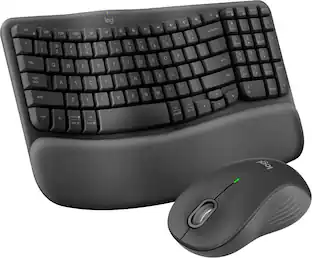
Defy Boring with the Pebble 2 Combo made with recycled plastic. Its minimalist, slim design makes it as iconic as you and super portable. Pair up to 3 wireless devices across OS and switch between devices with a press of a button (Logi Bolt receiver also included). With Logi Options+ app, you can customize your Pebble Mouse 2 M350s’ middle button with shortcuts that shuffle your Spotify playlist, send emojis on WhatsApp, and more. Personalize the 10 keyboard Fn shortcut keys to work how you want and save time.
- Defy boring: With a slim design, multiple colors and smarter tech, this keyboard and mouse from the Pebble 2 Collection lets you express your vibe and make your statement.
- Why not have both?: This ultra-slim and portable mouse and keyboard combo – made with recycled plastic – is lightweight and compact to be ready to move when you are.¹
- Easily hop across 3 devices: Use Bluetooth to connect up to 3 wireless devices across OSs and switch between them with one click of the Easy-Switch button; Logi Bolt USB receiver included.
- Save time & customize your way: Instantly access search, screen capture, and more with Fn keys; personalize the 10 Fn keys and the mouse’s middle button with Logi Options+ App.²
- Make a big impression on the quiet: Let your work speak louder than your typing and clicking with the keyboard's quiet, laptop-like typing and the mouse's Silent Touch Technology.³
- Go for longer: Get hours of use with the Bluetooth keyboard coming with a 3-year battery and the mouse with a 2-year battery, for worry-free usage; batteries included.⁴
- A design choice to feel good about: Plastic parts include certified post-consumer recycled plastic: Pebble Keys 2 K380s minimum 49% and Pebble Mouse 2 M350s minimum 58%.¹
- Responsibly-sourced packaging: The packaging of Pebble 2 Combo (including product wrap) comes from FSC-certified forests and other controlled sources.
Whats Included
- Pebble Keys 2 K380s keyboard
- 2 X AAA batteries (pre-installed)
- Pebble Mouse 2 M350s
- 1 x AA alkaline battery (pre-installed)
- User documentation
Q: Does this mouse have quiet clicks?
A: Yes, this mouse has quiet clicks that reduce noise and distractions.
Q: Is this mouse rechargeable?
A: Yes, this mouse has a rechargeable battery.
Q: How many devices can I connect to this mouse simultaneously?
A: You can connect up to three devices simultaneously with this mouse.
Q: What is the maximum wireless range of this mouse?
A: The maximum wireless range of this mouse is 33 feet.
Q: Does this mouse have quiet clicks?
A: Yes, this mouse has quiet clicks that reduce noise.
Q: What is the maximum sensitivity of this mouse?
A: The maximum sensitivity of this mouse is 8000 dots per inch.
Q: What kind of battery does this mouse use?
A: This mouse uses a lithium battery.
Q: What is the wireless range of this mouse?
A: The maximum wireless range of this mouse is 33 feet.
Compare similar products

Defy Boring with the Pebble 2 Combo made with recycled plastic. Its minimalist, slim design makes it as iconic as you and super portable. Pair up to 3 wireless devices across OS and switch between devices with a press of a button (Logi Bolt receiver also included). With Logi Options+ app, you can customize your Pebble Mouse 2 M350s’ middle button with shortcuts that shuffle your Spotify playlist, send emojis on WhatsApp, and more. Personalize the 10 keyboard Fn shortcut keys to work how you want and save time.

Let personality POP on your deskspace and beyond with POP Keys. The new, head-turning mechanical keyboard from Logitech comes with 8 swappable emoji keys and an emoji menu button, all customizable through Logitech software. Choose an aesthetic to match your own and enjoy a satisfying, retro typewriter-like experience, with multi-device wireless connectivity (via Bluetooth® or Logi Bolt USB receiver) and a series of cool new shortcuts. POP Keys’ compact form saves desktop space, and encourages better body posture. Plus, scooped keys match the shape of your fingertips for comfortable typing. With a classic Logitech promise of durability, POP Keys has up to 3 years’ battery life.

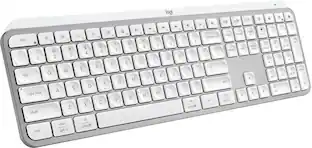
Defy Boring with Pebble Keys 2 K380s minimalist keyboard made with recycled plastic. Its minimalist, streamlined shape and sleek curves make it as iconic as you and super portable. Hop across 3 devices with the Easy-Switch buttons on the Bluetooth keyboard and work faster with the Fn shortcut keys like screen capture, search, and more. Customize the 10 keyboard Fn shortcut keys to work how you want and save time with shortcuts in Logi Options+ App.

Connect easy and breeze through daily tasks using the Logitech MK250 Bluetooth wireless combo. Connect in seconds without the need for a dongle. The space-saving keyboard design includes a numpad, providing full functionality in a compact form. Enjoy a smooth ambidextrous mouse shape and deep-profile, comfortable keyboard keys in a spill-resistant design. Made to last, MK250 is made by Logitech, a brand known for quality since 1981, and made to last with recycled plastic. MK250 combines practicality and durability in one compact, full-featured solution.
| Pros for Logitech - Pebble 2 Combo Compact Wireless Scissor Keyboard and Mouse Bundle for Windows, macOS, iPadOS, Chrome - Rose | |||
|---|---|---|---|
| There were no pros for this product— | Keyboard Quality, Ease of use, Key Feel, Design, Color | Keyboard Quality, Portability, Size, Connectivity, Battery Life | There were no pros for this product— |
| Cons for Logitech - Pebble 2 Combo Compact Wireless Scissor Keyboard and Mouse Bundle for Windows, macOS, iPadOS, Chrome - Rose | |||
| There were no cons for this product— | Number Pad, Price, Weight | Number Pad | There were no cons for this product— |
Specs
Reviews
Customers are saying
Customers highly value the MX Master 4 for Mac's portability and size, making it convenient for use with laptops. The mouse's overall performance, strong connectivity, and great battery life are also appreciated. Furthermore, users find the mouse comfortable, enjoy the button functionality and haptic feedback, and appreciate its quiet operation.
Customer Images
The vast majority of our reviews come from verified purchases. Reviews from customers may include My Best Buy members, employees, and Tech Insider Network members (as tagged). Select reviewers may receive discounted products, promotional considerations or entries into drawings for honest, helpful reviews.
- Rated 5 out of 5 stars
Worth Every Penny
The Logitech MX Master 4 delivers a noticeable jump in precision and comfort, especially with its new haptic feedback system that makes every action feel more controlled and intentional. The Actions Ring is a standout addition—it puts your most-used tools right under your thumb, which genuinely speeds up creative and productivity workflows. The MagSpeed scroll wheel remains one of the smoothest and most accurate available, and the ergonomic shape makes long work sessions much easier on the hand. Connectivity is strong and reliable, and the quieter clicks help keep your workspace calm without losing tactile feel. Build quality is solid, and the customization options in Logi Options+ make it easy to tailor the mouse to your exact workflow. Overall, it’s a premium mouse that justifies its price with performance, comfort, and smart features that make everyday tasks faster and more enjoyable.
This review is from Logitech - MX Master 4 for Mac - Wireless Laser Ergonomic Mouse with Advanced Performance Haptic Feedback - Wireless - White Silver
Rocky Posted
- Rated 5 out of 5 stars
Well worth the money
I was a little skeptical about investing in this mouse, but all my friends highly recommended the previous models. I primarily used the Magic Mouse before this but I was finding some tasks more difficult without a scroll wheel. So I decided to jump in and I'm glad I did. It is larger than any mouse I've used in the past but it feels really nice and solid. I love how the buttons feel smooth and firm and less clicky than my 'gaming' mice do. I haven't taken full advantage of the haptic functions yet, but there are a lot of programs I use that have integrations for it. And bonus, the charging cable plugs in and it can still be used while charging!
This review is from Logitech - MX Master 4 for Mac - Wireless Laser Ergonomic Mouse with Advanced Performance Haptic Feedback - Wireless - White Silver
Vastidious Posted
- Rated 5 out of 5 stars
Logitech MX Master 4 for Mac
Really good mouse with amazing productivity features. Grip is ergonomic and feels premium in hand. Buttons are super silent and infinite scroll is a bliss!!!
This review is from Logitech - MX Master 4 for Mac - Wireless Laser Ergonomic Mouse with Advanced Performance Haptic Feedback - Wireless - Space Black
AdvikK Posted
Explore tech essentials Sponsored
 $50.99The price was $59.99