Owl Labs - Owl Bar (Gray) - White
About this product
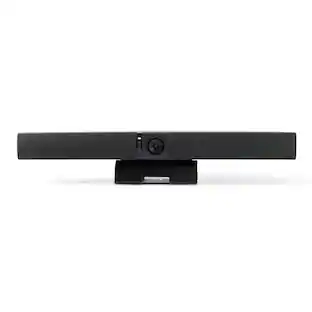
Add a plug-and-play conferencing system to the front of your medium-sized meeting room with the Owl Bar 4K Video Conferencing System from Owl Labs. The Own Bar is designed as an efficient video conferencing solution that provides an easy-setup video camera, microphone, and speaker to connect with remote participants. Via a simple USB interface, it can quickly connect to a computer host via USB-C and be set up with any application that supports standard USB video and audio drivers, including popular collaboration platforms such as Teams, Meet, Slack, Zoom, and more.
Owl Intelligence System
The Owl Bar is powered by the OIS using AI-powered speaker recognition and tracking ensures remote participants never miss a thing.
Wireless Pairing
Wireless pairing with the Meeting Owl and the Whiteboard Owl is supported. When paired, intelligent camera switching between the Owl Bar and the Meeting Owl is available to show the best view of the room for remote participants.
Meeting Owl App
The Nest customer portal and Meeting Owl App give you complete control over your Owl Labs devices, settings, and meeting experiences.
Supported Platforms
In USB host mode, the Owl Bar supports all web-based video conferencing platforms, including Zoom, Microsoft Teams, Google Meet, Slack, and more.
Vivid and immersive hybrid meetings
The Owl Bar captures the full view of the room and automatically focuses on and switches between active speakers so remote participants can engage and participate in the discussion.
- Video Resolution4K (2160p)
Reviews
Rating 5 out of 5 stars with 1 review
The vast majority of our reviews come from verified purchases. Reviews from customers may include My Best Buy members, employees, and Tech Insider Network members (as tagged). Select reviewers may receive discounted products, promotional considerations or entries into drawings for honest, helpful reviews.
Compare similar products
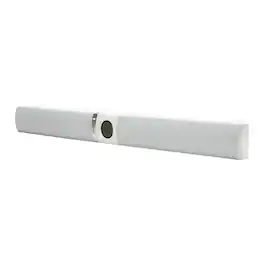
Add a plug-and-play conferencing system to the front of your medium-sized meeting room with the Owl Bar 4K Video Conferencing System from Owl Labs. The Own Bar is designed as an efficient video conferencing solution that provides an easy-setup video camera, microphone, and speaker to connect with remote participants. Via a simple USB interface, it can quickly connect to a computer host via USB-C and be set up with any application that supports standard USB video and audio drivers, including popular collaboration platforms such as Teams, Meet, Slack, Zoom, and more.

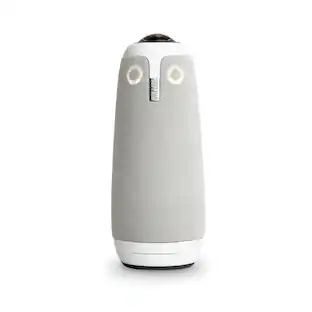
The upgraded Owl Labs Meeting Owl 3 360° 1080p Smart Video Conference Camera expands upon the features of the previous model to create an advanced panoramic video conferencing system. A single 360° lens captures 1080p video of everyone in the room within a 10' radius, while eight omnidirectional microphones capture audio from up to 18' away. Three integrated speakers project 360° audio from remote participants.
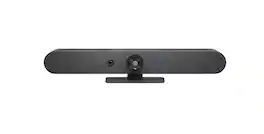
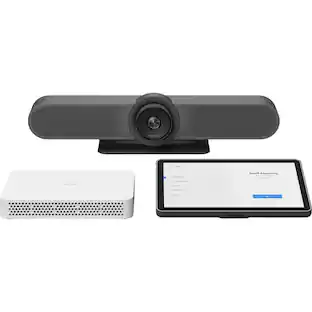
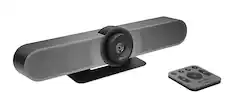
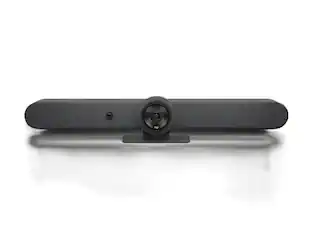
Logitech Rally Bar Mini is an all-in-one video bar for small to medium meeting rooms. Discover remarkably simple, all-in-one video conferencing with built-in AI technology, brilliant optics, and powerful audio. Designed to scale across hundreds or thousands of rooms, Rally Bar Mini offers clutter-free cable management, multiple mounting options, and flexible deployment modes. Plug and play Rally Bar Mini with virtually any PC or Mac, or run supported video conferencing applications on the device in appliance mode.
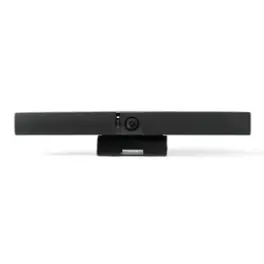
Add a plug-and-play conferencing system to the front of your medium-sized meeting room with the charcoal Owl Bar 4K Video Conferencing System from Owl Labs. The Own Bar is designed as an efficient video conferencing solution that provides an easy-setup video camera, microphone, and speaker to connect with remote participants. Via a simple USB interface, it can quickly connect to a computer host via USB-C and be set up with any application that supports standard USB video and audio drivers, including popular collaboration platforms such as Teams, Meet, Slack, Zoom, and more.
Specs
Customers ultimately bought
Explore tech essentials Sponsored
 Top Deal$109.99The price was $139.99
Discover related products
 $12.99The price was $13.99
 $1,377.99The price was $1,409.33










Keep exploring
 $26.10The price was $27.18