Pioneer - Universal Compatibility Car Dash Front and Rear Camera with 8MP UHD 4K Video resolution with in-built GPS and Wi-Fi - Black
Pioneer - Universal Compatibility Car Dash Front and Rear Camera with 8MP UHD 4K Video resolution with in-built GPS and Wi-Fi - Black
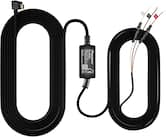
- Pioneer - Dash Cam 11 ft. 2 in. Power Cable Hardwire Kit - Black$19.99
More Buying Options
Related Item

Specifications
- Field of View137 degreesAutomatic Incident DetectionYesG-SensorYesCompatibilityUniversalCamera Mounting LocationWindshield, Rear windowVehicle Camera TypeDashboard
- Key Specs
- Field of View: 137 degrees
- Automatic Incident Detection: true
- G-Sensor: true
- Compatibility: Universal
- Camera Mounting Location: Windshield, Rear window
- Vehicle Camera Type: Dashboard
- General
- Brand: Pioneer
- Model Number: VREC-Z820DC
- Product Name: Universal Compatibility Car Dash Front and Rear Camera with 8MP UHD 4K Video resolution with in-built GPS and Wi-Fi
- Color: Black
- Vehicle Camera Type: Dashboard
- Recording & Playback
- Field of View: 137 degrees
- Automatic Incident Detection: true
- G-Sensor: true
- Loop-Cycle Recording: TRUE
- GPS Enabled: true
- Camera Power Source: Vehicle battery
- Expandable Memory Compatibility: microSD
- Recording Feature: true
- Compatibility
- Compatibility: Universal
- App Compatible: true (The product can be connected to a program or software application on a mobile device, which then receives collected data from the product.)
- Operating System Compatibility: Android, Apple iOS
- Features
- Integrated Microphone: false
- Display
- Screen Included: false
- Mounting
- Camera Mounting Location: Windshield, Rear window
- Mount Included: true
- Mount Type: Adhesive
- Input
- Number Of Auxiliary Inputs: 0
- Number of USB Port(s): 0
- Dimensions
- Product Height: 3.72 inches (The out of box height of the item. Height is measured as the vertical distance from the bottom of the item to the top as it would be primarily used or placed.)
- Product Width: 6.12 inches (The out of box width of the item. Width is measured as the horizontal distance from one side of the item to the other as it would be primarily used or placed.)
- Product Depth: 6.84 inches (The out of box depth of the item. Depth is measured as the distance from the front of the item to the back as it would be primarily used or placed.)
- Product Weight: 1.846 pounds (The out of box weight of the item.)
- Warranty
- Warranty - Parts: 1 year
- Warranty - Labor: 1 year
- Other
- UPC: 884938536950
Car Dash Camera with 8MP UHD 4K Video resolution, ADAS enabled, Wide Dynamic Range, 137 Field of View with in-built GPS and Wi-Fi
- 4K Resolution: Capture every moment in breathtaking detail with 4K UHD front camera, delivering ultra-high-definition footage in a compact form.
- Night Vision AI: Powered by the advanced Sony STARVIS IMX415 8MP sensor, Pioneer’s Night Vision AI captures crystal-clear, detailed footage even in the darkest conditions.
- Exceptional Image Quality: Experience stunning image clarity with the VREC-Z820DC, featuring a precision-engineered 7-layer glass lens system and a wide f/1.8 aperture.
- Wide Dynamic Range (WDR): From sunlit streets to shadowy corners, the Wide Dynamic Range technology ensures every detail is captured with lifelike clarity.
- Automatic Event Recording: Drive with confidence knowing Pioneer’s built-in G-sensor technology automatically detects sudden impacts or abrupt movements, instantly locking and saving critical footage.
- Dual Channel Recording: Capture every angle with the VREC-Z820DC’s dual-channel recording system, featuring ultra-clear 4K UHD footage from the front camera and Full HD video from the rear.
- 3.2” IPS Display: Easily browse, view, and manage your recordings on the vibrant 3.2” IPS display, offering sharp visuals and wide viewing angles.
- Wide Viewing angle: See more of the road with the expansive 137° wide-angle lens, designed to capture a broader perspective of your surroundings.
- Optional Parking Mode: Pioneer’s Optional Parking Mode allows the dash camera to capture photos and record video during impact-detection events while parked. With an optional external Hardwire Kit installed (RD-HWK300)
- GPS Logger: Track your journeys with ease using Pioneer’s GPS logging feature, which records your driving routes for added convenience and peace of mind. When footage is downloaded via the mobile app, users can view detailed route maps—just ensure your phone has an active internet connection to access location data.
- External Storage Support: Never miss a moment with an included 128GB Micro SD card and support for up to 512GB of external storage.
- Universal Compatibility: Pioneer dash cameras are designed with universal compatibility, ensuring installation and reliable performance across a wide range of vehicle types and models.
- Pioneer ai-sense app: The Pioneer ai-sense app connects seamlessly to your dash camera, putting powerful features in your pocket. From instant playback to secure video storage, confidence is just a tap away.
Whats Included
- Camera (Front and Back)
- Micro SD Card
- 2A Cigarette charger
Product Manuals
Compare similar products

Car Dash Camera with 8MP UHD 4K Video resolution, ADAS enabled, Wide Dynamic Range, 137 Field of View with in-built GPS and Wi-Fi
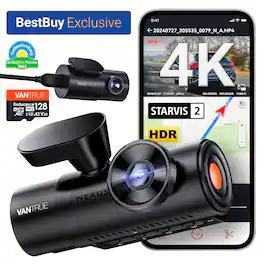
Experience cinematic True 4K HDR front video powered by Sony STARVIS 2 IMX678 sensor and PlatePix™ technology for unmatched license plate clarity day or night. True 3-channel recording (155°+160°+165° ultra-wide lenses) delivers 360° protection, eliminating blind spots for rideshare or family security. 24/7 Parking Guard with enhanced low-light vision keeps watch even when parked. Supercapacitor power ensures safer, longer-lasting operation in extreme heat or cold conditions. Massive storage supports up to 1TB microSD cards for extended recording. Includes 128GB MicroSD Card that features U3 speed (100MB/s read, 90MB/s write). Enjoy quick magnetic installation, hands-free voice control, and crisp anti-glare video with the optional CPL filter.

Capture ultra-clear 4K front and 4K rear footage with the Rexing R88 Dual Sony STARVIS 2 Dash Cam. Featuring parking mode for continuous monitoring, it ensures enhanced security. Loop recording and G-sensor impact detection safeguard your vehicle by capturing crucial moments both on the road and while parked. The 5.8GHz WiFi enables seamless video transfer and app control.

Compact dash camera with 1.5K resolution and a 120 wide-angle view for a clear, wide view of the road. Easy to install and elegantly designed for a seamless fit in any vehicle.
| Pros for Pioneer - Universal Compatibility Car Dash Front and Rear Camera with 8MP UHD 4K Video resolution with in-built GPS and Wi-Fi - Black | |||
|---|---|---|---|
| Video Quality, Field of View, Installation Difficulty | Video Quality, Size, Connectivity, Night Vision, Setup Ease | Video Quality, Connectivity, Overall Performance, Installation Ease, GPS Performance | Size, Video Quality, Field of View, Overall Performance, Ease of Use |
| Cons for Pioneer - Universal Compatibility Car Dash Front and Rear Camera with 8MP UHD 4K Video resolution with in-built GPS and Wi-Fi - Black | |||
| Connectivity | There were no cons for this product— | Frame Rate, Heat Dissipation, Power Supply | Connectivity, App Operation |
Specs
Reviews
Customers are saying
Customers have good things to say about the Universal Compatibility Car Dash Camera, particularly praising its excellent video quality and relatively easy installation. The camera's wide field of view is also appreciated. However, some customers have reported issues with Wi-Fi connectivity.
Customer Images
The vast majority of our reviews come from verified purchases. Reviews from customers may include My Best Buy members, employees, and Tech Insider Network members (as tagged). Select reviewers may receive discounted products, promotional considerations or entries into drawings for honest, helpful reviews.
- Rated 4 out of 5 stars
Great hardware, software needs some work.
Really nice dash cam. They include everything to get it working, even a 128GB micro SD card (industrial grade). The only thing that was not included was that plastic pudgy to help open up the weather stripping or columns on your car (I've had other older cams that included that) and a permanent way to wire it so you can enable parking features (they only include a cigarette lighter power plug). The main camera takes power from the cigarette lighter adapter, and they use a Type C USB plug, however the back cam plugs into the main one using a nice and long cable with micro USB plugs (don't know why its not type C like the power one). Install was easy and the cable for the rear cam is long, I had extra length I had to tuck in, so length is not an issue. Setup was using their app and it connects to the cam using its own Wi-Fi network, this is where I had some hiccups, It would no connect, no matter what I did using my phone (android), however it did with my iPad. I hope they can do some updates on the software/app side to make it more stable. The main cam itself is nice and has a nice wide screen. You can tune the up and down angle of the lens, but no side (wish you could move the lens 360 degrees to tune your image), so make sure you install it very well centered on your windshield, it attaches via sticky tape (no suction cup, I would have preferred this method). Video quality is very nice, thanks to its Sony Starvis sensor and 4k. Nigh quality is nice too. It also has an included GPS, so no need to get a GPS module. It can record in 1 minute length continuous videos (I hope they update this too giving the option for 3 or 5 minutes too). It also has a lane assist function, but it needs some tuning too, sometimes it fails to alert me and some times it does, its not very consistent, but to me its just a plus, I want it for the peace of mind recording, specially these days with so much insurance fraud and people being just plain bad drivers, if you are looking for a no frills, great video quality dash cam, this is a good one!!
JamexRZ Posted
- Rated 4 out of 5 stars
Good cameras but the app is the weak link
The Pioneer4K dash camera (VREC-Z820DC) ships with a front camera, rear camera, USB-A to mini-USB rear camera connector cable, USB-C to USB-A power cord for primary camera, 12V DC power adapter, and two electro-static mounting films. The power adapter isn’t permanently attached to the power cord like many cameras. That leaves it available if needed to charge another USB-A device like a phone. Setting up and installing this Pioneer dash cam was easy and straightforward. I first downloaded and installed Pioneer’s AI Sense app. Then I powered on the camera and completed the initial setup which included setting the time/date, metric or imperial, and a few other basic settings on the device itself through the hardware buttons. Finally, the app had me connect to the camera through Wi-Fi, complete the camera setup, and checked for firmware updates. Next up was the physical installation. I’m relieved Pioneer provided backing films that can go between the camera mount and the windshield. I have window tinting and was concerned about the rear camera tape adhesive possibly damaging the tint. Thankfully, I was able to apply the protective electrostatic film to the glass first and affix the camera onto that rather than on the tint. The film sticks to the tint securely and supports the lightweight rear camera with no problem. Only thing I had to do was work out a few air bubbles. A film is provided for the front camera also, but I affixed that camera directly to the glass. I’m just relieved that if I ever need to remove the rear camera, I don’t have to risk damaging the window tinting. Cable placement could be a little better because the rear camera cable blocks me from accessing the SD card port unless I unplug it. Pioneer provides a lot of slack for the rear camera cable. However, no trim tool is provided. It’s fortunate that I already had one because I definitely needed it. It was easy to hide the wire underneath the trim and around the pillars, but so much slack is provided I had to get creative to hide the excess slack in my sedan. I didn’t install a hardwire kit, nor do I use a constantly powered 12V outlet, so some safety features like parking monitor aren’t available. I’m not too worried about parking monitor for now because I seldom park in high crime areas and haven’t had any issues with vehicle break-ins. I may invest in a hardwire kit if I find myself parking more in questionable areas or lots, especially for lengthy periods such as when I park at airport long term lots. Like most dash cams, this camera records in intervals. The front camera records in 8MP 4K, the rear camera records in 1K. Metadata confirms 4K recording at 30fps on the primary camera. The front camera has an impressively wide field of view. The rear also has a wide field of view and both cameras capture the entire roadway and quite a bit more detail outside the roadway. Video from both cameras is clear and decipherable both day and night. I usually have no issues deciphering plate numbers and road signs on bright light recorded videos and on night videos with good illumination. The dim lighting at night doesn’t seem to negatively impact recording quality and I don’t see any glare in night footage. The wide dynamic range works well at eliminating glare and harsh shadows with the varying lighting conditions. There is no PIP for the rear camera but I can switch the display to the rear camera using the hardware buttons. I can also view live-view footage through the app. Captured video is timestamped with the time and date, speed, and GPS coordinates. The camera has advanced driver assistance system (ADAS) capability that can warn of lane departure, imminent collision and dense traffic. It’s a little inconsistent and doesn’t work more than it does, but luckily I already have the same features OEM in my vehicle which work much better. It’s a helpful safety feature for vehicles that aren’t equipped with it, but it needs some improvement. There were also warnings in the manual about components heating up but neither the camera nor the power adapter has felt excessively hot during the times I used it. The camera screen blanks shortly after powering on which is a feature I actually like because it’s less distracting while driving. As long as I see the green LED, I’m reassured the camera is recording. The camera has been reliable in most operations and with recording during travel. The only significant issue I’ve encountered occurred after I changed the Wi-Fi password. After doing so, the app instructed me to forget the Wi-Fi connection and reconnect with the new password. I did as the app instructed but have been unable to connect to the camera over Wi-Fi since. It doesn’t even show up among the list of available Wi-Fi networks when I scan. I’ve tried various troubleshooting techniques just short of resetting the camera to factory default but haven’t had any luck. I even tried scanning with other devices but still don’t see the camera among available Wi-Fi networks when I scan. That leads me to believe the issue is with the camera rather than my phone. It’s mildly aggravating but I’m not going to worry about it too much for now because I prefer manually downloading footage directly from the SD card anyhow rather than through the app. However, I will have to address it soon because I’m going to need Wi-Fi connectivity for adjusting settings and applying firmware updates. I’m thinking I’ll likely be forced to reset the camera and start from scratch, but I consider that the last resort option and avoiding it until all else fails. But this is the reason I prefer dash cams be equipped with Bluetooth rather than Wi-Fi only. Overall, the Pioneer VREC-Z820DC is a decent 4K dash cam with helpful safety features. Some require installing a hardwire kit but I have all the features I need or plan to use at the moment. The app could definitely use some work because it bricked the first camera I tried and now I am unable to connect to Wi-Fi on the second. So, my verdict is that it is a decent camera, but the app leaves a lot to be desired. Hopefully these issues will get ironed out in future app updates.
JMan Posted
- Rated 4 out of 5 stars
Great Dash Cam and Rear Camera, Horrible App!
This Pioneer VREC-Z820DC dash cam has some great features, and the video quality is pretty good, especially when recording in 4K resolution. It comes with a 128GB SD card, but I do suggest getting one with more storage or recording in 2K or 1080p FHD so you don’t run out of space as fast. The dashcam has its own GPS and WiFi, and the cords it comes with make physical installation fairly easy, even in larger, longer vehicles like vans. Just pay attention to the direction the rear camera should be facing before adhering it so that it doesn't display upside down. The mounting adhesive is pretty strong! It comes with a USB-C to USB-A cord and 12v cigarette lighter adapter, but you can purchase the optional hardwire kit if you prefer to power it with your car battery. The hardware kit is relatively inexpensive and needed to take advantage of some features so I think should have just automatically come with the dash cam. You need to download and install the Pioneer AI Sense app for most of the set up. Here is where it got icky to me and needs improvement. There were problems getting the dash cam’s firmware to update. It took multiple attempts over the course of a week for it to finally download, and I still haven’t been able to get it to install. Pioneer should have designed the app to be usable with other WI-FI networks because it’s annoying to have to keep switching the network on my phone in order to control the dash cam through the app. Thankfully, the cam has a pretty easy to navigate and read touch screen. I love the video quality! And the Night Vision AI even recorded clear images in low light. The cam engaged flawlessly to capture footage whenever sudden movement was detected. An advanced feature is the Advanced Driver Assistance Systems that’ll beep to provide impact warnings and lane departure alerts in real time and also shows vehicle speeds. I did notice that the MPH and the lane departure were not always accurate, so I wouldn’t rely on those too much. And the difference in mileage speeds could be an issue if the footage was ever needed. Not sure if this is a software glitch or not, but either way Pioneer needs to troubleshoot that. Overall, though, the VREC-Z820D has some great features and pretty great front camera video quality and good viewable rear camera so I’d still recommend it.
MzRose Posted