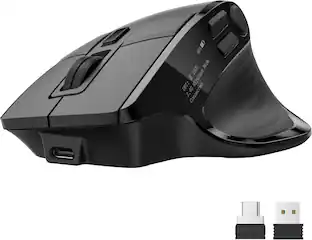
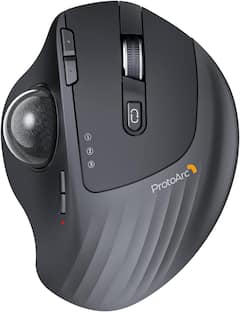
ProtoArc - Wireless Trackball Mouse with 0°/15° Adjustable Angle Bluetooth & 2.4G Wireless Rechargeable Ergonomic mice - Wireless - Gray
Reviews coming soon
About this product
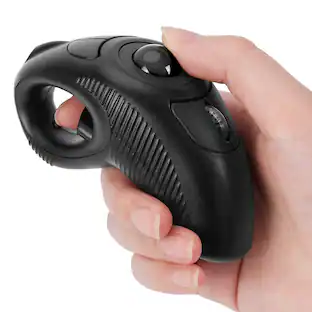
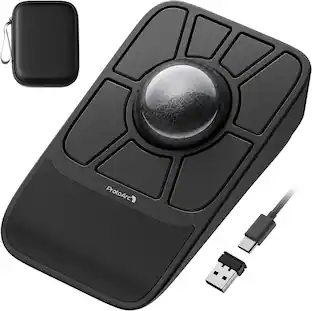
Adjustable 0°/15° Ergonomic Trackball Mouse, Triple Device Connectivity, Quiet Clicks, 5-Level DPI & Type-C Rechargeable
Color
GrayFeatures
Adjustable Tilt Angle for Natural Posture
ith its customizable hinge, easily set the trackball to a flat 0 degree or a tilted 15 degree position. This ergonomic adjustment keeps your hand in a natural posture, reducing strain and delivering personalized comfort throughout the day.
Precise Trackball Control
Navigate efficiently without moving your wrist - simply roll the trackball for smooth, accurate cursor control. Ideal for tight or cluttered workspaces, it minimizes fatigue and maximizes productivity even in limited desk areas.
Multi-Device Connectivity
Seamlessly connect via 2.4GHz wireless or Bluetooth and switch between devices with one button. Offers broad compatibility across systems (note: forward/backward buttons are not compatible with Mac OS).
USB-C Rechargeable with Extended Standby
Features a convenient USB-C charging port and an impressive 90-day standby time on a full charge. Enjoy long-lasting performance with minimal need for recharging, ensuring reliable use day after day.
Quiet Clicks & Adjustable DPI
quipped with quiet-touch buttons, perfect for late-night work without disturbing others. Five adjustable DPI settings (200/400/800/1200/1600) let you fine-tune cursor speed, helping you adapt smoothly to trackball use and match your workflow precision.
Specifications
- Lighting TypeNoneMaximum Sensitivity200 dots per inchConnection TypeWireless
Reviews
This product doesn't have any reviews yet.

Compare similar products
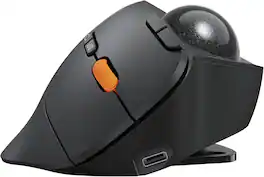
Adjustable 0°/15° Ergonomic Trackball Mouse, Triple Device Connectivity, Quiet Clicks, 5-Level DPI & Type-C Rechargeable

Bluetooth Ergonomic Rollerball Mouse Rechargeable Computer Laptop Thumb Mice, 3 Device Connection, Compatible with iPad, Mac, Windows, PC-Purple
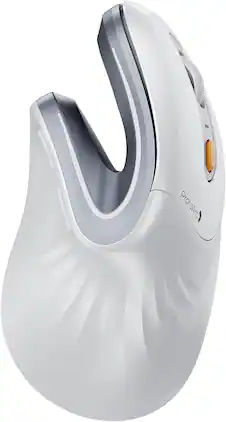
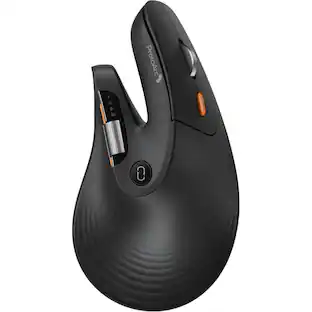
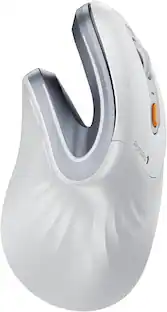
Ergonomic Vertical Mouse, Perfect for Small to Medium Hands (Under 7.5"), Reduce Wrist Strain, Natural Grip, 3-Device Connection (Dual Bluetooth + 2.4G USB-A), Rechargeable 500mAh Battery, Type-C Charging, Adjustable DPI (1000/1600/2400), Forward & Back Buttons, Quiet Click, Wide Compatibility

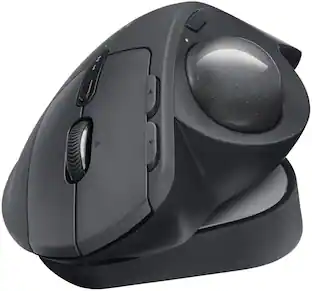
The MX Ergo S Plus is Logitech’s most advanced ergonomic trackball mouse yet, with a 20-degree tilt angle and a 10-degree detachable wedge, and precise thumb control - user-tested and certified by United States Ergonomics. The MX Ergo S wireless ergonomic mouse is sculpted to fit the palm of your hand while keeping it relaxed, and it tilts 20 to 30 degrees for 27% less muscle activity in the forearm, providing elevated comfort throughout your day. Work faster with 6 customizable buttons and a DPI button to effortlessly switch between speed and high-precision tracking. Now with 80% quieter clicks. For even more control that's tailored to your needs, assign time-saving shortcuts and Smart Actions using the Logi Options+ App. Connect your wireless mouse to 2 devices via Bluetooth or the included Logi Bolt receiver and switch between devices with a click of the Easy-Switch button.
| Pros for ProtoArc - Wireless Trackball Mouse with 0°/15° Adjustable Angle Bluetooth & 2.4G Wireless Rechargeable Ergonomic mice - Wireless - Gray | |||
|---|---|---|---|
| There were no pros for this product— | There were no pros for this product— | There were no pros for this product— | Ergonomics, Overall Performance, Battery Life, Ease of Use, Connectivity |
| Cons for ProtoArc - Wireless Trackball Mouse with 0°/15° Adjustable Angle Bluetooth & 2.4G Wireless Rechargeable Ergonomic mice - Wireless - Gray | |||
| There were no cons for this product— | There were no cons for this product— | There were no cons for this product— | Weight |
Specs
Be the first to ask a question.
We’ll try to get your question answered within 24 hours by a Best Buy customer or brand representative.
Customers often buy these together
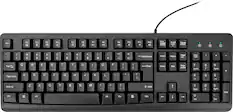
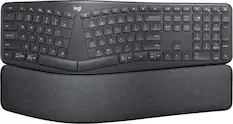
Computer Keyboards

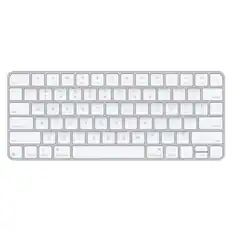
![The text on the image reads:
888 DD DI DD 4 DSC i F2 F3 4 FS T6 ET 1. 1N IN F.. 11 1.. 114 1n F1 F12 118 in9 - a ee 1 8F 2 3 $ 4 % 5 A 6 & 7 . 8 I 9 I 0 ee I + = delete fn home page up clear - / + tab Q W E R T Y U I 0 P { [ ] ] | I delete end page down 7 8 9 ee caps lock A S D F G H J K L : I - return 4 5 6 + shift Z X C V N M < F > ? / shift a 1 2 3 control option 2 command 3 command option control Y - 0 enter
After grouping and correcting the text, it reads:
888 DD DI DD 4 DSC i F2 F3 4 FS T6 ET 1. 1N IN F.. 11 1.. 114 1n F1 F12 118 in9 - a ee 1 8F 2 3 $ 4 % 5 A 6 & 7 . 8 I 9 I 0 ee I + = delete fn home page up clear - / + tab Q W E R T Y U I 0 P { [ ] ] | I delete end page down 7 8 9 ee caps lock A S D F G H J K L : I - return 4 5 6 + shift Z X C V N M < F > ? / shift a 1 2 3 control option 2 command 3 command option control Y - 0 enter](https://pisces.bbystatic.com/image2/BestBuy_US/images/products/f4059d3a-0c2a-46ef-bcfd-4e11b9b26d5d.jpg;maxHeight=232;maxWidth=233?format=webp)


More to consider
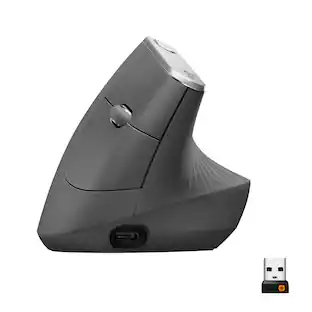
Logitech MX Vertical Advanced Wireless Optical Ergonomic Mouse with USB and Bluetooth Connection
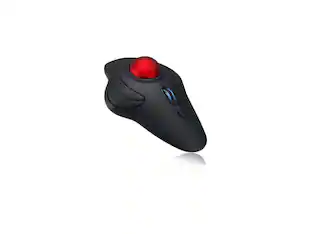
$74.99The price was $119.99ProtoArc Wireless Trackball Mouse, Rechargeable Thumb Control,Trackball Ergonomic Mouse
$46.99The price was $49.99

Explore tech essentials Sponsored
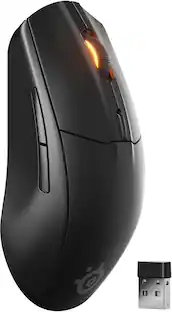
SteelSeries Rival 3 Gen 2 Wireless Optical Gaming Mouse with Ultra-fast clicks
$54.75The price was $59.99
Keep exploring
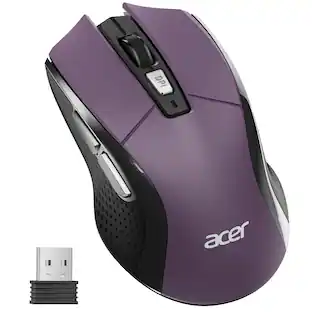
Acer Computer Mouse Wireless, 2.4G Slim USB Wireless Mice with USB Receiver, 800/1200/1600 Adjustable DPI
Holiday Deal$12.99The price was $14.99Acer Wireless Mouse for Laptop, 2.4GHz Computer Mouse 3 Adjustable DPI Office Cordless USB Mice with USBA Receiver
Holiday Deal$10.99The price was $12.99