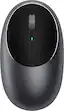
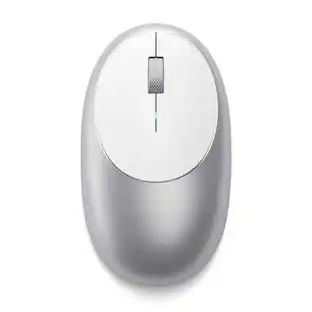
Satechi - M1 Bluetooth Wireless Optical Ambidextrous Mouse - Space Gray

Specifications
- Lighting TypeNoneNumber of Buttons (Total)3
- Key Specs
- Lighting Type: None
- Number of Buttons (Total): 3
- General
- Brand: Satechi
- Model Number: ST-ABTCMM
- Product Name: M1 Bluetooth Wireless Optical Ambidextrous Mouse
- Color: Space Gray
- System Requirements: Apple MacOS, Microsoft Windows, Android, Google Chrome OS (The software that a product must have for it to be able to integrate with another product.)
- Features
- Mouse Type: Standard
- Lighting Type: None
- Performance
- Mouse Operation: Button(s), Scroll wheel
- Mouse Grip Style: Ergonomic (In comparison to many palm and claw grips, ergonomic grip mice are designed for a specific handedness and put the hand and wrist in a position to promote comfort. Customizable grips feature buttons/keys that can be configured to perform specific actions and may also have customizable calibration and sensitivity settings.)
- Handedness: Ambidextrous
- Tracking Method: Optical (There are several types of computer mice, optical and laser being among the most common. Optical mice detect less detail and provide more precise and accurate movement. Laser mice detect more detail and can be used on a wider variety of surfaces, but are more sensitive to small movements.)
- Number of Buttons (Total): 3
- Adjustable Weight: false
- Connectivity
- Wireless Connectivity: Bluetooth (The manner in which a device sends data to another device over a short distance without the use of wires or cables.)
- Maximum Wireless Range: 31.8 feet
- Operating System Compatibility: Android, Chrome, Mac, Windows
- Plug and Play Operation: true
- Power
- Mouse Power Source: Battery-powered
- Rechargeable Battery (Mouse): true
- Included
- Mouse Pad Included: false
- Dimensions
- Product Height: 1.25 inches (The out of box height of the item. Height is measured as the vertical distance from the bottom of the item to the top as it would be primarily used or placed.)
- Product Width: 4.37 inches (The out of box width of the item. Width is measured as the horizontal distance from one side of the item to the other as it would be primarily used or placed.)
- Product Weight: 175.77 grams (The out of box weight of the item.)
- Other
- UPC: 879961008260
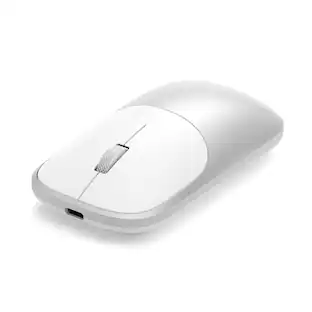
Enjoy cordless freedom when using your computer with this Satechi M1 wireless mouse. The Type-C recharging port offers a quick charge to minimize downtime, while Bluetooth 4.0 connectivity offers wireless navigation control when paired with Bluetooth-enabled devices. This Satechi M1 wireless mouse features soft-touch navigation buttons for quick, precise tracking and an ergonomic design for comfortable all-day use.
- Wirelessly connects to your computer with Bluetooth: This mouse connects to your computer without using wires or taking up a USB port.
- Optical technology: LED lights scan the surface beneath the mouse to detect movement with a fair amount of accuracy, suitable for everyday computing and browsing.
- 3 buttons: Provide access to frequently used commands and functions for powerful control.
- Scroll wheel: Enables smooth, fast movement.
- Ambidextrous design: Can be used comfortably whether you're right- or left-handed.
- Compatible with most Windows and Mac computers and select tablets: Works across a wide array of computers and tablets.
Whats Included
- Satechi M1 Bluetooth Optical Mouse
- USB cable (Type-C to Type-A)
Product Manuals
A: Honestly, the manual does not say, but I will say charging with the USB is just like charging your phone. Eventually every battery gives out...just like in phones, alarm systems, etc. But for this mouse that was only about $30 at best buy, you could probably buy another for the same amount that I have paid to replace the battery for my alarm system. You could always contact satachi at 1-858-268-1800, www. satachi.com, or support @satechi.com. Good luck and I hope this helps. I think for the job it does, it is worth the money (at least for me). Sorry you haven't had the same experience and I hope mine lasts a long time.
Compare similar products

Enjoy cordless freedom when using your computer with this Satechi M1 wireless mouse. The Type-C recharging port offers a quick charge to minimize downtime, while Bluetooth 4.0 connectivity offers wireless navigation control when paired with Bluetooth-enabled devices. This Satechi M1 wireless mouse features soft-touch navigation buttons for quick, precise tracking and an ergonomic design for comfortable all-day use.

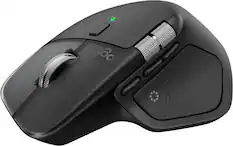
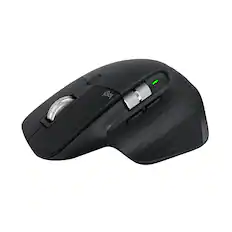
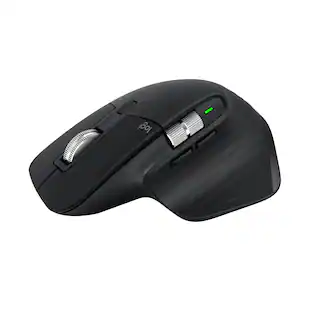
Logitech MX Master 3S Bluetooth Edition – productivity and precision mouse. With Quiet Clicks and 8K DPI any-surface tracking for more feel and performance.
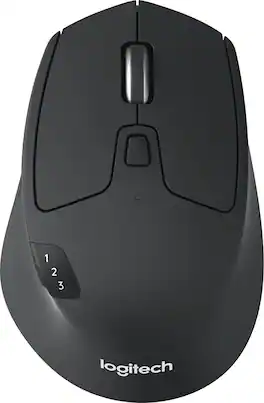
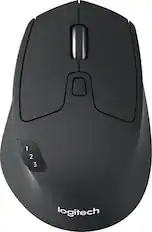
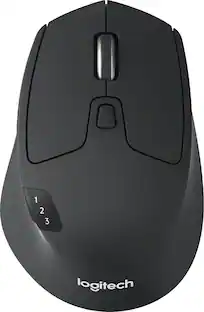
Ready, set go! Move between screens and straight through your to-do list with Logitech M720 Triathlon, the athletic mouse built for endurance, versatility, and comfort. With EASY-SWITCH technology you can pair your mouse with up to 3 computers and seamlessly switch between them with a click of a button. Reliable hyper-fast scrolling lets you fly through documents and web pages or switch to click-to-click scrolling when you need precision. A true athlete, this portable mouse is designed to endure, with buttons built to withstand up to 10 million clicks. Focus on what really matters thanks to the extended battery life of up to 24 months of power on a single AA battery. Simply connect M720 Triathlon wirelessly via the included Logitech Unifying receiver or via Bluetooth smart technology. Download Logitech Options Software to unlock the full range of personalization for your Logitech mouse.
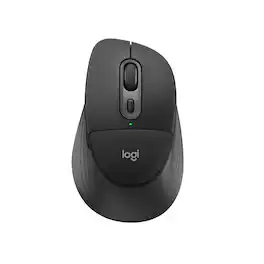
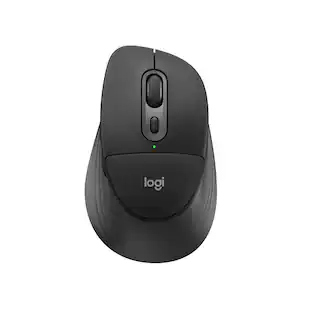
Meet Signature Comfort Plus M850 L, Logitech’s first mouse with a palm cushion for a soft, comfy spot beneath your hand. Designed for right hands, M850 L features cozy side grips and a natural shape for lasting comfort during long days. SmartWheel scrolling lets you move between precise and speedy navigation, while quiet clicks keep your workspace peaceful. Effortlessly switch between up to three devices with Bluetooth pairing and Easy-Switch—no dongle required. Connect wirelessly and seamlessly to Windows, macOS, Chrome OS, Linux, iPadOS, and Android, and enjoy up to 24 months of battery life.
| Pros for Satechi - M1 Bluetooth Wireless Optical Ambidextrous Mouse - Space Gray | |||
|---|---|---|---|
| There were no pros for this product— | Ergonomics, Overall Performance, Button Functionality, Connectivity, Battery Life | There were no pros for this product— | There were no pros for this product— |
| Cons for Satechi - M1 Bluetooth Wireless Optical Ambidextrous Mouse - Space Gray | |||
| There were no cons for this product— | Weight | There were no cons for this product— | There were no cons for this product— |
Specs
Reviews
Rating 4.2 out of 5 stars with 37 reviews
Customer Images
The vast majority of our reviews come from verified purchases. Reviews from customers may include My Best Buy members, employees, and Tech Insider Network members (as tagged). Select reviewers may receive discounted products, promotional considerations or entries into drawings for honest, helpful reviews.
Customers often buy these together

More to consider
 Top Deal$88.99The price was $99.99
 $36.99The price was $49.99


Explore tech essentials Sponsored
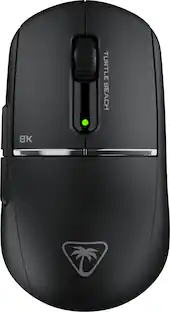
Turtle Beach - Burst II Pro High-Performance Ultra-Lightweight Wireless Optical Esports Gaming Mouse
$69.99The price was $139.99



Discover related products
 $30.99The price was $32.99








Keep exploring
 $206.99The price was $249.99