Holiday deals. Holideals?Either way, start saving.Shop now

Skip to contentGo to Product Search
Main Content

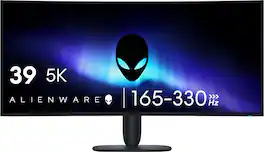
Alienware - 39" 5K OLED 330Hz 0.03ms FreeSync Premium Pro and G-SYNC Compatible Curved Gaming Monitor with HDR (HDMI, DisplayPort) - Black

Model: AW3926QW
SKU: 6687760
Sold byBest Buy

About this product

OLED immersion perfected in 5K. Witness the revolution of display technology with the Dell's first 39-inch 5K monitor with advanced RGB stripe tandem OLED technology, featuring incredible color purity, superb brightness, and the deepest blacks, even in well-lit rooms.

See it in-store: Richfield (12.5 miles away) 
is the closest store with a demo model on display.

Highlights

Features

  • 5K OLED Immersion

    Experience expansive 39-inch ultrawide immersion with 5K2K detail, OLED color and contrast, and a gentle 1500R curve built for gaming and creation.

  • RGB Stripe Tandem OLED

    RGB stripe tandem OLED technology delivers sharper text, pure color, and rich detail, even at higher brightness levels.

  • Brilliant HDR

    See brighter highlights and deeper blacks with up to 1300 nits peak brightness, Dolby Vision, and DisplayHDR True Black 500.

  • Pure, Precise Color

    DCI-P3 99% coverage and Delta E<2 accuracy deliver vibrant, true-to-life color for gaming, streaming, and creative work.

  • Speed on Demand

    Switch from detailed 5K2K gaming at 165Hz to a faster 330Hz esports mode when competitive speed matters most.

Specifications

  • Refresh Rate
    165Hz
    Maximum Resolution
    5120 x 2160
    Response Time
    0.03 milliseconds
    Synchronization Technology
    FreeSync Premium Pro (AMD Adaptive Sync), G-SYNC Compatible (NVIDIA Adaptive Sync)
    Screen Size
    39 inches
Sponsored

Reviews

Customer Images

The vast majority of our reviews come from verified purchases. Reviews from customers may include My Best Buy members, employees, and Tech Insider Network members (as tagged). Select reviewers may receive discounted products, promotional considerations or entries into drawings for honest, helpful reviews.

  • Rated 5 out of 5 stars

    Endgame Monitor

    I upgraded from the ASUS ROG Swift PG32UCDM 32-inch 4K 240Hz QD-OLED, and the Alienware has been an incredible step up in immersion and overall versatility. I’ve compared OLED image quality, HDR, motion clarity, refresh rates, resolution, and text sharpness across different games and everyday desktop use. The 5120×2160 resolution makes games look incredibly sharp, while the ultrawide format gives you a much more immersive experience. The RGB-stripe OLED panel also delivers noticeably crisp text for productivity, and the HDR highlights and contrast look fantastic. With my RTX 5090, I can really take advantage of the resolution and high refresh rate. The dual-mode refresh rate is a great bonus when switching between cinematic games and competitive titles. This monitor feels like the complete package for both gaming and everyday use, and it’s exactly the upgrade I was looking for in an endgame setup. Highly recommended!

    Posted by Shroud

  • Rated 5 out of 5 stars

    Amazing 5K Gaming, Loaded with Features

    First impression is this is a stunning monitor. It’s loaded with features and really caters to the gaming enthusiast. The 5K display is brilliant, and the extra wide design allows for a ton of content on the screen and immersion when playing games. --==Display==-- The display is gorgeous. It’s an RGB Stripe Tandem OLED Panel. I’m not a panel expert so I did some research and summarized that this technology is best for allowing a sharper image, especially text, without tradeoffs in response time, enhanced color sharpness, and supporting high refresh rates, up to 360hz. I did find that I could comfortably set at a distance, at 5K setting, and only use 125% scale in windows while still easily reading content. I’m not sure if the two are related but wanted to highlight the observation. In the settings there’s full gamut of customizations. There are several preset display options, HDR settings, Dolby Vision support, and Alienvision and on-screen information such as FPS that you can toggle. You can set up to 3 custom presets so if you have different preferences for different games, you can set them up differently and switch between them. I like the large, curved design. In games it allows for a wider field of view which I believe helps with immersion. If you’re highly competitive and you’re not looking to catch something in your peripheral that may surprise you, you can switch to competitive mode. This gives you 25” or 27” emulation at 330hz but at the expense of lower resolutions. This allows for very smooth gameplay, the lower resolution is easier to render, increasing frame rates, getting the FPS closer to the refresh rate, making gameplay seamless as you move around on the screen. Lets not forget that this is an OLED monitor. OLED at this point is almost synonymous to amazing color contrasts since the pixels are self lit and can completely turn off to give you an amazing pop of color next to inky black backgrounds. With several different HDR options, including TrueBlack, HDR Peak 1,300 HDR, Peak 1,300 Bright, allow for different options, depending on the screen content. As a feature, you have 99% coverage of the DCI-P3 color spectrum standard as well. This is a must for those who are editing photos or content for color accurate representation. There are built in protections for the display. After 4 hours of use, the monitor will automatically run a pixel refresh when it goes into standby or gets powered off. This will help stave off burn in and keep the monitor at peak performance. I like that it does this automatically, so you don’t have to worry about remembering and inevitably forgetting. --==Design==-- The design of the monitor is very simple yet modern. Curved monitors tend to be bulky because they must design the housing around curved glass, however, I felt like this has a slimmer profile. There’s plenty of ventilation on the back along with a single Alienware logo that is backlit and the color is adjustable. There’s a single power button on the bottom right of the screen and a joystick located in the bottom middle for navigating the menu. You do have some bezel on the front which I would have liked to be a bit smaller, however I don’t find it that distracting on such a large screen. There is plenty of IO, including a KVM switch for use with multiple PC’s. I have a unique setup where I’m using 3, 4k monitors for work with a Thunderbolt dock for my work laptop, and I’m using the USB C data cable from the monitor to power my gaming PC. I can switch between the two computers while retaining mouse and keyboard control, as well as my other peripherals that are plugged in. On the bottom of the monitor is a USB type c, type A and a headphone jack. For display connectivity, you have two HDMI, one with eARC, a display port, USB Type C with Display port, and a USB Type A. Right now, I’m using the USB C Mode to prioritize display resolution with my gaming laptop connected. Connected, I have a USB Hub that includes my 4k Camera, my microphone, and speakers, mouse and keyboard is using the two USB ports just below the bottom bezel. Everything works smoothly and without issues or delay, and when using the USB C cable to connect to your laptop, it also provides 90 watt power delivery. This does require a lot of cables to route through the monitor stand, which I find to be well built, sturdy, and matches the aesthetics of the monitor. The footprint is small but is balanced where I’m not concerned with the screen tilting over in anyway from normal use and desk bumps, however, the directions would have you to secure it to a wall using a strap if you prefer. If you do not want to use the stand, it is VESA compatible with a wall mount or arm. I recommend making sure you get something rated for the size and weight, but removing the stand is very easy with the release button on the back of the monitor and 4 screws are included in the mounting positions behind where the stand connects. --==Miscellaneous==-- Nothing ruins a neat desk setup like a power brick for a monitor you must somehow hide. The cables are never the right length, and you then must mold the aesthetic around an arbitrary cable length. Not for this monitor. There is a single power cable included with a standard American three prong layout and was long enough it didn’t impact placement. Also included were HDMI and Display port cables. The HMDI had a tag signifying it was Ultra High Speed Certified. Great to see quality cables included. Also, a high-speed USB C data cable for connecting to a compatible laptops thunderbolt/USB C 4 port. And when you’re done installing the monitor, cables, and adjusting the settings, you can wipe off any fingerprints with the included microfiber cloth. It’s not very big but large enough to do the job. I like that there’s added features you can turn on or off if you wish. Picture in picture allows you to use two different video sources simultaneously with different configurations. Alienvision allows for a target reticle consistent with the center of the screen to help with aiming as well as a color contrast area that can help identify targets, all of which can be personalized. One thing I wish this had come with was integrated speakers. I know chances are if you’re buying a high-end gaming monitor, you’re likely using headphones or dedicated speakers already, but for someone who is just starting to build out their ultimate gaming setup, this would have been an easy feature to add and helps drive a minimalist aesthetic. --==Final Thoughts==-- This is my first Alienware monitor and I’m impressed with the quality, features, and aesthetics. Loaded with options on how you prefer to view content or give yourself a competitive advantage in gaming, whether it’s refresh rate or an on screen reticle. The KVM switch/USB hub is impressive and I love the thought of connecting any laptop with a single cable and having access to my peripherals. Easy monitor to recommend for those serious about gaming.

    Posted by TravisJ

  • Rated 5 out of 5 stars

    Unbelievably Beautiful Monitor.

    This is my first ultra large, curved monitor. I have held off mostly because prices for name brand monitors have hovered near double this Alienware 39" OLED. And with OLED I wanted a good warranty I could rely on. This Alienware 39" monitor has warranty for 3 years including imageburn. Aside from being assured the monitor could go the distance, are the specs. First off, this Alienware monitor has a massive amount of screen real estate up to 5k. Curved screen that envelopes my peripheral vision without curving so much that it kills my limited desk space. A refresh rate to get the best out of my more than casual game pace. Plenty of the latest ports to connect multiple sources with HDMI w/ARC, DP and USB-C. As a laptop gamer where I might play for a couple hours. This monitor gives me far longer sessions with a better chance of increasing my performance in FPS games, plus more immersion in those or other games. Productivity should also go up with more room for multi-screen, on a single screen. Unboxing: Fantastic packaging. A+ for having build diagrams on the protective foam so I can easily understand how to put this monitor together straight out of the box. I wasn't sure how to safely get the panel out, but the diagram clearly showed how the arm, once screwed together, just clicks in and lifts out. All the high speed cables you might need, a few stickers, and a cleaning cloth are included. Using the Monitor: It is a massive monitor, not too heavy and can be semi-easy to move. Monitor does wiggle a tad on its stand if bumped or pressing buttons. Once setup, it remains still. In my rush to test, as my desk is unfinished. I placed the monitor on my coffee table with several windows around to test glare/reflections. There were only minor reflections until you turn it on. Then the images on screen are all I see. Glare is not an issue I see. Settings are many. There are several menu/options to be found using the joystick at the bottom of the screen. Many seem self explanatory, but unlike some TV's, some need a little knowledge. Right out of the box I was very happy with the 5k(?) resolution at 5120x2160 @165hz connected to my laptop with RTX 5070ti. Colors looked great. Text is super crisp. Games like Wardogs and Cyberpunk looked and played amazing. Video is out of this world sharp and colorful. Internet and a few programs will need tweaks to fit on the full screen. As many may already know, I had to learn. There are extensions for the monitor to make web based sites fill the screen. I think the one I am using is Screen Zoom. Otherwise many sites can letterbox if not sized correctly. Overall, it is now the best OLED screen in my house. I also connected a fairly basic Snapdragon PC to the monitor to see how well it could drive the screen. Best I could get was 3440x1440 @60hz. A little faster at 1080. The screen was still really easy to look at. So, even with lower resolution systems connected. I could see many uses for even non-gamers who just want a premium monitor for their desk. It is a premium monitor for more than just gamers.

    Posted by JinOH

  • Rated 4 out of 5 stars

    5K Amazing Display, and a Gaming Refresh Star

    I have been on the hunt for a 5K OLED display for some time. I work from home and the additional resolution gives me great text sharpness for spreadsheets and documents. It also looks amazing to have such sharp resolution in general. I was interested in this Alienware panel because it is sort of unique from my limited research in that it provides high refresh in full, 5K mode, but it also allows me to go even higher refresh for gaming with a lower resolution, which is fine for gaming. I have tested this panel with MacOS and with Windows 11 and in both cases the panel is beautiful. The color profile on Windows 11 is on the cooler side, so I notched up the night mode to pull a little blue out, but overall it is amazing for my work display. I can easily do Visio layouts and spreadsheets across the panel, but I can also have plenty of spreadsheet still if I window my apps and have say a document next to it. In fact, windowing apps on this panel is so crucial. While having a huge 21:9 aspect ratio is great for some things, it is also amazing for multitasking. On the MacOS side, the OS does its thing with doubling the resolution downward to give you that rich, smooth UI. Because of the 5K display though this is no problem, the text is still a little large because of the lower resolution, but that can be tweaked in settings, and so you have super smooth view of your UI. The colors on the Mac look amazing also. The Alienware panel is bright and has a very hight color rating. On the PC gaming side of things, I have zero complaints also. The boosted refresh rate gives my games the room to breathe for resolving the jittering issues I've had in the past. This panel is also G-Sync compatible as well as FreeSync Premium Pro certified, which I use for my PC setup and it's so nice! The one issue I have with this panel, and the reason I pulled one start off the rating, is the panel is glossy. Overall, this isn't a dealbreaker for me, it makes everything look amazingly colorful and sharp (forgot to mention watching movies on this is spectacular, for this reason I think), but having a matte display would have prevented a glare I am having on the top edge of the display because of a window behind me. This is unfortunate, but I am willing to make this a trade off. The panel is so good. I highly recommend it!

    Posted by Eric

  • Rated 5 out of 5 stars

    Last monitor I'll ever buy?

    **The right amount of screen for work, and a lot of fun after work** This is my first Alienware monitor, and so far I'm in love with it. The build quality made a good first impression, setup was easy, and then I turned it on. The colors and deep blacks are what immediately grabbed me. I'm about a 70/30 productivity-to-gaming user, so this had to make sense for work, too. My usual setup is either two 27-inch monitors or two 32-inch monitors, but about 80% of my work happens on the main screen. A 27-inch always feels just a little too small. A 32-inch feels right, but having two of them on the desk is a lot. This has turned out to be a really good middle ground for me. Height-wise, it feels about like my 32-inch 4K screen, with another chunk of screen added to the sides. That extra width gives me room for other windows without having a second big monitor sitting next to the one I'm actually using most of the day. The “5K” description makes sense with the extra width, but the useful part for me is getting more room across the screen while keeping the height I already like. Getting everything sized comfortably took a little fiddling. Some settings made things too big, and others made them too small. Right now I'm running it at 3200 x 1500, and text looks sharp to my eyes. That's where I've landed for everyday work so far. I haven't had a chance to put a ton of serious gaming hours on it yet, but I've played a few hours of Fortnite and Minecraft with my nephew. He's now convinced he needs one because he can see the creepers coming from farther away. I mean, he's not wrong, but I don't think his parents are going to go for that request. The wider view has been a lot of fun, and the colors and blacks look fantastic. Movies have been a nice bonus. I watched Talladega Nights when I probably should have been working, and its aspect ratio was close enough to the screen that the movie filled pretty much the whole thing. That was a good moment of sitting back and thinking...Yep, I like this. So far, I haven't found anything I'd change. It fits the way I work better than my usual two-screen setup, and gaming and movies give me more reasons to enjoy it when work is done. Easy recommendation from me!

    Posted by Farns

Compare similar products

Alienware - 39" 5K OLED 330Hz 0.03ms FreeSync Premium Pro and G-SYNC Compatible Curved Gaming Monitor with HDR (HDMI, DisplayPort) - Black
4.4(27)

OLED immersion perfected in 5K. Witness the revolution of display technology with the Dell's first 39-inch 5K monitor with advanced RGB stripe tandem OLED technology, featuring incredible color purity, superb brightness, and the deepest blacks, even in well-lit rooms.
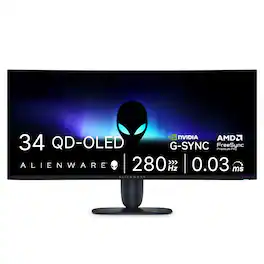
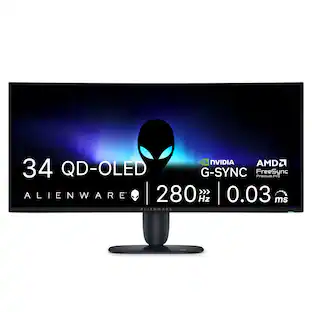
Alienware - 34" UWQHD QD-OLED 280Hz .03ms FreeSync Premium Pro and G-SYNC Compatible Curved Gaming Monitor w/HDR (HDMI, DisplayPort) - Black
4.9(21)

Dive into ultrawide immersion with the AW3426DW, featuring QD-OLED Penta Tandem technology and RGB stripe subpixels for vibrant, true-to-life colour performance.
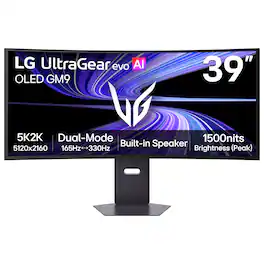
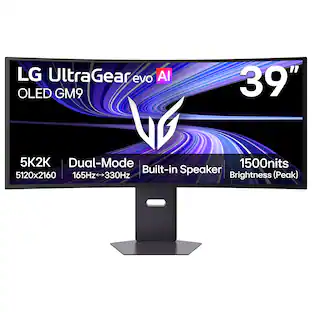
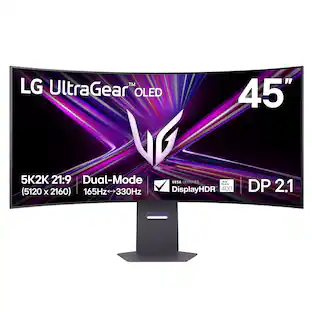
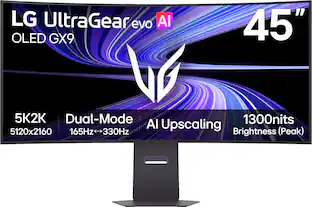
LG - UltraGear evo GX9 39" 5K2K OLED 165Hz 0.03ms G-SYNC FreeSync Premium Pro Gaming Monitor with DisplayHDR TRUE 500 - Black
4.7(51)

With UltraGear evo, experience the sweet spot of ultrawide OLED gaming with this 39-inch 5K2K (5120×2160) curved display. Designed in a wide 21:9 format with a 1500R curve, it expands your field of view while delivering crisp detail across a dense 143 PPI pixel canvas—more than 30% more pixels than a 32-inch 4K screen. 4th Gen Primary RGB Tandem OLED technology reaches up to 335 nits typical brightness and enhances contrast, color precision, and visual depth, supported by VESA DisplayHDR True Black 500 and UL-verified Perfect Black¹, Perfect Color, and Perfect Reproduction certifications. With Dual-Mode, switch between 5K2K at 165Hz for cinematic AAA gameplay or Wide Full HD at 330Hz² for ultra-responsive competitive play. A near-instant 0.03ms (GtG) response time with NVIDIA G-SYNC compatibility³ and AMD FreeSync Premium Pro keeps motion smooth and clear. UltraGear evo’s built-in processor powers AI Upscaling⁴ to enhance content toward the display’s 5K2K resolution—helping games and video look sharper without requiring a GPU upgrade. Modern connectivity—including DisplayPort 2.1⁵ (UHBR20), USB-C with 90W power delivery, and HDMI 2.1—supports high-bandwidth gaming setups and next-gen consoles, making this curved OLED gaming monitor the ideal intersection of size, speed, and visual precision.
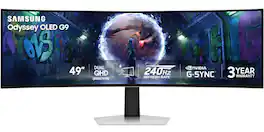
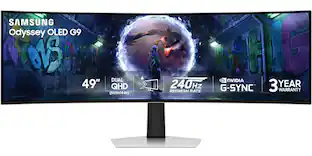
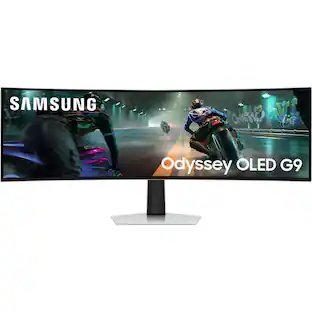
Samsung - 49" Odyssey OLED G9 (G93SD) Dual-QHD 240Hz 0.03ms G-Sync Compatible Curved Glare Free Gaming Monitor - Silver

Samsung’s 49" Odyssey OLED G9 Dual QHD Curved Gaming Monitor takes gaming to new heights. Content springs to life with a wider color spectrum and vibrant images on a 5120 x 1440 resolution screen. OLED technology delivers near instant reaction time with 0.03ms (GtG) and a 240Hz refresh rate. G-Sync compatibility keeps the GPU and panel in perfect sync, which reduces choppiness, screen lag, and image tearing. The wide 32:9 screen in Dual QHD resolution and 110 PPI provides an unparalleled level of clarity. OLED Glare Free technology significantly reduces glare from external sources for a distraction-free presentation. OLED Safeguard automatically adjusts brightness, reduces heat, and dims during breaks. Deep Black Levels depict truer black and dark colors on screen for supreme depth in every game. The ergonomic height-adjustable stand with tilting enables the ideal angles during game play. HDMI 2.1, Micro HDMI, DisplayPort, USB-C Upstream and Downstream ports provide increased flexibility and reduce cable clutter. CoreSync & Core Lighting+ add color and enhance the screen’s surroundings for an immersive experience. Picture-in-Picture and Picture-by-Picture makes multitasking easy and efficient. 3-Year Warranty.

Pros for Alienware - 39" 5K OLED 330Hz 0.03ms FreeSync Premium Pro and G-SYNC Compatible Curved Gaming Monitor with HDR (HDMI, DisplayPort) - Black
There were no pros for this product—There were no pros for this product—OLED Quality, Overall Performance, Brightness, Connectivity, Text ClarityOverall Performance, OLED Quality, Screen Size, Refresh Rate, Resolution
Cons for Alienware - 39" 5K OLED 330Hz 0.03ms FreeSync Premium Pro and G-SYNC Compatible Curved Gaming Monitor with HDR (HDMI, DisplayPort) - Black
There were no cons for this product—There were no cons for this product—There were no cons for this product—Speakers, Connectivity, Glare, Port Selection

Specs

Questions & Answers

  • Will this monitore accept a Thunderbolt/USB C input from Mac?

    Yes, it is work, but for some reason the monitor continues to draw about 27 W even when both devices are on standby.

    Answered by TL2k2
  • When will this monitor be back in new inventory stock? Also, will there be a firmware update to address the monitor's uniformity and vignetting issues due to aggressive anti-burn in, especially at the panel edges?

Ask a question
No content

Customers often buy these together

Sponsored