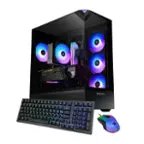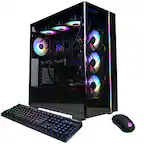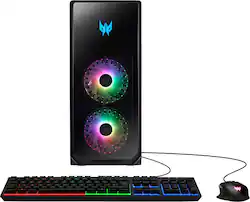
Acer - Predator Orion 5000 Gaming Desktop- Intel Core i7-13700F-16GB DDR5 Memory- NVIDIA GeForce RTX 3070 - 1TB Gen 4 SSD - Black
- Key Specs
- Processor Model: Intel 13th Generation Core i7 (Your computer's processor is like its brain. Working in combination with system memory, the power of the processor determines the complexity of software you can run, how many programs you can have open at the same time, and how fast those programs will run. Most computers feature an AMD, Intel or Snapdragon processor.)
- Storage Type: SSD
- Total Storage Capacity: 1000 gigabytes
- System Memory (RAM): 16 gigabytes (Random-access memory (RAM) is a computing device's short-term data storage, which allows active information to be accessed quickly. The size and type of RAM determines how efficiently the device can handle large amounts of information at one time. For example, gaming or video editing requires more RAM for optimal performance.)
- Graphics Type: Dedicated (Dedicated graphics uses a separate graphics card for processing video images. Because it does not use memory from the system's RAM, there is no extra burden on the CPU and graphics are processed more efficiently. Integrated graphics shares system RAM to process video images.)
- Graphics: NVIDIA GeForce RTX 3070 (Often referred to as a "graphics processing unit" (GPU), this device is responsible for displaying image content and decoding/encoding video content in programs and games.)
- General
- Product Name: Predator Orion 5000 Gaming Desktop- Intel Core i7-13700F-16GB DDR5 Memory- NVIDIA GeForce RTX 3070 - 1TB Gen 4 SSD
- Brand: Acer
- Model Number: PO5-650-UB11
- Year of Release: 2023
- Color: Black
- Processor
- Processor Brand: Intel
- Processor Model: Intel 13th Generation Core i7 (Your computer's processor is like its brain. Working in combination with system memory, the power of the processor determines the complexity of software you can run, how many programs you can have open at the same time, and how fast those programs will run. Most computers feature an AMD, Intel or Snapdragon processor.)
- Processor Model Number: Intel Core i7-13700F 16-Core
- Storage
- Storage Type: SSD
- Total Storage Capacity: 1000 gigabytes
- Solid State Drive Capacity: 1000 gigabytes (The amount of data that can be stored on the device's solid state drive (SSD). SSD is a flash-based storage with faster speeds than a hard disk drive (HDD).)
- Memory
- System Memory (RAM): 16 gigabytes (Random-access memory (RAM) is a computing device's short-term data storage, which allows active information to be accessed quickly. The size and type of RAM determines how efficiently the device can handle large amounts of information at one time. For example, gaming or video editing requires more RAM for optimal performance.)
- Type of Memory (RAM): DDR5 (Each type of RAM delivers a different level of speed, bandwidth, energy efficiency and performance.)
- Number Of Memory Slots: 4
- System Memory RAM Expandable To: 128 gigabytes (Adding more random-access memory (RAM) to a computer speeds up performance and improves efficiency. Upgrades to memory are limited by the number of expansion slots for additional RAM and existing RAM installed on the device.)
- Graphics
- Graphics Type: Dedicated (Dedicated graphics uses a separate graphics card for processing video images. Because it does not use memory from the system's RAM, there is no extra burden on the CPU and graphics are processed more efficiently. Integrated graphics shares system RAM to process video images.)
- GPU Brand: NVIDIA
- Graphics: NVIDIA GeForce RTX 3070 (Often referred to as a "graphics processing unit" (GPU), this device is responsible for displaying image content and decoding/encoding video content in programs and games.)
- Compatibility
- Operating System: Windows 11 Home (The operating system manages all software and hardware, including files, memory and connected devices. Most importantly, it lets you interact with your device and your programs in a visual way; otherwise, you'd be typing computer code to get anything done.)
- Connectivity
- Display Connector(s): 3 x DisplayPort 1.4, 1 x HDMI 2.1 (The number and type of connectors used to connect to an external display.)
- Number of HDMI Outputs (Total): 1
- Number of DisplayPort Outputs (Total): 3
- USB Ports: 4 x USB-A 2.0, 4 x USB-A 3.2, 2 x USB-C 3.2 (The number and type of USB ports the product has.)
- Number of USB Ports (Total): 10
- Number Of Ethernet Ports: 1
- Cooling
- CPU Cooling System: Air
- Power
- Power Supply Maximum Wattage: 800 watts
- Features
- Keyboard Type: RGB
- Certifications Listings & Approvals
- ENERGY STAR Certified: false (Devices carrying the ENERGY STAR service mark, such as computer products and peripherals, kitchen appliances, and other products, generally use 20% to 30% less energy than required by federal standards.)
- EPEAT Qualified: false (The Electronic Product Environmental Assessment Tool (EPEAT) was designed to provide an environmental assessment tool for purchasers. In order to qualify for EPEAT, a product must meet all 23 required criteria.)
- Included
- Optical Drive Type: None (An optical disk drive (ODD) uses a laser light to read data from or write data to an optical disc. These discs include CDs, DVDs, and Blu-ray Discs. This allows you to play music or watch movies using prerecorded discs.)
- Keyboard Included: true
- Mouse Included: true
- Other
- UPC: 195133160841
Show off that new powerful Predator PO5-650-UB11 gaming PC and illuminate your room in the multi-hued ambience of ARGB as fiery FrostBlade fans hum in an endless high-speed harmony giving constant cool to the Herculean hardware hidden away within. Powered by a 13th Gen Intel Core processor and high-performance NVIDIA GeForce RTX 3070 graphics, the Predator Orion 5000 delivers an awe-inspiring gaming experience that's second to none! Get ready for an unforgettable gaming experience that ignites the senses and takes your passion to new heights!
- Windows 11 operating system: Windows 11 was designed with you at the center - to make life easier, more creative, secure, connected and fun! It's also faster with new features to help you get more done.
- 13th Generation Intel Core i7-13700F: Intel's 13th Gen Processor distributes performance where you need it most. With a first-of-its-kind design, you get the performance you need to play, record and stream games. Effortlessly switch to heavy multitasking workloads like video, music, photo editing.
- NVIDIA GeForce RTX 3070 graphics: The GeForce RTX 3070 GPU delivers the ultimate performance for gamers & creators. Powered by Ampere—NVIDIA’s 2nd gen RTX architecture—with new RT Cores, Tensor Cores, & streaming multiprocessors for the most realistic ray-traced graphics & cutting-edge AI features
- 16GB DDR5 dual-channel 4400MHz memory: Smoothly run your graphics-heavy PC games, numerous programs, video-editing and browser tabs at the same time.
- 1TB M.2 PCIe Gen 4 SSD: Load faster and play sooner, with M.2 PCIe 4SSDs – you can quickly swap between and load apps with ease. and, with Gen5 on the horizon, having an upgradeable gaming PC means you can immediately swap out and upgrade when the time comes.
- Stay frosty: Keep frames high and temps low with the new ARGB-infused Predator FrostBlade 2.0 fans. Each of the fans includes eight ARGB LEDS,utilize a static pressure design to optimize airflow while reducing vibration and noise via sealed rifle bearings.
- Light it up: Personalize the machine to your style with lights in all the right places with up to 16.7M colors at your avail. Make use of Pulsar Lighting via PredatorSense to customize to your heart’s content. Simple or more complex and watch them spin up in a vivid spectrum of rainbow lighting.
- USB ports: 1 - USB 3.2 (Type C) Gen 1 port (Up to 5 Gbps) (Top), 3 - USB 3.2 (Type-A) Gen 1 Port (Top), 1 - USB 3.2 (Type C) Gen 2x2 port (Up to 20Gbps) (Rear), 1 - USB 3.2 (Type-A) Gen 2 Ports (Rear) and 4 - USB 2.0 (Type A) Ports (Rear)
- Less latency, more victory: More victory with the Killer E3100G 2.5G Ethernet controller, Intel Wi-Fi 6E AX211 (Gig+), and control center 2.0, you have all the tools you need to clear out the online competition. You deserve the low latency and reliable connection that only Killer networks can provide.
- Superior sounds with DTS X ultra: Turn any pair of headphones or speakers into a high-end 360 surround sound system – enabling you to experience your favorite movies, music and games with real-world spatial sound.
- video ports: 3 - Display Ports 1.4a and 1 - HDMI 2.1 Port
Whats Included
- Predator Orion 5000 Gaming Desktop- Intel Core i7-13700F-16GB DDR5 Memory- NVIDIA GeForce RTX 3070 - 1TB Gen 4 SSD
A: Okay so after a night of digging, I contacted Acer support and learned that “Predator Sense/Gaming Mode” needs to be enabled when playing resource intensive games. This kicks the fan speed on to high and lowers the temps 15-20 degrees.
A: I upgraded mine with: CORSAIR - RMx Series RM1000x 80 PLUS Gold Fully Modular ATX Power Supply - Black And run a 4090. Old question but still worth answering.
A: No it does not
Q: What is the wattage of the Power Supply Unit on the 3070 version?
A: The power supply is 800W ACTIVE PFC ATX.
A: My CPU was running at 100 degC when gaming. I just installed the CORSAIR - iCUE H115i ELITE CAPELLIX XT. I installed it inside the case, vertically on the front panel. I installed the fans on the outside. So the case frame is sandwiched between the cooler and fans. Some prep work required, I removed (drilled out the rivets) the HDD case and the top case in order to fit the cooler. The fan mounting hole pitch (distance between the two fans) do not align between cooler and case. So I had to drill 4 holes through the PC case. I also drilled out the threads on the other mounting holes. I re-installed the Predator fans on the other side of the cooler inside the case, creating a "push-pull" air flow. Lots of work, but now my CPU doesn't go above 45 degC while gaming. I estimate a 20% increase in FPS.
Q: How many ssd slots does the motherboard have? Can I install a second NVME SSD?
A: The motherboard has a second NVMe slot but it does not include the mounting screw so you need to order one. I installed a Gen 4 2Tb NVMe SSD in mine and it works great.
Q: What motherboard does this have? Looking to add another nvme SSD
A: This supports Gen 4 NVMe SSDs. I just installed a Samsung 980 Pro and it works great. BTW, they dont include a mounting screw so be sure to get one.