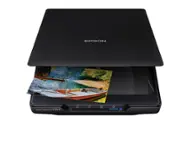
Ambir Technology Inc - AMBIR Photo Scanner with PictureStudio Software - Black
$12.99 shipping to
Specifications
- NetworkingWiredScan MethodCameraDuplex Scan FunctionNo
- Key Specs
- Networking: Wired
- Scan Method: Camera
- Duplex Scan Function: false
- General
- Brand: Ambir Technology Inc
- Model Number: PS400-NA
- Product Name: AMBIR Photo Scanner with PictureStudio Software
- Color: Black
- Connectivity
- Scanner Connectivity: USB
- Minimum System Requirements: Windows 10 or higher; Mac OS 11 or higher; 8MB Ram; 2GB Free Hard Drive Space; Internet Access
- Dimensions
- Product Height: 12.68 inches (The out of box height of the item. Height is measured as the vertical distance from the bottom of the item to the top as it would be primarily used or placed.)
- Product Width: 8.59 inches (The out of box width of the item. Width is measured as the horizontal distance from one side of the item to the other as it would be primarily used or placed.)
- Maximum Document Length: 14 inches
- Maximum Document Width: 8.5 inches
- Product Weight: 3.5 pounds (The out of box weight of the item.)
- Features
- Automatic Document Feeder Included: false
- Scanner Type: Photo
- Scanner Resolution: Up to 600 x 600 (Refers to the number of pixels/dots, both horizontally and vertically, of the image produced by the scanner. Generally, the higher the resolution, the sharper and cleaner the produced image.)
- Memory Card Slot: false
- File Format(s): PNG, JPEG, BMP
- Image Scanner Type: CIS
- Included
- Included Software: PictureStudio
- Certifications Listings & Approvals
- ENERGY STAR Certified: false (Devices carrying the ENERGY STAR service mark, such as computer products and peripherals, kitchen appliances, and other products, generally use 20% to 30% less energy than required by federal standards.)
- TWAIN Compliant: false (Products with this label are compliant with standards set by the TWAIN Working Group for regulating communication between software and digital imaging devices. Devices that are TWAIN compliant are compatible for use with each other without requiring additional software, even if they have different capabilities.)
- Warranty
- Warranty - Parts: 1 year limited
- Warranty - Labor: 1 year limited
- Other
- UPC: 835345006857
Introducing the ultimate solution for effortlessly preserving and revitalizing your cherished memories. Say hello to our cutting-edge photo scanner and PictureStudio photo editing software, designed to breathe new life into your old, faded photos with just a single touch. Gone are the days of sifting through endless photo albums in search of that one special moment. With our seamless search feature, navigating through your digitized photo collection has never been easier. Simply enter a keyword or filter by tag, and watch as your memories come to life before your eyes. Whether it's restoring colors to faded photographs, organizing your entire photo collection in one convenient location, or effortlessly sharing and backing up your memories, AMBIR has you covered.
- Software capabilities: Complete Photo Editing and Organization Software
- Interface: USB – Easily connects with a single cable
- Scan speed/control: 4" x 6" in 3 seconds at 300dpi
- Image scaling/enlargement: From 25% to 400%
- Buttons and/or modes: The device does not have buttons, however based on settings can either scan manually or automatically.
- Up to 600dpi: Choose between high-resolution (300dpi) or ultra-high resolution (600dpi) scanning options
- Bit color: 24-bit
- Scan size: Accommodates photo sizes ranging from 1”x1” to 8”x10”; and Panoramic photos up to 12” with ease
- Software capabilities: Complete Photo Editing and Organization Software
- Interface: USB – Easily connects with a single cable
- Scan speed/control: 4" x 6" in 3 seconds at 300dpi
- Image scaling/enlargement: From 25% to 400%
- Buttons and/or modes: The device does not have buttons, however based on settings can either scan manually or automatically.
- Up to 600dpi: Choose between high-resolution (300dpi) or ultra-high resolution (600dpi) scanning options
- Bit color: 24-bit
- Scan size: Accommodates photo sizes ranging from 1”x1” to 8”x10”; and Panoramic photos up to 12” with ease
Whats Included
- Photo Scanner
- USB Cable
- USB-C to USB-A Adapter
- Maintenace Kit
- Quick Start Guide
- Photo Scanner
- USB Cable
- USB-C to USB-A Adapter
- Maintenace Kit
- Quick Start Guide
Disclaimers
- *Based on average speed from start of scan to end of feeding, scanning thirty-six 4" x 6" photos at 300 dpi in landscape orientation. Results may vary based on processor speed, memory, and operating system of the connected computer.
- *Based on average speed from start of scan to end of feeding, scanning thirty-six 4" x 6" photos at 300 dpi in landscape orientation. Results may vary based on processor speed, memory, and operating system of the connected computer.
Q: How fast can this scanner scan a 4x6 photo?
A: This scanner can scan a 4x6 photo in 3 seconds at 300 dpi.
Q: What is the maximum resolution this scanner can produce?
A: This scanner has a maximum scanning resolution of 600 x 600 dpi.
Q: Does this scanner come with any software?
A: Yes, this scanner comes with PictureStudio photo editing and organization software.
Q: How does this scanner connect to my computer?
A: This scanner connects to your computer easily with a single USB cable.
Q: What is the maximum size photo this scanner can handle?
A: This scanner can scan photos from 1 inch x 1 inch up to 8 inches x 10 inches. It can also scan panoramic photos up to 12 inches.
Q: How many photos can be loaded into the feeder?
A: The scanner was specifically designed to scan and protect the integrity of old photos. Only one photo can be placed in the feed tray at a time. However, it features an auto-scan mode in its software, allowing users to continuously insert photos into the tray without needing to manually initiate each scan.
Q: Is there a special tool to use when scanning a very small photo (say 1"X1") ?
A: No specific tools are required to scan photos as small as 1x1. However, you may find it easier using the included carrier sheet. Would also recommend disabling "auto scan" to make sure the picture is in the proper position (when not using the carrier sheet).
Compare similar products

Introducing the ultimate solution for effortlessly preserving and revitalizing your cherished memories. Say hello to our cutting-edge photo scanner and PictureStudio photo editing software, designed to breathe new life into your old, faded photos with just a single touch. Gone are the days of sifting through endless photo albums in search of that one special moment. With our seamless search feature, navigating through your digitized photo collection has never been easier. Simply enter a keyword or filter by tag, and watch as your memories come to life before your eyes. Whether it's restoring colors to faded photographs, organizing your entire photo collection in one convenient location, or effortlessly sharing and backing up your memories, AMBIR has you covered.

Preserve what’s priceless with the Epson FastFoto FF-680W — the World’s Fastest Personal Photo Scanner. Scan thousands of photos — as fast as 1 photo per second. Easily restore, save, organize and share photos, postcards, panoramas, documents and more. The convenient mobile app enables you to capture the voice of loved ones and create slideshows, so you can easily share stories about your photos right from your smartphone, from a firsthand perspective, for generations to come. Plus, FastFoto brings old photos to life with auto enhancement, color restoration and more. Offering the ultimate in versatility, it includes a variety of format options for quick sharing, archiving and enlargements

Say goodbye to the days of scanning photos with a slow flatbed! Scanning photos and memorabilia has never been easier with the Plustek ePhoto Z300. With the ePhoto Z300 you can scan a 4x6 photo in about 2 sec. This means you can scan 3,000 photos in just one afternoon. ePhoto Z300 is a scanner specifically designed for scanning photos. It uses a special soft compound roller to protect old photos. The CCD sensor provides accurate reproduction color and black and white photos. The included ePhoto software is easy to use and doesn’t require complex operational procedures. Just insert a photo into the scanner and scanning automatically starts.
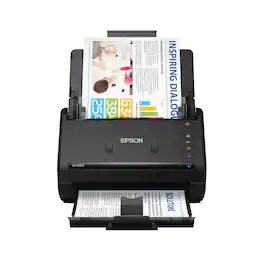
Get organized fast with the WorkForce ES-400 II duplex desktop document scanner. This reliable, easy-to-use performer speeds through scans up to 35 ppm/70 ipm1, capturing both sides of each sheet in one pass. Its 50-sheet Auto Document Feeder allows you to breeze through stacks of documents of varying sizes. Intuitive Epson ScanSmart Software2 means you can easily preview, email and upload your scans. The included TWAIN driver ensures compatibility with most document management software. Scan to cloud storage accounts2 or searchable PDFs. Color and image adjustment features such as auto crop, dirt detection, staple protection and paper-skew correction help ensure remarkable image quality, whatever the scan.
| Pros for Ambir Technology Inc - AMBIR Photo Scanner with PictureStudio Software - Black | |||
|---|---|---|---|
| Scan Speed, Software, Ease of use, Resolution, Photo Quality | Ease of use, Software, Size, Scanning Speed, Image Quality | There were no pros for this product— | Scan Speed, Ease of use, Size, Quality, Duplex |
| Cons for Ambir Technology Inc - AMBIR Photo Scanner with PictureStudio Software - Black | |||
| Auto Crop | Price, Jamming, Connectivity, Compatibility | There were no cons for this product— | Paper Handling, Wireless |
Specs
Reviews
Customer Images
The vast majority of our reviews come from verified purchases. Reviews from customers may include My Best Buy members, employees, and Tech Insider Network members (as tagged). Select reviewers may receive discounted products, promotional considerations or entries into drawings for honest, helpful reviews.
- Rated 5 out of 5 stars
Ambir Photo Scanner Better Scanner at Lower Cost
This is an amazing photo scanner. I struggled to scan low resolution photos on my one year old Epson WF Pro 3820, but this is soooo much faster. I used to work on my computer while images scanned, but this scanner completes even 8x10 at 300 dpi in just a few seconds. This scanner is small enough to fit on my desk between my secondary screen so I can use my pull out keyboard. I don't even have to get up to scan and work on the images with the PictureStudio software. I would like more options to have sub Albums for the photos.
This review is from Ambir Technology Inc - AMBIR Photo Scanner with PictureStudio Software - Black
Posted by RichardG
- Rated 4 out of 5 stars
Very decent photo scanner, works well
This scanner came with the cable connecting the device with the PC/laptop (no power cable included nor needed as the scanner is power by the laptop via the connecting cable. The cable is long enough to position the device even from some distance from the laptop. One end of the included cable has a mini USB ending (the one going to the scanner) and the other end is USB-C. Separately the USB-C to USB-A adapter is included. In addition in the included paper folder there are aligning sheets, the cleaning sheet and the clear plastic photo cover sheet to protect photos that might not be in a best shape. This protective sheet can accommodate up to 8 1/2 by 11 inch photos. There is no power on or off button, just by connecting the unit to the computer via the mentioned cable the unit powers up. You know that the unit is ready by the light on it in the top left corner. Also the software will confirm that there is a connection between the scanner and the laptop. In order to use the scanner the manufacturer provides the free software to be downloaded from their site. The software seems to be robust if it comes to editing the scanned images, with several filters to change the color theme of the photo. It also allows for more advanced corrections like exposure, white balance, saturation, brightness and so on. You can change the aspect ratios into several common presets, resize photo manually, add a tag to it. If it comes to the scan parameters you can select either 300 or 600 dpi, color or gray scale, choose file type between jpeg, png and bmp. Also you can select to either start the scan automatically once you load the photo into the scanner or manually from the software. You can select either one sided scan or on both sides. Scanning a 4 by 6 picture on 600 DPI took about 11 seconds to complete, on 300 DPI about 4 seconds. If it comes to sending the captured image files into other locations than the software folder itself (more about it later), the options are Facebook, Pinterest, Dropbox, Google Drive and Photos, Flickr and Microsoft OneDrive. Personally I have decided against using this feature due to privacy concerns, as the permissions require agreement that their PictureStudio not only has my login credentials but also access to all files there with ability to create and delete any files there. Not for me. What I decided instead was to send the pictures to a select folder on my laptop and then from there copy and paste them to the cloud myself without the software getting involved. And here we had a small hiccup. When you scan photos the images will be saved within the software itself. You cannot tell the software to send the images to the folder outside of the software. For me it was easy to overcome. First I created a new destination folder within the software with a unique name, then I used the search within Windows to locate it, subsequently created a shortcut to it on my desktop and from there I could grab all the new images and copy them and paste them to any cloud location at will. If it comes to scanning, you need to put the picture into the tray with the image facing away from you and upside down in order for the new image to come up properly. If you forget to put it in upside down you can then flip the image within the software after the scan is completed. Once you put the photo into the tray from the top the scanner starts working automatically pulling the photo in. There is no need to align the picture ideally in the center, even if you insert the picture on the side the result will be the same. Also, there is no need to put it in ideally straight. I purposely put it crooked to the side to see what happens and the image came out straight with no cut outs. The reason the image comes out straight with clear cut lines is the software feature called Auto Crop/Deskew. It works very well but in my experience it somewhat changes the actual ratio of the photo by squeezing the image from the sides slightly. The result is that the faces are slightly more oval than they actually are on the real photo. If you disable this Auto Crop/Deskew feature then you will get the right proportions but will have to manually crop each image on both sides. You can only load one photo at a time. The top left light will tell you when you can insert the next photo (light off means busy working, green light means ready for the next photo). I was able to scan about 50 pictures in one load with no hiccups and all images loaded properly, the scanner did not get stuck. For my needs, meaning scanning thousands of old pictures into the image files, this scanner will do the job. It works properly, no need to worry about the inserted photo alignment, the images come out right (except that minimal squeeze from both sides, which I think I can live with). The quality of the images is decent and really dependent on the quality of the scanned photo. Once I move the scanned images to my cloud I can use other more sophisticated tools to make any necessary image adjustments.
This review is from Ambir Technology Inc - AMBIR Photo Scanner with PictureStudio Software - Black
Posted by Mahtin
- Rated 5 out of 5 stars
Easy to Use Photo Scanner!
With iPhones and Digital Cameras dominating the photography landscape these days people rarely take the time to print photos anymore. But I’m sure if you ask someone, they will tell you they have collections of photo albums or printed photos still at home waiting to be archived and digitalized. If you’re reading this review, it’s probably because you are wanting to do exactly that, take all your old family photos and put them on a computer to preserve them. But when most people think about scanning photos, they think of a slow, tedious process. Enter the Ambir Phot Scanner, a powerful photo scanner with included photo editing software to help simplify the process of digitizing your old photos. Initial Setup was straightforward and easy. The scanner comes with instructions in a folder that are very clear and concise. I think even if you aren’t a tech savvy person this setup will be stress free. You initially download software from their website and install it, it will prompt you to connect the scanner and finish installing the import and editing software. It will then have you insert a calibration card that is included in the setup folder. Once that’s done settings will pop up. I chose JPEG format, but they have PNG, BMP, and PDF. I also changed the DPI to the max of 600. There are also options to do Auto Scan and Auto Enhance, Reduce lines and streaks, import in color or grayscale on each import and then other options to clean and calibrate the machine. You also have the ability to link different social media accounts like Facebook and Instagram to easily share your photos. Importing the photos into the scanner is hassle free. You simply place the photo top down facing the scanner and off it goes. It takes about 5-7 seconds to scan the photo and another few seconds to finish the import. You can do another scan as the import is finishing so if you have a lot of photos, it cuts down on the overall scan time. I tried to find as many “bad” photos as I could. I scanned older photos, washed out photos, and off color photos to really test the scanners capabilities. I was pleasantly surprised by the quality of the scanner. I have an older photo of my grandfather that scanned perfectly. Once imported there’s some different tools you can use to enhance the photos such as color restoration, auto enhance, filters, red eye removal, auto dust/noise removal, and colorization along with exposure and brightness and sharpness type settings. The colorization tool is useful for very old photos, it uses AI to colorize the photo and bring it to life. I’ve included an example of the colorizing in my review! It does mention this feature is a work in progress and will likely get even better as further updates to the software are made. It’s worth mentioning that I am a professional wedding photographer and I have extensive photoshop and editing experience so I have high expectations when it comes to post processing software. With that said this software does a good enough job of allowing the average user to manipulate color and different settings but is limited in fixing flawed or damaged older photos. For example, with my Grandfathers photo there’s no way to reduce the cracking or spots in the bottom of the photo. That’s something that’s easily fixed in Photoshop. But if you’re looking to just enhance and clean up your photos this software does a great job. Most people that will be buying this type of scanner will probably have a lot of photos they want to import and organize. The software has some great options for Batch Tagging during import to quickly put the photos exactly where you want them to go. You can also create tags for location, people, and dates and easily search through your albums to find the photos you’re looking for! There’s also the ability to backup photos automatically to the cloud. I have Dropbox, linked my account, and now the photos backup to my account every 24 hours. Overall, the Ambir PhotoScanner is a great solution for anyone who wants to quickly be able to digitize their old photo collection. The scanner is high quality and efficient and the software is easy to use and straightforward without being overwhelming. I highly recommend it!
This review is from Ambir Technology Inc - AMBIR Photo Scanner with PictureStudio Software - Black
Posted by couponkingofjax