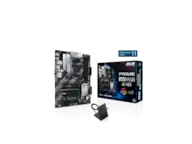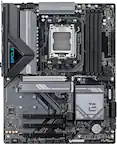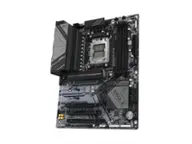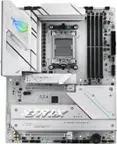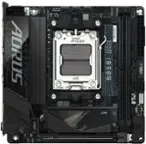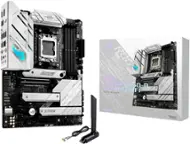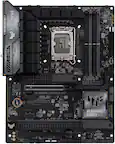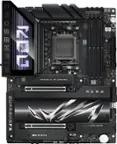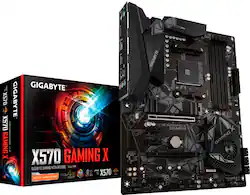
GIGABYTE - X570 GAMING X (Socket AM4) USB 3.2 Gen 1 AMD Motherboard
- Key Specs
- Chipset: AMD X570
- Form Factor: ATX (The size, arrangement, and physical configuration of the product.)
- Processor Socket: Socket AM4 (Type of pin configuration that connects a CPU to a computer’s motherboard.)
- Number Of Memory Slots: 4
- Maximum Memory Supported: 128 gigabytes
- General
- Brand: GIGABYTE
- Model Number: X570 GAMING X
- Product Name: X570 GAMING X (Socket AM4) USB 3.2 Gen 1 AMD Motherboard
- Compatibility
- Chipset: AMD X570
- Form Factor: ATX (The size, arrangement, and physical configuration of the product.)
- Processor Socket: Socket AM4 (Type of pin configuration that connects a CPU to a computer’s motherboard.)
- Processor Compatibility: AMD Ryzen 5 5000 Series, AMD Ryzen 7 5000 Series, AMD Ryzen 9 5000 Series, AMD G-Series
- Connectivity
- Power Connector: 24-pin main power connector, 8-pin ATX12V connector (The configuration of the connector as it connects the motherboard to a power supply unit.)
- Slot
- Number Of Memory Slots: 4
- Dimensions
- Product Length: 9.6 millimeters (The out of box length of the item. Length is measured as the longest dimension of the item.)
- Product Width: 12 millimeters (The out of box width of the item. Width is measured as the horizontal distance from one side of the item to the other as it would be primarily used or placed.)
- Memory
- Maximum Memory Supported: 128 gigabytes
- Memory Slot Type: 288-pin DIMM
- Other
- UPC: 889523018026
Play your favorite titles on a custom-built PC using this GIGABYTE GAMING X motherboard. Support for select AMD Ryzen desktop processors and up to 128GB of RAM lets you run AAA titles while multitasking. This GIGABYTE GAMING X motherboard features three PCIe slots to handle multiple graphics cards, and two PCIe NVMe slots allow a dual-SSD configuration.
- Supports AMD Ryzen processors: In an AM4 socket.
- Up to 4000MHz (OC) system speed: With an AMD X570 chipset for efficient operation.
- AMD CrossFireX and AMD Quad CrossFireX graphics support: Provides ultrarealistic image detail when gaming.
- Four 288-pin DDR4 SDRAM DIMM sockets: Support up to 128GB of system memory.
- Supports Realtek 6-channel audio: For high-definition sound.
- Peripheral interfaces: Include 1 LAN (Gigabit Ethernet), 1 audio line-in, 1 audio line-out, 1 microphone, 1 HDMI, 4 USB 3.2 Gen 1, 1 PS/2 (keyboard), 1 PS/2 (mouse) and 2 USB 2.0.
- Expansion capabilities: Include 2 PCI Express 4.0 x16 and 3 PCI Express 4.0 x1.
- Supports AMD Ryzen processors: In an AM4 socket.
- Up to 4000MHz (OC) system speed: With an AMD X570 chipset for efficient operation.
- AMD CrossFireX and AMD Quad CrossFireX graphics support: Provides ultrarealistic image detail when gaming.
- Four 288-pin DDR4 SDRAM DIMM sockets: Support up to 128GB of system memory.
- Supports Realtek 6-channel audio: For high-definition sound.
- Peripheral interfaces: Include 1 LAN (Gigabit Ethernet), 1 audio line-in, 1 audio line-out, 1 microphone, 1 HDMI, 4 USB 3.2 Gen 1, 1 PS/2 (keyboard), 1 PS/2 (mouse) and 2 USB 2.0.
- Expansion capabilities: Include 2 PCI Express 4.0 x16 and 3 PCI Express 4.0 x1.
Whats Included
- Gigabyte X570 GAMING X
- Software
- Gigabyte X570 GAMING X
- Software
Product Manuals
Q: Does this motherboard needs bios update for Gen 3 Ryzen CPUs?
A: "Gen 3"? Are you referring to the Ryzen 7s? Some cores such as Ryzen 7 5800X are supported from BIOS version F1 while others require BIOS version F3. Just like the other boards built on the AMD X570 chipset, you can add support for all the way up to the Ryzen 9 series by updating the BIOS. You can do this without a second CPU if you use a formatted flash drive with files from the Gigabyte Website by first finding the device, in Motherboards > Socket AM4 > X570 > X570 Gaming X, and heading to support tab to find and download BIOS updates. After you have your flash drive prepared you can use the Q-Flash feature on the board to flash the BIOS and update it from the Flash Drive.
Q: Is it compatable with ddr4 ram, and what video chipset is included?
A: Yes and two pcie 4.0 lanes
Q: Does it come with any wifi or do I need to buy a PCIE wifi card?
A: No WiFi with this board will have to purchase a adapter
Q: Is this mother board Windows 11 ready, or does a TPM 2.0 need added.
A: Yes it’s windows 11 ready
Q: Does this motherboard have an onboard USB - C port?
A: No type C connector or type C port only usb a 2.0/3.0
Q: Will this ever be restocked?
A: It’s not worth it at all
A: I had to have it shipped to me but it was a waste of time ended up returning it
Q: WHAT KIND OF POWER SUPLIE DO YOU NEED FOR THIS MOTHERBOARD
A: Any kind. Power supply depends on the cpu gpu combo you plan on using as the motherboard takes very little power to run
Reviews
People also viewed
- Clearance$80.99$199.99