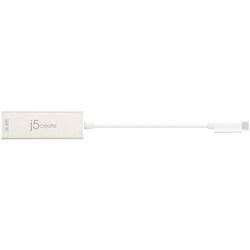
j5create - USB-C to 4K Mini DisplayPort Adapter - White
- Key Specs
- Connector Type (End 1): USB Type C
- Gender (End 1): Male
- Connector Type (End 2): DisplayPort
- Gender (End 2): Female
- Connector Finish: Aluminum
- General
- Product Name: USB-C to 4K Mini DisplayPort Adapter
- Brand: j5create
- Model Number: JCA142
- Color: White
- Connectivity
- Cable Type: USB, Monitor
- Product Type: Adapter
- Connector Type (End 1): USB Type C
- Gender (End 1): Male
- Connector Type (End 2): DisplayPort
- Gender (End 2): Female
- Material
- Connector Finish: Aluminum
- Other
- UPC: 847626002298
Connect your laptop to an external UHD monitor or TV with this j5create USB-C to 4K mini DisplayPort adapter. The thin and sleek profile is ideal for use on the go, while the aluminum casing offers dependable durability. This j5create USB-C to 4K mini DisplayPort adapter has a 5.5-inch cable for a seamless plug-and-play experience.
- Built for use with most USB Type C and mini DisplayPort ports: For simple connection between devices.
- Connectors: Promote efficient signal transfer.
- 5.7" length: Lets you place your devices exactly where they're needed.
Whats Included
- j5create USB/DisplayPort Adapter
A: The USB Type-C to Mini DisplayPort Adapter generally allows you to connect USB Type-C (Available DisplayPort Alternate Mode over USB Type-C) or Thunderbolt 3/4 devices to monitors or displays with Mini DisplayPort inputs. However, it may not support older Apple Cinema Displays that use Mini DisplayPort. Apple's Thunderbolt Displays and older Mini DisplayPort Displays have different technology. If your Apple Cinema Display is a Mini DisplayPort display (pre-Thunderbolt), it may not be directly compatible with Thunderbolt 3/4 connections, which your 2020 M1 Mac Mini has. Our device may work for your setup, however, we cannot guarantee functionality. At this time, I have forwarded this information to our project team. I will have an update, if our device works with your specific units and I will be posting here. Thank you.
A: No, the JCA142 is not for data transfer - it is for adding a monitor. We recommend contacting the support team on the packaging and a representative will be able to better assist you in finding a device that will meet your needs.
A: That answer doesn't make sense. A minidisplayport to minidisplayport cable will not connect to my MacBook Pro that only supports USB-C.
Q: Will this connect a Dell 20 inch monitor to a MacBook Pro 15
A: Depending on the inputs of the Dell monitor, we may recommend different models that will work for your setup. If the Dell monitor supports HDMI, I would recommend a JCC153G for example - simply plug it in and done.
Q: Will this connect a modern iMac or MacBook to an older apple Cinema Display?
A: Depending on the year of the iMac/MacBook, and the Apple Cinema Display; it may or may not be compatible. In order to confirm and provide a more accurate response, we recommend contacting support on the packaging and a rep will be happy to assist and if necessary, offer a solution.



















