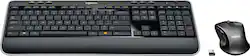
Logitech - MK530 Advanced Wireless Keyboard and Optical Mouse - Black
- Key Specs
- Lighting Type: None
- Form Factor: Ergonomic (The size, arrangement, and physical configuration of the product.)
- General
- Product Name: MK530 Advanced Wireless Keyboard and Optical Mouse
- Brand: Logitech
- Model Number: 920-008002
- Features
- Lighting Type: None
- Touchpad: false
- Keyboard Type: Gaming, Keypad
- Palm Rest: false
- Keyboard Features: One-touch hot keys
- Foldable: false
- Functions
- Form Factor: Ergonomic (The size, arrangement, and physical configuration of the product.)
- Multimedia Keys: true
- Compatibility
- Operating System Compatibility: Windows
- System Requirements: Microsoft Windows XP / Vista / 7 / 8 / 10 (The software that a product must have for it to be able to integrate with another product.)
- Power
- Battery Size: AA (The battery size required for operation.)
- Number of Batteries Required: 4
- Batteries Included: true (Indicates whether the product comes with the required batteries for its operation.)
- On/Off Switch: true
- Dimensions
- Product Height: 0.91 inches (The out of box height of the item. Height is measured as the vertical distance from the bottom of the item to the top as it would be primarily used or placed.)
- Product Width: 17.8 inches (The out of box width of the item. Width is measured as the horizontal distance from one side of the item to the other as it would be primarily used or placed.)
- Product Weight: 26.9 ounces (The out of box weight of the item.)
- Mouse
- Mouse Included: true
- Other
- UPC: 097855120366
Control your computer with this Logitech wireless keyboard and optical mouse set. Both devices transfer through a single USB port, freeing one up, ideal for laptops so that you can enjoy the convenience of wireless connectivity. Reliable wireless connectivity keeps this Logitech wireless keyboard and optical mouse set linked to your device throughout the day.
- One-touch hot keys: To instantly access the Internet, e-mail, media player, volume control, and more.
- USB receiver: Provides reliable wireless connection.
- PC compatible: For use with your existing computer.
Whats Included
- Logitech MK530 Advanced Wireless Keyboard and Optical Mouse
- USB wireless receiver
A: Bern , I believe that's actually correct I don't have mine with me at this time but I have seen this in the past , when Logitech sells this keyboard without the mouse it sells as a K520, the mouse sells as a another number (I cannot remember which, M510 I think). Nothing is wrong that's just how Logitech numbers them, MK530 is a set of a K520 keyboard and a mouse. The cheaper MK520 set at at discount stores the mouse has no side buttons (M310 mouse) , the Mk530 (this set) the mouse has side buttons (M510 mouse I think), but the keyboard in both sets is the same and is numbered a K520.
A: You need to make sure the receiver doesn't have anything interfering with it. If you're using it on a desktop, plug the receiver into a front USB port instead of the back. On a laptop, make sure there aren't other cables around it. If you have a single USB port anywhere, plug it in there rather than next to other devices.
Q: I opened the box and can't find the little part that goes into the USB port. Where is it?
A: Hello... I had the same question as well. It's not located in the mouse like it would be if you purchased the mouse alone. You have to remove the keyboard battery cover and you will find the USB adapter. I hope that helps answer your question. Best, Hernan Lopez
Q: WHERE CAN I FIND THE MANUAL FOR THE KEYBOARD
A: On the Logitech website. Keyboard is listed as Wireless MK520.
Q: does this keyboard have the light that tells you when caps are on?
A: Yes, they're is a small light on the Caps button
A: You may need to go in to the mouse application settings. My mouse does not click.
A: No. The keyboard and mouse use a provided usb dongle to communicate with the computer.
A: Great keyboard and better than regular. Very comfortable keys. I will always buy this. The mouse and keyboard are so easy to use.














