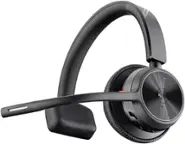
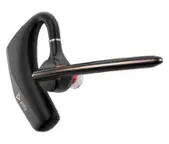
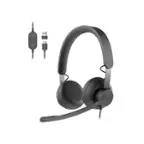
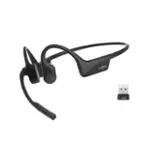
MEE audio - Bluetooth Wireless Headset with Boom Microphone and Charging Dock
- Key Specs
- Wireless: true
- General
- Product Name: Bluetooth Wireless Headset with Boom Microphone and Charging Dock
- Brand: MEE audio
- Model Number: H6D
- Dimensions
- Product Height: 3 inches (The out of box height of the item. Height is measured as the vertical distance from the bottom of the item to the top as it would be primarily used or placed.)
- Product Length: 6 inches (The out of box length of the item. Length is measured as the longest dimension of the item.)
- Product Width: 6 inches (The out of box width of the item. Width is measured as the horizontal distance from one side of the item to the other as it would be primarily used or placed.)
- Product Weight: 0.5 pounds (The out of box weight of the item.)
- Audio
- Maximum Operating Range: 30 feet
- Features
- Wireless: true
- Power
- Battery Size: N/A (The battery size required for operation.)
- Warranty
- Manufacturer's Warranty - Parts: 1 year
- Manufacturer's Warranty - Labor: 1 year
- Other
- UPC: 616312615797
Nothing can torpedo an online meeting quicker than unwanted background noise or audio that's cutting in and out. The H6D Bluetooth headset system gives you the freedom to move around while ensuring your voice is heard with crystal clarity over Zoom, Google Meet, Microsoft Teams, and other video conferencing applications, as well as regular phone calls.
- Flexible boom microphone: Noise-cancelling boom microphone eliminates echoes and decreases background noise for superior voice quality
- 14 hours talk / 400 hours standby: Built-in rechargeable battery provides up to 14 hours of talk time and 400 hours of standby time on a single charge
- Charging dock included: Included magnetic charging dock eliminates battery anxiety by making sure your headset is fully charged at the start of every workday
- Built-in controls: Built-in controls enable hands-free calling and volume adjustment
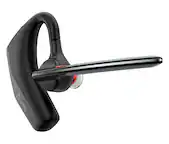
- Ergonomic design: Lightweight earpiece can be worn comfortably on left or right ear
- Bluetooth 5.0: Bluetooth wireless technology provides up to 30 meters (100 feet) of wireless range
- Multipoint dual device connectivity: Multipoint technology lets you pair up to two Bluetooth devices simultaneously and answer calls from either device
- Powered by Bluetooth: Compatible with phones, tablets, laptops, and other Bluetooth-enabled devices
Whats Included
- MEE audio H6D Bluetooth wireless headset
- Charging dock
- USB charging cable
- Quickstart guide
A: Mute/unmute microphone Press and hold the Volume down button for 2 seconds to mute. Repeat to unmute. Headset will produce two tones when muted or unmuted. Or you can mute from app you are using ex: Microsoft Teams.
Q: can you use it on left or right ear
A: yes you can. you just rotate the microphone 180 degrees
A: Yes you can answer and hang up calls from it.
Q: Does this work with landline?
A: If your phone takes Bluetooth, it will work.
Q: Can this headset be used with a desktop phone system, and if so how?
A: yes, connect through normal Microsoft add Bluetooth through device setting.
A: The base is only used for charging and does not have to be connected to your computer - it can be plugged into any USB power source. The headset connects via Bluetooth directly to the device you will be using it with, such as a computer, phone, tablet, etc.
A: Generally, no. A Bluetooth stereo such as the one likely used on your boat, and a Bluetooth headset are both considered Bluetooth "Receivers". Two Bluetooth receivers cannot be paired with each other, only with a Bluetooth "transmitter" such as a phone/tablet/computer etc.
Q: Where is this headset made?
A: This headset is made in China