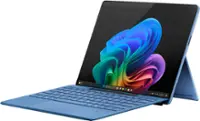
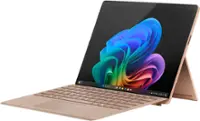
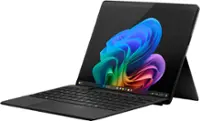
Microsoft - Surface Pro 7 - 12.3" Touch Screen - Intel Core i7 - 16GB Memory - 512GB SSD - Device Only (Latest Model) - Platinum
More Buying Options
Related Item

Highlights
- Key Specs
- Screen Size: 12.3 inches (Size of the screen, measured diagonally from corner to corner.)
- Screen Resolution: 2736 x 1824 (Screens come in a range of resolutions (measured in pixels, horizontal x vertical). The higher the resolution, the greater the picture quality.)
- Processor Model: Intel 10th Generation Core i7 (Your computer's processor is like its brain. Working in combination with system memory, the power of the processor determines the complexity of software you can run, how many programs you can have open at the same time, and how fast those programs will run. Most computers feature an AMD, Intel or Snapdragon processor.)
- Total Storage Capacity: 512 gigabytes
- Operating System: Windows 10 Home (The operating system manages all software and hardware, including files, memory and connected devices. Most importantly, it lets you interact with your device and your programs in a visual way; otherwise, you'd be typing computer code to get anything done.)
- Voice Assistant Built-in: No (A digital assistant built into the device that uses voice commands to answer questions and control smart devices.)
- Wireless Connectivity: Bluetooth, Wi-Fi (The manner in which a device sends data to another device over a short distance without the use of wires or cables.)
- Battery Chemistry: Lithium-ion
- 2-in-1 Design: true (A laptop and a tablet combined in one lightweight, portable device. Sometimes referred to as "convertible" or "hybrid" laptops, these devices deliver the processing power and keyboard of a laptop. When you're ready to play, either detach the screen or fold your 2-in-1 into tablet mode to comfortably watch movies, play games, read an e-book and more.)
- Security Features: Facial recognition
- General
- Brand: Microsoft
- Model Number: VAT-00001
- Product Name: Surface Pro 7 - 12.3" Touch Screen - Intel Core i7 - 16GB Memory - 512GB SSD - Device Only (Latest Model)
- Color: Platinum
- Year of Release: 2019
- Display
- Screen Type: PixelSense
- Screen Size: 12.3 inches (Size of the screen, measured diagonally from corner to corner.)
- Screen Resolution: 2736 x 1824 (Screens come in a range of resolutions (measured in pixels, horizontal x vertical). The higher the resolution, the greater the picture quality.)
- Stylus Input: Built for Windows Ink (Active) (An active stylus/pen is able to communicate directly with a compatible device; active electromagnetic resonance (EMR) pens are powered via a device's screen and active electrostatic (AES) pens require an additional power source. A passive stylus does not have electronic features and is compatible with most capacitative touch screens.)
- High Dynamic Range (HDR): false (An HDR-compatible 4K TV or other HDR-compatible product displays HDR video content when it's available from sources like 4K Ultra HD Blu-ray Discs and 4K streaming services.)
- Processor
- Processor Brand: Intel
- Processor Model: Intel 10th Generation Core i7 (Your computer's processor is like its brain. Working in combination with system memory, the power of the processor determines the complexity of software you can run, how many programs you can have open at the same time, and how fast those programs will run. Most computers feature an AMD, Intel or Snapdragon processor.)
- Storage
- Total Storage Capacity: 512 gigabytes
- Memory
- System Memory (RAM): 16 gigabytes (Random-access memory (RAM) is a computing device's short-term data storage, which allows active information to be accessed quickly. The size and type of RAM determines how efficiently the device can handle large amounts of information at one time. For example, gaming or video editing requires more RAM for optimal performance.)
- Type of Memory (RAM): LPDDR4X (Each type of RAM delivers a different level of speed, bandwidth, energy efficiency and performance.)
- Expandable Memory Compatibility: microSD, microSDXC
- Compatibility
- Operating System: Windows 10 Home (The operating system manages all software and hardware, including files, memory and connected devices. Most importantly, it lets you interact with your device and your programs in a visual way; otherwise, you'd be typing computer code to get anything done.)
- Operating System Compatibility: Windows
- Voice Assistant Built-in: No (A digital assistant built into the device that uses voice commands to answer questions and control smart devices.)
- Connectivity
- Wireless Connectivity: Bluetooth, Wi-Fi (The manner in which a device sends data to another device over a short distance without the use of wires or cables.)
- Network Connectivity: None (The manner in which a device sends data to another device over a long distance using a cellular network.)
- Compatible Wireless Standard(s): Wireless-A, Wireless-AC, Wireless-B, Wireless-G, Wireless-N (The wireless networking standard(s) the device is backwards compatible with. This includes networking protocols based on the IEEE 802.11 standard (alphabetically ascending) and the Wi-Fi Alliance standard (numerically ascending), both of which provide high-throughput wireless local area networks (WLANs). Devices designed to work with specific standard(s) will be backwards compatible with previous versions but may not run at optimal performance when using earlier iterations.)
- Headphone Jack: true (The device features an interface that allows for the connection of headphones.)
- Bluetooth Version: 5.0 (The Bluetooth specification formalized by the Bluetooth Special Interest Group. All versions of the Bluetooth standard are backwards compatible with previous versions.)
- GPS Enabled: false
- Interface(s): 3.5mm audio, DisplayPort, USB-A, USB-C (Refers to the types of connections that devices use to interact and communicate with each other.)
- Data Plan Required: false
- Power
- Charging Interface(s): Proprietary (The connection for transmitting power to charge the device.)
- Battery Life (up to): 10.5 hours (Battery life will vary depending on the product configuration, product model, applications loaded on the product, power management setting of the product and the product features used by the customer. As with all batteries, the maximum capacity of this battery will decrease with time and usage.)
- Battery Chemistry: Lithium-ion
- Camera
- Front-Facing Camera: true
- Front Facing Camera Megapixels: 5 megapixels (The more megapixels, the more detail that the camera facing the user can capture.)
- Front Facing Camera Video Resolution: 1080p (Refers to the number of pixels, both horizontally and vertically, used by the camera facing the user to capture video. The higher the resolution the finer the video detail that can be seen.)
- Rear-Facing Camera: true
- Rear Facing Camera Megapixels: 8 megapixels (The more megapixels, the more detail that the camera facing away from the user can capture.)
- Rear Facing Camera Video Resolution: 1920x1080 (1080p) (Refers to the number of pixels, both horizontally and vertically, used by the camera facing away from the user to capture video. The higher the resolution the finer the video detail that can be seen.)
- Features
- 2-in-1 Design: true (A laptop and a tablet combined in one lightweight, portable device. Sometimes referred to as "convertible" or "hybrid" laptops, these devices deliver the processing power and keyboard of a laptop. When you're ready to play, either detach the screen or fold your 2-in-1 into tablet mode to comfortably watch movies, play games, read an e-book and more.)
- Keyboard Included: false
- Security Features: Facial recognition
- Stylus Dock: None
- Dimensions
- Product Height: 0.33 inches (The out of box height of the item. Height is measured as the vertical distance from the bottom of the item to the top as it would be primarily used or placed.)
- Product Width: 11.5 inches (The out of box width of the item. Width is measured as the horizontal distance from one side of the item to the other as it would be primarily used or placed.)
- Product Depth: 7.9 inches (The out of box depth of the item. Depth is measured as the distance from the front of the item to the back as it would be primarily used or placed.)
- Product Weight: 27.84 ounces (The out of box weight of the item.)
- Included
- Included Software: Microsoft Office 365 30-Day trial
- Stylus Included: false
- Warranty
- Warranty - Parts: 1-year limited hardware
- Warranty - Labor: 1 year
- Other
- UPC: 889842476989
At your desk, on the couch, or out in the yard, Surface Pro 7 adapts to the way you work with laptop-to-tablet versatility. And now, it delivers more power than ever, with a laptop-class Intel Core processor, all-day battery¹, Instant On, and improved graphics — plus more multitasking connections, including both USB-C and USB-A ports. 
- Connect, create, get comfortable: Whatever your office looks like, be it a desk, couch, or dining table, Surface Pro 7 is your ultra-light, endlessly adaptable partner — now with faster processing and more connections — plus all-day battery life.¹
- More powerful in every way: Chase your dream and get seriously productive with mega-multitasking laptop power, all-day battery,¹ and plenty of memory and storage.
- Powered by a 10th Gen Intel Core processor: Surface Pro 7 keeps up with you — with multitasking speed, stunning entertainment, incredible Wi-Fi performance, and long battery life.¹
- Get back to work the moment inspiration strikes: With Fast Charging, all-day battery¹ and Instant On, you can get back to work right now, tonight, or tomorrow. Surface Pro 7 stands ready to take your ideas to the next level whenever you are.
- Built-in cameras that show your best side: 1080p HD video webcams are perfect for all your calls, meetings, virtual get togethers and more.
- Connect and keep up the way you want to: Video calls and meetings come to life with spectacular audio and video with far-field Studio Mics, Dolby Audiosound, and HD cameras that automatically adjust to indoor and outdoor lighting conditions.
- A brilliant display: The high-resolution 12.3” PixelSense Display with touchscreen automatically adjusts to lighting conditions.
- Make a statement with signature accessories: Personalize your Surface Pro 7 with the Surface Pro accessories you know. Choose from Platinum or Matte Black.⁴
- Be heard loud and clear: Whether in conference calls or using voice dictation in Office apps* with enhanced dual far-field Studio Mics. Plus, enjoy crisp, clear audio for music, podcasts, and movies with Dolby Audiosound.
- Do more with the Windows you know: Comes with Windows 10 Home, giving you familiar features, trusted security, and automatic updates.
- Connect, create, get comfortable: Whatever your office looks like, be it a desk, couch, or dining table, Surface Pro 7 is your ultra-light, endlessly adaptable partner — now with faster processing and more connections — plus all-day battery life.¹
- More powerful in every way: Chase your dream and get seriously productive with mega-multitasking laptop power, all-day battery,¹ and plenty of memory and storage.
- Powered by a 10th Gen Intel Core processor: Surface Pro 7 keeps up with you — with multitasking speed, stunning entertainment, incredible Wi-Fi performance, and long battery life.¹
- Get back to work the moment inspiration strikes: With Fast Charging, all-day battery¹ and Instant On, you can get back to work right now, tonight, or tomorrow. Surface Pro 7 stands ready to take your ideas to the next level whenever you are.
- Built-in cameras that show your best side: 1080p HD video webcams are perfect for all your calls, meetings, virtual get togethers and more.
- Connect and keep up the way you want to: Video calls and meetings come to life with spectacular audio and video with far-field Studio Mics, Dolby Audiosound, and HD cameras that automatically adjust to indoor and outdoor lighting conditions.
- A brilliant display: The high-resolution 12.3” PixelSense Display with touchscreen automatically adjusts to lighting conditions.
- Make a statement with signature accessories: Personalize your Surface Pro 7 with the Surface Pro accessories you know. Choose from Platinum or Matte Black.⁴
- Be heard loud and clear: Whether in conference calls or using voice dictation in Office apps* with enhanced dual far-field Studio Mics. Plus, enjoy crisp, clear audio for music, podcasts, and movies with Dolby Audiosound.
- Do more with the Windows you know: Comes with Windows 10 Home, giving you familiar features, trusted security, and automatic updates.
Whats Included
- Microsoft Surface Pro 7
- Power supply
- Quick start guide
- Safety and warranty documents
- Microsoft Surface Pro 7
- Power supply
- Quick start guide
- Safety and warranty documents
Q: DOES IT COME WITH THE KEYBOARD?
A: No, keyboard is separate purchase
Q: What kind of charging system does this require? Couldn’t find on Best Buy website
A: Surface Pro 7 comes with a power supply to charge the device.
Q: does this have vt-x? does this support virtual machines?
A: yes thanks dillymcphilly
A: Hello Chris. Thank you for your question. To check on this information, we suggest you to get in contact with Best Buy's support team using the link below: ***https://www.bestbuy.com/site/electronics/customer-service/pcmcat87800050001.c?id=pcmcat87800050001*** You can also chat with a Best Buy agent by clicking the chat button that is located in the lower right corner of the retailer website. Thank you for choosing Intel!
Q: Is this surface pro upgrade able to windows 11?
A: Yes, mine upgraded just fine to Windows 11.
Q: Can you download turbo tax on this?
A: Yes. Virtually any program that runs on Windows.
Q: Does it come with Window 10?
A: Thanks for asking! Surface Pro 7 comes with Windows 10 Home.
A: Surface Pro 7 is designed for use with Windows 10. For information on how to upgrade Windows 10 Home to Windows 10 Pro, go here: https://support.microsoft.com/en-us/help/12384
Compare similar products

At your desk, on the couch, or out in the yard, Surface Pro 7 adapts to the way you work with laptop-to-tablet versatility. And now, it delivers more power than ever, with a laptop-class Intel Core processor, all-day battery¹, Instant On, and improved graphics — plus more multitasking connections, including both USB-C and USB-A ports.

Unplug. Pack light. Get productive your way, all day. Collaborate on projects, perfect a presentation, manage email, and stream a show when it’s all done. From office to home, airport to open road, power your life on the move with new Surface Pro 6, the laptop that adapts to you — now more powerful than ever with the latest 8th Generation Intel Core™ processor for faster, smoother multitasking.

Get the flexibility you want and the speed you need with Surface Pro 12" Bundle, a Copilot+ PC. When you have all this, plus advanced AI capabilities in one ultra-thin and light device, the power to go beyond what you thought possible is yours. This bundle includes the Surface Pro 12" Keyboard. This keyboard features a stable and durable design, full size backlit keyboard, a dedicated Copilot key for instant AI access at your fingertips.

The most flexible laptop, reimagined — Surface Pro helps you get the most out of your day with accelerated performance that unlocks a new AI era to enable Copilot experiences, and battery life₅ to keep you going all-day long. All wrapped up in an ultra-portable design that can replace your tablet, your laptop, and does more than you could ever imagine.
| Pros for Microsoft - Surface Pro 7 - 12.3" Touch Screen - Intel Core i7 - 16GB Memory - 512GB SSD - Device Only (Latest Model) - Platinum | |||
|---|---|---|---|
| There were no pros for this product— | There were no pros for this product— | Portability, Battery Life, Build Quality, Keyboard Backlight, Performance | Portability, Battery Life, Overall Performance, Processor Speed, Screen Quality |
| Cons for Microsoft - Surface Pro 7 - 12.3" Touch Screen - Intel Core i7 - 16GB Memory - 512GB SSD - Device Only (Latest Model) - Platinum | |||
| There were no cons for this product— | There were no cons for this product— | Port Selection | Software Compatibility, Price |
Specs



Reviews
Customer Images
The vast majority of our reviews come from verified purchases. Reviews from customers may include My Best Buy members, employees, and Tech Insider Network members (as tagged). Select reviewers may receive discounted products, promotional considerations or entries into drawings for honest, helpful reviews.
- Rated 5 out of 5 stars
Fantastic Product!
I've been a fan of the Microsoft Surface Pro lines since its inception. Not much of a difference between the Surface Pro 6 and this Surface Pro 7 though. Appreciate the newly added USB-C port but Microsoft should've already had it on the Surface Pro 6. Overall, great product all around.
This review is from Microsoft - Surface Pro 7 - 12.3" Touch Screen - Intel Core i7 - 16GB Memory - 512GB SSD - Device Only - Matte Black
Posted by teedang
- Rated 5 out of 5 stars
Coolest Laptop/2-in-1 I've Ever Owned
I have been eyeing the Surface for a few generations and when it came time to replace my iPad and my laptop (both of which were very old) I thought that the Surface would be the perfect choice and I was totally right. I've built my own computers and this is still probably the coolest computer/laptop/2-in-1 that I have ever owned. Pros: It's light. The touchscreen is sufficiently responsive/sensitive and the resolution and image quality are great. The performance and battery life are pretty good as well. Cons: The only two cons that I have is that it seems to get a little hot sometimes and for some reason the charging cables tend to look like a tangled mess and don't like to fold up nicely when putting it away.
This review is from Microsoft - Surface Pro 7 - 12.3" Touch Screen - Intel Core i7 - 16GB Memory - 512GB SSD - Device Only - Matte Black
Posted by GamerNerd
- Rated 5 out of 5 stars
Finally found my new laptop
I had a lot of problems trying to replace my nearly 3 year old Dell XPS13. First of all it was an i7 with a terabyte SSD and 16 GB RAM. 4K HDR screen was gorgeous. I didn't NEED a replacement, but I'd never kept a laptop that long, and I missed the tablet format of my Spectre X360's I had before it. So first I tried a Surfacebook, but it wouldn't work with my Dell WD15 USB C dock. I finally got the multimonitors to work, but it didn't have enough power to charge. I didn't want multiple plugs and I didn't want to buy a dock for it. Then I tried a different version of this, the i5 base model Surface Pro 7. I already knew the format, I have a Surface Pro 4 that my son and I use for building Lego sets, since we like the electronic instructions rather than the paper. But that Surface Pro 7 also didn't work well with the multimonitor setup with that Dell WD15 dock. Then I tried the 2020 Spectre X360 15" with the discrete video option. Yes, still issues with the dock and multi monitor. So then I finally tried the new 2020 Spectre X360 14 inch. When that didn't work well with the Dell dock, I purchased a Thunderbolt 3 dock that should've worked well with it, and still had issues. I finally saw they had a really great sale on these higher end Surface Pros, so it was worth getting this and simply buying the Surface Dock 2 and bypassing issues with my Dell dock. And it's been a nearly perfect result. It is a bit of a performance hit for the lower power i7 this has, but for my needs, the things I do like transcoding video files are not a constant, so I don't mind the performance drop. The 4k HDR screen was nice, but I don't watch movies on these, so I didn't really lose anything there. I do require something I can use on my lap on the couch though since I do a lot of work at home at night as well, and the Brydge Pro 12.3 really DOES turn this into a laptop for all intents and purposes, finally a keyboard that's weighted enough that this acts like a laptop in your lap, no kickstand needed. It's so great having something with no fan noise. This is dead silent. The form factor is great for someone like me who takes it to work and back home every day. The tablet functionality is outstanding, whether using fingers or the pen, it gives so many more possibilities than normal laptops. Unlike the HP Spectre X60 15 inch, this is NOT a burden to hold and use as a tablet. I've had SSD based systems for years now, the last five laptops I've had were all SSD, all my desktops and my media center are SSD, so I'm used to fast booting systems. Yet this still boots quicker than any other system I have or ever used. I don't sleep anything, always power off, so I still have a very quick boot. I've had a few issues with a couple programs I use such as Eseecloud for my home external cameras, and even with the dock 2 designed for these, I get weird issues with the mouse moving between one of the monitors and this screen. But considering all the things I run on here, that's small potatoes. The power brick isn't too bad, but I found a USB C to surface port charging cable that I can use with a small USB C wall wart that puts out 90 watts. FAR easier to carry that with me, and the one that shipped with this is permanently under the couch and used when I am home. The screen gets very dark if you want, FAR darker than the XPS could, which I appreciate at night. Battery life is a bit of a letdown, but still better than my Dell was doing after nearly 3 years of use. I would've loved the battery life of the Surfacebook but I didn't want to pay the premium for the hardware when I could get this on such a great sale and have basically the same experience. I have no need of discrete graphics and it seemed pointless to spend extra money for something I never needed to use. I'm glad I finally am done searching for a new laptop. Between the Brydge keyboard I can leave at home on the stand by the couch and the typecover for when I'm anywhere else and don't need this on my lap, I have the best of all worlds.
This review is from Microsoft - Surface Pro 7 - 12.3" Touch Screen - Intel Core i7 - 16GB Memory - 512GB SSD - Device Only - Matte Black
Posted by JDThird