Black Friday is hereShop new DoorbustersShop now

Main Content

Questions & Answers

Page Showing 1-20 of 472 questions
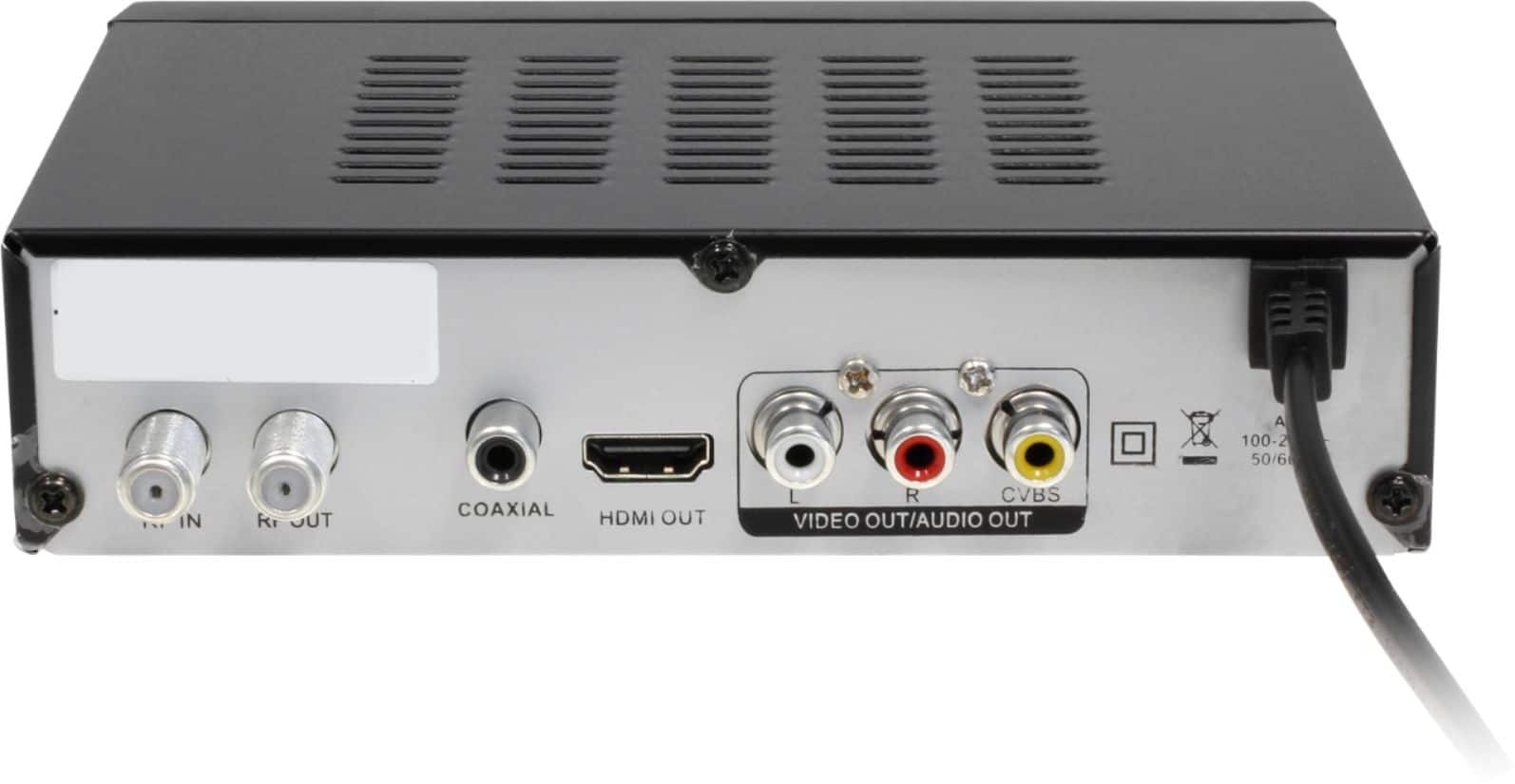
  • QuestionHow can I connect this converter box to my TV?

    • Answer This converter box can connect to TVs that have HDMI or RCA connectivity.
    This question and answer was generated by AI based on customer and product data.
  • QuestionDoes this digital TV converter box come with a remote control?

    • Answer Yes, the digital TV converter box includes a remote control.
    This question and answer was generated by AI based on customer and product data.
  • QuestionWhere can recordings be saved?

    • Answer Recordings can be saved to a USB, solid-state, or hard drive.
    This question and answer was generated by AI based on customer and product data.
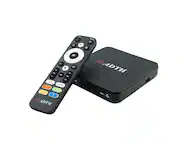
  • QuestionWhat type of output does this device have for audio?

    • Answer This digital TV converter box has a coaxial digital audio output.
    This question and answer was generated by AI based on customer and product data.
  • QuestionDoes this device offer closed captioning?

    • Answer Yes, this digital TV converter box provides subtitles for all supported channels.
    This question and answer was generated by AI based on customer and product data.
  • QuestionCan I record TV shows with this Aluratek digital TV converter box?

    • Answer Yes, it has a personal video recorder function that supports both instant and scheduled recording.
    This question and answer was generated by AI based on customer and product data.
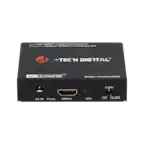
  • QuestionCan you record more than one program at the same time?

    Asked by Anonymous.

    • Answer No. And if you're recording, you can only watch the channel being recorded. This product is not recommended. In addition to bugginess on recordings (I've had to recordings fail), there are sync problems on live TV with audio and video. This necessitates restarting the unit. This product badly needs a firmware/software update; an inquiry to the company concerning this has gone unanswered. ~

      Answered by WLB1

  • Questionstorage size?

    Asked by kjkx.

    • Answer The dvr has no built in memory. You can use a thumb drive or an external hard drive for storage. I used a 128GB thumb drive and it worked just fine.

      Answered by csb82973

  • QuestionI was wondering if this will work with cable tv and tune in the digital cable channels for a analog tuner tv ?

    Asked by Biggen.

    • Answer If your cable company uses their cable box, this won't work as the cable company communicates with their box to control what channels you get. This is mainly for broadcast channels received with a antenna.

      Answered by Tech208guy

  • QuestionCan I use this on my Samsung smart TV? I'm thinking about cutting the cord on the cable and just get internet. Can I record with this and watch on the TV and what else would I need to do this?

    Asked by Nancy.

    • Answer This unit is not Internet-capable. It is designed strictly to receive digital over-the-air broadcasts. In order to record a program, a flash drive (not included) must be attached. While the unit is recording, the channel being recorded is the only channel that can be viewed.

      Answered by WLB1

  • QuestionDoes this DV Recorder require a paid subscription for the Guide and Recording to be used and played back? Will the Guide show a week or 2 ahead of the date, and can Recording be scheduled in advance?

    Asked by LJMIL.

    • Answer No, it does not require any subscription. We use it with an antenna. It shows only the guides put out by each individual station. These can be just the for the day or 24 hours in our area. Recordings can be scheduled early as long as you know what, when, and where. We preset to record late shows and that was just a onetime deal. It has faithfully recorded each show since we set it.

      Answered by Char

  • Questioni have an old analog tv that uses an old co-ax cable input, will this work with a hd powered antenna?

    Asked by cpjim.

    • Answer Yes, I have my Alurstek plugged into an analog TV and it works fine. I use a digital antenna to connect to the Aluratek as well.

      Answered by JT01

  • QuestionI can't figure out how to connect this box to my TV the instructions make no sense I will have to return it unfortunately.

    Asked by Suzi14.

    • Answer You need to have a short black cable going from the box to the antenna input on your tv, then hook your antenna be it a outside or inside antenna to the box directly for local channels.

      Answered by Kryztalsand

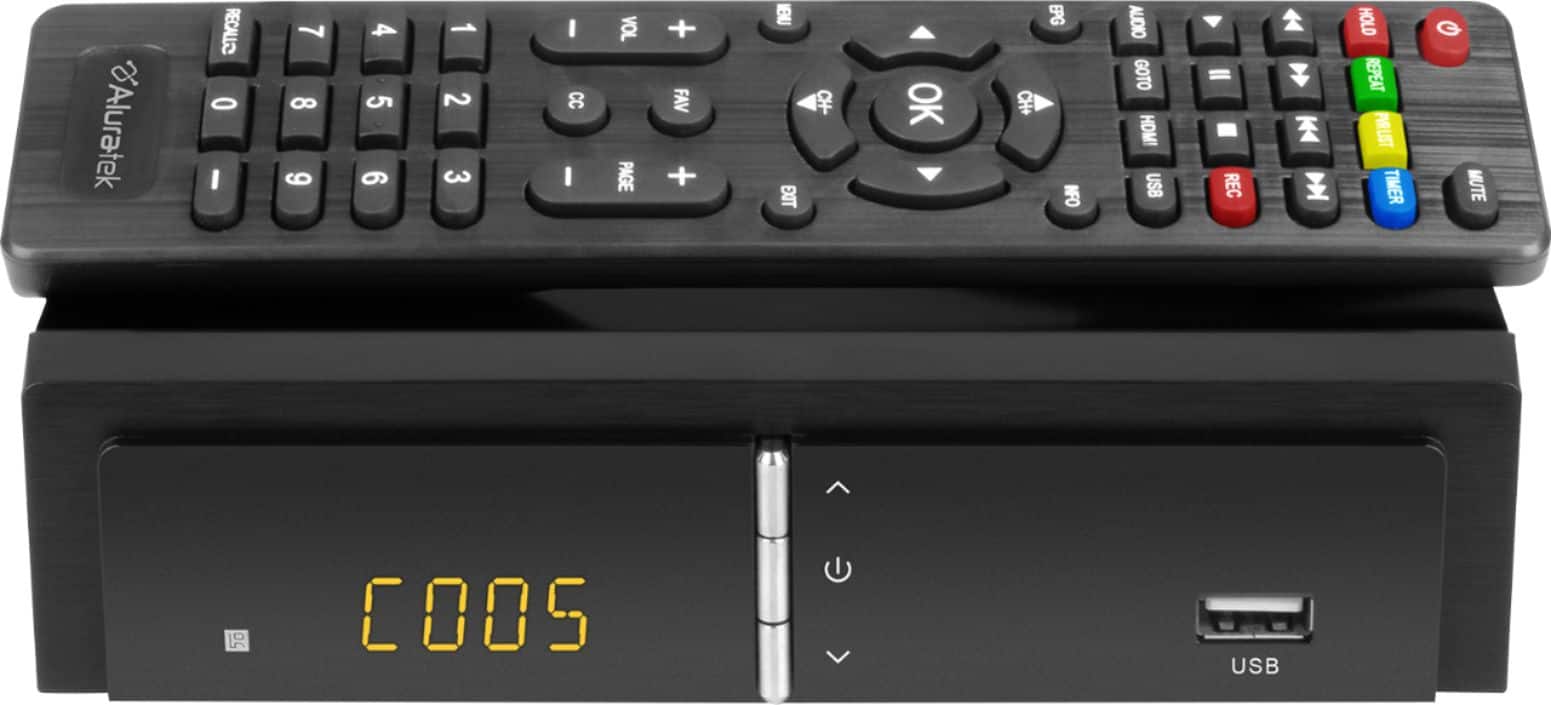
  • QuestionWhat does the led display? I see C0001 for example. what does it mean?

    Asked by Anonymous.

    • Answer C0001 is the first channel that was detected. If the first channel is channel 5 and the second channel detected is 7, the display will show C0001 for channel 5 and C0002 for channel 7.

      Answered by AZreview

  • QuestionCan you hook up a USB external hard drive to this?

    Asked by SnowDog.

    • Answer You can record to a flash drive or an external hard drive. If you are wanting to record a lot of shows before watching, you will need a large hard drive. YOU CANNOT RECORD AND WATCH ANOTHER CHANNEL - UNLESS IT IS IN THE SAME NUMBERS. (i.e., you cant watch channel 10 and record channel 13). You can watch 10-1 through 10-???.

      Answered by Candie5601

  • QuestionWhat flashdrive is compatible with my ADTBO1F Convertor box. I'm using a 32 gb but when I record the audio is ahead and the recording is wrecked with pixels.

    Asked by Anonymous.

    • Answer I've always used Sandisk flashdrives. A flash drive must be formatted FAT32 with the Aluratek. This limits file sizes to 4 GB, an hour show at 1080 will be in 2 different files. If a flashdrive is formatted NTFS, it will have occasional glitches with pixels. The sound sync is a chronic problem with the Aluratek, I've never found it to be on the actual recording , only on playback or watching or watching while recording. To fix the sync problem, the unit has to be shut off and restarted. It's handy to check where you are in the recording and use the go to feature to resume viewing at the same spot. Obviously, you don't want to do this while recording. Hard drives can be formatted NTFS and put the whole show in one file, convenient when you watch them on a computer. WD is my favorite hard drive brand but I've had a hard time getting some of them to work with the Aluratek. An older WD Elements portable works but a newer one will only work if plugged in while the Aluratek is on. I found WD Easystores don't work with the Aluratek, but a Seagate portable does. I think you are limited to a 2 or maybe 3 TB drive. It takes almost a minute for a hard drive to start recording instead of the few seconds for a flashdrive, so timer recordings have to be set a minute sooner.

      Answered by DW88

  • QuestionTo set up a daily recording do I need to leave the box turned on and booted up ?

    Asked by Missyanna.

    • Answer No, but quite frankly, I don't recommend this receiver/converter. The software is buggy. I contacted Aluratek support to see if there was a firmware/software update available and never heard back from them. There's a reason this unit is heavily discounted (at least it was when I bought it.) It's not totally unusable, but I've had multiple recordings fail. Again, not recommended.

      Answered by WLB1

  • QuestionDoes this accesory work well on analog TV, plus easy to setup?

    Asked by XIan123456.

    • Answer Yes it has coax to coax or video rca jack and hdmi. it’s very simple has arc functionality. It’s easy to setup the channels the pvr function is okay but not very easy to get to like a cable or satellite setup. Not a press button and there is the list it’s press menu then arrow over to media and select from list video kinda deal. I have it hooked up to a monitor for a security system.

      Answered by Derrie

  • QuestionHow do I record a program and watch another program on on a different channel at the same time?

    Asked by Anonymous.

    • Answer This is what I would do. Have Ihe cable from your Antenna coming into the Aluratek RF in port. Have an RF cable to your digital TV (one that can tune digital over-the-air channels) from the Aluratek rf Out. Connect the Aluratek HDMI out or RCA out ports to your TV as well. Under channel setting--modulation-- on the Aluratek change the setting to loop through. Use the HDMI connection or RCA input on your TV to change channels and reach the menu on the Aluratek. Use the TV (rf) input of your TV to view a different channel while recording to the Aluratek by external flash or hard drive.

      Answered by shopper

  • QuestionDO YOU NEED INTERNET FOR THIS TO FUNCTION CORRECTLY

    Asked by LSJAKE.

    • Answer No

      Answered by Nana