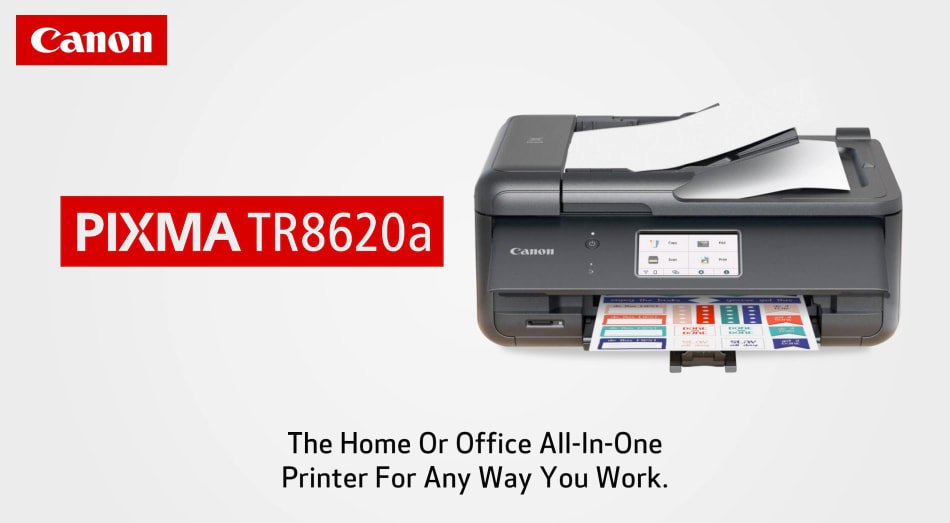
User rating, 4.3 out of 5 stars with 1137 reviews.
Show only Answered Questions
Include AI Generated Q&A
Asked 1 year ago by Anonymous.
Answered 1 year ago by user937897Verified Purchase
Asked 1 year ago by Dave.
Answered 1 year ago by MichVossVerified Purchase
Asked 1 year ago by JamesP.
Answered 1 year ago by WilliamRVerified Purchase
Asked 1 year ago by Chiapet.
Asked 1 year ago by faxquestion.
Asked 1 year ago by KevinW.
Asked 1 year ago by julie.
Asked 1 year ago by Oscar.
Asked 1 year ago by JenniferB.
Asked 1 year ago by DDanaNH32.
Answered 1 year ago by AngeliceyesVerified Purchase
Asked 1 year ago by Golferden.
Answered 1 year ago by AmeenaVerified Purchase
Asked 1 year ago by mjs.
Answered 1 year ago by DonnaVVerified Purchase
Asked 1 year ago by Sunshine.
Answered 1 year ago by CarlosRVerified Purchase
Asked 2 years ago by Faxingfriend.
Answered 1 year ago by AmberHVerified Purchase
Asked 2 years ago by techlady22.
Asked 2 years ago by VELYNN.
Answered 2 years ago by DanSVerified Purchase
Asked 2 years ago by Rojo.
Asked 2 years ago by Anonymous.
Asked 2 years ago by Michael.
User rating, 4.5 out of 5 stars with 225 reviews.
User rating, 4.2 out of 5 stars with 75 reviews.
User rating, 4.6 out of 5 stars with 154 reviews.
User rating, 4.6 out of 5 stars with 170 reviews.
User rating, 4.4 out of 5 stars with 147 reviews.
User rating, 4.5 out of 5 stars with 147 reviews.
User rating, 4.3 out of 5 stars with 443 reviews.
User rating, 4.3 out of 5 stars with 147 reviews.
User rating, 4.4 out of 5 stars with 88 reviews.
User rating, 4.6 out of 5 stars with 391 reviews.
User rating, 4.6 out of 5 stars with 526 reviews.
User rating, 4.7 out of 5 stars with 95 reviews.
User rating, 4.3 out of 5 stars with 2562 reviews.
User rating, 4.4 out of 5 stars with 3008 reviews.
User rating, 4.5 out of 5 stars with 268 reviews.
User rating, 4.3 out of 5 stars with 1128 reviews.
User rating, 4.4 out of 5 stars with 547 reviews.
User rating, 4.3 out of 5 stars with 2220 reviews.
User rating, 4.2 out of 5 stars with 1692 reviews.
User rating, 4.3 out of 5 stars with 1162 reviews.