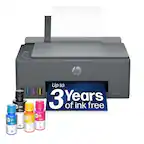
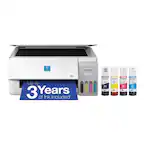
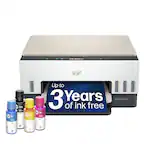
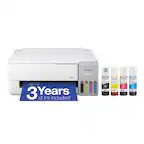
User rating, 4.4 out of 5 stars with 336 reviews.
User rating, 4.4 out of 5 stars with 172 reviews.
User rating, 4.2 out of 5 stars with 1106 reviews.
User rating, 4.4 out of 5 stars with 22 reviews.
User rating, 4.5 out of 5 stars with 5283 reviews.
User rating, 4.5 out of 5 stars with 92 reviews.
User rating, 4.6 out of 5 stars with 1489 reviews.
User rating, 4.5 out of 5 stars with 358 reviews.
User rating, 4.2 out of 5 stars with 13 reviews.
User rating, 4.5 out of 5 stars with 465 reviews.
User rating, 4.2 out of 5 stars with 1605 reviews.
User rating, 4.6 out of 5 stars with 225 reviews.
User rating, 4.6 out of 5 stars with 751 reviews.
User rating, 4.7 out of 5 stars with 258 reviews.
User rating, 4.7 out of 5 stars with 150 reviews.
User rating, 4.4 out of 5 stars with 413 reviews.
User rating, 4.4 out of 5 stars with 95 reviews.
User rating, 4.3 out of 5 stars with 345 reviews.
User rating, 4.7 out of 5 stars with 33 reviews.
User rating, 4.5 out of 5 stars with 392 reviews.
User rating, 4.5 out of 5 stars with 22 reviews.


.](https://pisces.bbystatic.com/image2/BestBuy_US/images/products/aae928b7-2a89-4f72-a9d7-a8b502cd3863.jpg)

. 1 Most features require an Internet connection to the printer, as well as an Internet- and/or email-enabled device. For a list of Epson Connect enabled printers and compatible devices and apps, visit [www.epson.com/connect](http://www.epson.com/connect).](https://pisces.bbystatic.com/image2/BestBuy_US/images/products/74cbe1f4-35c2-4c28-a11d-ae4191c9a8b8.jpg)