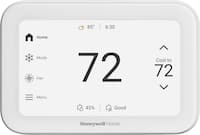
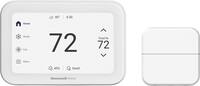
A:AnswerThe screen of the Honeywell Home Smart Color Thermostat will always stay lit unless the screen timeout is turned on and set to zero brightness. Hope this helps! -Jerry
A:AnswerYes, the Honeywell Home - Smart Color Thermostat with Wi-Fi Connectivity uses the Total Connect Comfort platform for remote management and works with the Resideo - Smart Home app. Hope this helps! -Jerry
A:AnswerHi warrenkisin, we will be happy to provide more information about this thermostat. Please feel free to contact our tech support team at (800) 468-1502 or on social media and provide more details of what you want to know, we are available 7 days a week. - Maria
A:AnswerHi, thanks for reaching out! Based on your RTH9585WF configuration, you can have the Emergency Heat option on your Total Connect Comfort application once connected and registered.— Charlie
A:AnswerHi Mike, this does work with a heat pump. If you have any additional questions, please reach out to our support team on Facebook/Twitter with a private message. Our hours: Monday - Friday 9 am to 6 pm CDT & Saturday - Sunday 9 am – 5 pm CDT. We look forward to hearing from you soon. -Jim
A:AnswerHi, thank you for reaching out with this. We would like to gather some more information on this to better assist. Please reach out to our support team on Facebook/Twitter with a private message. We look forward to hearing from you soon. -Jim
A:AnswerHi rw, you can name your thermostats different names as well as put them in different locations to keep them separate within the app. If you have any additional questions, please reach out to our support team on Facebook/Twitter with a private message. Our hours: Monday - Friday 9 am to 6 pm CDT & Saturday - Sunday 9 am – 5 pm CDT. We look forward to hearing from you soon. -Jim
A:AnswerHi OBonTheRiver, we currently don't have a thermostat compatible with a millivolt system. If you have any additional questions, please reach out to our support team on Facebook/Twitter with a private message. Our hours: Monday - Friday 9 am to 6 pm CDT & Saturday - Sunday 9 am – 5 pm CDT. We look forward to hearing from you soon. -Jim
A:AnswerHi Dave, this thermostat can in fact be used with two stage heat pumps. If you have any additional questions, please reach out to our support team on Facebook/Twitter with a private message. Our hours: Monday - Friday 9 am to 6 pm CDT & Saturday - Sunday 9 am – 5 pm CDT. We look forward to hearing from you soon. -Jim
A:AnswerHi MMouse, WPA3 is not supported by our devices. We do not recommend any use of WPA2/WPA3-mixed mode currently. We recommend using WPA2-AES Network Security Protocol.- Maria
A:AnswerThis depends on the wires you currently have going to the thermostat. This model requires a c wire for power. Feel free to contact to confirm compatibility at 800-633-3991. -Joey
A:AnswerHi, please follow these steps to set a permanent hold: 1. Ensure "Following Schedule" is displayed on the screen. 2. Press the up or down arrow to adjust the desired temperature. 3. Press Permanent, then Done to save. -Jerry
A:AnswerIf your thermostat is following a schedule and set to auto-changeover mode, the thermostat will change between heating and cooling as needed based on the room temperature and the heating and cooling set points. -Jerry
A:AnswerHi Annie, this thermostat has the option to change the color of the screen so this might just be the selected background. We would like to take a look at what you are experiencing to confirm this, at your convenience and while being at the location of the thermostat please contact our tech support team at (800) 633-3991 or on social media and we will be happy to help. - Maria
A:AnswerHi MikMav, this thermostat will automatically calculate when to start running the second stage of heat when the heat pump is not keeping up. Our trade thermostats have more advanced settings like droop, timer or compressor lockout, we recommend you reaching out to your HVAC contractor to recommend you and install one of our trade models. - Maria