A:AnswerThat is exactly what I did. Need to get data off of a hard drive from a old broken PC. Worked great. Only issue was file permissions and ownership needed to be tweaked once the drive was mounted on the new PC via the USB enclosure.
A:AnswerThe screwdriver is to unscrew/screw screws that keep the enclosure closed. Two screws, that's all. The actual HDD is plug into the brace and then the brace is screwed into the enclosure.
A:AnswerWell because it is an enclosure it can pretty much fit any hard drive in it. You should be able to use thus for the hard drive you have and use it as an external hard drive. Hope this helps.
A:AnswerI bought a new desktop loaded with Windows 10 Home, and the Insignia hard drive enclosure worked fine--had no issues setting up, connecting or transferring files.
A:AnswerI agree - the drive gets very hot inside this case. I would not use it as a constant-on external drive case, but it would be ok for transferring files and only on for short periods. For an external drive with heavy constant use, I'd get a case with ventilation and even a fan.
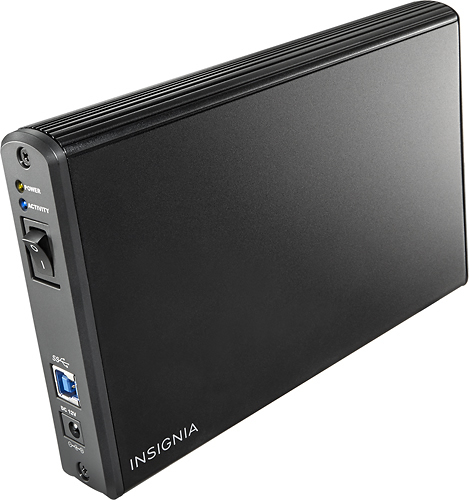
A:AnswerThis is an empty case to put a bare hard drive into. The physical size of the drive matters (it must fit correctly). The memory size is determined by the drive you insert.
A:AnswerThe enclosure doesn't have a drive in it. I you put a 3.5" SATA HD into the drive and connect it to a USB port you can use it to transfer data between compatible computers.
A:AnswerNo since its designed for serial ata drives of 3.5 inches. Sadly it appears BestBuy doesn't offer what you need. You need a 3.5 inch ide hard drive enclosure with usb to the computer
A:AnswerI can't speak directly to your HDD, but I put in a 4TB (4000GB) Seagate SATA HDD and it works great! So I don't think drive capacity will be an issue for you.
A:AnswerVery good. You will have to use a reliable Antivirus/Spybot program to completely remove the virus before transferring anything to a new system. Having worked on systems both standalone and networked for over 25 years, it can be transferred at the drop of a hat. If all that fails, destroy all partitions on the original drive and start from scratch.