Questions & Answers
- Model:
- 27U731SA-W
- |
- SKU:
- 6619496
Highly rated by customers for: Image Quality, Setup Ease
$379.99Your price for this item is $379.99
Page Showing 1-20 of 29 questions
Q: QuestionIs this monitor HDR compatible?
- A:Answer Yes, this monitor supports HDR10.
This question and answer was generated by AI based on customer and product data.Q: QuestionDoes this monitor have built-in speakers?
- A:Answer Yes, this monitor has built-in stereo speakers.
This question and answer was generated by AI based on customer and product data.Q: QuestionCan I use this monitor for cloud gaming?
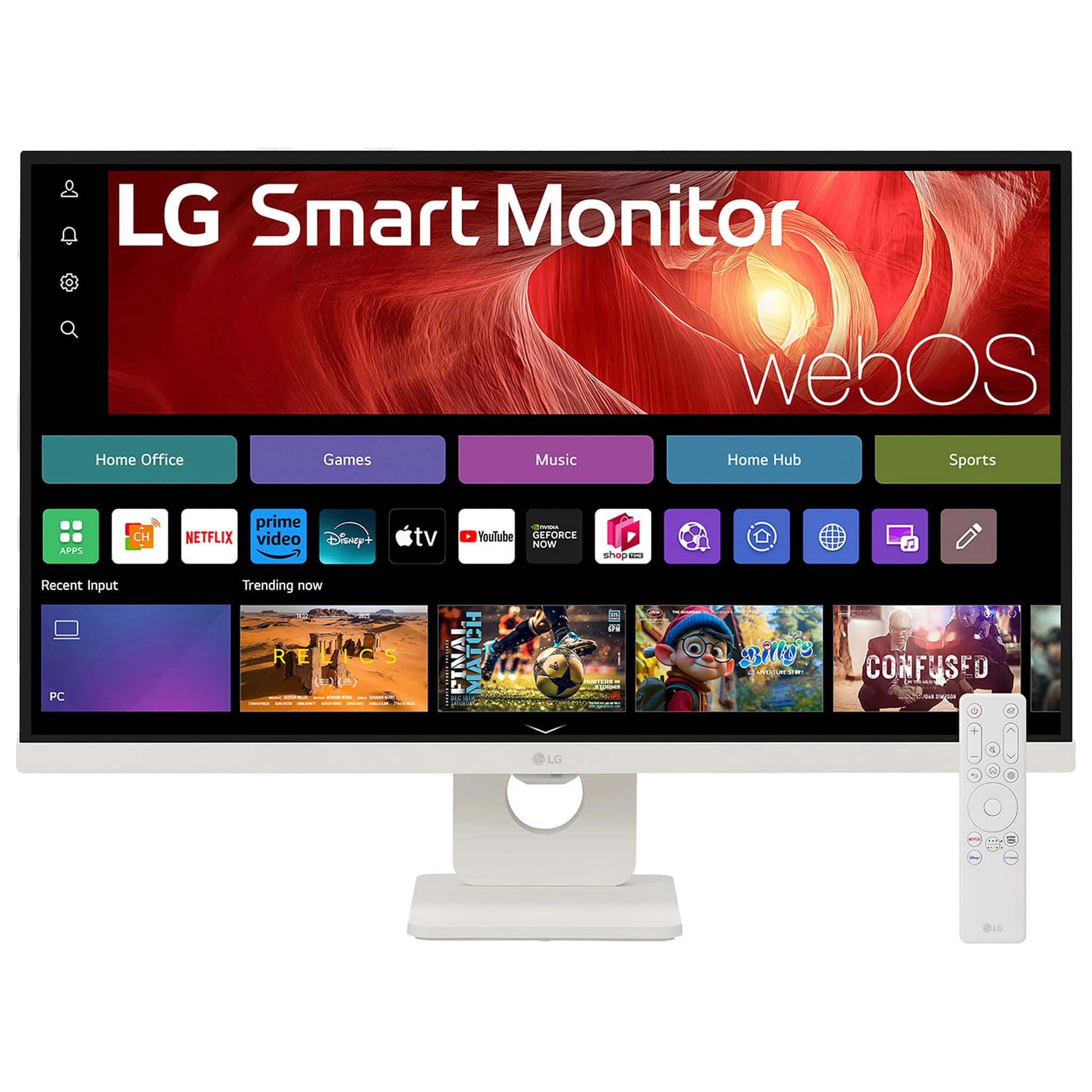
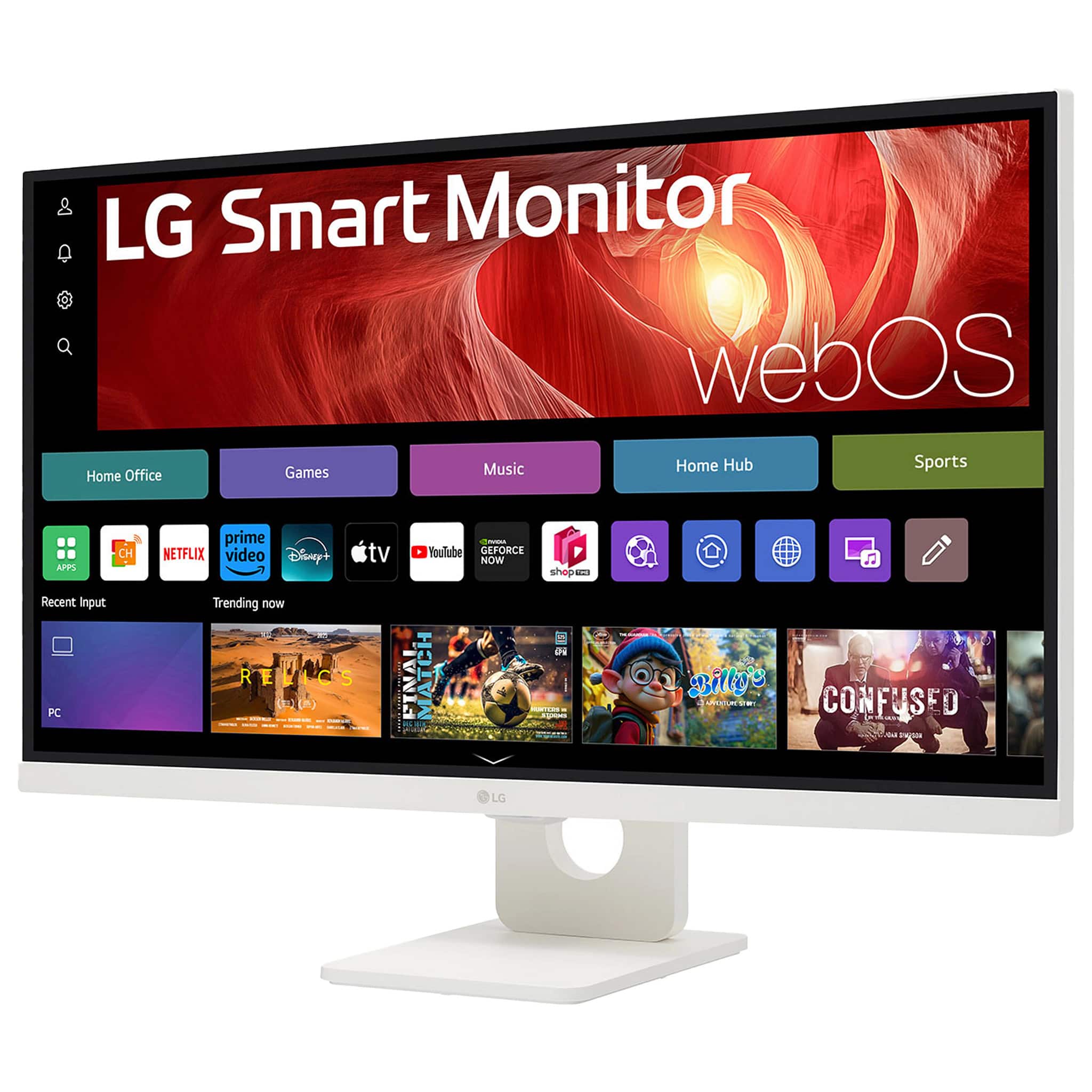
- A:Answer Yes, you can connect to cloud gaming services like NVIDIA GeForce NOW, Amazon Luna, and Blacknut directly from the webOS home screen.
This question and answer was generated by AI based on customer and product data.Q: QuestionWhat is the resolution of this LG monitor?
- A:Answer The monitor has a UHD 4K resolution of 3840 x 2160.
This question and answer was generated by AI based on customer and product data.Q: QuestionWhat type of display panel does this monitor use?
- A:Answer This monitor uses an IPS display panel.
This question and answer was generated by AI based on customer and product data.Q: QuestionHow can I adjust the monitor's position?
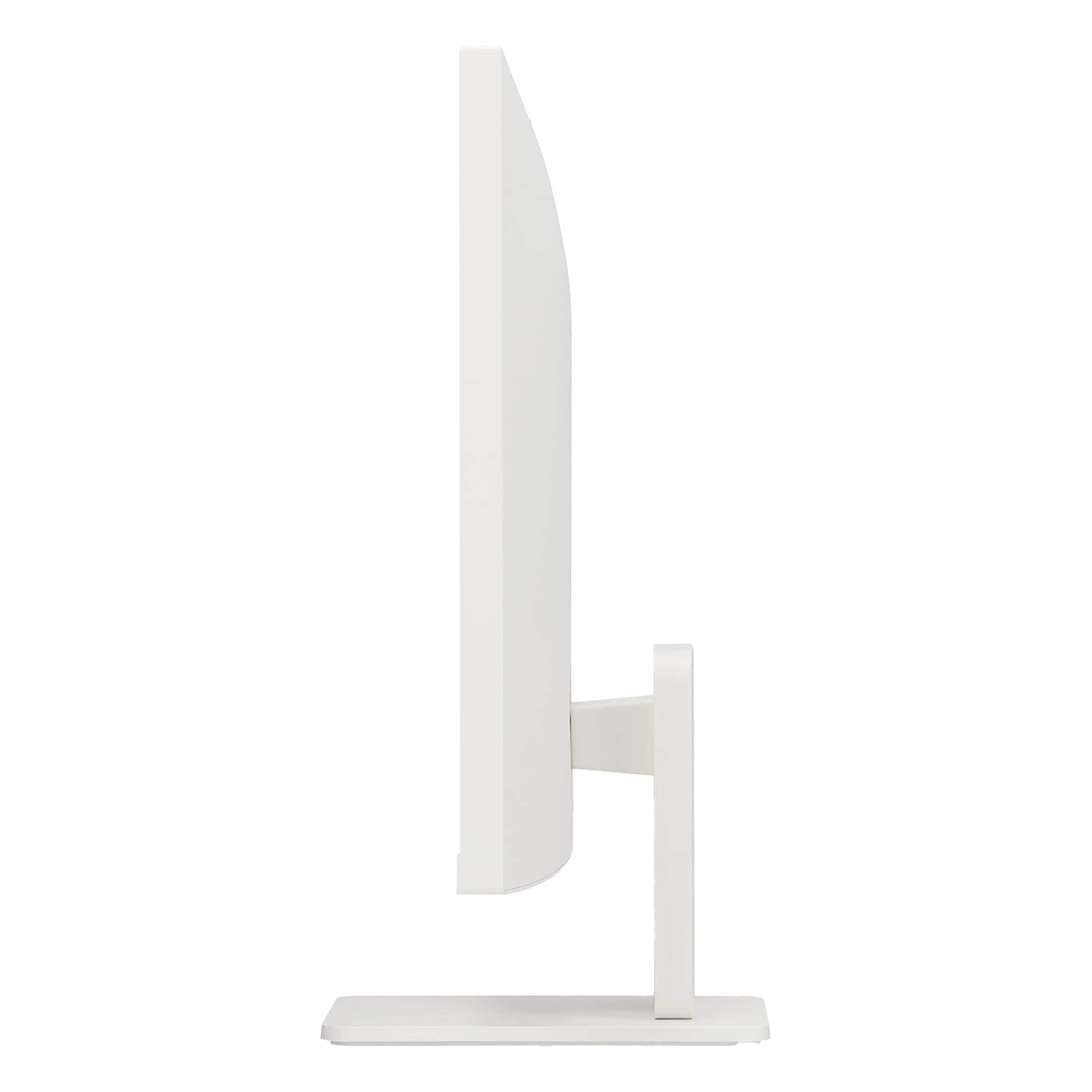
- A:Answer The ergonomic stand allows you to adjust the tilt of the screen.
This question and answer was generated by AI based on customer and product data.Q: QuestionWhat streaming services are available on this LG monitor?
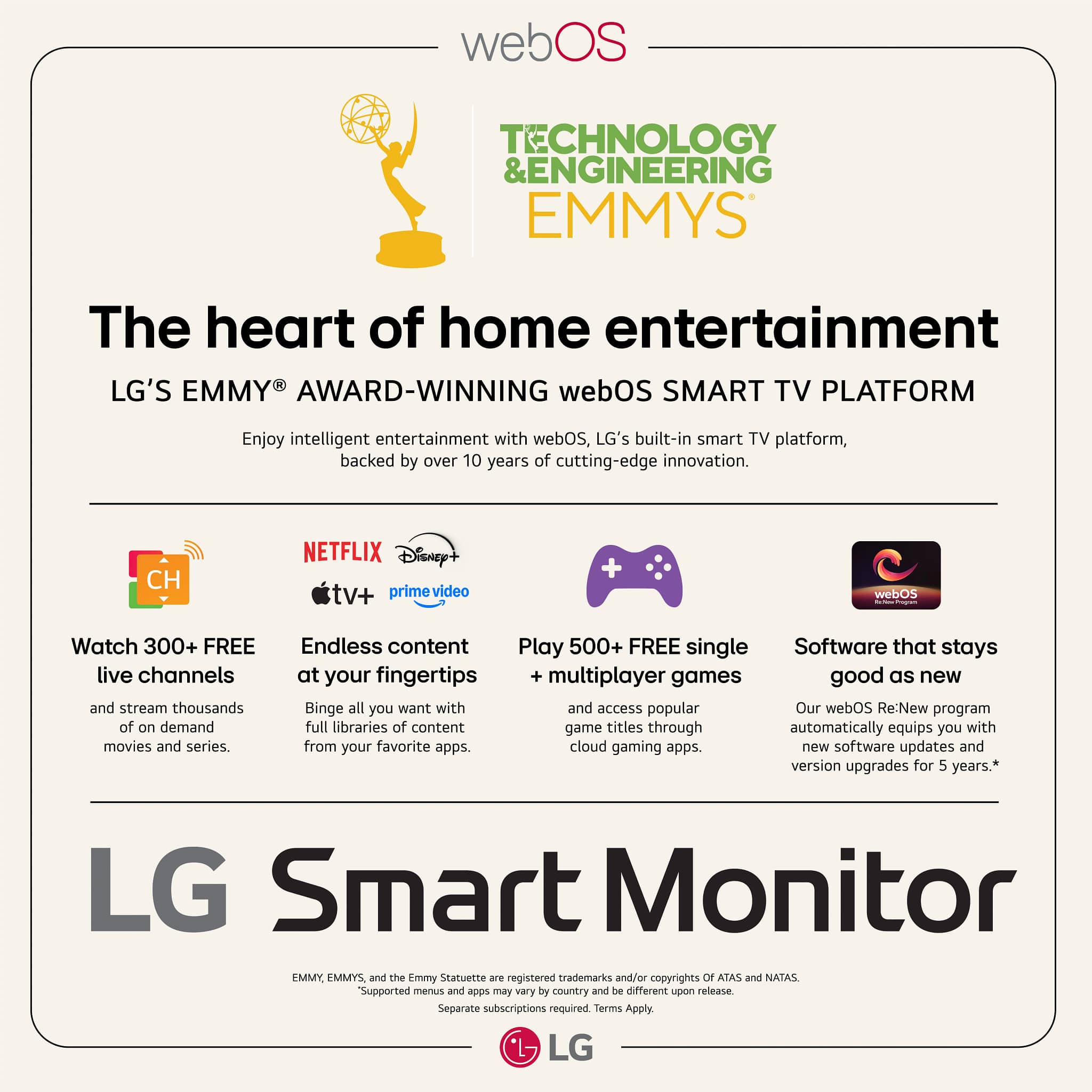
- A:Answer This LG Smart Monitor has built-in access to Netflix, Prime Video, the Apple TV app, Disney+, HBO Max, and over 300 free LG Channels.
This question and answer was generated by AI based on customer and product data.Q: QuestionHow to get this monitor to *not* turn on when I use the LG-remote for another LG-TV in the same room?
Asked by wollern.
- A:Answer Hello there, Wollern. Thank you for your inquiry about the 27U731SA-W.AUS monitor. We understand your question about preventing the monitor from turning on when you use the remote for a different LG TV. This situation can occur because many LG products use similar infrared (IR) codes for basic functions like power on/off. To prevent this, you can try changing the power synchronization settings on the monitor. In the monitor's settings menu, look for an option that controls its behavior when a signal is received from an external device, such as TV power sync. If you cannot find the setting, please send us a private message on Social Media @LGUSSupport and our team will be more than happy to explore possible solutions. https://www.bestbuy.com/site/lg-27-ips-uhd-60hz-5ms-smart-monitor-with-hdr10-hdmi-usb-c-white/6619496.p?skuId=6619496 We appreciate your patience. —Renzo
Answered by LG Digital Customer Care
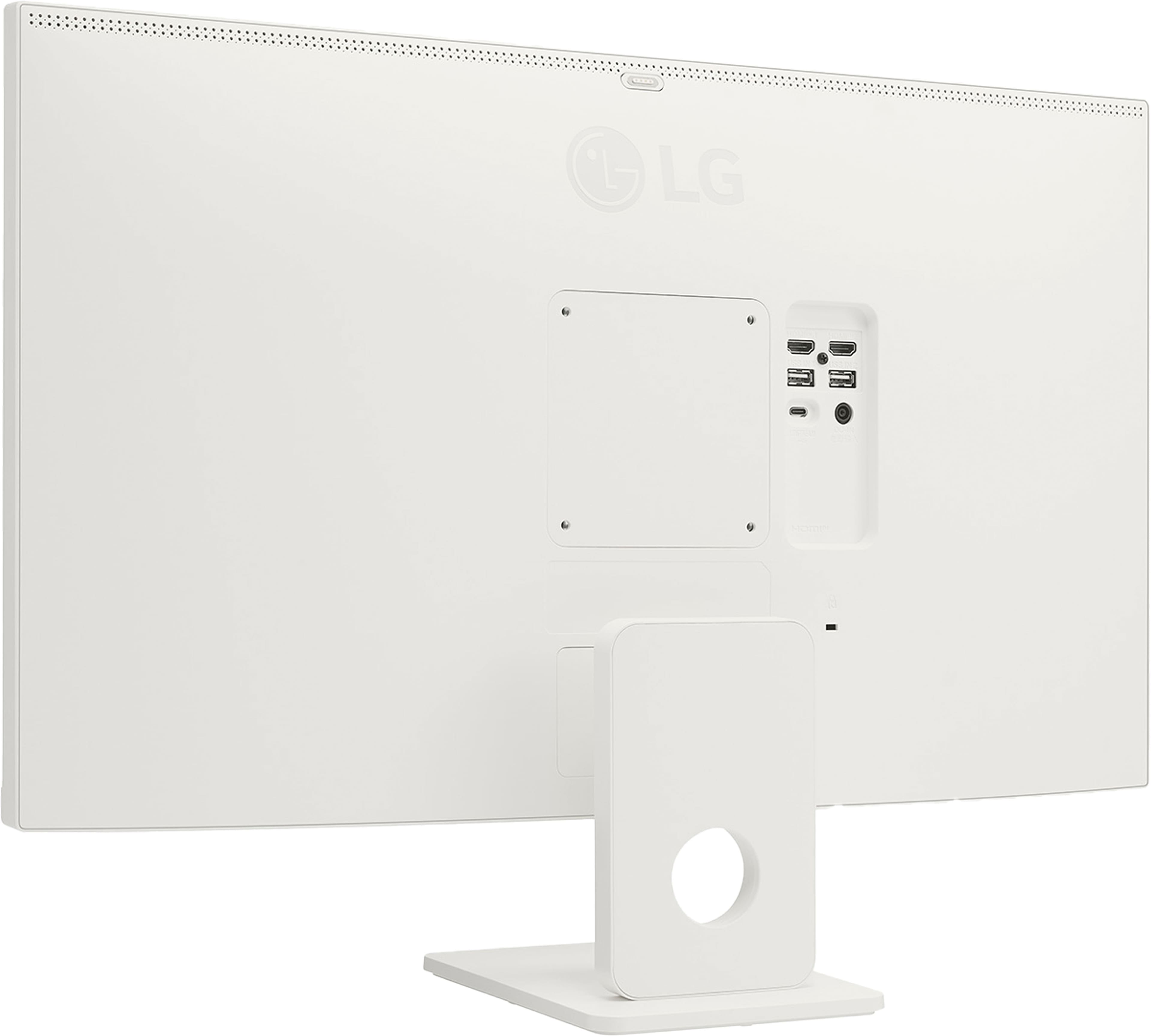
Q: QuestionWhat is the magnet on the back of the panel (center, top) for?
Asked by Shanay.
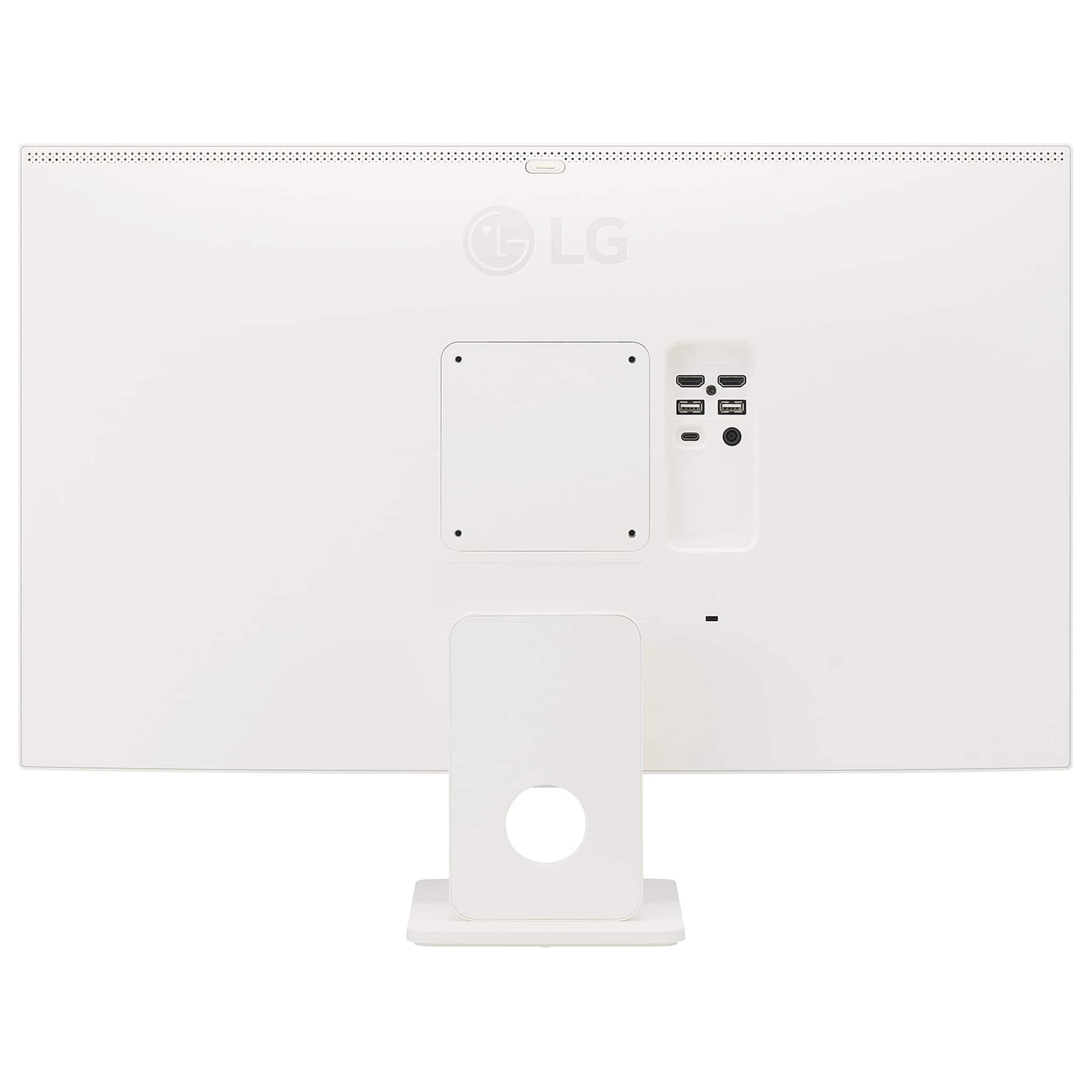
- A:Answer The magnet you are referring to on the LG 27-inch 4K UHD IPS Smart Monitor with webOS and USB Type-C, Model # 27U731SA-W, is for an optional webcam which has to be purchased separately. The compatible LG webcam, Model # CAM23PW, mentioned in the owner's manual can be purchased from LG. You can contact our Support on social media using our handle @LGUSSUPPORT for assistance with where to purchase the webcam...^Ivan.
Answered by LG Digital Customer Care

Q: QuestionDoes this monitor have a built in camera
Asked by Attitude.
- A:Answer The LG 27-inch 4K UHD 60 Hz 5 ms IPS Smart Monitor with webOS and USB Type-C, Model # 27U731SA-W, does not have a built-in webcam. The webcam is an optional feature and is not supplied as an accessory. You can contact our Support Center on social media using our handle @LGUSSUPPORT about where you can order the LG Webcam, Model # CAM23PW...^Ivan.
Answered by LG Digital Customer Care
Q: Questioncan I use with apple mac mini
Asked by Kito.
- A:Answer Hi there, Kito. We understand your inquiry about using the 27U731SA-W.AUS monitor with a Mac Mini. Based on the connectivity options of the monitor, which include HDMI and USB-C ports, it is compatible with an Apple Mac Mini. You can use an HDMI cable to connect the Mac Mini directly to the monitor or a USB-C cable for a single-cable solution that can also provide power and data to the monitor's USB-A ports. If you would like further assistance, please send us a private message on Social Media @LGUSSupport and our team will be more than happy to explore possible solutions. https://www.bestbuy.com/site/lg-27-ips-uhd-60hz-5ms-smart-monitor-with-hdr10-hdmi-usb-c-white/6619496.p?skuId=6619496 We appreciate your patience. —Renzo
Answered by LG Digital Customer Care
Q: QuestionCan I connect two of these monitors together to use as dual monitors for my computer?
Asked by Jonesey.
- A:Answer Hello there, Jonesey. Thank you for sharing your question with us. We understand your inquiry about using two LG 27U731SA-W monitors as dual displays for your computer. You can absolutely set this up by connecting each monitor to separate video outputs on your PC—use the two HDMI ports or one HDMI and the USB-C (if your graphics card supports USB-C display) on the monitors, and then connect each to a corresponding output on your computer. To get started: Verify your computer’s graphics card has two available outputs (e.g., two HDMI, DisplayPort plus HDMI, or USB-C). Connect each LG 27U731SA-W to its own port using high-speed HDMI cables (or a USB-C cable for the USB-C port). In your operating system’s Display Settings, select “Extend desktop to this display” for each monitor to create your dual-monitor setup. If you run into any difficulty detecting both screens, try updating your graphics drivers and checking that all cables are securely connected. https://www.bestbuy.com/site/lg-27-ips-uhd-60hz-5ms-smart-monitor-with-hdr10-hdmi-usb-c-white/6619496.p?skuId=6619496 Please send us a private message on social media @LGUSSupport and our team will be more than happy to explore possible solutions. We appreciate your patience and feedback! —Renzo
Answered by LG Digital Customer Care

Q: QuestionDoes this monitor include a camera?
Asked by Romy.
- A:Answer Hello there, Romy. Thank you for sharing your inquiry with us regarding the 27SR73U-W monitor. We understand your question about whether this unit includes a built-in camera. Based on the specifications for the 27SR73U-W Smart Monitor, this model does not include a dedicated built-in camera. The monitor focuses on delivering a high-quality 4K UHD display experience with smart features like webOS 23 and AirPlay. https://www.bestbuy.com/product/lg-27-ips-uhd-60hz-5ms-smart-monitor-with-hdr10-hdmi-usb-c-white/JJ8VPZWS3Z We are here to provide assistance and help clarify any other features or connectivity options you may have questions about for your monitor. Please send us a private message on Social Media @LGUSSupport, and our team will be more than happy to assist you. —Renzo
Answered by LG Digital Customer Care
Q: QuestionI have the above Monitor. I need to be able to zoom for work. What Web Cam is compatible with this monitor? Do you sell it and how much?
Asked by JuJu.
- A:Answer Under 'Separate Purchase' on page 2 in your owner's manual for the LG 27-inch 4K UHD IPS Smart Monitor with webOS and USB Type-C, Model # 27U731SA-W, it states "By connecting a camera to the monitor, you can use it for video conferencing, etc. • The webcam is an optional feature and is not supplied as an accessory. This part can be purchased from LG Electronics Service Center. - Model No.: CAM23PW" However, you can connect any webcam to the USB Downstream ports on the monitor as long as the USB-C port is connected to the host PC/Laptop to activate the USB Downstream ports. The USB-C port acts as a USB Upstream port...^Ivan.
Answered by LG Digital Customer Care
Q: QuestionDoes this monitor Bluetooth to external speakers or headphones?
Asked by Eriechic.
- A:Answer The LG 27" IPS UHD 60Hz 5ms Smart Monitor with HDR10 (HDMI, USB-C) - White Model # 27U731SA-W, does not support Bluetooth®...^Ivan.
Answered by LG Digital Customer Care
Q: QuestionHow can I connect external speakers to this monitor where it does not have a headphone jack. I have speakers plugged into the audio jack of the computer which work when a program is running through the computer, but they don't when using the Smart apps.
Asked by Rdcoat81.
- A:Answer Regrettably, as you have noted, the LG 27-inch 4K UHD IPS Smart Monitor with webOS and USB Type-C, Model # 27U731SA-W, does not have a 3.5mm Headphone Out that you can connect external speakers to, and there is no way to connect external speakers to it...^Ivan.
Answered by LG Digital Customer Care
Q: QuestionCan you play a 4k player on this?
Asked by JJ.
- A:Answer The LG 27" IPS UHD 60Hz 5ms Smart Monitor with HDR10 (HDMI, USB-C) - White, Model # 27U731SA-W, has a native 4K UHD (3840 x 2160) resolution. You can use a 4K DVD player with a 4K monitor. It is recommended to use a 4K Ultra HD Blu-ray player...^Ivan.
Answered by LG Digital Customer Care
Q: QuestionI'm seeing that for the gaming option 100-200hz I'm wondering if it can adjust to a 120 hz for a Xbox series s
Asked by Jamoy.
- A:Answer Hello there, Jamoy. Thank you for sharing your experience with us. We understand your inquiry about the refresh rate for the LG 27U731SA-W monitor. This unit has a native refresh rate of 60Hz. While it can display a 4K resolution, it will not support a 120Hz refresh rate. We'd be happy to assist you further. Please send us a private message on Social Media @LGUSSupport and our team will be more than happy to explore possible solutions. https://www.bestbuy.com/product/lg-27-ips-uhd-60hz-5ms-smart-monitor-with-hdr10-hdmi-usb-c-white/JJ8VPZWS3Z We appreciate your patience. —Renzo
Answered by LG Digital Customer Care
Q: QuestionWhat is in the box. Is an hdmi to usb c cable included?
Asked by Steve.
- A:Answer An HDMI cable, and a remote control are included accessories with the LG 27-inch 4K UHD IPS Smart Monitor with webOS and USB Type-C, Model # 27U731SA-W. We do not include an HDMI to USB-C cable with any of our monitors...^Ivan.
Answered by LG Digital Customer Care
Q: QuestionDoes this monitor have a headphone jack? If so, exactly where? I can find absolutely no mention of one in the entire description of the monitor nor can I see one pictured on the back of the monitor.
Asked by Harry.
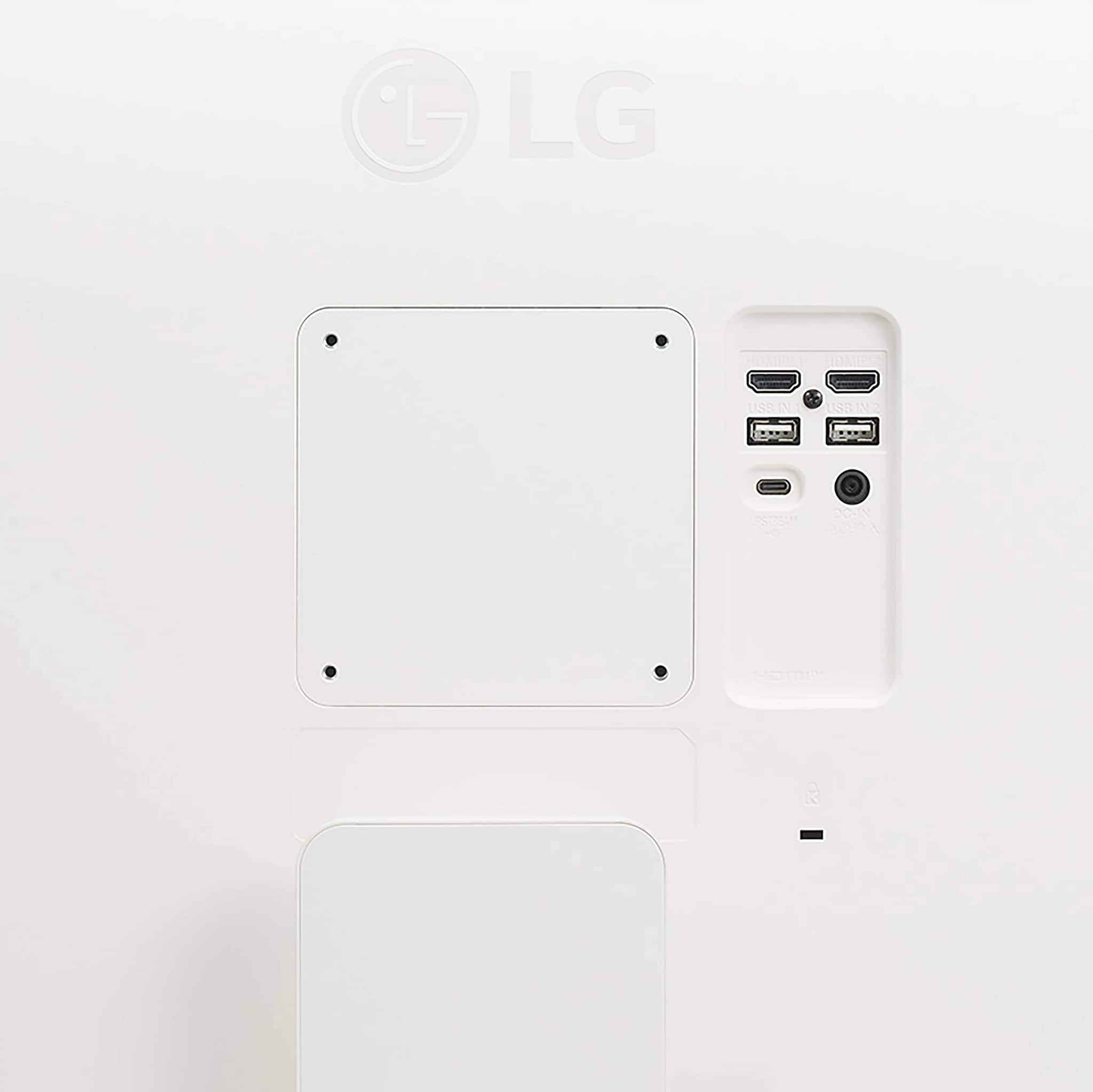
- A:Answer The LG 27" IPS UHD 60Hz 5ms Smart Monitor with HDR10 (HDMI, USB-C) - White, Model # 27U731SA-W, does not have a 3.5 mm Headphone jack on the back of the monitor. If you click on the last thumbnail image with '+3 more' to the left of the main image on Best Buy's product detail page for the monitor, on the page that opens up, you can navigate to the seventh thumbnail image showing the connections on the back of the monitor. The top row of connections are the HDMI ports, the middle row of connections are the USB-A Down-Stream ports, and the last row of connections are the USB-C port on the left and a DC In port on the right. Those are the only connections on the monitor...^Ivan.
Answered by LG Digital Customer Care
Page 1, Showing 1-20 of 29 questions
Top Rated
- $249.99Your price for this item is $249.99
- $209.99Your price for this item is $209.99$329.99The comparable value for this item is $329.99
- $99.99Your price for this item is $99.99$169.99The comparable value for this item is $169.99
- $279.99Your price for this item is $279.99$499.99The comparable value for this item is $499.99
- $349.99Your price for this item is $349.99
- $179.99Your price for this item is $179.99$399.99The comparable value for this item is $399.99
- $369.99Your price for this item is $369.99
- $89.99Your price for this item is $89.99$119.99The comparable value for this item is $119.99
- $149.99Your price for this item is $149.99$229.99The comparable value for this item is $229.99
- $199.99Your price for this item is $199.99$299.99The comparable value for this item is $299.99
- $219.99Your price for this item is $219.99$399.99The comparable value for this item is $399.99
- $74.99Your price for this item is $74.99$159.99The comparable value for this item is $159.99
- $89.99Your price for this item is $89.99$119.99The comparable value for this item is $119.99
- $169.99Your price for this item is $169.99
- $114.99Your price for this item is $114.99$149.99The comparable value for this item is $149.99
- $1,499.00Your price for this item is $1,499.00$1,599.99The comparable value for this item is $1,599.99
- $129.99Your price for this item is $129.99$189.99The comparable value for this item is $189.99
- $139.99Your price for this item is $139.99$199.99The comparable value for this item is $199.99
- $99.99Your price for this item is $99.99$149.99The comparable value for this item is $149.99
- $129.99Your price for this item is $129.99$169.99The comparable value for this item is $169.99