






Black Friday is hereShop new DoorbustersShop now

Main Content

Questions & Answers

Your price for this item is $1,819.99
Clearance
The comparable value price is $2,799.99
Page Showing 1-17 of 17 questions
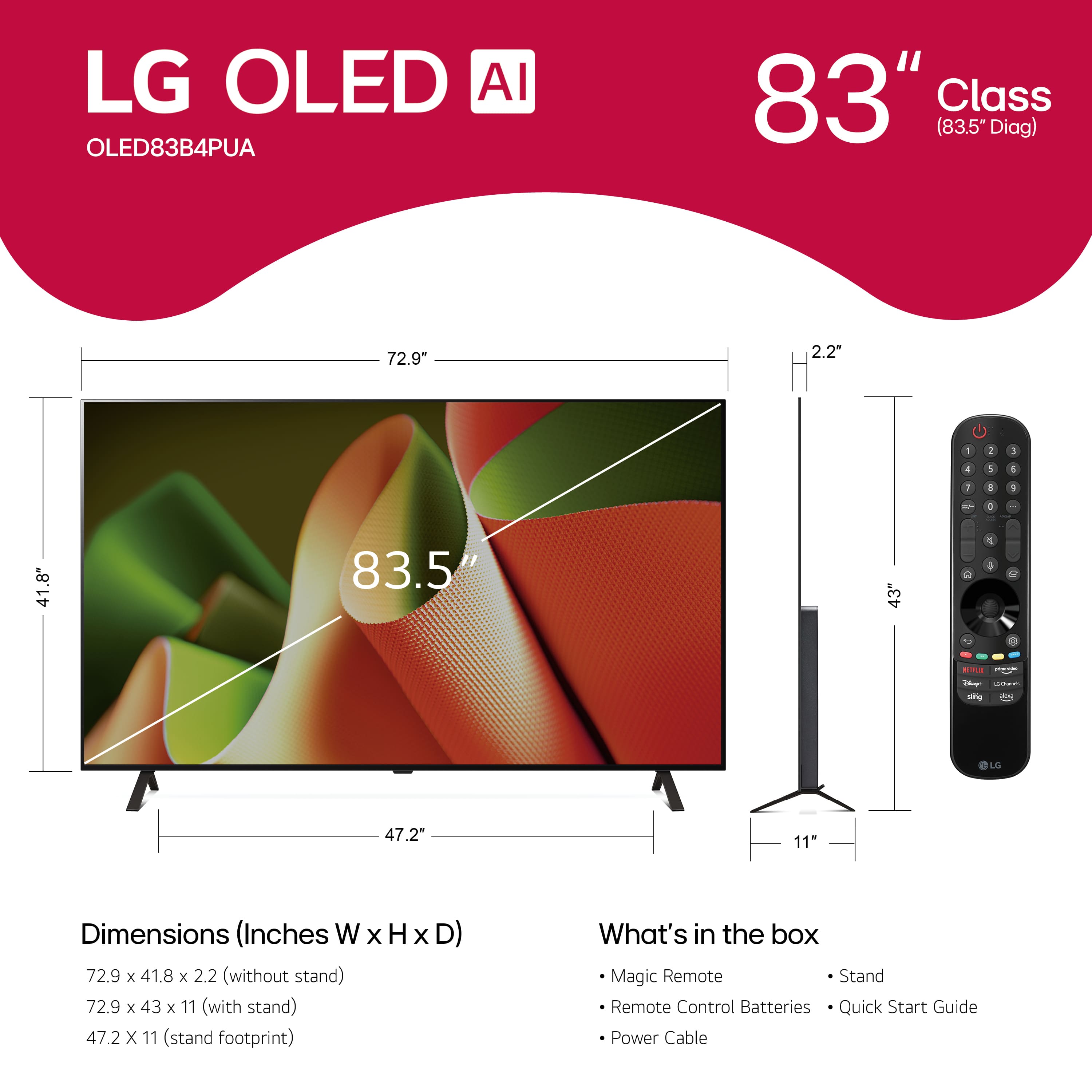
  • QuestionWhat is included with the purchase of this TV?

    • Answer This TV comes with a stand and a remote control.
    This question and answer was generated by AI based on customer and product data.
  • QuestionWhat picture quality enhancement technology does this LG TV use?

    • Answer This LG TV uses Cinema HDR technology to enhance picture quality.
    This question and answer was generated by AI based on customer and product data.
  • QuestionWhat is the estimated annual operating cost of this TV?

    • Answer The estimated annual operating cost for this TV is 56 US dollars.
    This question and answer was generated by AI based on customer and product data.
  • QuestionDoes this TV include a wall mount?

    • Answer No, this TV does not come with a wall mount.
    This question and answer was generated by AI based on customer and product data.
  • QuestionDoes this TV support Dolby Atmos?

    • Answer Yes, this LG TV supports Dolby Atmos for an immersive sound experience.
    This question and answer was generated by AI based on customer and product data.
  • QuestionHow many speakers does this TV have?

    • Answer This TV has 2.2 channel audio system.
    This question and answer was generated by AI based on customer and product data.
  • QuestionMy 83 in tv lg tv keeps buffering and it’s hooked up directly to the internet is this normal I have 1000. Internet speed or is something wrong with the tv the geek squad hooked everything up

    Asked by Corina.

    • Answer Hi there, Corina! Thank you for sharing your experience with your OLED83B4PUA. We understand your concern, so we'd like to assist you further. To improve performance, try restarting both your TV and modem/router. You can also check if your TV’s firmware is up to date by going to Settings > All Settings > Support > Software Update. You may access this link related to your concern:https://www.lg.com/us/support/help-library/lg-tv-how-to-update-an-lg-smart-tv--1430510575535 Please send us a private message on Social Media @LGUSSupport, and our team will be happy to explore more solutions tailored to your situation. We appreciate your patience. —Avril

      Answered by LG Digital Customer Care

  • QuestionCAN IT BE WALL MOUNTED. DOES CENER STADN BE REMOVED

    Asked by KATHY.

    • Answer Yes it can be. there are various options of wall mounting stands available

      Answered by HillsonT

  • Questionwhats the difference between the b4 & the c4

    Asked by mack.

    • Answer The difference between the 83-inch Class LG OLED evo AI C4 4K Smart TV 2024, Model # OLED83C4PUA, and the 83-inch Class LG OLED B4 4K Smart TV 2024, Model # OLED83B4PUA are that the OLED83C4PUA has a a Brightness Booster making it brighter than the OLED83B4PUA...^Ivan.

      Answered by LG Digital Customer Care

  • QuestionIs this TV supported by WPA3 internet?

    Asked by Trisha.

    • Answer Hello there, Trisha. Thank you for your inquiry about the LG OLED83B4PUA and its support for WPA3 internet. This model supports Wi-Fi 5 (802.11ac), which is the standard for most modern wireless networks. However, WPA3 is a more recent security protocol for wireless networks, and while it is supported on many newer devices, this TV is primarily designed for WPA2 and earlier Wi-Fi standards. As such, WPA3 may not be supported natively on this model for wireless connections. To connect your TV to a WPA3-secured network, you may need to consider adjusting the security settings on your router to WPA2 or use a wired Ethernet connection for a more stable connection. https://www.lg.com/us/tvs/lg-oled83b4pua-oled-4k-tv#pdp_specs If you need assistance or further clarification, please feel free to send us a private message on Social Media @LGUSSupport, and our team will be happy to help. We appreciate your patience! —Renzo

      Answered by LG Digital Customer Care

  • QuestionMy tv keep buffering and I have 1000 A t& t is this normal?

    Asked by Anonymous.

    • Answer Hello there, thank you for sharing your experience with your OLED83B4PUA. We understand your concern, so we’d like to help. First, try rebooting both your TV and your modem/router to refresh the connection. Additionally, ensure your TV’s software is up to date by going to Settings > All Settings > Support > Software Update. You may access this link related to your concern:https://www.lg.com/us/support/help-library/lg-tv-how-to-update-an-lg-smart-tv--1430510575535 If the issue continues, please send us a private message on Social Media @LGUSSupport, and we’ll be happy to assist you further. We appreciate your patience. —Avril

      Answered by LG Digital Customer Care

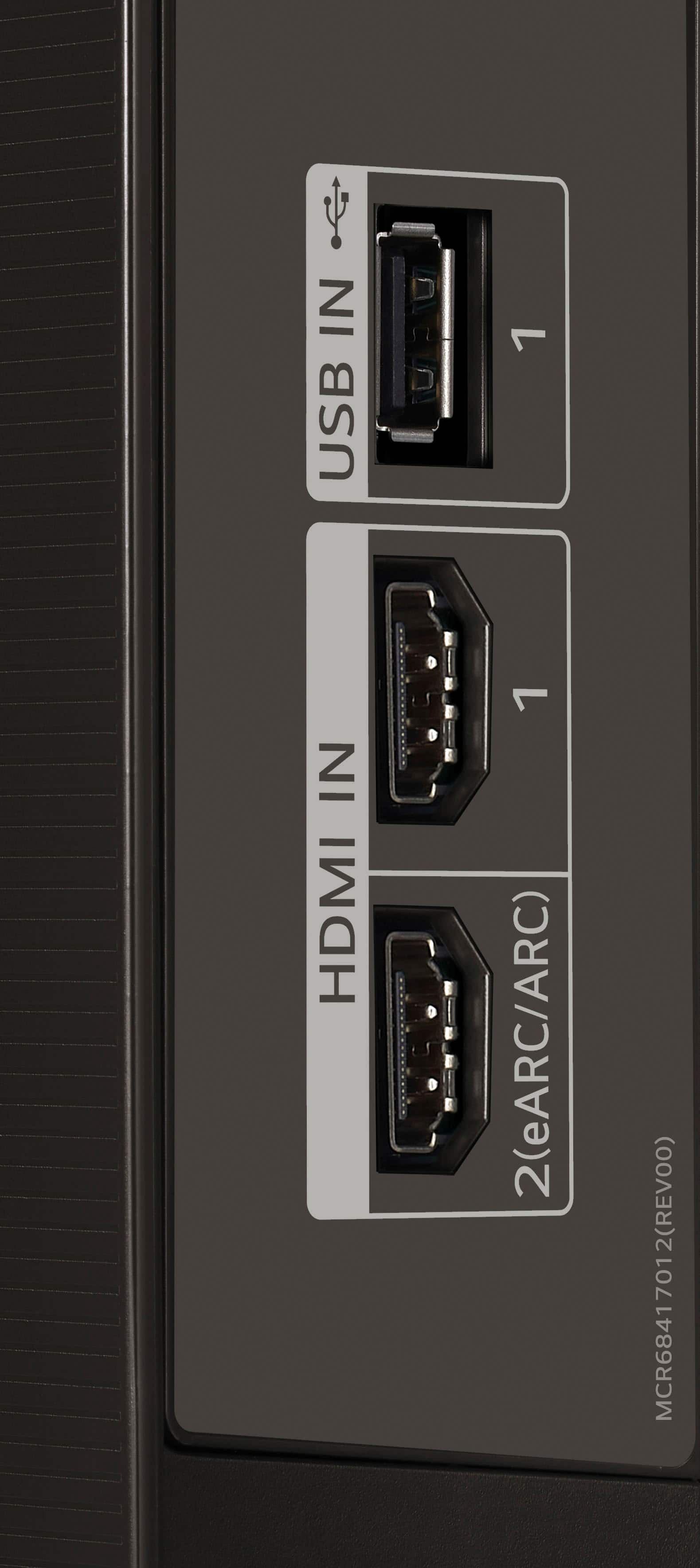
  • QuestionDoes this tv have an hdmi port for connection to a DVD player?

    Asked by Didi.

    • Answer The LG 83" Class B4 Series OLED 4K UHD Smart webOS TV (2024), Model # OLED83B4PUA has four HDMI 2.1 inputs...^Ivan.

      Answered by LG Digital Customer Care

  • QuestionCan I connect Sonos with HDMI Arc to this tv

    Asked by NIKECA.

    • Answer Yes, connect to the eARC HDMI port. Currently have ARC, Sub and Era 300 with no problems.

      Answered by DatSkinnyDude

  • QuestionDoes the 83" B4 have the same processor as the 77" B4?

    Asked by Jimm.

    • Answer No the 83" have the a9 while the others have the a8.

      Answered by DatSkinnyDude

  • QuestionWe plugged it in to add app and make sure works before mounting on wall. Unplugged it and after mounting on wall, plugged in and won’t come on. Is there a reset?

    Asked by DawnD.

    • Answer Hi there, Damore. Thank you for sharing your experience with the OLED83B4PUA. We understand your situation—setting up a new TV should be exciting, and we’d love to help get yours working properly. If the TV doesn’t power on after mounting, we recommend trying a power reset: unplug the TV from the outlet, then press and hold the power button on the TV itself (not the remote) for about 10 seconds. Afterward, plug the TV directly into a working wall outlet (avoid power strips or surge protectors for this test) and see if it powers up. https://www.lg.com/us/tvs/lg-oled83b4pua-oled-4k-tv#pdp_specs If the screen still remains unresponsive, it may help to check the AC power cable connection at the back of the unit to ensure it's securely seated—sometimes it can get slightly dislodged during mounting. Please send us a private message on social media @LGUSSupport so we can walk you through more steps or explore possible solutions directly. We’re here to assist every step of the way. —Renzo

      Answered by LG Digital Customer Care

  • QuestionHello, im having an issue with PS5 and eARC. PS5 won’t output 5.1 linear PCM it only outputs as stereo 2.0. I have set the correct setting on the LG audio as Pass Through, Dolby Digital Plus and eARC ON. This was never an issue on my older Sony TV.

    Asked by Miller.

    • Answer Try changing your settings on the PS5, it usually default to Stereo or Headphones, need to change to receiver to get 5.1 output.

      Answered by DatSkinnyDude

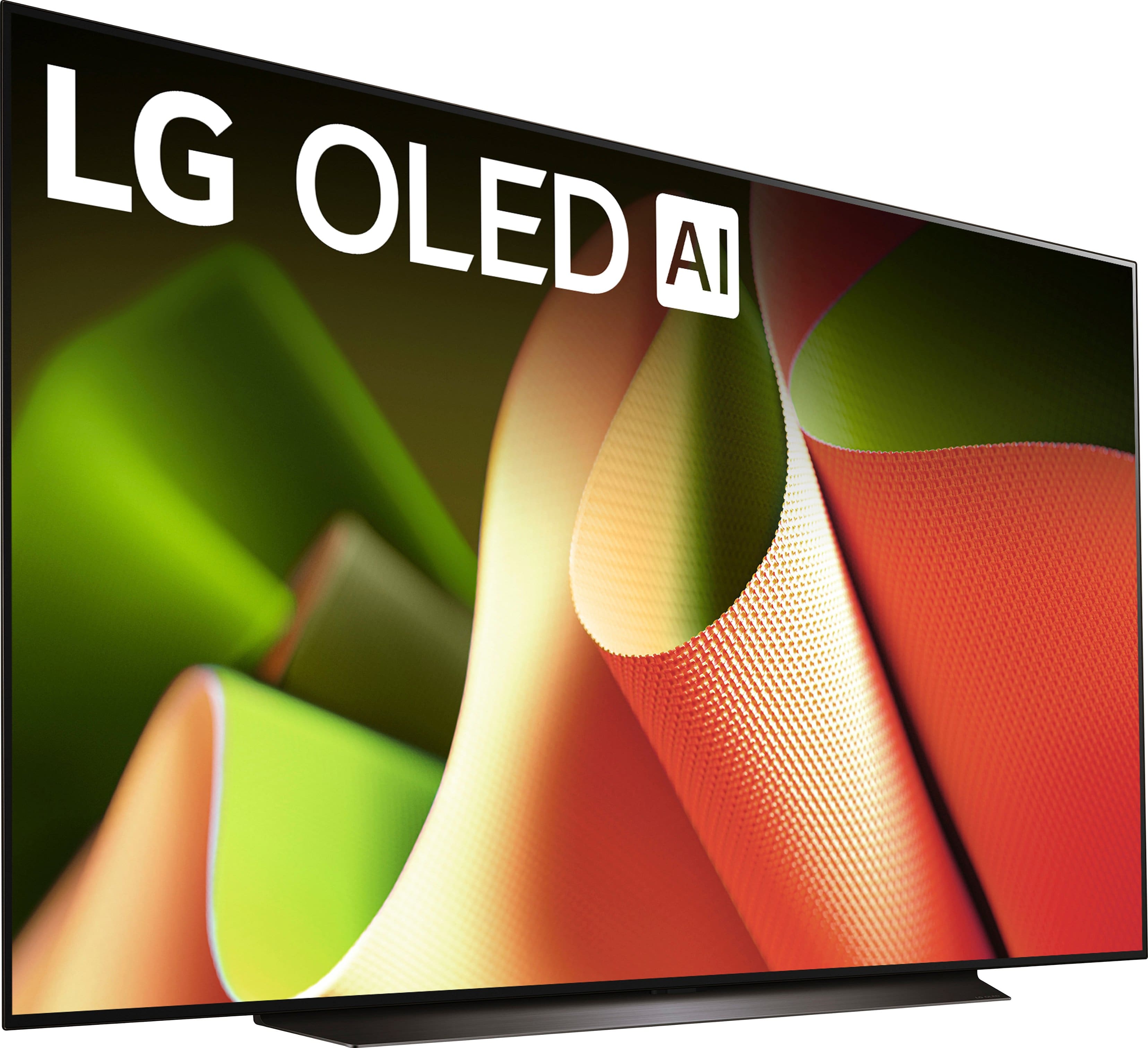
  • QuestionWhat type of stand comes with this (83" B4 OLED) tv? Main photo shows what looks like a center stand and other photo shows 2 leg stand. Also, how tall is stand for soundbar? Thank You.

    Asked by user797217.

    • Answer I can tell you that the 83" version (OLED83B4PUA) that I am putting together does NOT have two legs at either end of the TV. Instead it has a weighted center pedestal. See photo to refute what the LG agent proffered.

      Answered by MoxieNYC