A:AnswerYes this will work with Chrome OS. My son has used it on his Chromebook many times. The only thing that I am not sure about is the side-to-side movement of the scroll wheel. The up and down works fine. Just never tried the side scroll.
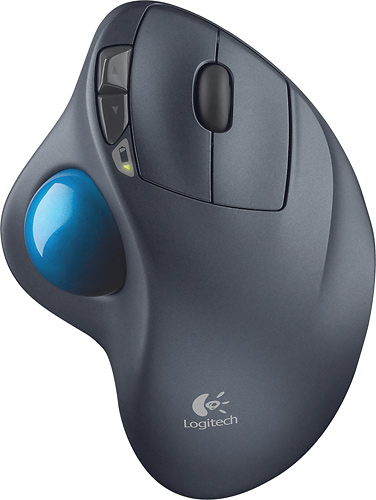
A:AnswerThe trackball of set up like the M570 lets you relax your wrist and palm of your hand and allow your thumb to navigate the cursor. You can set up the speed of movement to your liking. I had used this type of trackball almost exclusively for over 20 years on CAD and playing videogames, it is much better than a mouse. You also don't need a mouse pad and quick and large movements in games are nearly not as chaotic as they are with a mouse.
A:AnswerLooks like HP14 has two regular type A, USB 3.1 ports. In my experience, that should be all you need. You should be able to leave the receiver that comes with the trackball in one of those ports all the time for your use.
A:AnswerI would imagine, that once you have a USB type c male to USB type A female adapter, that should work.
My wife just unboxed her iPad pro, gen 2, but I don't have the adapter to verify, whether it works. The adapter is just a few bucks, it's probably worth testing it out.
There is another option. If you like the trackball action, the MX Ergo ( $99) has Bluetooth capability.
Hope that helps.
A:AnswerI have not seen the ability to do that -- to that extent. However, if its possible, you would most likely accomplish that task by using the Logitech SetPoint software. I'd visit their site for an authoritative answer based on your specific system.
A:AnswerNo, there is not a left-handed trackball. However, there is an ambidextrous version with the trackball in the middle. My father is left handed and he loves it!
A:AnswerYes.
The scrolling wheel can be pressed like a bottom. On your screen you see the 4 compass points and your pointer. Move the ball slightly the way you want to scroll and the screen will scroll. The father you move the pointer from the compass, the faster scrolling will happen. You are able to scroll any direction (diagonally included) in this mode.
A:AnswerYes, provided your computers motherboard supports this you can with no issues use both devices the flash drive and USB receiver to utilize the track ball mouse by Logitech.
A:AnswerThe ball is free-moving. Reverse scrolling with the ball is just movement of thumb or click on the vertical bar at the far right of your screen.













