Questions & Answers
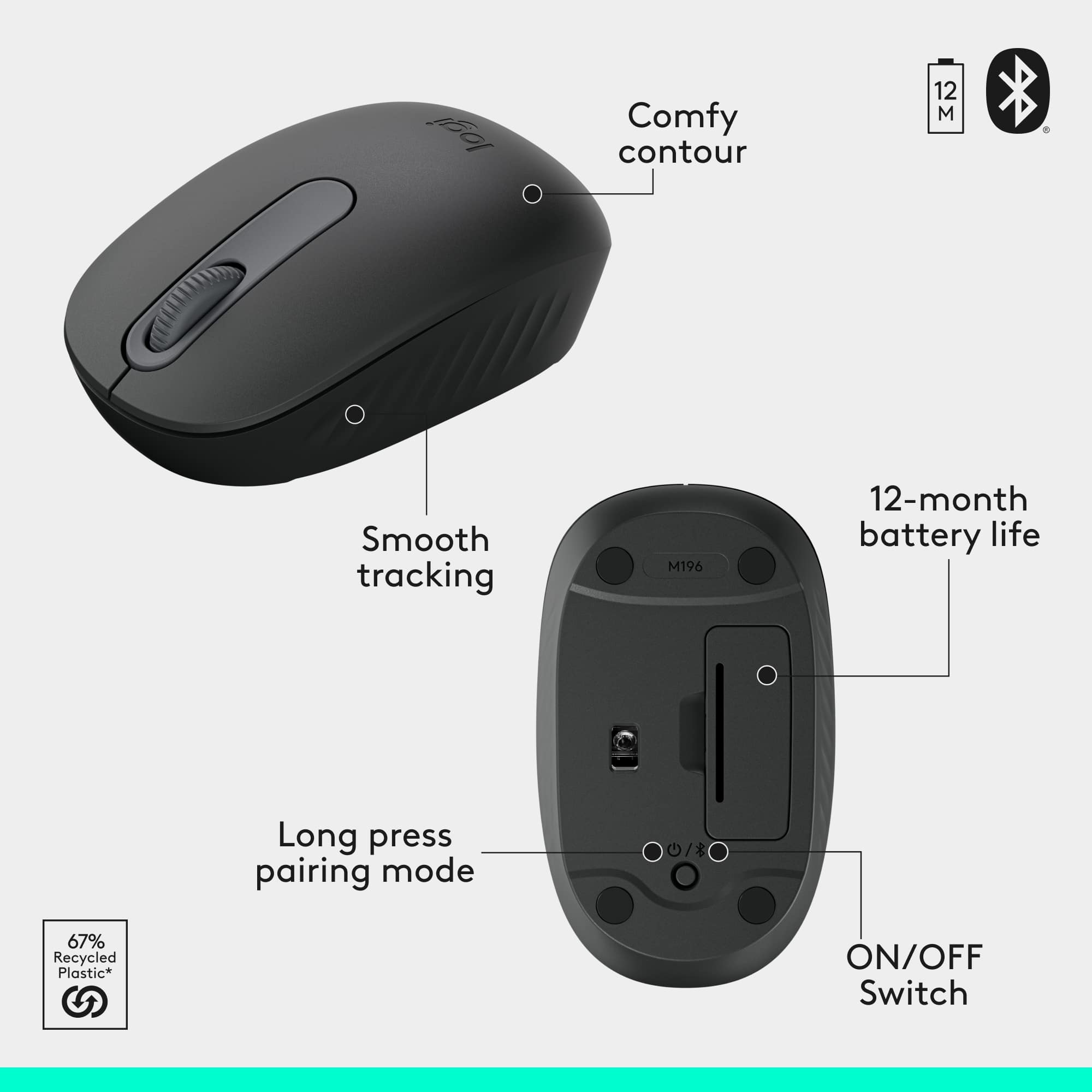
Q: QuestionDoes this combo connect using Bluetooth?
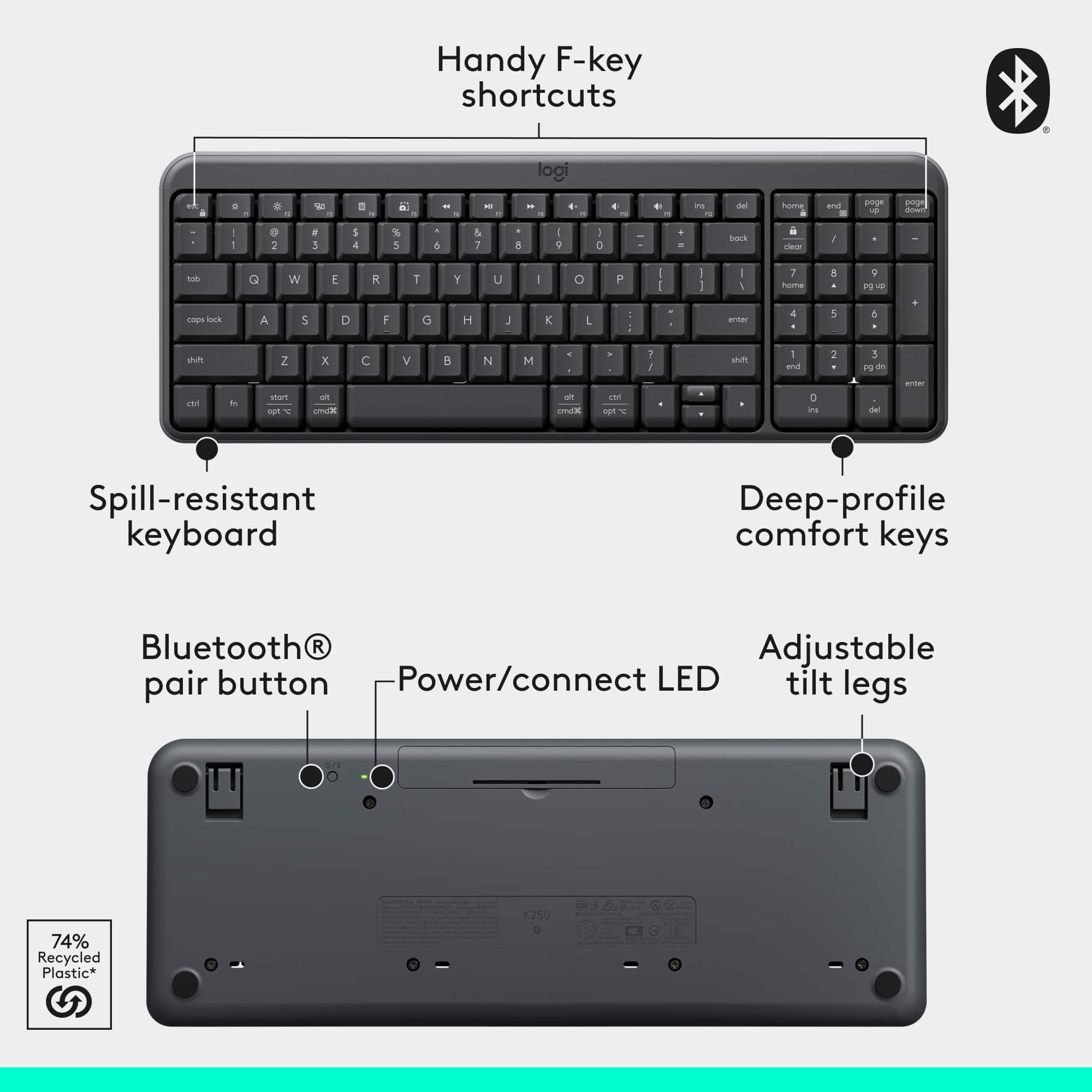
- A:Answer Yes, this combo connects using Bluetooth wireless technology.
This question and answer was generated by AI based on customer and product data.Q: QuestionIs this keyboard/mouse combo comfortable to use in your lap, say on the couch, with iPad propped up in case or on a table nearby? Is it too lightweight and wobbly or secure enough to type while in lap?
Asked by GAS.
This question was asked about the related product: Logitech - MK250 Full-size Bluetooth Wireless Keyboard and Mouse Combo for Windows/MacOS with Fast & Easy Connectivity - Graphite
- A:Answer It’s lightweight but stable enough for casual lap typing. Works fine on the couch with an iPad nearby, though not as solid as a rigid lap desk.
Answered by Logitech
Q: QuestionCan I connect it to a phone or tablet
Asked by Joy.
- A:Answer Yes, you can connect this combo to a phone or tablet as long as the device supports Bluetooth keyboards and mice. Most modern iOS and Android devices do, so you’ll be able to type and navigate just like on a computer.
Answered by Logitech
Q: QuestionIs the USB port compatible for the C type input that is on a MacBook?
Asked by Abby.
- A:Answer No it is USB A. It does not have the C type. Which is a same it would be a great keyboard and mouse otherwise for the MAC.
Answered by CoffeeAddict
Q: Questiondoes it work on a home tablet?
Asked by Anonymous.
This question was asked about the related product: Logitech - MK250 Full-size Bluetooth Wireless Keyboard and Mouse Combo for Windows/MacOS with Fast & Easy Connectivity - Off-White
- A:Answer MK250 is only compatible with Windows 10, 11 or later, macOS 12 or later, and ChromeOS.
Answered by Logitech
Q: QuestionWill this work with Xbox s
Asked by Gina.
This question was asked about the related product: Logitech - MK250 Full-size Bluetooth Wireless Keyboard and Mouse Combo for Windows/MacOS with Fast & Easy Connectivity - Off-White
- A:Answer The MK250 is designed for Windows/Mac via Bluetooth. Xbox consoles don’t support most Bluetooth keyboards, so this combo will not work natively with Xbox Series S.
Answered by Logitech
Q: Questionwhat type are the keys (membrane, mechanical, scissor switch, etc)
Asked by gwist.
This question was asked about the related product: Logitech - MK250 Full-size Bluetooth Wireless Keyboard and Mouse Combo for Windows/MacOS with Fast & Easy Connectivity - Off-White
- A:Answer The Logitech MK250 keyboard uses membrane keys, not mechanical or scissor-switch mechanisms.
Answered by Logitech
Q: QuestionCan these be used with HP laptop with Win OS? Thank you.
Asked by Anonymous.
This question was asked about the related product: Logitech - MK250 Full-size Bluetooth Wireless Keyboard and Mouse Combo for Windows/MacOS with Fast & Easy Connectivity - Off-White
- A:Answer Yes, the MK250 works with HP laptops running Windows. It connects via a USB receiver, so as long as your laptop has a USB port, you’ll be able to plug it in and start using both the keyboard and mouse right away.
Answered by Logitech
Q: QuestionIs this keyboard compatible with an iPhone 15 pro running iOS 26? Is it compatible with an iPad running iOS26?
Asked by Rosecheme.
This question was asked about the related product: Logitech - MK250 Full-size Bluetooth Wireless Keyboard and Mouse Combo for Windows/MacOS with Fast & Easy Connectivity - Graphite
- A:Answer MK250 Bluetooth keyboard works with iPhone 15 Pro and iPad on iOS 26.
Answered by Logitech
Q: QuestionThis question is for Logitech Support. How long do K250 and M196 need to be idle before getting into auto-sleep mode respectively? I have a open ticket with your company's support, but they don't seem to be able to provide me with correct answers.
Asked by JD.
This question was asked about the related product: Logitech - MK250 Full-size Bluetooth Wireless Keyboard and Mouse Combo for Windows/MacOS with Fast & Easy Connectivity - Graphite
- A:Answer I cannot answer this question completely. I do turn my computer off alot and a do not let it sit idle. So I am not sure of how long. I have found that a few times it takes awhile for my mouse to come alive after I have left my computer sit for awhile. Carolyn
Answered by Anonymous
Q: QuestionDoes the keyboard really have auto-sleep feature as the mouse in this combo MK250?
Asked by JD.
This question was asked about the related product: Logitech - MK250 Full-size Bluetooth Wireless Keyboard and Mouse Combo for Windows/MacOS with Fast & Easy Connectivity - Graphite
- A:Answer The MK250 combo is designed for power efficiency. Both the keyboard and mouse enter a low-power sleep mode when not in use, helping extend battery life.
Answered by Logitech
Q: QuestionWhat does the right click button do on a Mac OS?
Asked by Nick.
This question was asked about the related product: Logitech - MK250 Full-size Bluetooth Wireless Keyboard and Mouse Combo for Windows/MacOS with Fast & Easy Connectivity - Off-White
- A:Answer On a Mac OS, the right-click button typically provides a context menu, offering quick access to common actions related to the selected item, such as copy, paste, open, etc.
Answered by Logitech
Q: QuestionWill this work with Android tablet?
Asked by Anonymous.
This question was asked about the related product: Logitech - MK250 Full-size Bluetooth Wireless Keyboard and Mouse Combo for Windows/MacOS with Fast & Easy Connectivity - Graphite
- A:Answer No, the Logitech MK250 Bluetooth Combo is not compatible with the Android Operating system.
Answered by Logitech
Q: QuestionCan this be connected to multiple devices?
Asked by Anonymous.
- A:Answer Yes it can via Bluetooth
Answered by Phillips
Q: Questioncan this keyboard be turned on and off as needed to save the battery
Asked by Patmn.
- A:Answer Yes it can
Answered by Phillips
Most-viewed items
- $34.99$34.99The price was $44.99
- $18.99$18.99The price was $22.99
![The text on the image reads:
"esc FI In - ! 1 tab caps lock shift F2 2 Q A F3 # 3 W S Z F4 $ 4 E D X P F5 % 5 R F C F6 A 6 T G V logi ins F12 FM F0 HI F9 FB F7 + ( ) - = * - & 0 8 9 7 { ] P [ ] I O Y U : I K L ; H J ? > < / M 2 B ctrl alt cmd3 opt page page end down home up del 1 * I back clear 8 9 7 I pg up home / + 5 6 4 enter 2 3 1 dn Pg shift end 0 del ins enter ctrl fn start opt alt cmd3t"
The text is a list of keyboard shortcuts for various functions, such as esc, tab, caps lock, shift, and more. The shortcuts are organized in a way that makes it easy for users to remember and use them while typing.](https://pisces.bbystatic.com/image2/BestBuy_US/images/products/01258616-55c7-44c0-8173-e2f6983190ee.jpg;maxHeight=54;maxWidth=54;format=webp)