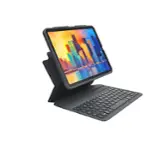
A:Answer With the iPad in the keyboard (keyboard gets turned on when the iPad is docked), turn off Bluetooth on the iPad. While the Bluetooth is turned off on the iPad, press and hold the Bluetooth key on the keyboard. This caused the blue light on the keyboard to blink rapldly, and keep on blinking rapidly, even when I stopped pressing the key. With the blue light blinking rapidly, turn the Bluetooth on the iPad “on”. This resulted in a message that the keyboard was attempting to pair, and with a code. Enter the code on the keyboard, and press “enter” on the keyboard. That made it all happen for me.