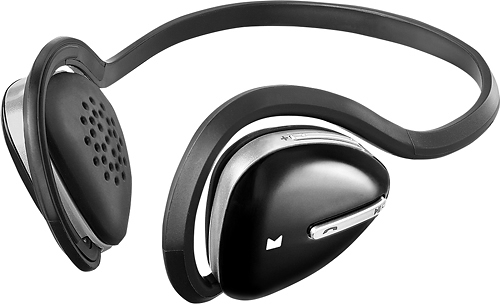
A:AnswerI would delete the device from your phone first. then boot the headphones back into pairing mode by holding the phone button until the light flashes blue/red rapidly. Then search for your headphones with your phone and repair them.
A:AnswerI was able to find the online help. I don't think you go under the support link as it directs. I seem to recall the help being on the right side of the screen
A:AnswerThe power button only needs held down for 2 seconds to turn on or off. To put into pairing mode you would hold the power button for 4 seconds, which should cause the LED to flash Blue and Red quickly showing it in pairing mode. If these steps are not working, you will want to have the headset reviewed by Geek Squad at your local Best Buy under manufacturer warranty.
A:AnswerThis sounds like a simple pairing issue, I would recommend speaking to our call center at 1-800-499-3402. They will be able to assist you with troubleshooting your headphones.
A:AnswerShort Answer: Yes, you can often purchase ear pads on Ebay, Amazon and other retailers. Long Answer: They do not have to be a perfect match. In fact many times it is better to be a ear pad made from the material you love rather than finding an identical match. But if you must find a match their are an abundance of companies who make knock off ear pads. I have tried all trhee methods, manufacturer, small company overseas, to trying earpads that are close enough to be creative and comfortable.
A:AnswerIt should automatically connect... Check your sound settings under your control panel in Windows... also check to be sure there are no other sound devices connected (speakers, other headphones, other Bluetooth devices). Good luck
A:AnswerI have the exact version of windows on my Pc and like you I see the device in the list but they seemed to not work for me..........................until I right clicked on the device and then clicked on connect. worked just fine for me at that point. each time I connect I have to do it this way for whatever reason. Hope it works for you
A:AnswerIf the unit is within the 1 year manufacturer warranty, and you have a copy of the receipt or the store can look the receipt up, you can have them reviewed by Geek Squad in your local Best Buy as they handle all of our warranty servicing.
A:AnswerWill not work with my iPhone 6, iPhone 6S or new iPad Air II running iOS 9.2. Worked with my iPhone 5 running iOS 9.2 just fine. Contacted Best Buy/Modal Support and they have no clue. Contacted Apple Support and they have no clue. It is older Bluetooth V3.0 technology. All Bluetooth devices SHOULD be backwards compatible, but not with newer iPhones.
A:AnswerThat's weird...I have the MD-HPBT01 as well. Sounds like bad luck to me. Tech products can be like that sometimes and that has happened to me. My battery is lasting easily a week of about an hour or so everytime I use it. I would try another one but there are other good bt headsets out there also
A:AnswerAs previously posted:
Try resetting the headphones.
1. Plug them in to charge.
2. Press and hold the Talk, Play and + buttons all at once.
3. Hold for 5 seconds or until you see the light on the side of the device flash.
Then try pairing them again.
I had this same symptom where they seemed completely dead. I found someone online had said how to reset them and this worked for me.