A:AnswerYes, this will work with any service. Plug the router into your ComCast modem. Power up the modem first, your router second. If any of your devices are not logging in, try rebooting to assure they obtain a DHCP address from the router.
A:AnswerAlmost certainly not. You need an internet/ethernet connection. And unless you've done some serious hardcore do-it-yourself wiring to your phone line you won't have ethernet there.
A:AnswerIt sounds like you have Wi-Fi and Blue Tooth confused. Lets start with you router question.
The price goes up as the routers get faster. You need a router that is fast enough to do everything you want to do. If you stream video, like using Netflix, you need a fast one. You will find "N" routers and "AC" routers. AC is faster.
Blue Tooth is how two devices talk to each other. For example, your cell phone playing music over you stereo. I have a Fitbit too. I sync it with my IPhone and IPad. No internet is needed because they communicate using Bluetooth.
Hope that helps.
A:AnswerNot even a factor... .your would put the PPPoe (DSL user name and password) information in the router to make the connection than set Linux to obtain IP automatically from the router ...
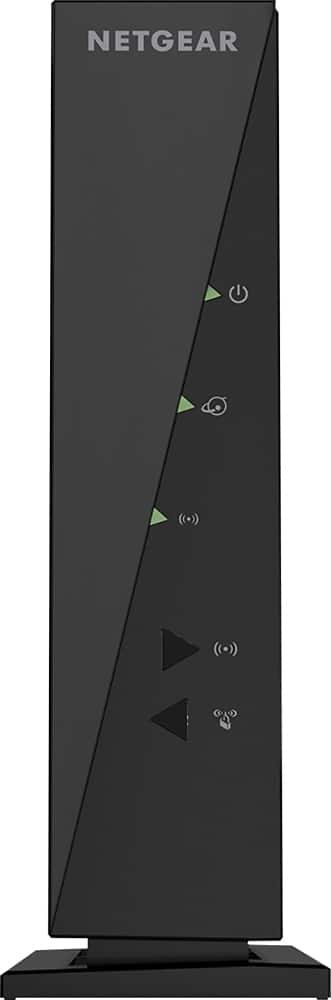
A:AnswerThis is NOT a cable modem; it is a WiFi router. You would plug this into a cable modem to add WiFi if your modem didn't have it, or if the WiFi on the modem wasn't working very well.
A:AnswerFrom the internet, run an Xfinity Speed Test. Wireless may be a lot lower than your given speed. If you get more than 30 Mbps, then your modem is doing it's job and the problem may be with malware. If so, run Malwarebytes.
A:AnswerYou need a source of internet to plug-in to the device which will then convert it to wifi and allow you to connect several devices via wifi to your one source of internet. This is what a router does.