Questions & Answers
- Model:
- XR48A90K
- |
- SKU:
- 6505133
Highly rated by customers for: Picture Quality, Color, Ease of use
$1,399.99$1,399.99
Page Showing 41-60 of 122 questions
Q: QuestionWhat is the weight of the TV without the stand?
Asked by LS.
- A:Answer Hello LS, Thank you for considering Sony products! We appreciate your inquiry regarding the weight of the XR48A90K TV without the stand. The Sony BRAVIA XR48A90K 4K HDR OLED TV weighs approximately 13.4 kg (29.6 lb) without the stand. For further specifications and detailed information about this model, please visit: https://www.sony.com/electronics/support/televisions-projectors-oled-tvs-android-/xr-48a90k/specifications Best regards, -Fred
Answered by SonyListens
Q: QuestionWhere is the audio out located on Sony - 48" Class BRAVIA XR A90K OLED 4K UHD Smart Google TV (2022).
Asked by John.
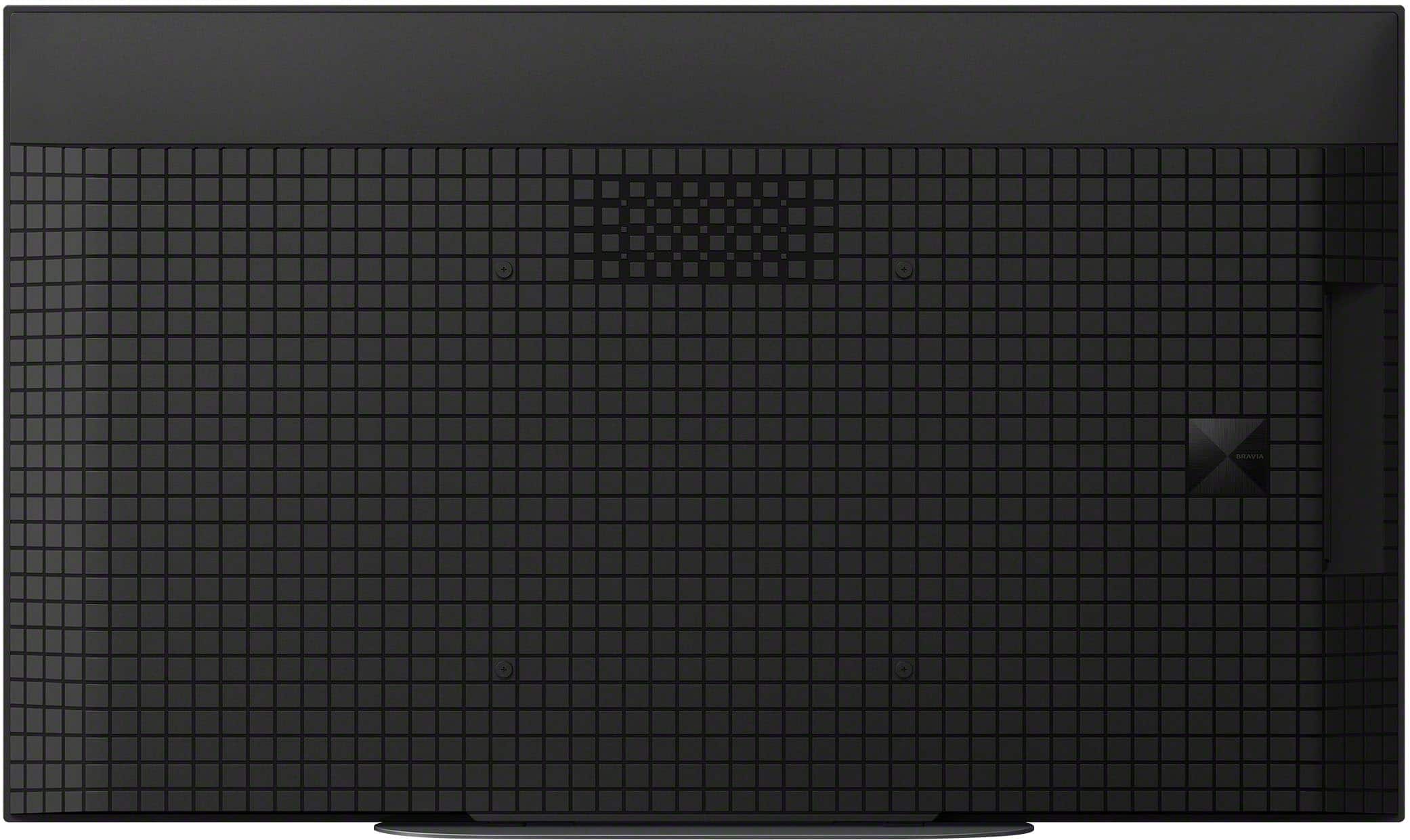
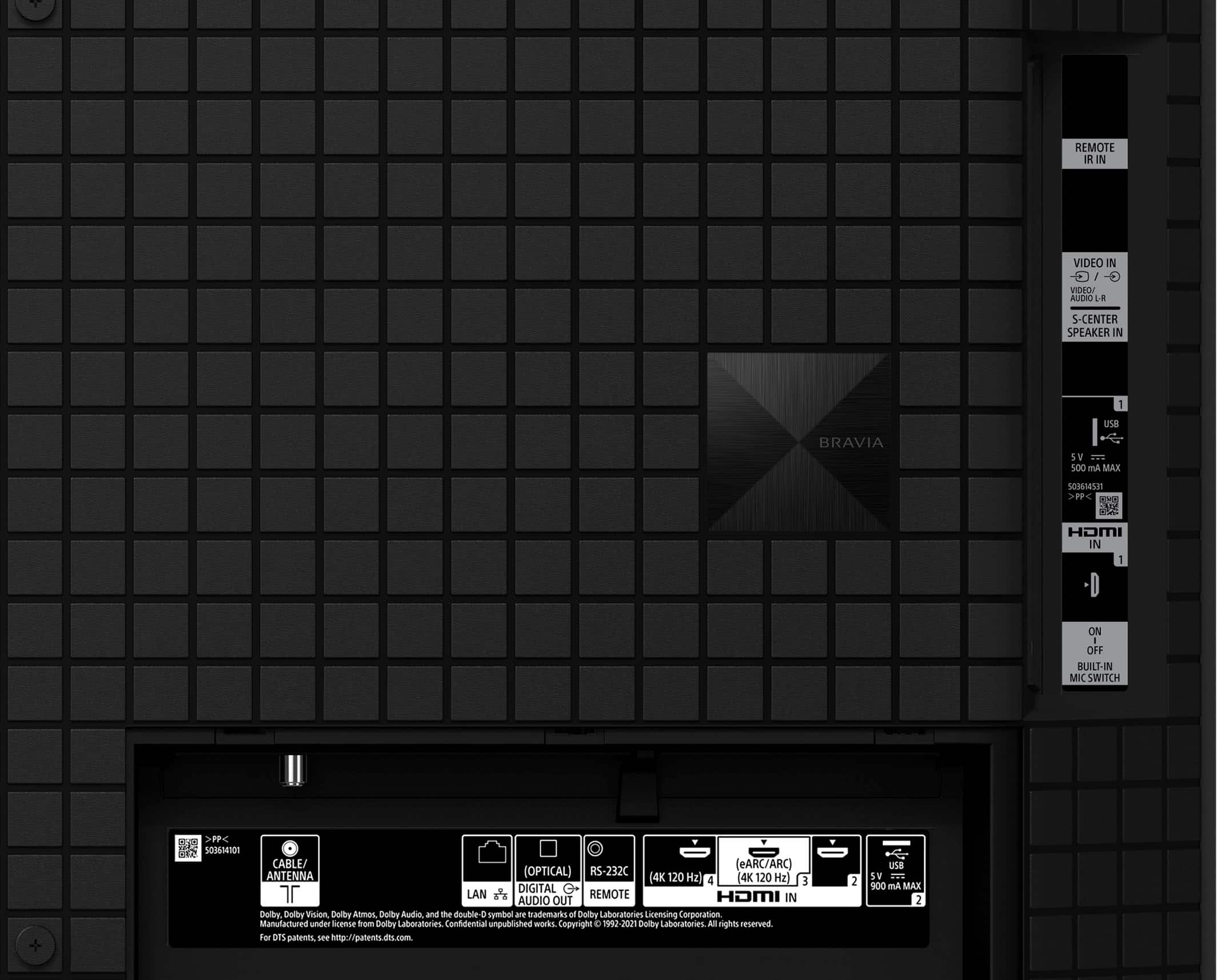
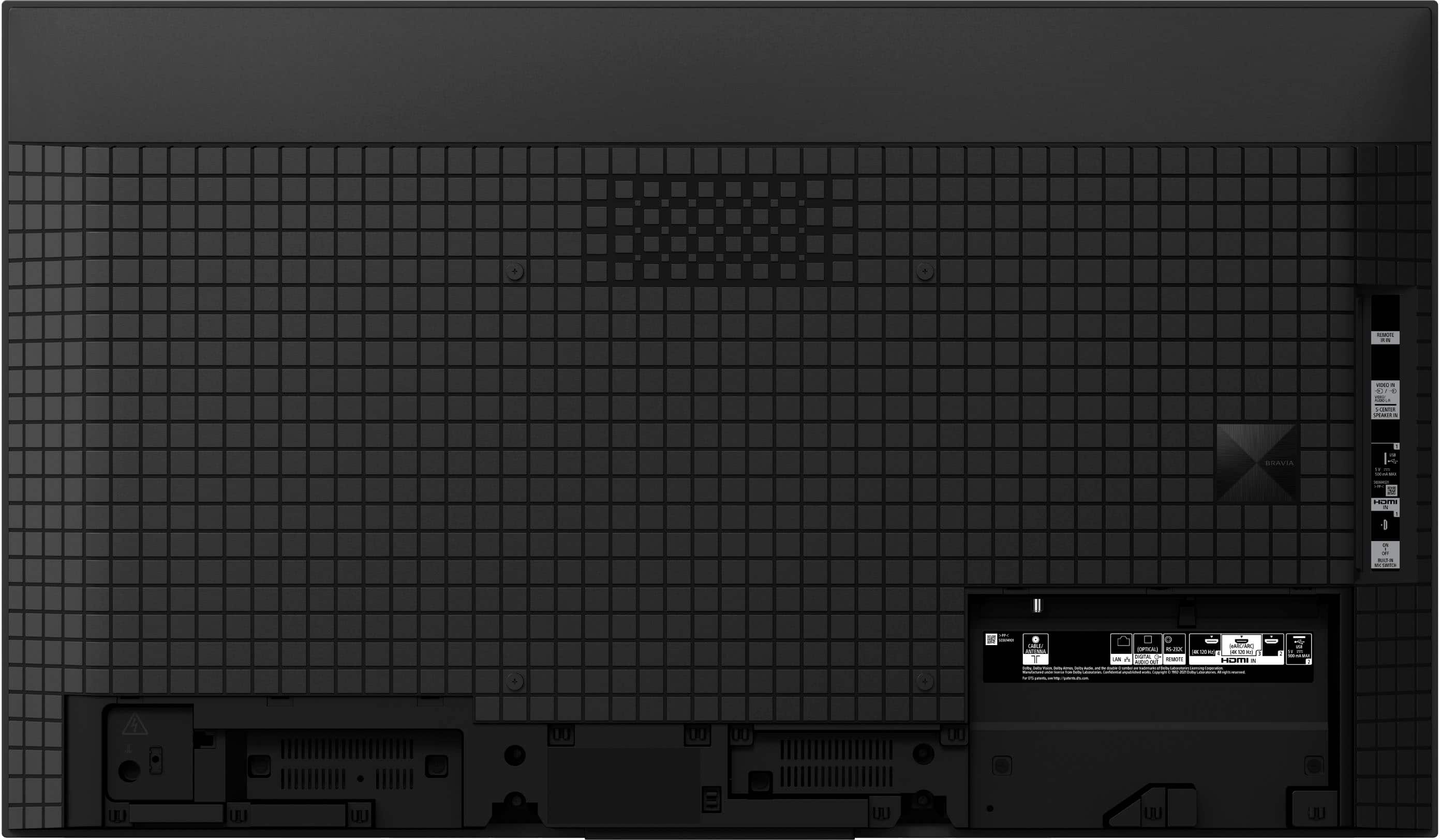
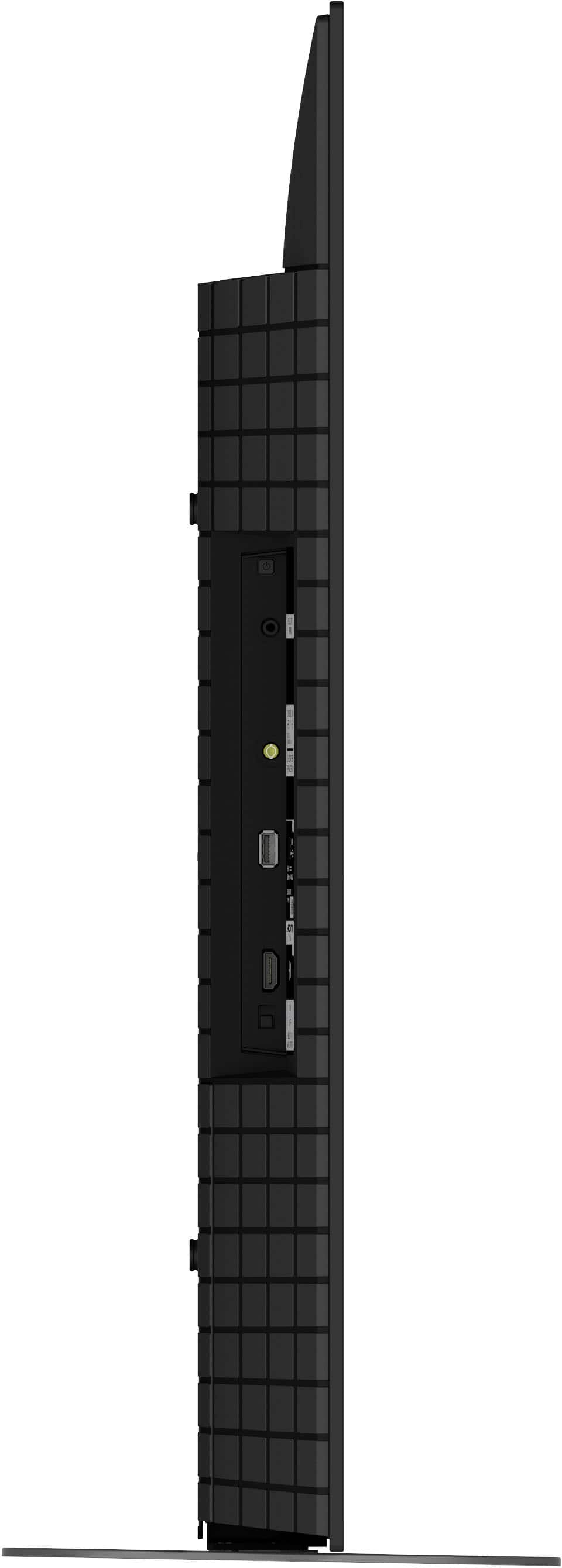
- A:Answer Hi John, That is a great question. On the Sony BRAVIA A90K, the audio output ports (HDMI eARC/ARC and Digital Audio Out) are located on the connection panel on the right-hand side when you are facing the back of the TV. For a visual representation of exactly where these ports are located and how they are labeled, you can refer to the Setup Guide here: https://www.sony.com/electronics/support/res/manuals/5037/967be23b4ac3a7221d668862f041c610/50373321M.pdf We hope this helps you get your audio system connected perfectly. Thanks again for considering Sony! Regards, Dominick
Answered by SonyListens
Q: QuestionWill it run on standard cable hook up.also will a sony dvd player hook up.
Asked by Jc.
- A:Answer Hi Jc, Thank you for your question. Yes, the Sony BRAVIA A90K is compatible with both a standard cable box and your Sony DVD player. These devices primarily connect to the TV using an HDMI cable. The TV comes equipped with four HDMI ports to easily accommodate all your necessary hookups. Thank you for your interest in our Sony TVs! Regards, Dominick
Answered by SonyListens
Q: QuestionMy TV worked fine for 2 years. Now it will no longer connect to the internet. I did a factory reset & it connected to the internet but once I turn the TV off & back on it will again no longer connect to the internet. What do i need to do?
Asked by Wifi.
- A:Answer Hi Wifi, Thanks for sharing your experience with the Sony - BRAVIA A90K! We're truly sorry to hear about the difficulties you've been experiencing with your TV. We completely understand how frustrating it must feel to struggle with the built-in Wi-Fi connection. To help improve your TV's connectivity, please try these steps: 1- Power cycle your TV and router by unplugging them from the power for about two minutes and then plug them back in. 2- Make sure your TV is within 25 feet of your router for the best signal strength. 3- Turn on Simple IP Control on your TV by going to Settings > Network and Internet > Home Network > IP Control > Simple IP Control, then switch it on. 4- Try connecting your TV to a mobile hotspot to rule out any possible restrictions or issues with your home network. If you've tried these steps and are still having trouble, our technical support team will be glad to assist you further. You can reach them here: https://us.esupport.sony.com/support/s/support-contact?language=en_US&category=tv Thanks for considering Sony products! Regards, Dominick
Answered by SonyListens
Q: Questioncan you get a remote with numbers on itg
Asked by bb.
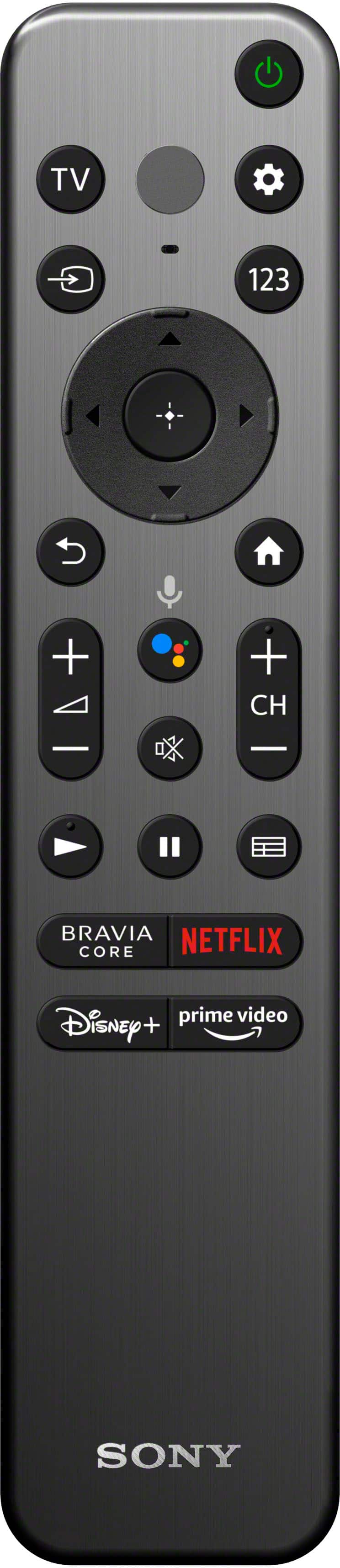
- A:Answer Hi bb, Thank you for your question! Yes, you do have the option to purchase a compatible Sony remote for the BRAVIA A90K that includes a numeric keypad. You can order it directly through our official Sony Parts and Accessories partner, Encompass, using the link below: https://sony.encompass.com/item/12627719/Sony/1-009-947-11/ We hope this information helps, and thank you for considering Sony products! Regards, Dominick
Answered by SonyListens
Q: QuestionThis TV Work with 220 Volts? The Sony website say 120 / 220V
Asked by Claudio.
- A:Answer Hi Claudio, Thanks for the question and the interest in Sony products! Regarding your concern, based on the TV's Power Requirements, the A90K is able to work in 110 V - 240 V AC range. So, yes, it should work just perfectly fine! You can find more information on the following link: https://www.sony.com/electronics/support/res/manuals/5039/ad4026a9812a6d872851e102ddcbc1cd/50390511M.pdf. On page 12, you will be able to find the power requirements and much more information that might be useful. We hope this information come in handy— wishing you a nice day! DiegoV
Answered by SonyListens
Q: Questionwhat is the difference between the XRA90K AND THE XBR- 48A9S?
Asked by Anonymous.
- A:Answer Hi there, The Sony XRA90K is a newer, more advanced OLED model from 2022, while the XBR-48A9S is an older one from 2020. The primary differences are that the A90K has a more powerful processor and includes HDMI 2.1 ports, which are essential for 4K/120Hz gaming. The older A9S uses a previous-generation processor and lacks these modern gaming features. Thanks for considering Sony products. Best regards, Eliab
Answered by SonyListens
Q: Questiondoes the stand alles the to to soviel?
Asked by Lori.
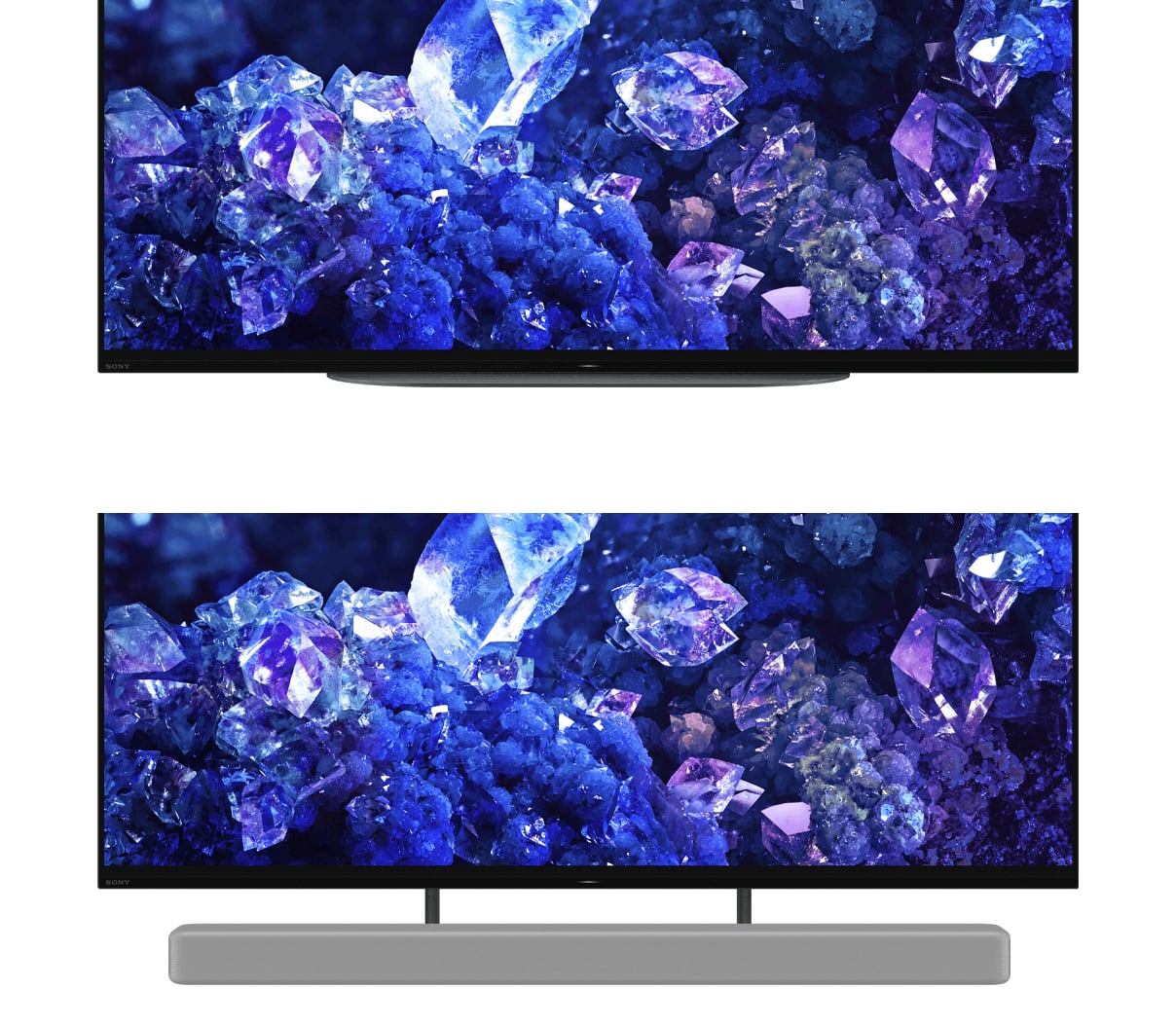
- A:Answer Hi Lori, thanks for contacting Sony! We would be happy to help you with the XR-48A90K television. While the stand for this model does not allow the TV to swivel, it is designed with two height positions. This feature allows you to adjust the TV to a lower, standard position or raise it to a second, higher position. The higher setting is particularly useful if you want to place a soundbar directly in front of the TV without it blocking the screen. We appreciate you choosing Sony and hope this information is helpful! Best regards, Gus, Sony Social Media Team
Answered by SonyListens
Q: QuestionI HAVE AN OLD BOSE THAT IS NOT HDMI. WILL THIS TB SUPPORT IT?
Asked by OPIE.
- A:Answer Thank you for your question, Opie. We're happy to help you with this. Yes, your XR-48A90K TV will support your old Bose sound system. This TV has a digital optical output port that will allow you to connect your Bose system and get the audio from your TV. You will just need an optical cable to make the connection. If you have any further questions or need assistance with the setup, please don't hesitate to contact our customer support team. We're always here to help. Thank you for considering Sony. Best regards, Gus, Sony Social Media Team.
Answered by SonyListens
Q: QuestionDoes this support AirPlay?
Asked by Crob.
- A:Answer Hi Crob, thank you for your question! Yes, the Sony - BRAVIA A90K does support Apple AirPlay. You can easily stream content like videos, music, and photos directly from your iPhone, iPad, or Mac to your TV. It's a great feature that makes sharing and enjoying your favorite content super convenient. Thank you for considering Sony products! Best regards, -Dominick
Answered by SonyListens

Q: QuestionCan a VCR be used with tv?
Asked by MrWimp4.
- A:Answer Not directly (most VCRs don't have HDMI) Need an adapter box (convert analog to digital) If you already have an AVR (IT FULLY WORKS = only with device) - sound IN to components slots - stretch video/yellow to appropriate location
Answered by Anonymous
Q: QuestionIs this T V set for wall mounting
Asked by Glennlefty.
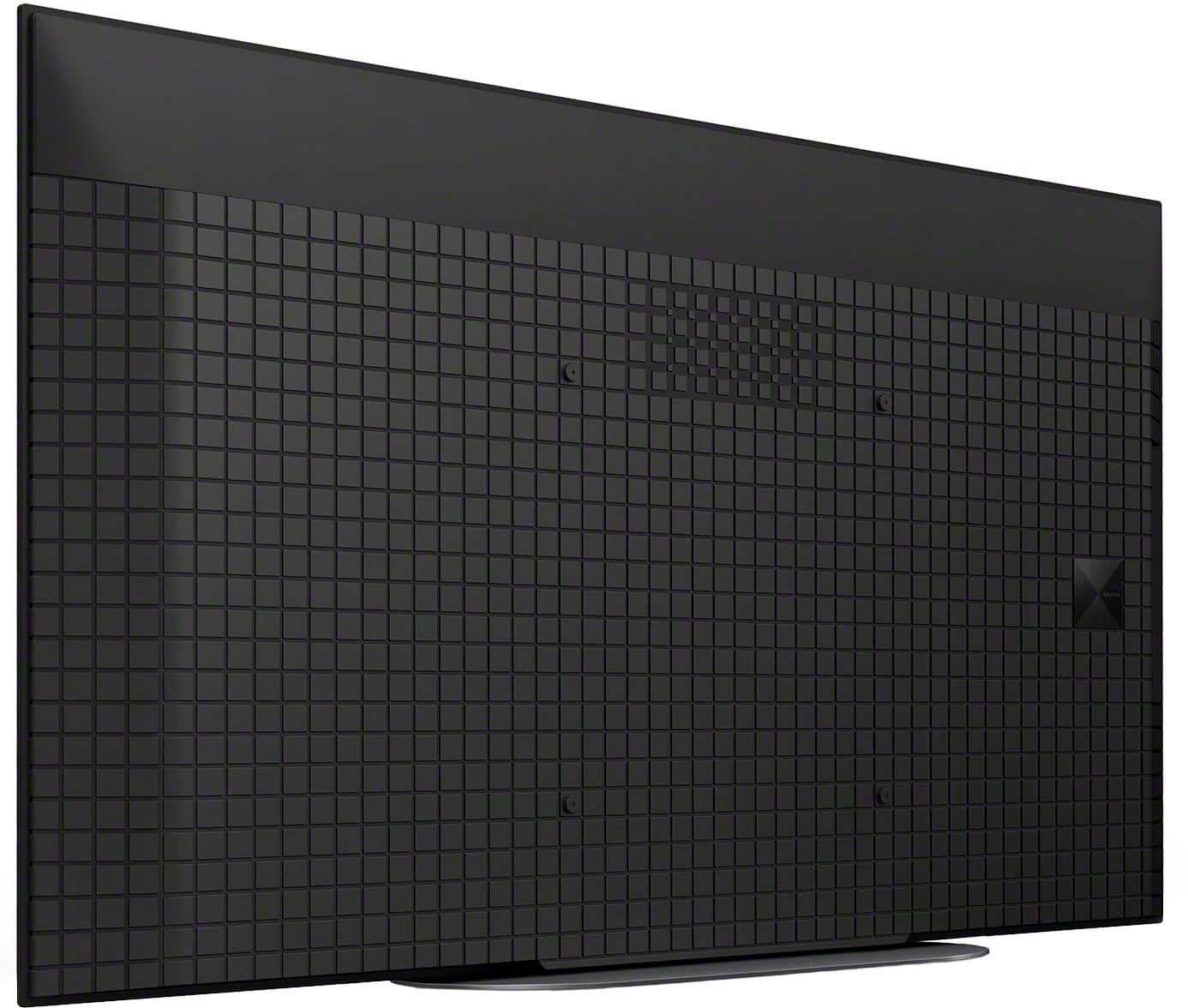
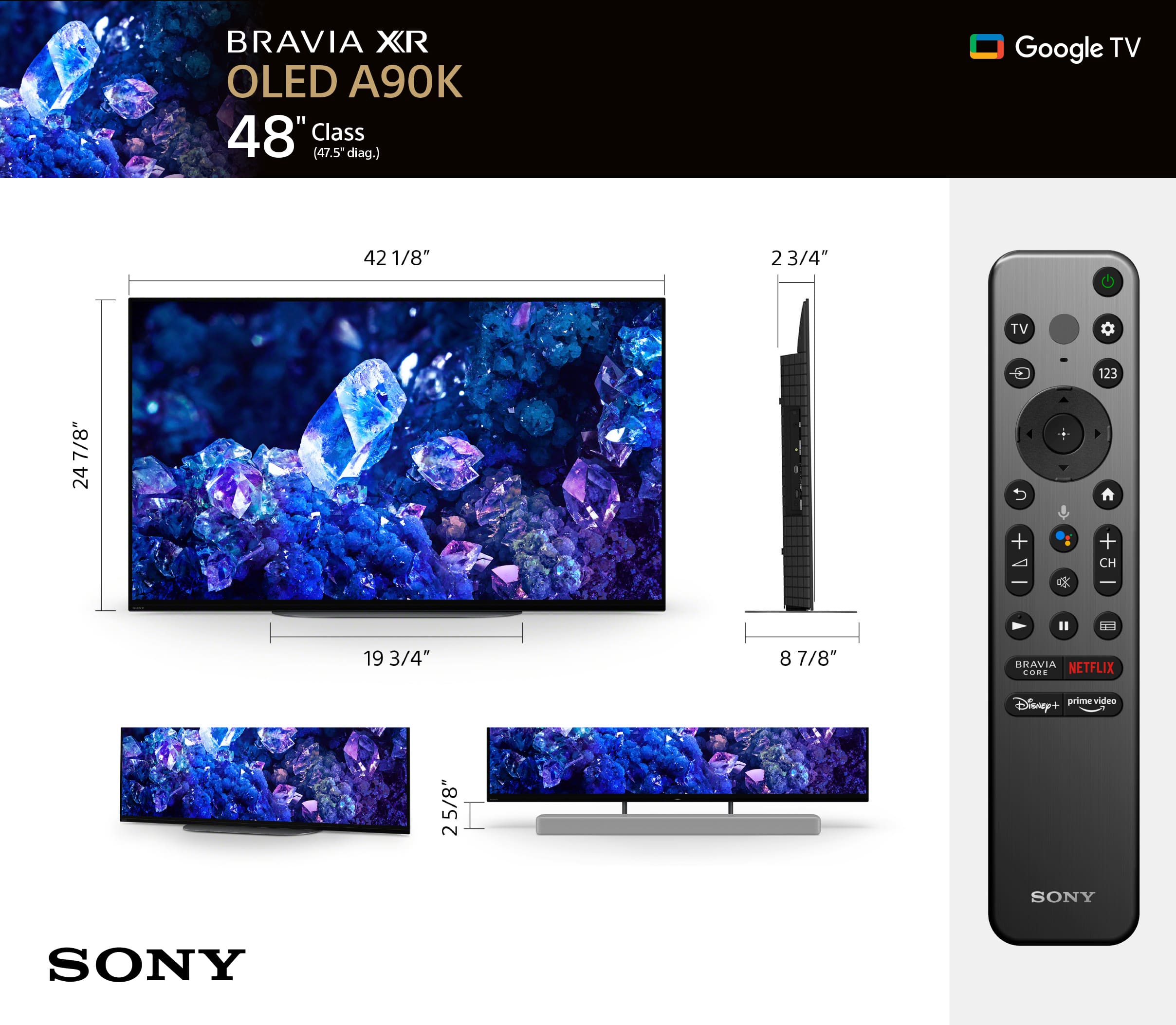
- A:Answer Hi Tawasboy, wall-mounting the Sony - A90K is optional! The unit comes with a table top stand so that you can place it easily on a flat surface. However if you'd like to wall mount it, you need to get a wall-mounting bracket and we recommend the Sony SU-WL855 for that purpose! Thank you for considering Sony. Best regards, -Dominick
Answered by SonyListens

Q: QuestionCurrently have a Sony xbr800e connected to amplifier via audio cables into the headphone jack on the tv. Plays on 4 external speakers wired to the amp. How would I make this connection on the XR a90k?
Asked by Steve.
- A:Answer Hi Steve, thanks for your question. The XR48A90K does not have an audio output or headphone jack like your previous TV, so this method may not be applicable. You can use HDMI or optical digital connection if your amplifier supports it. The MASTER Series BRAVIA XR A90K OLED TV is designed to fit perfectly in any sized room or office thanks to the 48-inch and first-ever 42-inch screen sizes. Whether you are gearing up for an intense gaming session or settling down to enjoy your favorite movie or show, rest assured the A90K will be sure to impress. ~Earl
Answered by SonyListens

Q: Questioncan two wireless headphones connect at the same time?
Asked by Anonymous.
- A:Answer Hi there, Thank you for reaching out with your question. Unfortunately, the answer is no. While our TV does allow you to connect multiple wireless devices or headphones via Bluetooth (provided that the audio device supports the Advanced Audio Distribution Profile, A2DP), it can only play music or audio from one paired device at a time. To learn more about the Bluetooth function of our XR48A90K, please visit Sony support website and search for the following articles: • Help Guide - Connecting a Bluetooth device • Can I use Bluetooth headphones, speakers, and soundbars with my Android TV or Google TV? The MASTER Series BRAVIA XR A90K OLED TV is designed to fit perfectly in any sized room or office thanks to the 48-inch and first-ever 42-inch screen sizes. Whether you are gearing up for an intense gaming session or settling down to enjoy your favorite movie or show, rest assured the A90K will be sure to impress. I hope this helps! Best regards, Romeo
Answered by SonyListens

Q: QuestionCan a swivel stand be purchased separately for this TV?
Asked by GG.
- A:Answer Hi GG, Thank you for your question. Using a different stand (legs) is not supported and recommended. For optimum performance, it is recommended to use the supplied stand of the TV. You have the option to mount the TV on a mounting bracket that swivels. Make sure that is supports 11.81 x 11.81 inch (300 x 300 mm) VESA hole pattern and a weight of 29.6 lb (13.4 kg). The MASTER Series BRAVIA XR A90K OLED TV is designed to fit perfectly in any sized room or office thanks to the 48-inch and first-ever 42-inch screen sizes. Whether you are gearing up for an intense gaming session or settling down to enjoy your favorite movie or show, rest assured the A90K will be sure to impress. -Ralph
Answered by SonyListens

Q: QuestionThe TV does not have a headphone connection. I read that bluetooth headphones have latency issues, and that you hear the words slightly after the lips move. How do I connect a headphone and avoid the latency issue? Can I use USB?
Asked by Lorenzo1776.
- A:Answer Hi Lorenzo1776, Thank you for your question. Using the USB port to output audio is not supported. As an alternative to Bluetooth, you can use the optical port if the wireless headphones use a transmitter. For optimum performance, make sure that the software version of the TV is up-to-date. When using Blueooth, the sound may be affected by the connection status or radio wave environment. The following are the most common causes: -Placing a wireless LAN access point close to Bluetooth devices or the TV. -The Bluetooth devices and the TV are too far apart. -A microwave is in use. In such cases, make sure to place a wireless LAN access point far from Bluetooth devices or the TV, or place Bluetooth devices close to the TV. The MASTER Series BRAVIA XR A90K OLED TV is designed to fit perfectly in any sized room or office thanks to the 48-inch and first-ever 42-inch screen sizes. Whether you are gearing up for an intense gaming session or settling down to enjoy your favorite movie or show, rest assured the A90K will be sure to impress. -Ralph
Answered by SonyListens

Q: QuestionHow is this model different from the 55" Class BRAVIA 8 OLED 4K UHD?
Asked by Pat.
- A:Answer Hi Pat, Thank you for reaching out with your question. Here’s a detailed comparison of the two models: The XR-48A90K is a proud member of the BRAVIA XR MASTER Series, showcasing OLED technology that delivers breathtaking 4K Ultra HD visuals. It boasts High Dynamic Range (HDR) and Smart TV functionalities powered by Google TV, ensuring you enjoy both stunning picture quality and a seamless user experience. In contrast, the K-55XR80 (BRAVIA 8) is equipped with the advanced XR Processor, providing impressive 4K Ultra HD resolution and HDR for vibrant, lifelike imagery. As an OLED Smart TV with Google TV, it allows for an intuitive experience, letting you easily access your favorite apps, cast content, and use voice commands. The key differences between these models are their screen size and series classification. The XR-48A90K, being part of the MASTER Series, includes additional premium features and performance enhancements that set it apart from the K-55XR80. For further information on each model, please visit the Sony support website. I hope this clarifies your inquiry! Best regards, Romeo
Answered by SonyListens

Q: QuestionWhat are the height and with ?
Asked by Wade.
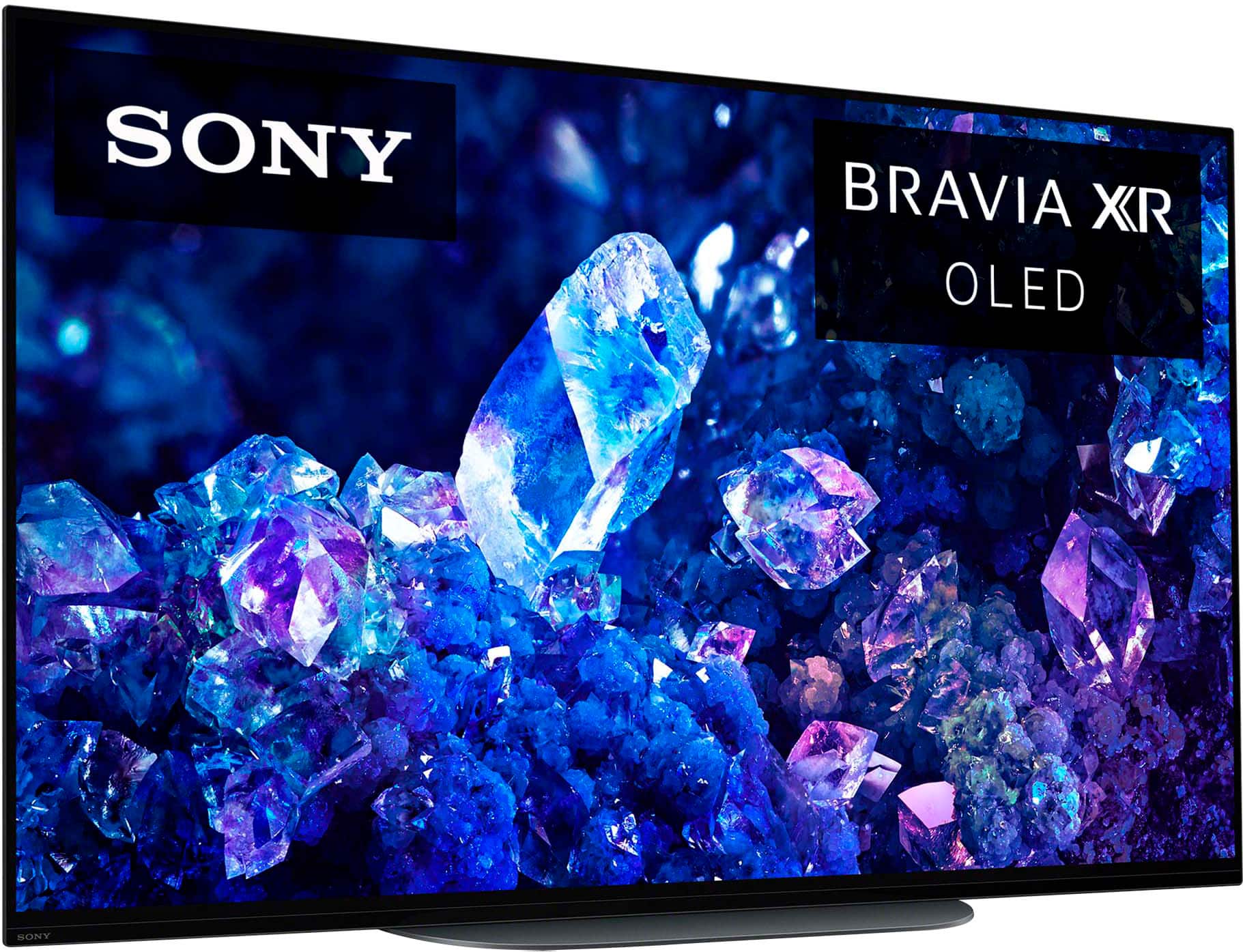
- A:Answer Hi Wade, Thank you for expressing your interest in the Sony XR48A90K! Here are the dimensions for your reference: TV Dimensions without Stand (W x H x D):-42.13 x 24.63 x 2.38 inches (1,069 x 624 x 59 mm) TV Dimensions with Stand (Standard Position) (W x H x D): 42.13 x 24.88 x 8.88 inches (1,069 x 629 x 225 mm) TV Dimensions with Stand (Soundbar Position) (W x H x D): 42.13 x 27.5 x 8.88 inches (1,069 x 697 x 225 mm) For more detailed specifications, please visit the Sony Support website. Simply search for "XR48A90K" and click on the Specifications tab. The MASTER Series BRAVIA XR A90K OLED TV is designed to fit perfectly in any sized room or office thanks to the 48-inch and first-ever 42-inch screen sizes. Whether you are gearing up for an intense gaming session or settling down to enjoy your favorite movie or show, rest assured the A90K will be sure to impress. I hope this helps! Best regards, Romeo
Answered by SonyListens

Most-viewed items
- Ultimate Deal$159.99$159.99
- $74.99$74.99The price was $129.99
- $449.99$449.99The price was $649.99
- $329.99$329.99The price was $469.99
- Ultimate Deal$1,999.99$1,999.99
- $599.99$599.99The price was $1,299.99
- Ultimate Deal$1,399.99$1,399.99
- Ultimate Deal$139.99$139.99
- $209.99$209.99The price was $349.99
- $329.99$329.99The price was $489.99
- $549.99$549.99The price was $1,299.99
- Ultimate Deal$1,499.99$1,499.99
- Ultimate Deal$799.99$799.99
- Ultimate Deal$109.99$109.99
- $999.99$999.99The price was $2,299.99
- $1,099.99$1,099.99The price was $1,199.99