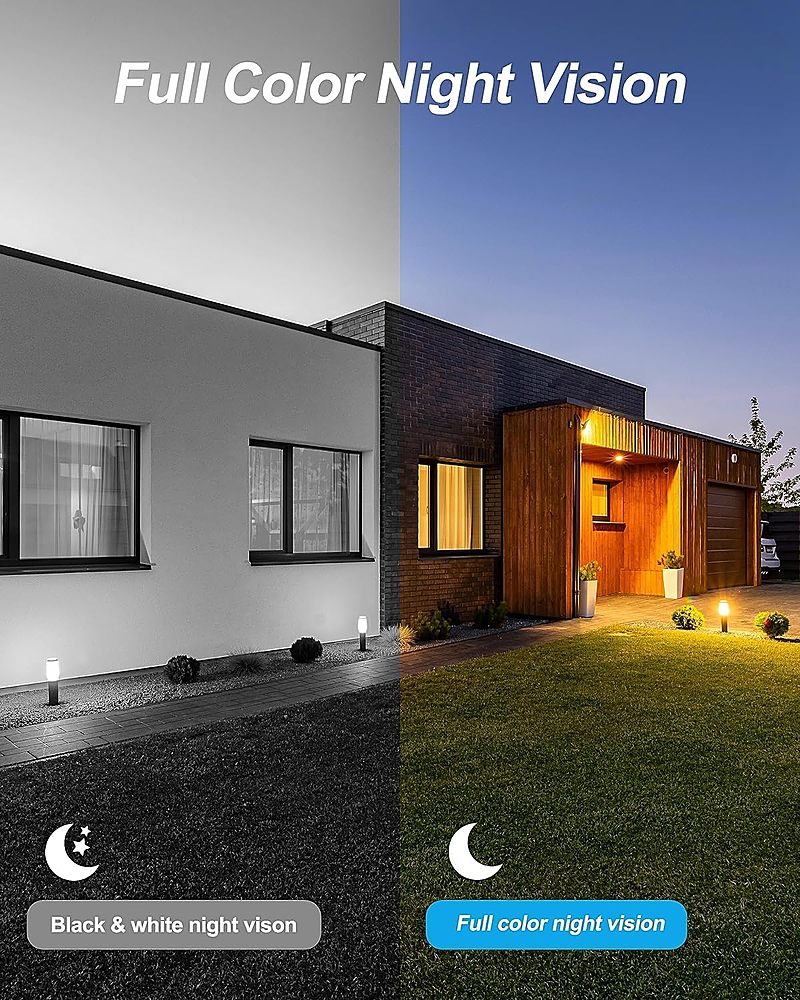
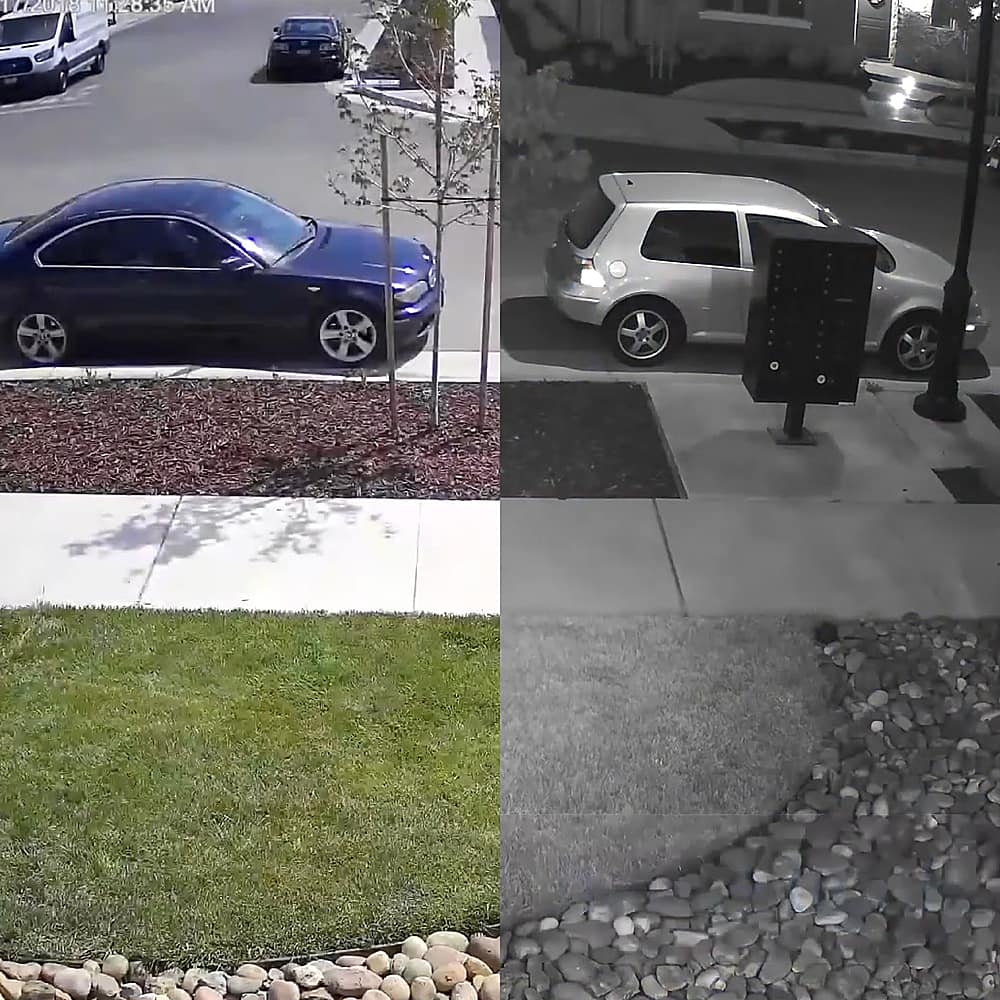
A:AnswerThanks for your question. Number plates can be challenging for any camera to read at night if the camera is using infrared LEDs (the ones that create black and white night vision). The reason is that the LEDs bounce off the reflective coating on the number plate and will make it look like a very bright rectangle and the letters/numbers on it will be obscured. The best chance of seeing the number plate is to keep the camera in colour night vision rather than it using the infrared LEDs. This can be done with the use of other ambient lighting to light your driveway, or using the spotlights on the cameras. -SD, Swann Team
A:AnswerHello, Scott. Yes, you can view all cameras at the same time by connecting your system to an HDMI monitor or TV. Additionally, you can view the cameras remotely via our Swann Security App and view them in a tile layout on your phone screen. For further assistance, please visit our support page or contact us over the phone.
https://support.swann.com/s/
Your feedback is important to us.
LV - Swann Team
A:AnswerHi. We are not sure we understand your question. For further assistance, please visit our support page or contact us over the phone. https://support.swann.com/s/ Your feedback is important to us. LV - Swann Team
A:AnswerHello Storage. Thank you for your question. The largest individual hard drive you can connect is 6TB. Since this NVR recorder includes an extra HDD bay for an additional HDD. Each hard drive can be 6TB for a total of 12TB. You can get about a day recording on all cameras recording 24/7 per 1TB. For more details on recording space please click on the link below or contact our support team.
https://support.swann.com/hc/en-us/articles/4803742694041-Recorder-Storage-How-to-assess-your-HDD-capacity-and-storage-requirements
LV - Swann Team
A:AnswerHi Skeeter. You will need to run an HDMI cable between the back of the NVR and your TV. We include a simple wired USB mouse with the NVR but if you wish to you can swap this with your own USB wireless mouse instead. Many (but not all) wireless mice should work and the range will be based on the specifications of that mouse and the thickness of your walls etc. The Swann Security app does not act a remote control for the DVR, it is intended to let you view your system from your smartphone when you're out and about. - SD, Swann Team
A:AnswerHello Vito,
Swann's humble beginnings were in Australia, the business now has offices in the USA, Canada, Australia, the UK, Hong Kong, and China. Our products are manufactured in China. LV - Swann Team
A:AnswerHello sofin,
Thank you for reaching out to us with your question. The amount of recording space will vary on your recording resolution, number of cameras, frame rate, and PIR settings. For a number of days, contact our support team and provide more information on how your item will be set up. Click on the blue box on the bottom right-hand corner to live chat with a technical support agent or contact us over the phone.
https://support.swann.com/hc/en-us
Please let us know how we may further assist you,
Thank you.
JV
Swann Customer Support
A:AnswerHello Scissorbeak2,
Thank you for reaching out to us with your question. The delay time from trigger to record can be 0-3 seconds variating on the subject in question. For more information, contact our support team directly. Click on the blue box on the bottom right-hand corner to live chat with a technical support agent or contact us over the phone.
https://support.swann.com/hc/en-us
Please let us know how we may further assist you,
Thank you.
JV
Swann Customer Support
A:AnswerHello Oyster,
Thank you for reaching out to us with your question. The cameras included in this kit have two-way audio features. The audio is communicated back to the recorder through the same Ethernet cable used for power. The longest recommended run from the camera to the recorder is 300 feet.
Please let us know how we may further assist you,
Thank you.
JV
Swann Customer Support
A:AnswerHello Sharkly,
Thank you for reaching out to us with your question. Out of the box, the recorder will need to be configured for your security needs. We offer video tutorials and 24-hour support for walkthroughs or technical support. Based on the information provided, we would recommend reaching out to a member of our support team directly for further assistance. Click on the blue box on the bottom right-hand corner to live chat with a technical support agent or contact us over the phone.
https://support.swann.com/s/
Please let us know how we may further assist you,
Thank you.
JV
Swann Customer Support
A:AnswerHello Pete,
Thank you for reaching out to us and sharing your question. The cameras included in this kit can record on either setting. Each camera can have its own independent settings which give you full control of your Swann system. Click on the blue box on the bottom right-hand corner to live chat with a technical support agent or contact us over the phone.
https://support.swann.com/s/
Please let us know how we may further assist you,
Thank you.
JV
Swann Customer Support
A:AnswerHello Sharkly,
Thank you for reaching out to us with your question. The frame rate options when recording in 4K are 1-8 FPS. In areas with high traffic, you can lower the resolution to 1080P to get an option of 1-18 FPS. This can help adjust the system to your security needs. If you have not already, please reach out to a member of our support team so we can strategically set your system to your security scenario. Click on the blue box on the bottom right-hand corner to live chat with a technical support agent or contact us over the phone.
https://support.swann.com/s/
Please let us know how we may further assist you,
Thank you.
JV
Swann Customer Support
A:AnswerHello Navin,
Thank you for reaching out to us with your question. No, a monthly subscription is not required since the cameras included in this kit will record directly to its hard drive. Our Secure+ Plans do offer great features like extended warranties and other add-ons but are not required for remote access and control of your device.
Please let us know how we may further assist you,
Thank you.
JV
Swann Customer Support
A:AnswerHello,
Thank you for reaching out to us with your question. No, the cameras included in this kit will use POE. A power adapter is not needed as a power source for the cameras.
Please let us know how we may further assist you,
Thank you.
JV
Swann Customer Support
A:AnswerHello Worm007,
Thank you for reaching out to us with your question. This recorder will save footage directly to its hard drive. A subscription is only required if you need an extended warranty or other features. For more information, contact our support team directly. Click on the blue box on the bottom right-hand corner to live chat with a technical support agent or contact us over the phone.
https://support.swann.com/s/
Please let us know how we may further assist you,
Thank you.
JV
Swann Customer Support
A:AnswerHello Alonso,
Thank you for reaching out to us with your question. Yes, this kit can use CAT5E or CAT6E.
Please let us know how we may further assist you,
Thank you.
JV
Swann Customer Support
A:AnswerHello Jefferson,
Thank you for reaching out to us with your question. Yes, although the product may have limitations due to network bandwidth. There is no specific limit but we recommend no more than 3 connections at once; the available bandwidth of the internet connection that the camera is using may also limit the connections that can be sustained. HDMI connections are not affected by the internet. Click on the blue box on the bottom right-hand corner to live chat with a technical support agent or contact us over the phone.
https://support.swann.com/s/
Please let us know how we may further assist you,
Thank you.
JV
Swann Customer Support
A:AnswerHello Roundor1,
Thank you for reaching out to us with your question. The audio settings can be disabled within the recorder settings. The system has features that will allow you to set the recording schedule from your desired times. The recorder will begin to overwrite the previous footage once the storage space is full. The overall amount of storage space will vary on your recorder settings. For more information, contact our support team directly. Click on the blue box on the bottom right-hand corner to live chat with a technical support agent or contact us over the phone.
https://support.swann.com/s/
Please let us know how we may further assist you,
Thank you.
JV
Swann Customer Support