A:AnswerHi - Yes, the VTech IS8151-5 does have battery backup mode. If battery is fully charged, it can supply approximately 1-2 hours of power to the phone base. However, this will still depend on the usage of the phone and age of the battery.
Thank you!
- VTech Support
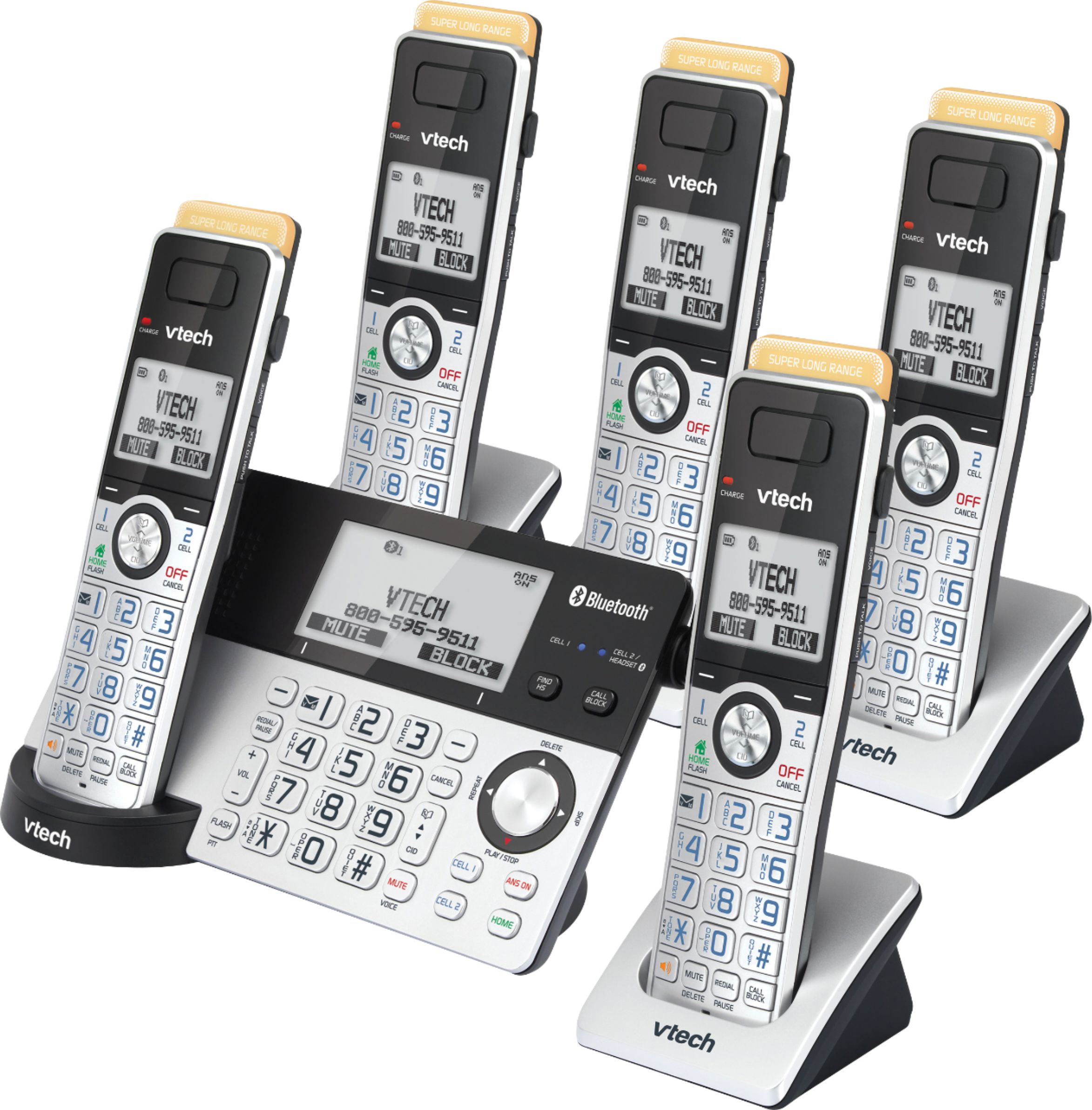
A:AnswerAm not sure about smart blocking on these other brands you mentioned but I believe the V-tech in this model may have it. I have not programmed blocking yet but as far as the base station having lots of range and the four extension phones are all working great. This is a well designed and very affordable product at Best Buy's prices. Replaced five wired phones in our house. There was a short in the household phone wiring and this was a super and inexpensive work-around.
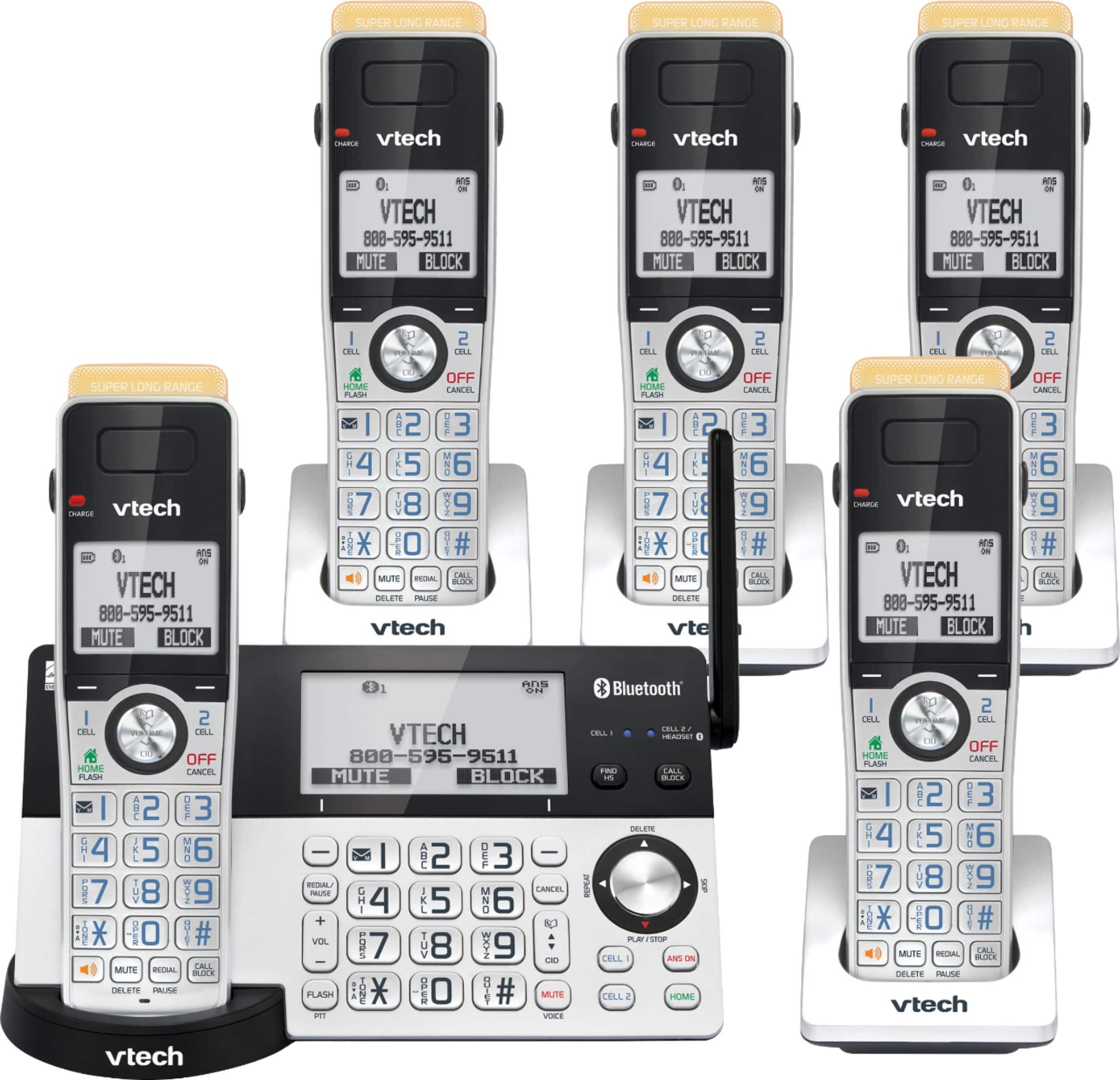
A:AnswerHi - The VTech IS8151-5 has the option to adjust the listening volume on the handset or telephone base while on a call.
To adjust the listening volume of a handset:
• Press ▼ VOLUME ▲ on the handset while on a call.
To adjust the listening volume of the telephone base:
• Press + VOL - on the telephone base while on a call.
Hope this information helps.
Thank You!
- VTech Support
A:AnswerCon- If you are referring to the top part of the handset for the VTech IS8151-5. That is the visual ringing indicator which will light up every time a call comes in. Hope this helps! If you have other questions, please contact VTech Customer Support for further assistance at 1-800-595-9511. We are open from 9:00 AM to 3:00 PM, Mondays through Fridays. When calling, please have your model number handy: IS8151-5. Thank you! - VTech Support
A:AnswerJimmyLo - The VTech IS8151-5 will work with any Bluetooth enabled headsets. For further questions, please contact our Consumer Sales and Service Center between the hours of 9:00 AM and 3:00 PM Monday through Friday at 1-800-595-9511.
Thank you,
-VTech Support
A:AnswerMlcp - To download or export contacts to the VTech IS8151-5, you must first pair a Bluetooth enabled cell phone to the telephone base. Once the device is paired, you can follow this instructions to start downloading you contacts to the telephone base.
1. Press MENU on the telephone base when the phone is not in use to enter the main menu.
2. Press ▼ to highlight Bluetooth, then press SELECT.
3. Press ▼ to highlight Download PB, then press SELECT.
4. Press ▲ or ▼ to highlight a device, then press SELECT.
5. Press ▲ or ▼ to to highlight one of the following options:
a. Phone memory - download all contacts stored in your phone memory.
b. SIM card only - download all contacts stored in your SIM card.
c. Phone and SIM - download all contacts stored in both your phone memory and SIM card.
6. Press SELECT. During the download, the telephone base displays the progress. All handsets display Downloading....
When the downloading process completes, the telephone base displays Download ended XXXX entries saved. (XXXX represents the total number of the downloaded entries). Press OK to return to the Bluetooth menu.
Hope this helps. Thank you! - VTech Support
A:AnswerFrusty - Yes, you can turn off the ringer volume on all units on the VTech IS8151-5. Here's the procedure on how to turn it off.
On the cordless Handsets:
1. Press MENU when the phone is not in use to enter the main menu.
2. Press ▼ to scroll to Ringers, then press SELECT.
3. Press SELETE again to select Ringer volume.
4. Press ▼ to sample each volume level.
5. Press SET to save your preference. There is a confirmation tone and the screen returns to the previous menu.
On the Telephone base:
1. Press VOLUME - on the telephone base to set the ringer volume of the telephone base when the phone is not in use.
2. Press SET to confirm and you will hear a confirmation tone.
As for the three way calling or conference, it is compatible with the unit but you need to be subscribed to the service from your telephone company. Thank you! - VTech Support
A:AnswerMacPaint - Yes, you can turn off the built-in Answering System of the VTech IS8151-5 by pressing the ANS ON button on the telephone base. The ANS ON button should not light up steady red when its off. Thank you! - VTech Support
A:AnswerHi - The headset jack of the VTech IS8151-5 requires a 2.5mm corded headset. There is no need to use a modular plug if your corded headset has the same size. Thank you! - VTech Support
A:AnswerLilyap - No, the Quiet mode feature of the VTech IS8151-4 is shared by the base and all system handsets. It cannot be set on individual handsets. However, you can set the ringer volume on each individual handset. Thank you! - VTech Support
A:AnswerHi - In order to add a new entry in the Block List of the VTech IS8151-5, you would need to manually delete an old entry. You can add up to 1000 names and phone number in the block list. Thank you! - VTech Support
A:AnswerYes this does record incoming messages. The drawback to this system is the maximum number of rings before the answering machine takes over is 4rings. If you are older than 60 and the phone is not near you, you ONLY HAVE 4 RINGS to answer it, then it goes into the answering machine. Any other system I have previously owned you could set it to 7 or more rings befire the answering machine kicked in.
A:AnswerICS - The VTech IS8151-5 does not have EHS. However, the unit has a 2.5mm corded headset jack on each handset and is compatible with most Bluetooth enabled headsets. Thank you! - VTech Support
A:AnswerDale - Yes, the message alert tone can be turned off on the VTech IS8151-5. Here's the procedure on how to turn off the message alert tone using the telephone base.
1. When the telephone base is in idle mode, press MENU to enter the main menu.
2. Press SELECT Softkey to select Answering sys.
3. Press ▼ to scroll to Ans sys setup, then press SELECT Softkey.
4. Press ▼ to scroll to Msg alert tone, then press SELECT Softkey.
5. Press ▼ or ▲ to choose Off.
6. Press SELECT Softkey to save the setting. You will hear a confirmation tone.
If you have new messages on the built-in Answering system, the Play/Stop button will flash and the screen will display New message. Hope this helps. Thank you! - VTech Support
A:AnswerHi - Here's the procedure on how to change the number of rings of the built-in Answering System of the VTech IS8151-5.
Using the telephone base:
1. When the telephone base is not in use, press MENU to enter the main menu.
2. Press SELECT softkey to select Answering sys.
3. Press ▼ to scroll to Ans sys setup, then press SELECT softkey.
4. Press ▼ to scroll to # of rings, then press SELECT softkey.
5. Press ▼ or ▲ to choose among 2, 3, 4, 5, 6 or Toll saver.
6. Press SELECT softkey to save the setting. You hear a confirmation tone.
Hope this helps. Thank you! - VTech Support
A:AnswerWe did in fact purchase the VTech phone system but have not had the alarm going off every 10 seconds indicating unheard messages.
The setting may well be there but it is not occurring with our set.