Customer Ratings & Reviews





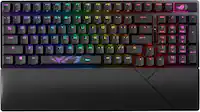
![The text on the image is grouped and corrected as follows:
1. F10, F11, F12: These keys are located in the top row of the keyboard, and they are used to access function keys.
2. 1, 2, 3: These are the number keys in the top row of the keyboard.
3. Sc - - + =: These are the arrow keys in the top row of the keyboard.
4. Backspace, Insert, Home, Page Up, Clear: These keys are located in the bottom row of the keyboard.
5. 1 / - P { [ } ] I / delete: These are the function keys that are used to navigate and modify text.
6. 7, 8, 9: These are the number keys in the bottom row of the keyboard.
7. Page Up, Page Down: These keys are located in the middle row of the keyboard and are used to navigate through documents.
8. Home, End, Page Up, Page Down: These keys are also located in the middle row of the keyboard and are used to navigate through documents.
9. Shift, Ctrl, Alt, Fn, Windows, Opt, Ctrl: These are the function keys that are used to access various system functions and shortcuts.
10. 0, Ins, Del: These are the number keys in the bottom row of the keyboard.
The image shows a close-up view of a black keyboard with the keys labeled, making it easier to identify and understand their functions.](https://pisces.bbystatic.com/image2/BestBuy_US/images/products/6366/6366560cv15d.jpg)



- Model:
- 920-009295
- SKU:
- 6366560
Rating by feature
- Value
Rating 4.5 out of 5 stars
- Quality
Rating 4.9 out of 5 stars
- Ease of Use
Rating 4.8 out of 5 stars
Customers are saying
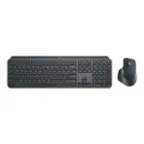
Customers regard the MX Keys Advanced keyboard highly, praising its excellent build quality, satisfying key feel, and impressive battery life. The ease of use is also frequently cited as a significant positive. While some users find the keyboard expensive, connectivity issues are reported less frequently.
This summary was generated by AI based on customer reviews.
- Pros mentioned:Ease of use, Keyboard quality
Must have
||Posted . Owned for 3 weeks when reviewed.This reviewer received promo considerations or sweepstakes entry for writing a review.One of the best keyboards I've used thus far. Easy to setup and very useful customization features. Great addition to my work station and productivity.
I would recommend this to a friend - Pros mentioned:Battery life, Keyboard quality
Logitech Keyboard
||Posted . Owned for 2 months when reviewed.This reviewer received promo considerations or sweepstakes entry for writing a review.I love this keyboard. It’s fairly quite. when you type. When using the backlight on the keyboard it still lasts more than a month without charging with normal use. I use the switch mode quite frequently and it works well. Overall, well built keyboard.
I would recommend this to a friend - Pros mentioned:Battery life, Keyboard quality
INCREDIBLE! best keyboard ever
||Posted . Owned for 1 month when reviewed.This reviewer received promo considerations or sweepstakes entry for writing a review.This keyboard is AMAZING!!!!!! I’d give it 20 stars if I could. It is thin, sleek, minimal, works perfectly. It also does have a lot of weight to it which I think is good because it doesn’t slide around or get pushed easily. The battery lasts forever too.
I would recommend this to a friend The best keyboard I’ve ever owned
||Posted . Owned for 11 months when reviewed.This reviewer received promo considerations or sweepstakes entry for writing a review.The back light is even and bright, it seems to have some sort of smart capability to sense when you approach in order to activate the backlight, it switches between devices flawlessly, the typing feel is excellent for long sessions
I would recommend this to a friend- Pros mentioned:Ease of use, Keyboard quality
Great for wfh
||Posted . Owned for 3 months when reviewed.This reviewer received promo considerations or sweepstakes entry for writing a review.I really like this keyboard and it is extremely easy to use. Makes little noise when clicking, works good on mac and windows. It is on the heavier side so not good for travel.
I would recommend this to a friend - Pros mentioned:Keyboard quality
Excellent Keyboard
||Posted . Owned for 2 months when reviewed.This reviewer received promo considerations or sweepstakes entry for writing a review.I love this keyboard, especially being a night owl and being able to use the back light feature is amazing. It is pretty quite for my liking, I like the keyboard with a loud click. It helps to not distract people around in an office or even at the computer desk with someone near you. It has a sensor that turns off the back light keyboard while it is not being used. You can also control the brightness of the illumination on the keyboard. I haven't tried the connect 3 devices feature but I'm sure it works as advertise. As for the keyboard it has the usual Calculator, camera, screenshot and lock shortcuts key on top of the numerical keys. Overall, I'm very happy with the purchase of this keyboard. It reminds me a lot from that magic keyboard from the rival of the orange fruit.
I would recommend this to a friend - Pros mentioned:Battery life, Ease of use
Love it!
||Posted . Owned for 1 month when reviewed.This reviewer received promo considerations or sweepstakes entry for writing a review.Awesome low profile keyboard! Very easy to set up and no batteries to change!! It comes with a usb c charging cable.
I would recommend this to a friend - Pros mentioned:Battery life, Keyboard quality
Perfect keyboard.
||Posted . Owned for 3 weeks when reviewed.This reviewer received promo considerations or sweepstakes entry for writing a review.I just love how it feels to type with this keyboard. Battery lasts for ever, it can be charged in no time. 100% recommend
I would recommend this to a friend - Pros mentioned:Keyboard quality
Outstanding keyboard overall
||Posted . Owned for 3 weeks when reviewed.This reviewer received promo considerations or sweepstakes entry for writing a review.This is an excellent keyboard with plenty of great features that make typing a pleasure! Its keys are the of the right shape, height and spacing, with "spring" response. The illumination makes typing in the dark no different than typing in daylight. The best part is the "flow" technology that allows seamless connection to multiple machines -- all you need to do it touch a button on the keyboard and it gets connected (via bluetooth) to a second (or even a third) device. This is by far the best keyboard I have ever used.
I would recommend this to a friend Love it
||Posted . Owned for 1 year when reviewed.This reviewer received promo considerations or sweepstakes entry for writing a review.Wonderful keyboard. Keeps it's charge a long time. Nice feel to the keys.
I would recommend this to a friend- Pros mentioned:Keyboard quality
Best Keyboard I've Ever Owned!
||Posted . Owned for 3 weeks when reviewed.This reviewer received promo considerations or sweepstakes entry for writing a review.I've owned many different keyboards in my time, and I believe this is the best one Logitech has ever made, I can definitely tell the difference, typing on this one and when i am typing on one of my other ones whether its another Logitech one or another brand. I have a friend I work with and she says she always just buys what is the cheapest, and she came to my desk to look at a file on my computer and i had her type on it and she said oh wow no wonder you always bring this to work with you! I said see sometimes it pays not to just buy the cheapest!
I would recommend this to a friend - Pros mentioned:Ease of use
Durable design supports machine switching
||Posted . Owned for 2 weeks when reviewed.This reviewer received promo considerations or sweepstakes entry for writing a review.Durable design, solid feeling key switches, comfortable to type on. Has built in support to easily switch between up to 3 different computers. This can be accomplished by pressing dedicated computer selector keys. When also paired with Logitec MX series mouse, both act like a KVM switch. One MX keyboard and one MX mouse can control separate machines (Mac or PC). With software installed, simply dragging mouse off screen switches control to the next machine.
I would recommend this to a friend - Pros mentioned:Key feel
One of the best keyboards I’ve ever had!
||Posted . Owned for 1 month when reviewed.This reviewer received promo considerations or sweepstakes entry for writing a review.If I could I would give it six stars, this keyboard is amazing! Contact’ light, Moves from my workspace to my lap peacefully and easy the keys very responsive to feedback is excellent I can’t say more good things about this keyboard. If you’re looking for a wireless keyboard this wouldn’t be a bad choice I promise.
I would recommend this to a friend Good!
||Posted . Owned for 1 month when reviewed.This reviewer received promo considerations or sweepstakes entry for writing a review.Love this keyboard. I didn't mind using anything before, but now I'm getting picky because of finger or wrist pain.
I would recommend this to a friend- Pros mentioned:Battery life, Key feel, Keyboard quality

Finally – a Solid, High Quality Wireless Keyboard!
|Posted .This reviewer received promo considerations or sweepstakes entry for writing a review.The Logitech MX Keys cordless keyboard is simply the finest computer keyboard I have ever had the pleasure of typing on! It is loaded with great features and will make every keyboarding task so much easier to accomplish that you will soon wonder why you waited to replace your old, inferior keyboard with this marvel. I have to confess that I just love Logitech products – they are always superbly engineered, are packed with great features and have always given me reliable service. Logitech was founded in Apples, Switzerland in 1981. Its first product was a computer mouse in 1982 that was adopted by several computer manufacturers (including Apple.) Later it was the first company to offer a replacement mouse to the consumer market. Logitech introduced wireless mice, optical mice and trackballs. By 2008 Logitech had produced over one billion mice. The Logitech mouse was followed by a wide variety of high quality products including a handheld scanner, keyboards, a digital camera, webcams, speakers and microphones. It acquired Harmony, the industry standard for programmable multi-equipment remote control devices, in 2004, then purchased Ultimate Ears, a creator of outstanding Bluetooth speakers, in 2008, bought Jaybird, a premier manufacturer of very fine Bluetooth earphones, in 2016 and most recently, acquired Astro Gaming in 2017. Here are the key features of this wonderful keyboard: • Logitech MX Keys wireless keyboard Y-R0073 (receiver C-U0008) • Dual connectivity (Logitech Unifying USB receiver or Bluetooth) • Wireless range approximately 33 feet • Rechargeable 1500 mAh lithium ion battery power • Typical usage on a full charge: 10 days (with backlighting), up to 5 months (backlighting off) • Includes 54 inch long USB-A to USB-C charging cable • Perfect Stoke scissor keys, spherically dished to match finger tip shape, 1.8 mm travel • Expected durability: 10 million keypresses per key • Keyboard compatible with Windows, MacOS, iOS, Android, Linux operating systems • Easy-Switch keys to connect up to three devices and to switch between them, allowing seamless workflow across multiple devices • Logitech Options software to customize key mapping • Backlighted keys with proximity sensor to activate as hands approach keyboard • Backlight level adjusts automatically to changing ambient light or manually • On/off switch, caps lock light, battery indicator light • Designed to provide advanced functionality when paired with MX Master 3 wireless mouse • Dimensions: 16.93 W x 5.20 D x 0.83 inches H • Weight: 28.6 ounces • One year warranty The first thing you will notice is that this keyboard is solid! It weighs nearly two pounds and stays put where you place it on your work surface. This is really important for fast, efficient typing. Too many wireless keyboards are flimsy and slide around every time you put your hands on them. This keyboard feels like a finely crafted piece of machinery. If you like typing with a keyboard on your lap, this is your soulmate. It has the heft to provide you that all-important stable typing surface. This is also a very attractive device with beautifully sculpted lines. When you first place your fingers onto the keys you will note how perfectly the surface matches your fingertips. It has a slight elevation in the rear but is not adjustable. Some might prefer a bit more upward angle but I found it very comfortable. The feel of the keys and the travel distance for each key stoke is the best I have encountered on any keyboard since the long-gone days of the IBM typewriters. The black matt finish of the keyboard is non-reflective and is designed to resist discoloration from heat and chemicals. The white lettering on the keys is very easy to read against this background. The keyboard includes all of the special keys found on both PC and on Mac keyboards so users of either system will feel right at home. But to me, the star feature is the automatic backlighting which magically turns on when my fingers near the keyboard. I often go to my computer at night and having a keyboard which lights up is just a real treat. No more fumbling around trying to type an odd symbol in the dark. And the lighting on the keys is just ideal. Each letter or symbol is perfectly legible thanks to the superb backlighting! The ability to pair with three devices at once is another nice feature. I linked it to my desktop PC, my Fire tablet and a laptop I use frequently. This gives me the freedom to use multiple devices without changing my interface (keyboard and mouse) and from the same position at my desk. Another very useful feature is the rechargeable battery power used by the keyboard. There are few things as frustrating as working with a wireless keyboard and discovering that the battery has become depleted and that you have no replacements handy. More than once I have had to scavenge a needed battery from a remote control so that I could continue working on my PC. That will not happen with the Logitech MX Keys since it recharges from any USB port and you can use it while the recharging takes place. You can expect ten days to two weeks from a full charge if you use the backlighting feature and several months if you shut off the backlight completely. But why would you ever consider depriving yourself of such a cool feature? There are many other slick features (programmable function keys, copy and paste from one device to another, applying an alternate set of mouse controls, etc.) but you will find the core features described above to be more than sufficient justification to buy this superb keyboard. I am delighted to give the amazing Logitech MX Keys keyboard my full and enthusiastic recommendation!
I would recommend this to a friend - Pros mentioned:Keyboard quality
Great keyboard
||Posted . Owned for 1 month when reviewed.This reviewer received promo considerations or sweepstakes entry for writing a review.I cannot believe how much easier and more comfortable this keyboard is. It's not even comparable. While I still feel it's expensive, I also now feel it's 100% worth it if you appreciate a good typing experience, especially if typing is part of your everyday life like it is for me. Just typing this up was enjoyable.
I would recommend this to a friendBrand response from Logitech
Posted .Hello Shah, thank you so much for the 5 star review. We greatly appreciate the feedback. We are so happy to hear that the MX Keys has been treating you well. If you ever need any help with your MX Keys, feel free to reach out to us on our Logitech support website. Have a great day!
-Ricky from Logitech
- Pros mentioned:Keyboard quality
My perfect keyboard
||Posted . Owned for 1 month when reviewed.This reviewer received promo considerations or sweepstakes entry for writing a review.I like this keyboard to match my MacBook setup. Coming from Apple Magic Keyboard, this one lights up and is a full keyboard. I also like the silent keys, so even if somebody is sleeping in the room, you can still use the keyboard since it has a low sound footprint.
I would recommend this to a friend Best Keyboard I have ever purchased. Get one.
||Posted . Owned for 1 week when reviewed.This reviewer received promo considerations or sweepstakes entry for writing a review.Probably the best keyboard I have ever purchased. I own an IT company with about 36 employees so we go through a lot of Logitech keyboards. We usually purchase the combo kits for the MX900 units. But this time I wanted to try something different to go with my laptop. I am so impressed by this keyboard that I plan to buy another one for my work desktop. Great tactile feel without feeling "clunky". Minimal footprint. Fantastic keys and very durable "metal" feel to the entire device. Fairly heavy so it doesn't slide around a lot which is a great feature. It can be used by both Apple and Windows based PCs, which is nice since I have both. I also use the Logitch MX Master mouse that compliments this very well. I use the Bluetooth connection with my laptop which means I don't have to use the USB dongle for connection at home. It also comes with the Unifying adapter so you can choose either connectivity that suits you best.
I would recommend this to a friendTop quality keyboard
||Posted . Owned for less than 1 week when reviewed.This reviewer received promo considerations or sweepstakes entry for writing a review.After purchasing a wireless Apple Magic Keyboard for my Apple laptop, I started to not like the Apple keyboard keys. So I decided to try this keyboard. This Logitech keyboard is a hundred times better than the Apple Magic Keyboard. The keyboard keys are soft and responsive, installing the software and customizing the keys was a cakewalk. I work from home and sometimes work in low light rooms, it's nice that the keyboard is backlit. The only negative I can think of is you need to install the Bluetooth USB (3.1 Gen1) dongle into your computer. My computer only supports USB-C (3.1 Gen 2). For the non-techie, it's a different form factor. I was able to resolve this issue by using my IWC Thunderbolt 3 Dock. You can purchase a USB-C to USB adapter. Click the link. https://www.bestbuy.com/site/apple-usb-c-to-usb-adapter-white/6622138.p?skuId=6622138 Overall, very pleased with my purchase.
I would recommend this to a friend- Pros mentioned:Battery life, Key feel, Keyboard quality
I love using this with my mac and Win10 laptops
|Posted .This reviewer received promo considerations or sweepstakes entry for writing a review.The MX Keys looks great and is just slightly larger than my trusty old A1243 Apple aluminum USB keyboard from 2007. I like a full-size keyboard + number pad and preferred the minimal size of the A1243 keyboard with no batteries/charging, but the MX Keys keyboard is so much nicer to use and the keys are backlit. A full charge using the included USB-C cable should last 10 days or up to 5 months with backlighting off -if you are into that sort of thing. I don’t need to charge the keyboard often. The dished center and smooth edges of the keys are very comfortable. I like the response of the keys while typing and they are quiet. The keyboard feels sturdy and has enough weight to stay put and not float around your desk. The backlight is a huge upgrade from my old keyboard. The keyboard backlight can be set manually to one of eight settings (including off), but it can automatically adjust intensity based on lighting conditions. The keyboard has a proximity sensor that detects your approaching fingers and automatically illuminates the keys. The keys will fade out about 5 seconds after your hands leave the keyboard, saving battery life. If your hand is still while resting on the keyboard, the backlight will time out after a longer period of time. The light is on again as soon as you lift a finger to type. I find overnight, the keyboard wakes from a deeper sleep and the backlight remains off instead of my usual on but lowest setting. I know it doesn’t sound like a big deal but not having to tap a key to wake the backlight is great. The timing of the backlight fade in/out working with the proximity detector works perfectly. Nailed it. Easy Switch is great. You can pair the MX Keys keyboard with up to three computers using Bluetooth or use the included Unifying receiver. Quickly switch between computers by tapping one of three Easy-Switch buttons on the keyboard. It is very easy to use this keyboard with two computers side by side. I use our windows 10 laptops on a stand next to my iMac and it is so nice being able to use the same keyboard for both instead of reaching over to the laptop keyboard. I’ve switched back and forth between Bluetooth and Unifying receiver connections on Mojave and Windows 10 and see no benefit to using the Unifying receiver and tying up a USB port if your computer supports Bluetooth. The keyboard remembers button assignments when switching between Bluetooth and Unifying connections or if you remove the device and add again later. I love this keyboard. I use this with two windows 10 laptops next to my iMac and using the same keyboard between two operating systems increases productivity. Wonderful that everything stays paired and I can instantly switch between machines with a quick tap of a button. *Logitech Options software: The Logitech Options software is easy to use, and it can automatically back up your settings to the cloud. Much nicer than their buggy G Hub software. The settings for the “MX Keys Wireless Keyboard” are organized on the Keyboard panel. There is also an Easy-Switch panel but that only displays the Operating system and computer name assigned to each Easy Switch channel. The Keyboard panel is straightforward. You can map custom actions to the 13 keys in the top row right of the esc key. You can also map different actions to the 4 keys above the numeric keypad. Selecting one of the keys presents a pop-up list with the Default key action, Keystroke assignment and Open application actions but you can expand the list to 36 actions including None. You can select the fn key to setup Duolink with a compatible mouse. This is the most powerful feature of the keyboard if you have the MX Master 3 mouse. The feature toggles a second set of gestures and button actions on the mouse when you hold the keyboard FN key. I modified the Screen capture key to capture Window instead of Full screen. The default action for the Lock key did nothing in Mojave so I set it to keystroke “Opt + Cmd + L” that I use as a Keyboard App shortcut to lock the screen. I’ve never found MacOS Launchpad useful, so I changed the key to App Expose. There is a checkbox to use all F1-F12 keys as standard function keys instead of media keys. The keyboard defaults to media keys. You can easily toggle between FN or Media keys by pressing the fn + esc keys and then again to toggle back. You can temporarily toggle the action of the top row by pressing fn + one of the keys. There have been a few times we experienced lag. I notice it when toggling the top row media/function keys. My son plays games on Steam and mentioned he experiences some lag. When he presses the same key over and over really fast and it didn’t keep up. *Using the MX Keys keyboard with the MX Master 3 mouse: Duolink is a great feature. You hold the FN key on the MX Keys while you move the MX Master 3 mouse or click the buttons. You can define another complete set of actions and gestures for the mouse and toggle them with the FN key. Tapping the Easy-Switch buttons on the MX Keys to switch between computers won’t automatically switch the MX Master 3 mouse. You will need to switch both. It would have been a great feature to automatically switch the mouse when you switch the keyboard like a KVM switch. *Using the MX Keys keyboard in close proximity to Powerplay wireless charging system: If you use the Powerplay to charge a mouse you will need to keep the edge of the MX Keys keyboard at least an inch away from the edge of the Powerplay charging base. When the Powerplay is on (plugged in) it interferes with the MX Keys proximity detector, keeping the backlight on all the time. My keyboard’s proximity detector is affected by the wireless charging pad if they are closer than 3/4 of an inch. *Compatibility with Java Minecraft: The Duolink feature doesn’t work well with Java apps, at least not Minecraft on Mojave. Using the “fn” key on the MX Keys keyboard while playing Minecraft can enable the Duolink feature on my MX Master 3 mouse and it stays on, like I am still holding the “fn” key. This continues even after switching apps. I must switch out of Java (Minecraft) tap the “fn” several times and/or press “fn + esc” to toggle the media/function keys several times while clicking the mouse to get Duolink “unstuck”. I normally leave my keyboard set to use the top row as Function keys. If you press the “fn” key while pressing a F1-F12 key the “fn” temporarily toggles the Media/Function behavior. This works perfectly in all my apps except Java Minecraft. Instead of using the “fn” key to temporarily toggle F12 to Volume Down I must press “fn + esc” to completely switch my top row of Function keys to Media keys, make the volume adjustment, then press “fn + esc” again to toggle the row of Media keys back to Function keys. Pressing the “fn” key even while pressing “esc” in java can result in the MX mouse switching into the stuck Duolink mode. Strange behavior that doesn’t happen with any other app and it doesn’t happen with my other keyboard. Logitech Options and Logitech G Hub software both have compatibility issues with Java Minecraft. Commands and customizations get assigned to the launcher app instead of Java -the actual game.
I would recommend this to a friend