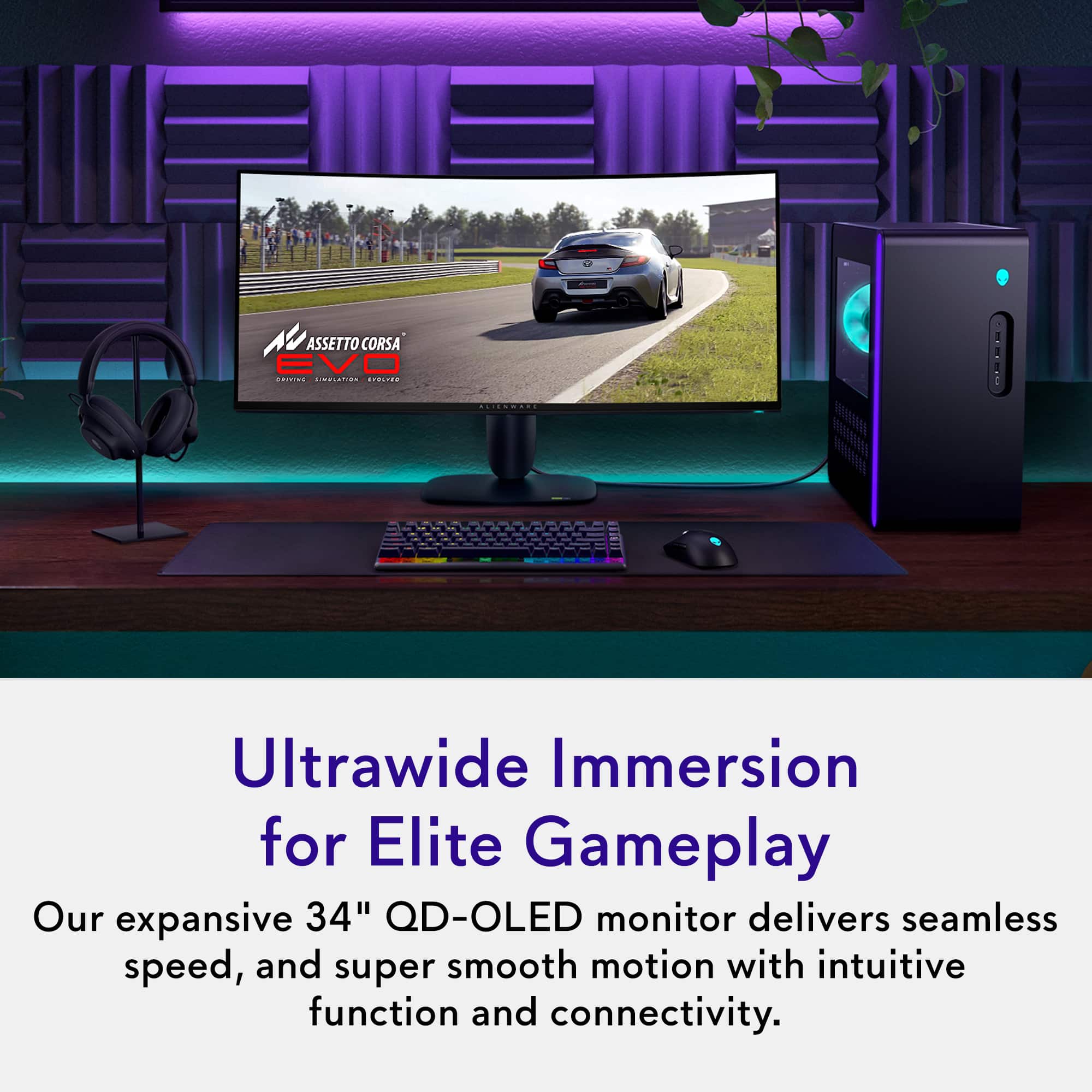
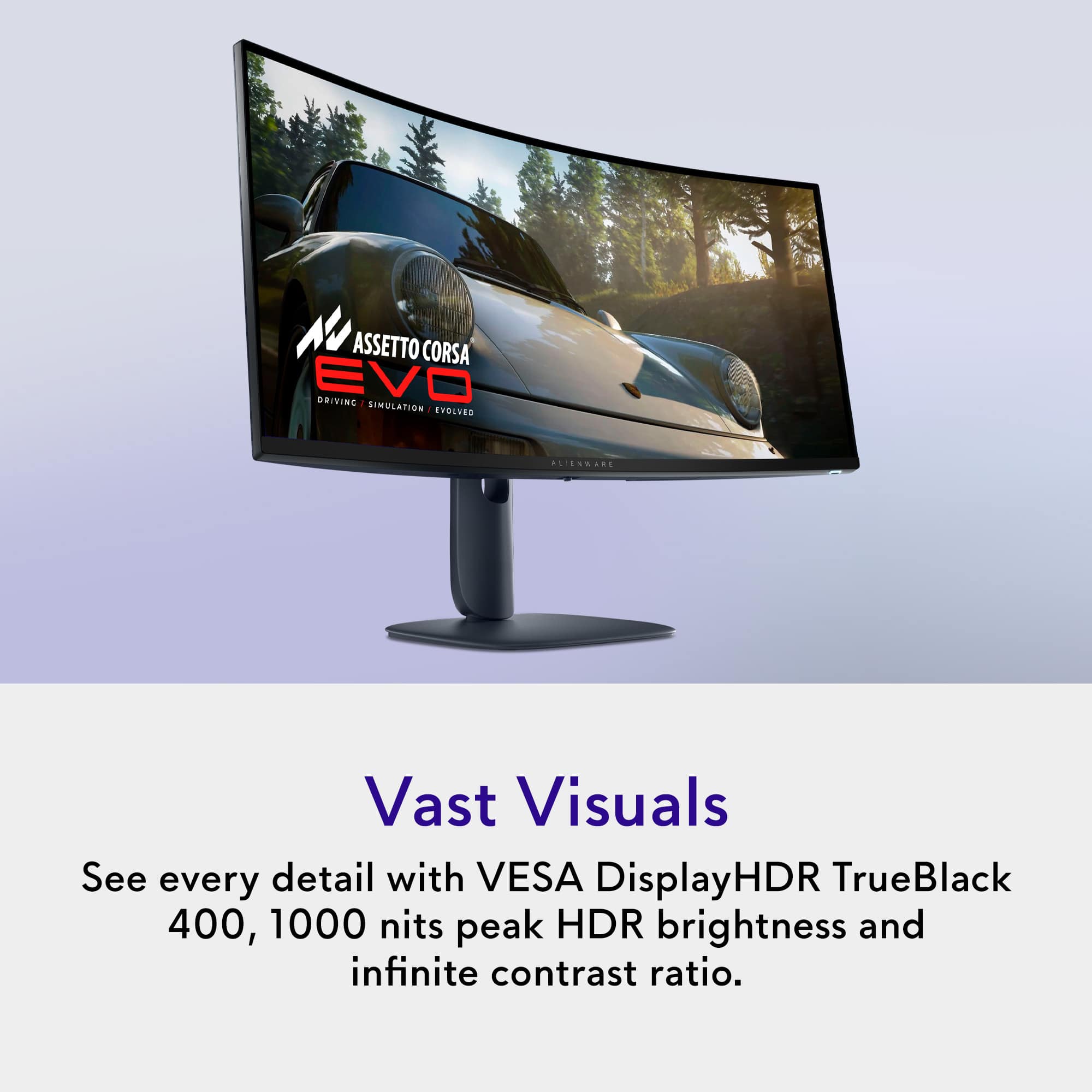
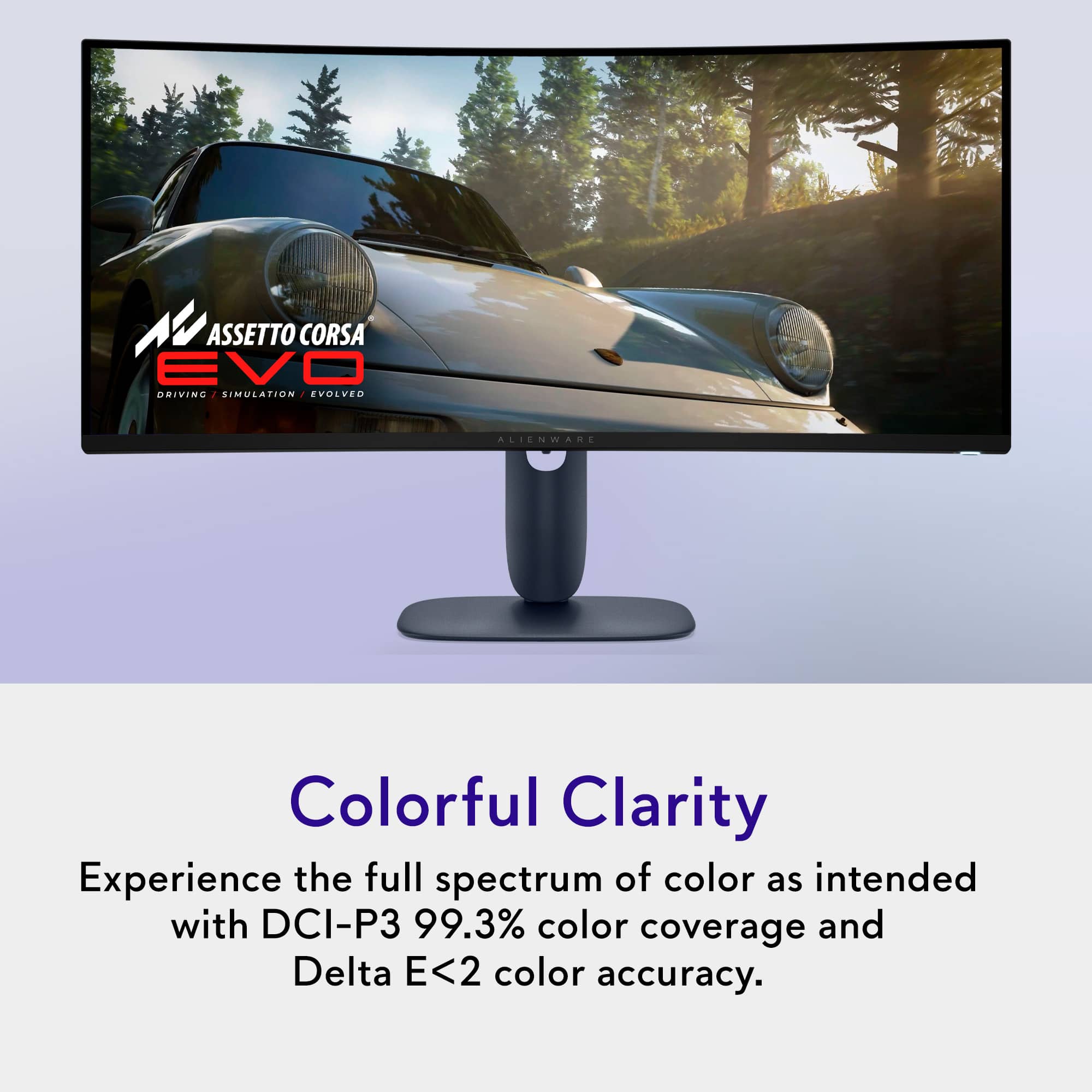
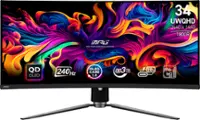
Customers are satisfied with the AW3425DW 34" gaming monitor, particularly the exceptional image quality and the smooth 240Hz refresh rate. The monitor's connectivity options, including HDMI, DisplayPort, and USB ports, are also appreciated. Additionally, users have noted the solid HDR performance and the impressive contrast with deep blacks that OLED technology provides.
This summary was generated by AI based on customer reviews.
The vast majority of our reviews come from verified purchases. Reviews from customers may include My Best Buy members, employees, and Tech Insider Network members (as tagged). Select reviewers may receive discounted products, promotional considerations or entries into drawings for honest, helpful reviews.
Page 2 Showing 21-40 of 136 reviews
Pros mentioned:
Color quality, Refresh rate
Rated 5 out of 5 stars
Best Pure Gaming Ultrawide - Period.
|
Posted .
This reviewer received promo considerations or sweepstakes entry for writing a review.
THIS… IS Alienware's revised 34” curved QD-OLED ultrawide monitor, the creators of the first QD-OLED gaming monitor on the market, and they have just taken it to the next level! 240z, .03ms GTG, 1440p, 1000nits peak brightness AND the best part is that it doesn’t cost your first born child. Lets take a look to see how Alienware has stacked this monitor and… became the best value option in the process?!
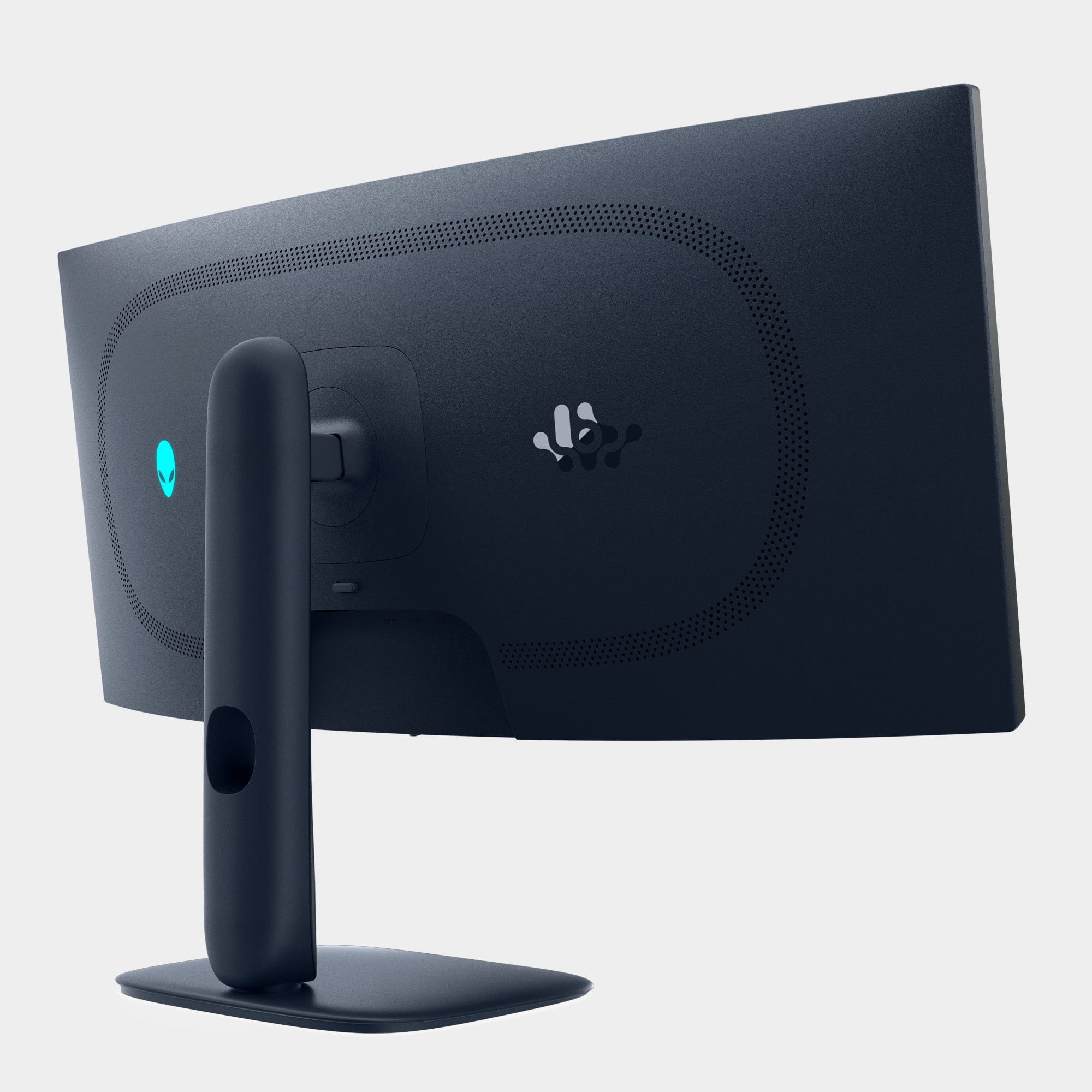
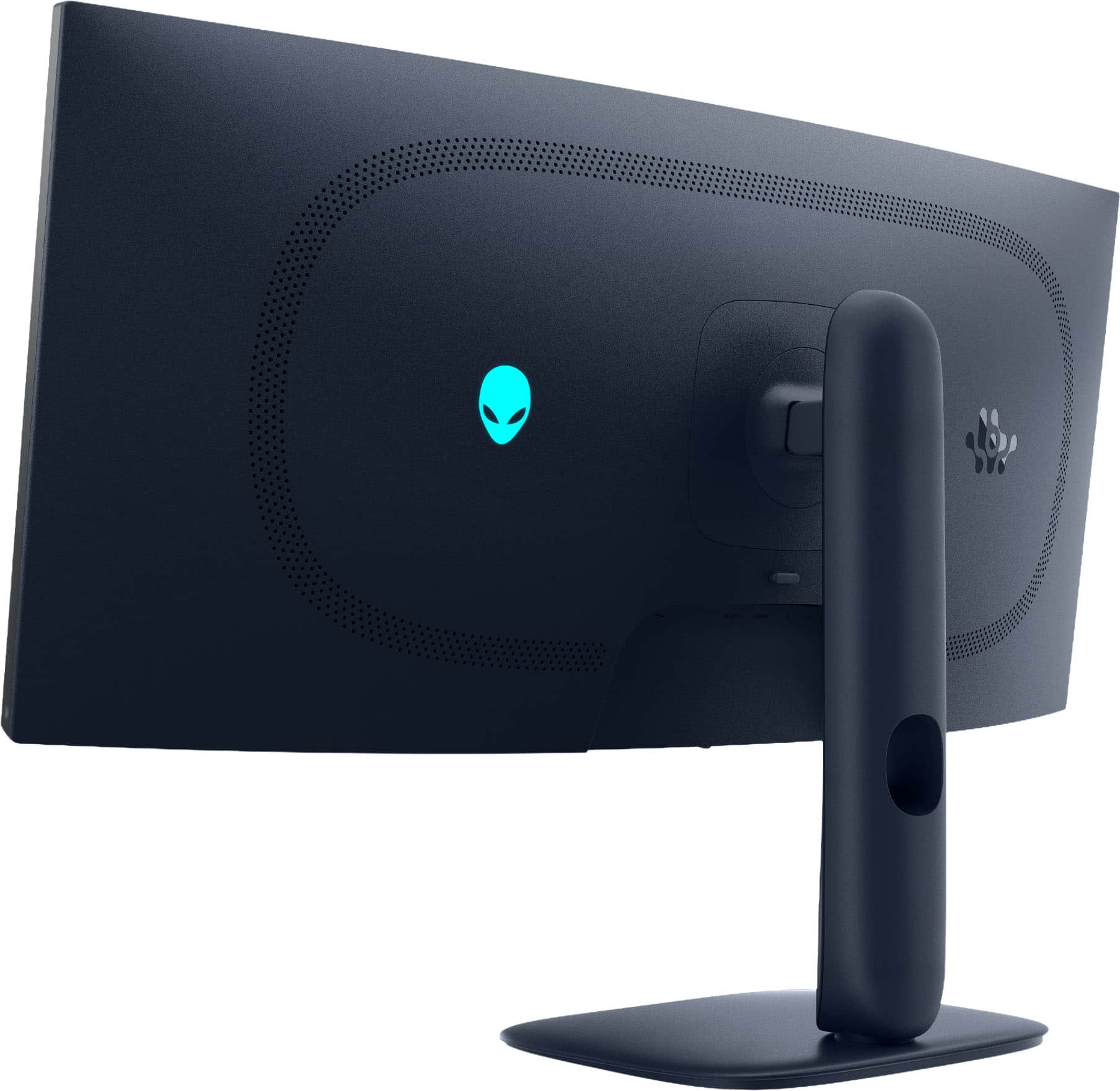
Ok so opening the box I was greeted with a very sleek and almost overlooked blue color paired to an alien esque stand with curves. Something that ACTUALLY looks alien for once and different from every other monitor on the market. Something that is noticeably missing from the monitor compared to almost every other monitor on the market is some wild RGB design on the back. I personally am a fan as you usually see the RGB once and then put it against the wall and never see it again. I have seen several people complaining about the lack of RGB on the monitor and … I just don't get it?? My current main monitor has an exquisite RGB backing that looked super cool when I took it out of the box.. And that's the last time I saw it! The build quality is mostly a nicely finished plastic and the 1800R curve is noticeable but not so curved that it was catching stray lighting from every which angle.
Before we get into the meat and potatoes on how this monitor looks, I wanted to put a quick note on how Alienware has not only created one of the best 34” monitors, but did it at a lower price than everyone else. They cut the features that most people just simply don’t use. There is no KVM switch, USB-C display or high wattage power hub that you can charge half your room off of. There is also no audio passthrough either. If you can make it past those small hurdles, my oh my is the picture going to blow you away without taking your wallet.
So here is what we are alllll here for! This is a second gen QD-OLED panel that has almost every feature that you could wish for in a dream gaming monitor. 240hz, HDR 400, G-sync compatible and freesync premium pro, A GLOSSY SCREEN (how they should all come!), 99% DCI-P3 coverage and a 3 year warranty against burn in (Nice!). This panel is fantastic! I knew I had to boot up forza instantly when I received this monitor and the colors just POP. Something that I really enjoyed about this monitor was that it is 1440p, so I am actually going to be able to get 240hz in most of the games I am playing without having to sacrifice on settings. I was really looking to find any flaw or stone left unturned but… Alienware has hit it out of the park with this monitor. The only caution I give with this monitor is in really bright rooms as its SDR performance is only 250 nits, but I didn’t find myself closing my blinds to see my screen at any point in time. Something else to note for my console gamers, this monitor will have bars on the sides as PS5 and Xbox don’t support ultrawide just yet, so if you can’t get past that (as with all ultrawide monitors), then I would look elsewhere. Alienware has also solved the flickering issues with this generation…so I really can’t find any holes in this seemingly perfect evolution.
Shocked is an understatement, Alienware has somehow created the best 34” pure gaming monitor and… its not the most expensive? If you can get past a few features being skimmed to save on price then I really cannot endorse this enough. This is the perfect gaming monitor for my racing sim and I really don’t see that changing anytime soon. As with all monitors, best buy has an awesome return policy, so there is no harm in testing this one out. Until next time :)
I would recommend this to a friend
Pros mentioned:
Color quality
Rated 5 out of 5 stars
An affordable QD-OLED that looks amazing
|
Posted .
This reviewer received promo considerations or sweepstakes entry for writing a review.
Where to start, this, OLED 34 inch ultrawide monitor from Alienware is gorgeous. I have had so many monitors over the years, different panel types, sizes, resolutions; and I noticed they all seem to be close to each other, with minor differences. But this is my first OLED I’ve owned after seeing so many of them at friends houses or in stores and I gotta say, the difference is more than minor. The colors are great, but the blacks are where you really see the difference. Like any OLED display, the blacks are true black and combined with the shiney screen, it just looks fantastic.
So it looks awesome, that’s like 80% of it right, but what about the other things? Well, when I was researching this monitor, I saw big tech reviewers complain about no USB C power out, or a switch to go between two pcs easily. And I think they’re complaints are valid, but those are kind of unique features that, yes may be found in other similar monitors, but it seems Alienware made the choice to cut the more unique niche features to help bring down the price. What you’re left with is a very affordable monitor with no sacrifice to visuals.
The menu is accessible via the joystick at the center bottom of the screen and has a lot of options that honestly, after a week of using it, I still haven’t really figured out everything there is to do yet. Mostly that’s because the calibration seems pretty good out of the box, and also the menu is a little hard to navigate. But that’s pretty much every monitor I’ve ever owned. Fiddling with those joysticks or awkward fumbling with buttons trying to figure out which one does what. So I’m not really knocking anything here for a bad menu system. I do plan to dive into it deeper this week when I have more time and see what can all be done, but suffice it to say, all the standard settings are there.
The unique 21:9 aspect ratio, compared to a 16:9 standard wide screen, is just the right size in my opinion. There are tons of games and movies that play in that ratio whereas larger screens can sometimes end up with letterboxing or pillarboxing. I also found the ratio is great to use like two smaller screens. You obviously won’t end up with two widescreen formats next to each other, but you can still easily have two browsers side by side, or more room for vertical chat windows, etc.
The other reason I love the aspect ratio is for video editing. Seems like more and more people are picking this up as a “hobby” and trying to influence us all on something, but I do it for a living on a professional level and at work I have tons of monitor space, but at home, it’s been a struggle. Now I have a nice long timeline I can look at and see the visuals more accurately. It’s also great for photo editing with more canvas space to work around.
Windows 11 had no issues recognizing the display or automatically setting up the ratio etc. The HDR settings are there as well, but honestly, I haven’t messed much with that yet.
Gaming is the same story, a lot of games support the aspect ratio like I said, and there’s so much more to see with this wide view. And bonus, the OLED makes it all look better too. So now you can see more, and see it better, what’s not to love?!
The packaging was also not worthy. The monitor was very well packaged, I had 0 concern there would any damage of any kind. The cardboard used to package it was also really easy to tear down. Most of it was tight rolled to make strong padding but could easily be unrolled to flatten and fit in the recycling bin. The box is fairly large but still light and easy to carry.
OVERALL:
Overall I am loving this display. I was on the fence a bit, since I have so many monitors now, most of which are over 8 years old and outdated, but hey, they still work. Well, they might work, but this display looks way better, has a wider screen size, and isn’t so large you can’t get it on the desk.
I forgot to mention, but I also have this mounted on the standard VESA mount with no issues. I have an arm for two monitors and have a second monitor, vertical, next to this one. The curve is just right that it doesn’t look weird, but still has a wrapping feel. There’s just nothing I’ve found to dislike about this monitor yet. It twitches every few minutes (as planned) to protect it from any burn in issues, which is noticeable but not distracting. You can turn it off, but I don’t know why you would want to.
I think the price is great, it’s so low I was worried there was something wrong with the display, but like I said earlier, I think this is just because Alienware choose to keep the price low by dropping some of the less important bells and whistles. This makes it a perfect monitor for someone who only needs a good display and doesn’t care about a few unique features missing.
I would recommend this to a friend
Pros mentioned:
Color quality, Connectivity
Rated 5 out of 5 stars
A great ultrawide OLED experience.
|
Posted .
This reviewer received promo considerations or sweepstakes entry for writing a review.
To start off, I'm no stranger to QD-OLED panels. So I'll generally spare the praise of optimal black uniformity and not having to deal with backlight bleed caused by a poor edge lit system in traditional VA/IPS/TN monitors. We'll dive right into it.
PROS:
- Great panel. I can't exactly fault it for subjective looks. It's just as good as the flagship 4K model they sell, but in a different form factor and slightly lower resolution. 2560x1440 is 3.7M pixels 3440x1440 is 5M pixels, and 3840x2160 (4K) is 8.3M.
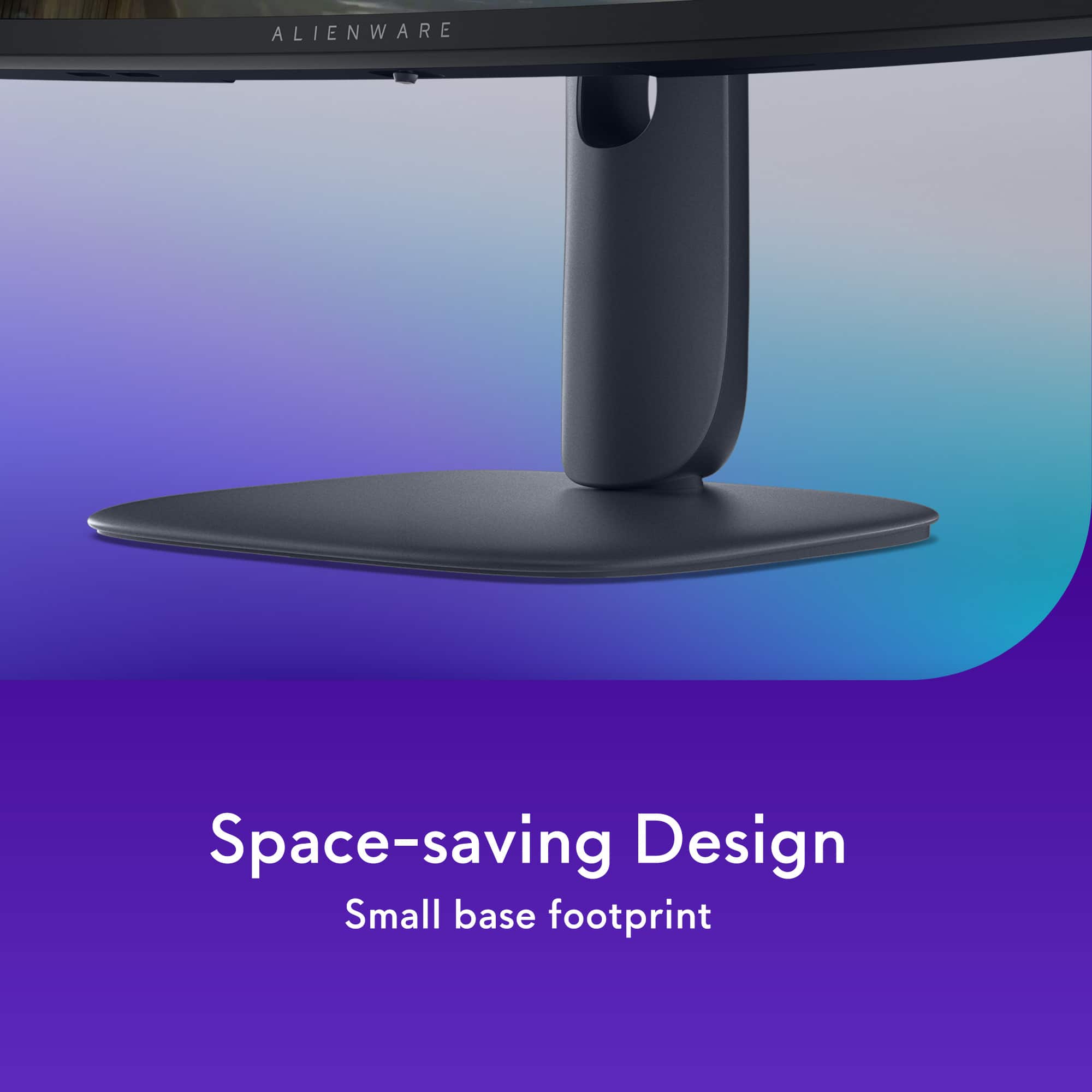
- New industrial design is subjectively better than the older model with larger "V" shaped base. I greatly prefer this for my desk mat.
- Supports FreeSync Premium Pro and G-SYNC. G-SYNC usually has no issue on modern OLEDs, but Premium Pro certification allows for users with AMD GPU's to have a better experience via HDR in conjunction to the default tech. A good value for those swapping to RX9000 cards where you can enable specific driver settings. Last years AW3225QF does not support this.
- 240hz @ 3440x1440 21:9. The extra screen real estate does make a solid difference over the standard 2560x1440 16:9 resolution, especially in games that can take advantage of it. Example: Counter-Strike 2 and League of Legends sort of give a competitive field of view (FoV) advantage in regards to what is being shown on screen. There will be the argument of lower or boxier resolution being superior for competitive players aim styles, but I can see it from both angles (No pun intended).
CONS:
- QD-OLED panels like this one DO scratch very easily. You really have to follow instructions and use light pressure with distilled water to clean. Using any kind of pressure will embed scratches into the glossy film. The matte QD-OLEDs are easier to take care of due to a extra 3M film. Please aware of this.
- Build does seem a little "cheaper" compared to last generation Alienware design, but it doesn't wobble so there's not much of a concern on my end.
- Can't turn off adaptive sync via OSD. "Always on" like other AW OLED monitors. For most people this doesn't matter, but some competitive/latency optimization users want it OFF in both driver and monitor.
- Text clarity isn't the greatest, but expected. 4K OLED or competitive IPS 1440p does look better.
- DP1.4, but has DSC to compensate. Haven't run into any issues on a 9070XT, but NVIDIA cards might still bug out depending on the driver.
- Some games do not inherently support 21:9. This means they will black bar and or stretch out 16:9 base resolutions. This can destroy the immersion of owning a 21:9 monitor. "Auto Resize" via OSD only works if you enable GPU scaling in NVIDIA or AMD Driver panel.
NEUTRAL:
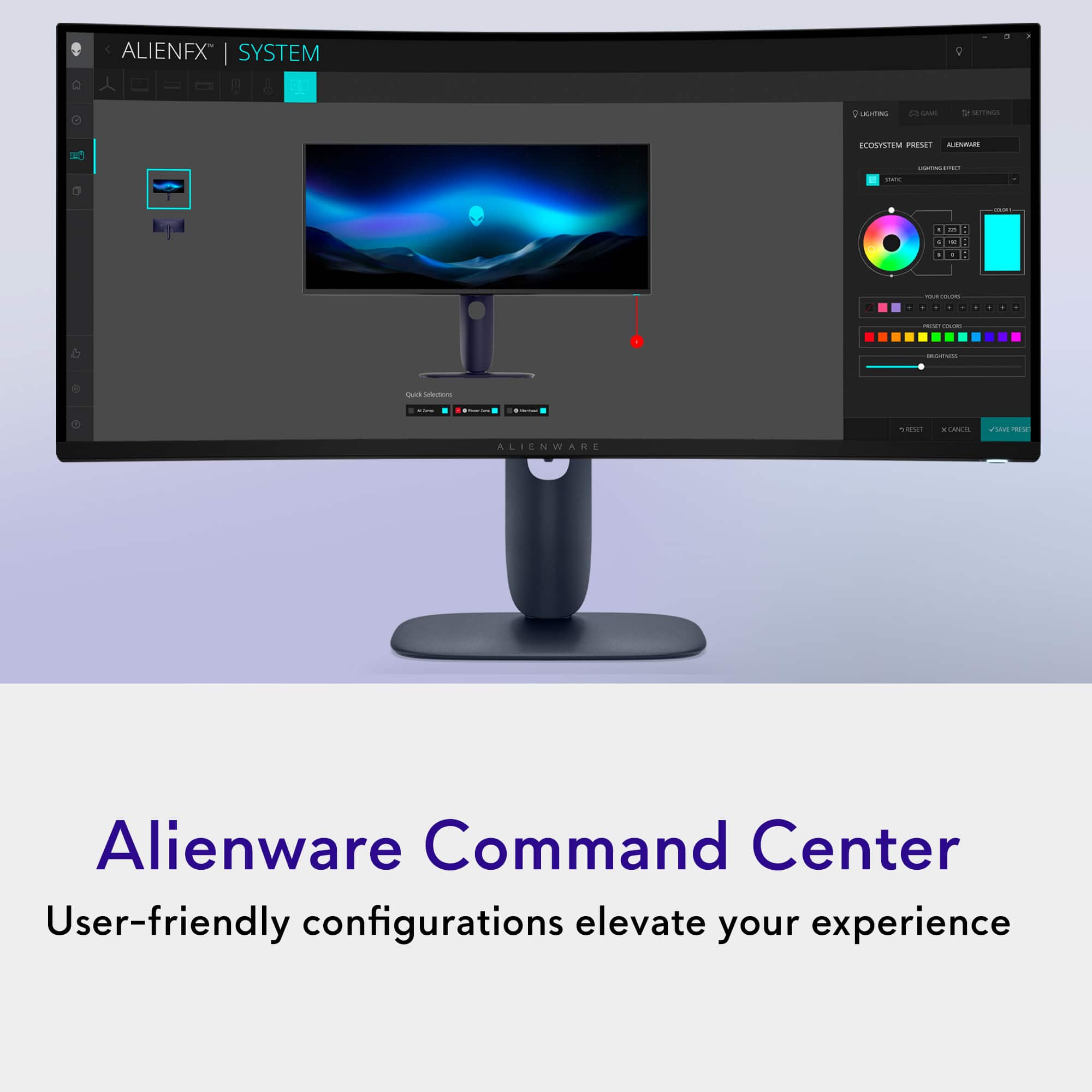
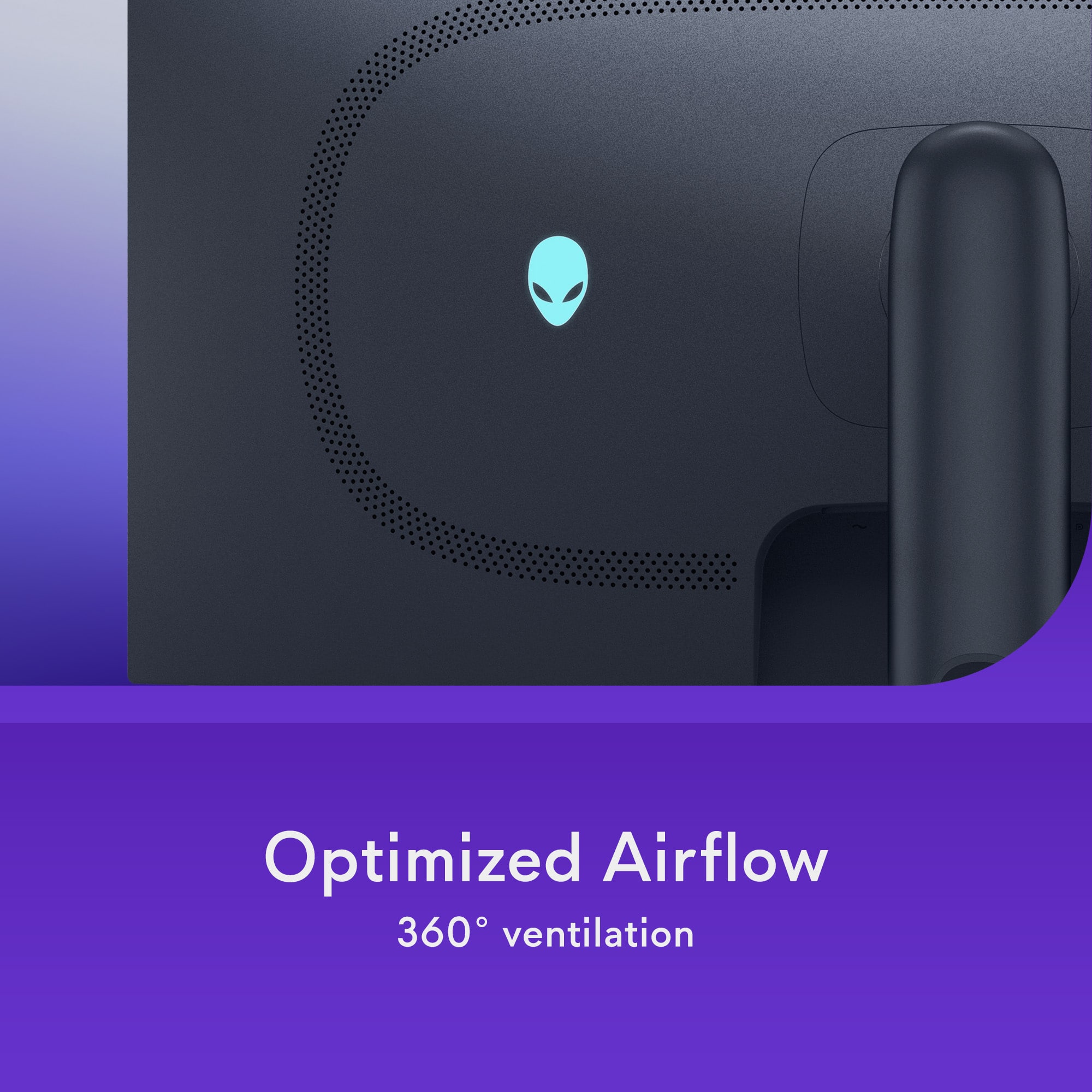
- There's only one small "Alien" RGB LED on the back, which I greatly prefer. The previous gen models had 2 light zones illuminating the size of the monitor "34" in addition to the Alien LED.
GENERAL THOUGHTS:
There's really nothing glaring or much of a concern here. I mean, the only thing I would like to see is the ability to turn off Adaptive Sync via OSD. The screen itself feels like a hybrid of a 1440p and 4K display.. which isn't too far off from the truth given it's literally "1440p" extended outward.
-Feel wise, it's more traditional due to 100% windows scaling (default). You're only losing screen real estate if you manually set 4K at 100% to offset (4K defaults 150% @ 32"). 4K @ 100% obvious looks too small, so I can see an advantage here for office work, more so on 32:9. The only advantage 4K holds is the innate increased sharpness from rendering games at a higher resolution, as well at slightly better text clarity via 2D.
-240hz itself seems to be the sweet spot for me, at least on OLED. I've tried 360hz QD-OLED and I'm not really bothered by going back to 240hz. Is 360hz faster? Yeah, at least I can tell in regards to input lag, but visually? I can't really be bothered to care as much. QD-OLED refreshes pixels almost instantly compared to legacy technology via TN, IPS, VA.
-I would have liked to see DP2.1, even as 13.5 spec, but I guess DP1.4 with DSC is still more cost effective as of 2025. It doesn't really change the experience and potentially lowers latency due to compression. (NOTE: I'm using an AMD GPU, NVIDIA might still have DSC issues as I mentioned earlier).
-Alienware has a very good general warranty. Service tag carries a 3 year advanced exchange policy and they're pretty responsive about swapping out for refurb if anything does happen long term.
CONCLUSION:
Dell/Alienware put together exceptional monitors and this one is no exception. I can fully recommend this if you're in the market for an ultrawide. Flight sims and racing games never looked so good.
I would recommend this to a friend
Pros mentioned:
Color quality, Refresh rate
Rated 5 out of 5 stars
Buttery Smooth - Mariana Trench Deep Colors
|
Posted .
This reviewer received promo considerations or sweepstakes entry for writing a review.
So I have a lot to say about my new Alienware AW3425DW QD-OLED monitor.
The blacks on this monitor are really dark and inky as you would expect from an OLED monitor, but we're talking "void of space" dark, "black hole with a side of espresso" dark. They are black levels that make content pop - no more grayish blacks. It also helps that Alienware put an anti reflective coating on this monitor. It makes a difference in lighter rooms. The refresh rate is outstanding at 240Hz. I had a 165Hz before this and I just can’t get past how buttery smooth this screen is. My eyes are very sensitive to refresh rate and it bothers me to have anything below 100Hz.
Now when it comes to splitting this screen, Windows 11 has nice built-in features to split it many different ways. If I am working on it I like the 33-33-33 split. When gaming though I like it all on one screen, unless my game does not support extra wide play. Picture-by-Picture (PbP) is a fantastic addition, allowing you to display content from two different sources simultaneously. However, when utilizing the Picture-by-Picture feature, I could only get the display to run at a refresh rate of 60Hz. While this is fine for many applications, it's something to be aware of if you're a high-refresh-rate purist who demands more than that. For most productivity tasks and even some casual viewing, 60Hz in PbP mode won't be an issue, but it's a detail worth noting for the hardcore gamers out there.
The OLED display delivers beautiful, vibrant, accurate colors that leap off the screen. I swear sometimes some of the red on my screen looked like there was a light on, not just part of the screen. The ultrawide aspect ratio is an incredibly immersive field of view, making every game and even my spreadsheets feel more expansive.
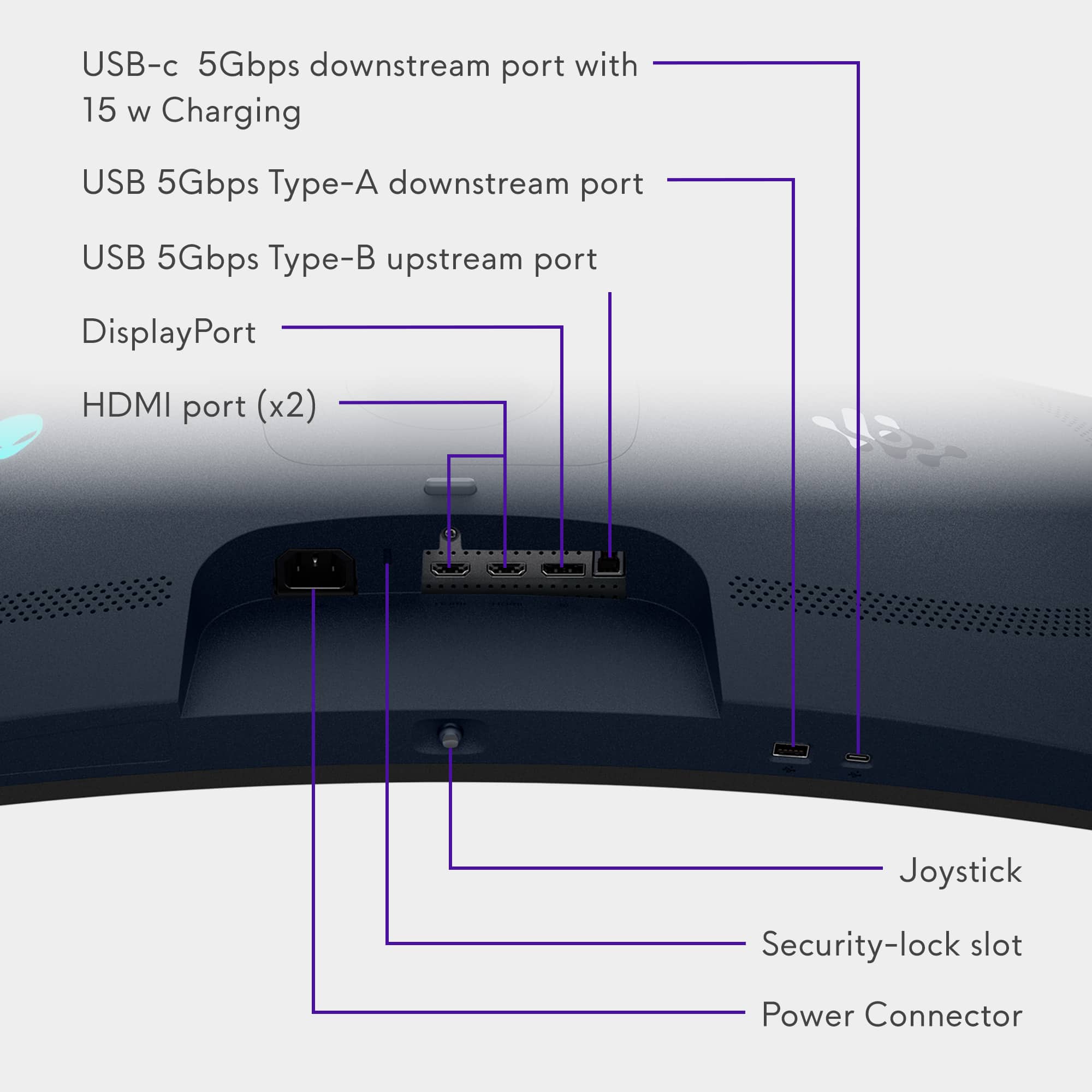
The AW3425DW has a good amount of ports that are more than enough for me, two HDMI 2.1, a DP 1.4, and a Type-C with power delivery. Note - the Type-C connection is not a video input, power delivery only, but it will charge my laptop so that makes one less plug in my surge strip.
Overall, this Alienware AW3425DW is a really impressive monitor that is a visual feast for the eyes. The deep, inky blacks are a game-changer for content consumption, and the Picture-by-Picture is a great feature, I just wish it could run at a higher refresh rate, though the overall 240Hz is mind bendingly smooth. I have never owned a monitor with such an amazing screen before.
I would recommend this to a friend
Pros mentioned:
Connectivity, Refresh rate
Rated 5 out of 5 stars
Probably the best in class
|
Posted .
This reviewer received promo considerations or sweepstakes entry for writing a review.
This is my first super wide, curved monitor, and all told it’s been a great experience. I switched from using two 25” monitors to this big boy, and it does take some rethinking and time to accommodate. I had more total space with the pair, but obviously no single image or program could use more than one screen without a split.
It comes well packaged in a BIG box. Assembly was easy and straight forward. Click the leg assembly into place, screw the base to it, and you’re done. It’s not that heavy for the size, but it’s large and takes careful handling. The base is less than 10” square which is very modest for 34” on monitor. It leaves your desk very open and uncluttered. The stand pivots, raises up and down, tilts, and rotates, which should accommodate about any location or person. Physically, it’s a solid piece of design.
Of course, the real issue is the display, and the QD-OLED screen is beautiful. The resolution is 3440 x 1440 and the maximum refresh rate is 240 Hz with a response time as little as 0.03ms. It has NVIDIA G-Sync, AMD Freesync Premium Pro, and a host of connectivity … 2-HDMI, 1-DP, 3-USB up and down. There are no built-in speakers, but I can’t imagine anyone using this monitor without a seriously good sound system including sub-woofer. The setting and adjustments are extensive, and all accessed from the single bottom mounted joystick. I’ve played a bit with them, but the defaults and auto settings seem excellent. I did back the brightness and contrast down since this screen can get very bright and my office has muted lighting.
This is a beast of a gaming monitor that can handle any game giving an immersive experience, but it’s also an excellent choice for creative work and video editing. It’s not exactly cheap, but for all it offers, it’s a very good deal.
I would recommend this to a friend
Pros mentioned:
Color quality
Rated 5 out of 5 stars
Lightweight, sleek, and performance!
|
Posted .
This reviewer received promo considerations or sweepstakes entry for writing a review.
I will start by saying this is “Alienware”, so my expectations were set too high. Alienware has built a reputation for delivering premium, cutting-edge products, and this monitor is no exception at all. The packaging arrived in perfect condition with a sleek design and a clear list of key features printed on the box. Unboxing was smooth and frustration-free, offering no mess of excess Styrofoam or unnecessary packing materials.
As I pulled out the components, I was immediately impressed by how light the monitor felt. The base has a minimalist, clean design that's easy to install and doesn’t take up much desk space, unlike my previous non-Alienware monitor, which had bulky arms sticking out. One screw attaches the arm to the base, which is a simple but cool detail. It also includes all the necessary cables: a power cable (thankfully, no bulky power brick), two HDMI 2.1 ports supporting 240Hz with 0.03ms response time, one USB-B upstream to enable the monitor USB hub function, two USB-A downstream ports, a USB-C port with 15W power delivery, and a DisplayPort cable, though it's still version 1.4 which is kind of odd!!!!
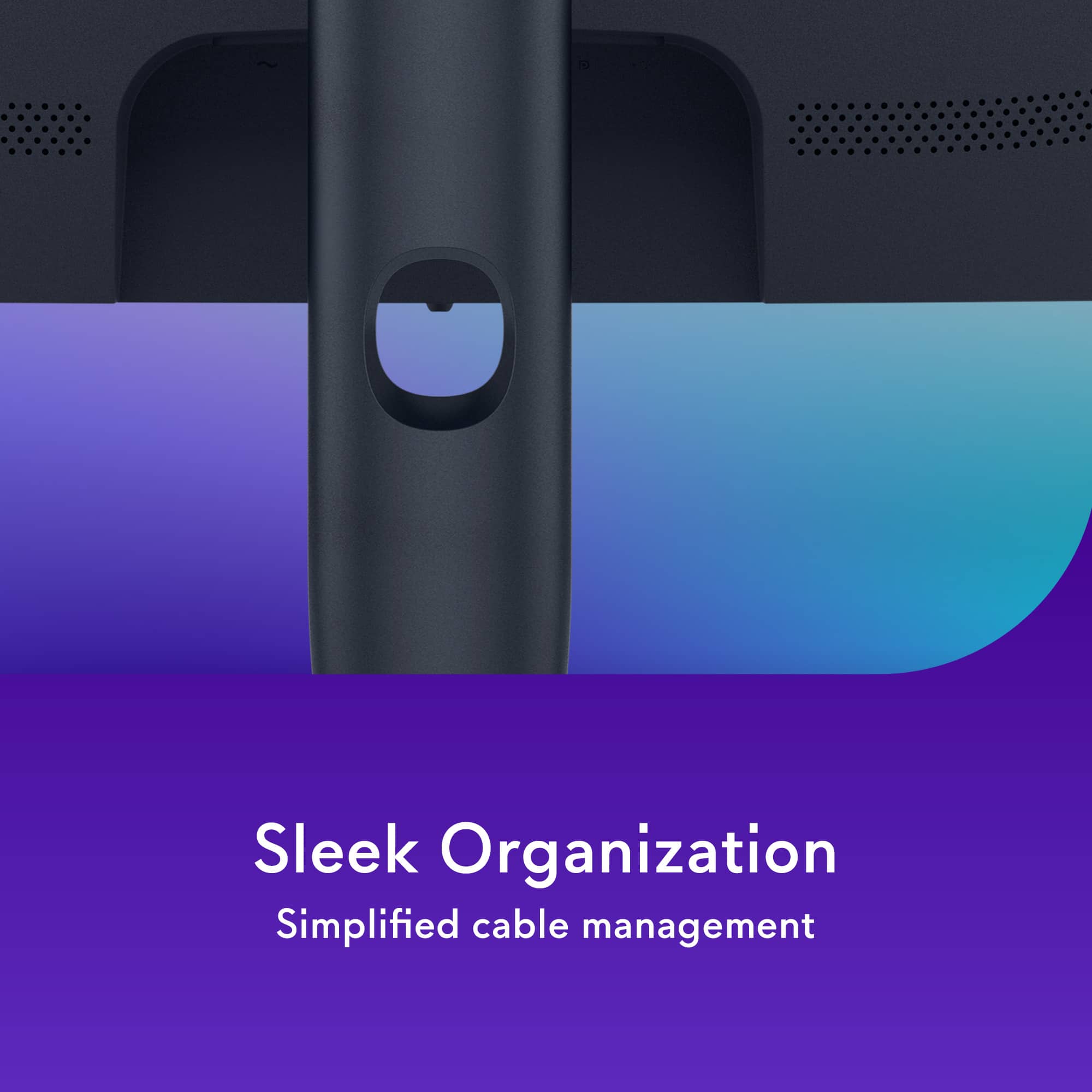
The monitor stand includes a smart cable management hole that easily accommodates multiple cables, which I found very convenient. Assembly was a breeze, just snap the stand into the monitor and hear the click, and you're ready to go.
This 34" ultrawide OLED display with a 3440 x 1440 resolution supports both NVIDIA G-SYNC and AMD FreeSync. It has full ergonomic adjustment, tilt, swivel, height, and slant. The 1800R curvature is nice, though I personally prefer the more immersive 800R curve. On the first power-up, the screen blew me away with its vivid colors and excellent brightness. At 110 PPI, image clarity is fantastic.
Controls are straightforward: a single power button and a joystick that makes navigating the on-screen settings simple and intuitive. It also supports PIP (Picture-in-Picture) and PBP (Picture-by-Picture), which are handy features even on a screen that isn't as large as a 45”, but it’s good to have.
My gaming experience on this monitor was impressive; I had it connected to my Alienware Aurora 14, and it’s got vibrant colors, no tearing screens, no lag, just a smooth, literally jaw-dropping experience. That said, I do miss a couple of things from my previous monitor, which is not Alienware: a remote control for easier navigation, and more noticeable RGB lighting. On this model, the RGB is limited to the Alienware logo on the back, which is barely visible unless I lean behind the monitor.
No overheating issues here either; ventilation is well-designed with effective rear vents. Overall, the monitor looks fantastic, offers high-end performance, and is easy to adjust to my perfect setup.
My only real wishes? Built-in speakers and a remote control. But all in all, this is a powerful and stylish display that seriously enhances the gaming experience.
I would recommend this to a friend
Pros mentioned:
Color quality
Rated 5 out of 5 stars
Perfect blacks with great motion clarity!
|
Posted .
This reviewer received promo considerations or sweepstakes entry for writing a review.
First, and most importantly to me, this is not a "smart" monitor. It has basic controls as you would expect of a screen. It does not need a remote, it does not want to connect to my wifi, and it does not have any opinions on how you should use it, apart from the pre-enabled pixel refresh function. It's hard enough (read: virtually impossible) to find a modern TV without "smart" functionality, and it's been encroaching on the monitor space as well, so to see one without any extraneous functionality that the PC you likely already have connected to it cannot replicate is great. You get your input options, some HDR presets, brightness, saturation, etc, and some "enhancements" for gaming that can provide greater contrast in the crosshair area and show the real refresh rate of the screen and the like, and that's about it. Fantastic.
As an OLED screen, there is no backlight, and therefore no backlight bleed. No halos or lagging backlight reaction times from lesser LCD "HDR" screens with localized dimming, and extremely good motion clarity out of the box, which can be enhanced further through the use of BFI, or black frame insertion. Unfortunately, that is a feature I would like to see supported by the screen on a hardware level, but it does not have such a function. Fortunately, more options are becoming available to implement it generically in software. That being said, if your content is running at 240hz, in terms of clarity, in real life, I can barely see a (clarity) difference between 240hz and 120hz with BFI, though there is objectively a slight amount of retention. In my images I have a picture I took of the UFO blurbusters test with BFI, and you can see that there is *no* ghosting at all in the middle - the alien that is running at 120hz with BFI enabled - and minor amounts on the bottom alien, which is running at 240hz, and a more noticeable amount on the top alien, which is running at 120hz with no BFI. This is not taken with a scientific camera or anything, just with a phone camera with the exposure set to 1/800 manually, but it isn't the worst measurement ever.
They claim the peak brightness of this screen to be 1000 nits, which seems to be correct in software, but I don't have the tools to verify that, or check how bright the whole screen can be. In general, using it so far, I wouldn't recommend using the peak 1000 profile though. The HDR 400 profile seems to be the most correctly tuned one for the majority of HDR media that I've tried. 1000 nits is certainly more bright, but it seems overly-bright in general rather than allowing more detail in bright areas, in most content. This may be a configuration issue on my part, but in either case, the experience compared to a pedestrian IPS screen is incredible, let alone TN type panels.
As this is a QD-OLED panel, the subpixel layout is not the traditional three vertical bars of red:blue:green (or variations thereof) where each subpixel is typically identical in size. The subpixels are laid out in a triangular fashion and have different sizes. For some, this can induce noticeable green/magenta fringing on text, or other thin elements with high contrast, which I did notice at first, but I have grown used to it in time. It does not impact the readability of the display for me, but if you do suspect it might be an issue for you, you might want to seek out a display model so you can check for yourself. I have an image attached that shows this behavior as well.
The HDMI/DP standards used by this screen do not support the bandwidth necessary to drive 3440x1440 pixels at 240hz with 10 bit colors. This necessitates display-stream compression. There are lesser operation modes you can use that do not use DSC, but I have not noticed any compression artifacts in my use thus far.
Of course, it has a standard VESA mount, and the USB-C with power delivery is very nice to have. The design is not outrageously gamer-y and can fit into more mundane setups without issue, and the RGB can be disabled from within the hardware controls, which is convenient. Bright colors, dark blacks, high refresh rates, and excellent motion clarity. This is certainly one of the best value OLED screens around.
I would recommend this to a friend
Pros mentioned:
Color quality, Contrast, Refresh rate
Rated 5 out of 5 stars
Absolutely Stunning – A Gamer’s Dream Display!
|
|
Posted .
This reviewer received promo considerations or sweepstakes entry for writing a review.
As a new owner of the Alienware 34” TFT QD-OLED monitor, I’m blown away by the experience. The image quality is nothing short of breathtaking—deep, inky blacks, vibrant colors, and incredible contrast that make every game and movie look alive. The QD-OLED technology really delivers on clarity and detail, whether I’m playing fast-paced shooters or enjoying cinematic scenes.
The 34” curved display completely immerses me, pulling me into the action. The ultra-wide format is perfect for multitasking, racing games, and expansive RPGs—it feels like I’m seeing more of the world, not just the screen. The high refresh rate combined with near-instant response times makes everything feel buttery-smooth, with zero ghosting or lag.
Build quality is top-notch—sturdy, sleek, and unmistakably Alienware. The on-screen menu is easy to navigate, and customization is simple, from color profiles to performance settings. Even after hours of use, eye strain is minimal thanks to the anti-glare coating and comfortable curvature.
This monitor isn’t just a display—it’s an upgrade to the entire PC experience. If you want cutting-edge visuals with unmatched immersion, this is it.
I would recommend this to a friend
Pros mentioned:
Color quality
Rated 5 out of 5 stars
It's so good!
|
Posted .
This reviewer received promo considerations or sweepstakes entry for writing a review.
TL;DR - It's a beautiful screen, the stand is a bit cheap feeling, but far from a deal breaker. The colors, response, and controls are so nice! I love this monitor and I am willing to bet you will to!
---
This is my first experience with an ultrawide! And I’m kind of 50/50 on how I feel about it as a whole! To clarify, I’m referring to the whole ultrawide experience, the monitor itself is top notch! I love to play single player games, JRPGs, RPGs, Action, Adventure, etc., and some of those are less than mainstream titles, and those in particular seem to have the two black bars on the side. With this being a QD-OLED, it makes me nervous that it’ll eventually have screen burn-in. I’m also not as stressed about it because it comes with a 3-year warranty for burn-in and it has mitigations for it out of the box. I do want to use this monitor for more than 3-years, so this will eventually become an issue right? I don’t know the answer to that and that uncertainty makes me uncomfortable.
All that said, this monitor itself is freakin’ AMAZING! Just the colors, the deep blacks, and the motion fluidity and response rate is all so good! I feel like this is the missing piece in my set up! And when games support ultrawide resolution, it’s seriously so immersive!
When I first started using it, I used it for my Linux desktop and was pleasantly surprised that Fedora works with it. But thought this would not be the best use case for a media “server” slash coding practicing machine. I threw my gaming PC on the monitor and started with Metaphor: ReFantazio which is a 16:9 game, despite it having a 3440x1440 resolution in the settings. I couldn’t figure out how to get it to fill the screen. Because of that I was kind of disappointed with the monitor for gaming. I assumed all games would look like this despite it having the full ultrawide resolution. I quickly learned that this isn’t the case and only some games would do this.
Playing BLOPS 6 was kind of a surreal experience. The immersion was incredible. It actually started to get me that VR motion sickness for awhile. I quickly adjusted though, but that’s how crazy that first experience was for me. Switch over to Khazan and wow just wow! It went from a good looking game to an incredible looking game with just a screen change.
I also like how you can turn it off with a button on the far right, instead of using the single nub to navigate to an off button like some monitors do. This means you can quickly turn it off and leave your computer on to save screen time on the monitor instead of waiting for Windows to sleep your computer. This is all assuming Steam or something isn’t preventing your screen from sleeping. You can bypass all that by just turning it off real quick with a touch of a button!
Long story short, some games don’t support the ultrawide format, and that makes me nervous only because I don’t know how it’ll be in the long run, but assuming it’s all been accounted for by the engineers, the day to day usage of this monitor is amazing, I love it and couldn’t be happier to have this!
I would recommend this to a friend
Pros mentioned:
Refresh rate
Rated 5 out of 5 stars
Awesome Features for the Price
|
Posted .
This reviewer received promo considerations or sweepstakes entry for writing a review.
I got this monitor for my PC, which uses an nVidia 3090ti. For that reason, G-Sync compatibility was a must for me. Fortunately, we’re seeing more monitors that support both AMD AND nVidia clocking protocols, and this is one of them.
The monitor is relatively lightweight, coming in at 11.2 pounds without the stand, and 17.95 pounds with the stand. I will opt for the stand. It is relatively compact, and its base measures in at approximately 10.25” W x 10.25” D and is relatively flat. I’ve used this area as a place for special keepsakes. Using a second-generation Samsung OLED panel, the AW3425DW ups the ante to 240 Hz refresh.
The AW3425DW curve is a bit more than my previous monitor, so I’m still getting used to that aspect. It is still a comfortable field of view, and I suspect I’ll find it to be more intuitive than that of its predecessor.
The monitor supports a good amount of I/O, including two HDMI 2.1 inputs, a Display Port 1.4 input (which I am using). There is a USB Type B upstream port that must be connected to your PC or laptop to enable the USB Type A (5 Gbps) and USB Type C (also 5 Gbps and supports up to 15W charging) ports that are located on the bottom of the monitor - hiding in plain sight.
The “joystick” used for configuring the display is located on the bottom of the monitor, dead center. Press the joystick (press toward the ceiling) brings up the on-screen display, and you can walk through the very intuitive menu options to configure the display to your liking.
Looking at the screen – wow. Yes, that’s a qualitative assessment, but you’ll love the bright screen and clarity of font rendering from your PC or laptop. For its price, you’d be hard pressed to find a better display.
I would recommend this to a friend
Pros mentioned:
Refresh rate
Rated 5 out of 5 stars
Ultra-Premium OLED Gaming Monitor
|
Posted .
This reviewer received promo considerations or sweepstakes entry for writing a review.
The Alienware 34” TFT QD-OLED Curved 240 Hz FreeSync Gaming Monitor is an excellent choice.
• Unboxing – The monitor is well packed and the box is neatly organized. The entire unboxing process from start to finish took about 5 minutes.
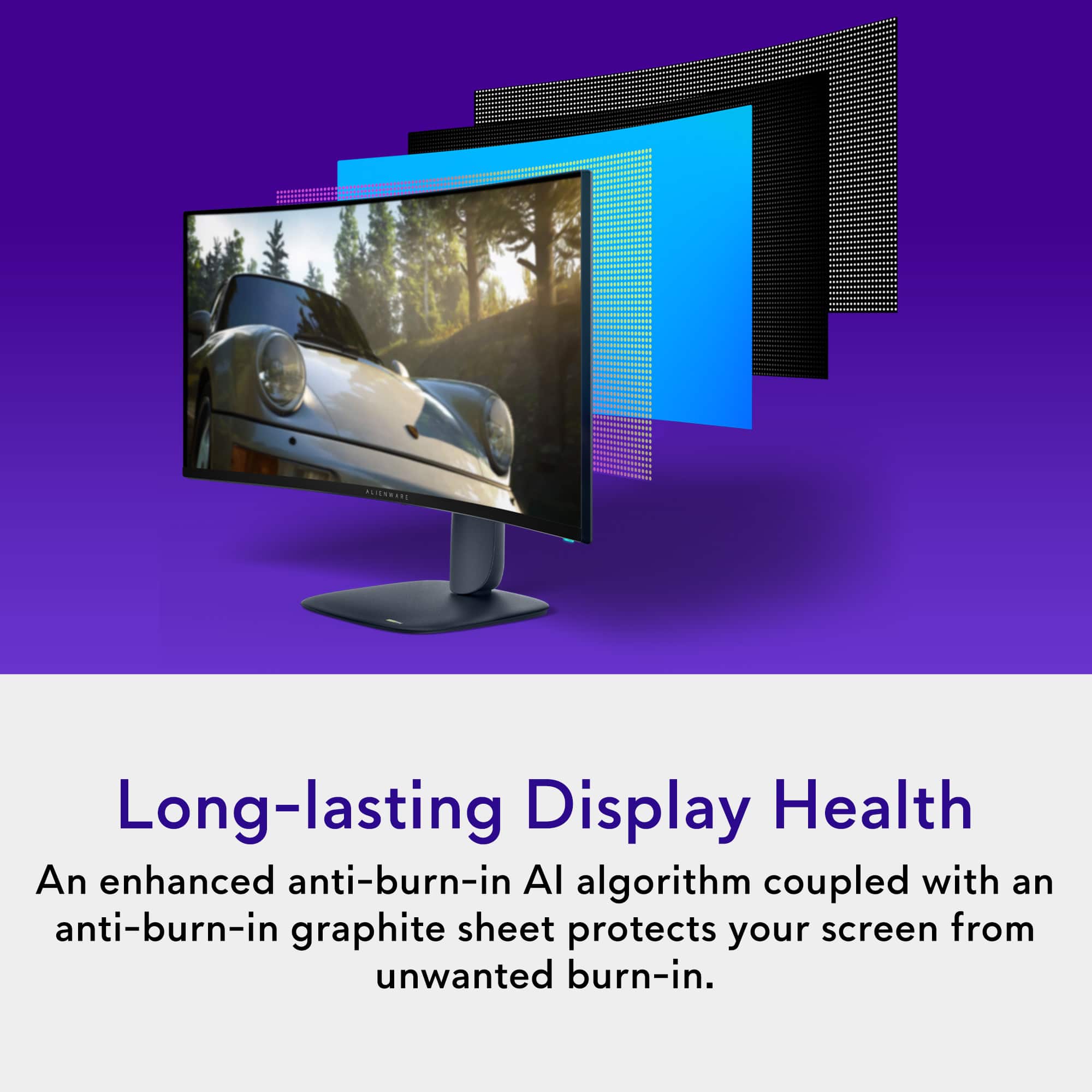
• Display – 34” 3440 x 1440 QD-OLED. It has an 1800R curve which helps enhance the gaming/immersive experience by bringing the edges of the monitor closer to the user. In my opinion it is the ideal curve for an ultrawide monitor and for the ultimate gaming experience. The QD-OLED gives an ultra-premium visual experience with vibrant colors, infinite contrast, and the most beautiful true black. This monitor offers a nearly perfect full color spectrum with DCI-P3 of 99.3% color average. There is an anti-burn in AI algorithm that is used in combination with an anti-burn in graphite sheet that helps protect this monitor from the dreaded OLED burn-in. Lastly, it offers 1000 nits peak HDR brightness.
• Refresh time and refresh rate – Near instantaneous response time of 0.03 milliseconds and a refresh rate of 240 Hz makes this an ideal monitor for competitive FPS and racing gameplay; although all games will benefit from the reduced motion blur and input lag.
• Ergonomics – The monitor is easily adjustable in both vertical height as well as vertical and horizontal tilt.
• Display connectors and ports – It has 2 HMDI 2.1, 1 DP 1.4, 1 USB-C 5 Gbps downstream port with 15W charging capability, 1 USB-A 5 Gbps downstream port, and 1 USB-B upstream port.
• Warranty – Solid 3-year parts and labor warranty per the manufacture.
Overall, this is a fantastic monitor offering premium specs/features and I highly recommend it.
I would recommend this to a friend
Pros mentioned:
Color quality, Refresh rate
Rated 5 out of 5 stars
Best Ultrawide
|
|
Posted .
This reviewer received promo considerations or sweepstakes entry for writing a review.
Overall, this Alienware ultrawide OLED monitor is among the best in its class. If you’re a gamer who wants deep blacks, blazing speed, and immersive scale, or someone who multitasks and enjoys expansive screen real estate, this is a standout choice. For those whose priorities lean more toward ultra‑brightness, text sharpness, or tighter budgets, some trade‑offs exist—but the experience is hard to beat.
I would recommend this to a friend
Pros mentioned:
Hdr performance, Refresh rate
Rated 5 out of 5 stars
Best Gaming Monitor I’ve Ever Owned
|
|
Posted .
This reviewer received promo considerations or sweepstakes entry for writing a review.
Absolutely stunning display. The QD-OLED panel delivers rich, vibrant colors and perfect blacks that blow my old IPS monitor out of the water. Gaming at 240Hz with a 0.03ms response time feels silky smooth, especially in fast-paced shooters and racing games. HDR performance is impressive, and the curve enhances immersion without feeling too aggressive.
Setup was simple, and the on-screen display controls are intuitive. No issues with burn-in so far, and it stays relatively cool during long sessions. Pricey, but worth every penny for serious gamers or creatives.
I would recommend this to a friend
Pros mentioned:
Color quality, Refresh rate
Rated 5 out of 5 stars
Good Product, Meh Price!
|
|
Posted .
This reviewer received promo considerations or sweepstakes entry for writing a review.
Good, Not GREAT.
I gave this a 5 Star because the product is amazing, the quality is great and the response rate is crisp. The problem is the price. I believe there is another monitor coming out in the next few months with the same specs and 4k rather than 1440p, the leaked price is suspected to be quite close to this price so, it feels wrong to buy this. I'll be returning this!
I would recommend this to a friend
Pros mentioned:
Color quality, Refresh rate
Rated 5 out of 5 stars
Love the monitor
|
|
Posted . Owned for 2 weeks when reviewed.
This reviewer received promo considerations or sweepstakes entry for writing a review.
I owned the older monitor before this one and have no complains on upgrading. Looks great and i can notice the smoothness of having the extra frame rate range on 34inches. Also having the usbc port on the monitor I use more than i thought I would. Definitely recommend
I would recommend this to a friend
Pros mentioned:
Color quality, Contrast
Rated 5 out of 5 stars
Worth every penny!
|
|
Posted . Owned for 2 weeks when reviewed.
This reviewer received promo considerations or sweepstakes entry for writing a review.
I tried monitors that cost over $1000. There isn't one that beat the color clarity and contrast of this one. If you're looking for a ultrawide OLED, this is it!
I would recommend this to a friend
Pros mentioned:
Color quality, Refresh rate
Rated 5 out of 5 stars
Excellent monitor
|
|
Posted . Owned for 2 weeks when reviewed.
This reviewer received promo considerations or sweepstakes entry for writing a review.
Between the high refresh rate, reasonable price, and excellent color accuracy, I think this is the only 34' ultra wide anyone should buy.
Productivity is fine on it, I would avoid using it that way though imo. This monitor is for gaming, and it does it with flying colors.
I would recommend this to a friend
Pros mentioned:
Color quality
Rated 5 out of 5 stars
Fantastic Monitor
|
|
Posted . Owned for 1 week when reviewed.
This reviewer received promo considerations or sweepstakes entry for writing a review.
I had a 32" non widescreen monitor that was having issues with the display port. I talked to management at my local store and they agreed to let me exchange it. I did some research and settled on this Alienware. Right out of the box, the picture was amazing.
At first I was not liking the widescreen setup. Where it sits and I sit at my desk, my browser sits to the right. But then I realized I could have two browsers open side by side. I know, duh. It's like having two monitors.
As far as gaming, the widescreen is just amazing. It's really immersive.
I would recommend this to a friend
Rated 4 out of 5 stars
Great for productivity
|
|
Posted .
This reviewer received promo considerations or sweepstakes entry for writing a review.
I purchased this to swap out my old two monitor set up. It definitely helped clear up space on my desk and the curved screen, even though smaller than my two monitors combined, made me feel more productive and that I had more screen real estate.
The only issue I had, was trying to use it for gaming, specifically with the PS5 pro. When I connected it I had issues with the aspect ratio which resulted in a lower resolution and while still manageable to game, it was not visually appealing. That’s the reason for 4 stars.
If you use it for work or productivity you’ll be good and I recommend. However, if gaming, I’d make sure to double check what system or Pc you are using to see how the resolution/output will be on this monitor.
I would recommend this to a friend

Pros mentioned:
Color quality
Rated 5 out of 5 stars
Perfect widescreen.
|
|
Posted .
This reviewer received promo considerations or sweepstakes entry for writing a review.
My old IPS sidelit 3440x1440p monitor got knocked over by my cat, and of course ended up breaking. I got this monitor after doing lots of research, at first I was just going to get another IPS monitor, since my main display for my desktop gaming rig is my 4k tv, but I decided to splurge and it's great that I did. This monitor has single handedly made me swap back to my desk setup, it's SO responsive, the colors are great and the blacks are inky and deep. Highly recommended.