Customer Ratings & Reviews
- Model:
- 3113C002
- SKU:
- 11004632
Rating by feature
- Value
Rating 4.3 out of 5 stars
- Quality
Rating 4.3 out of 5 stars
- Ease of Use
Rating 4.1 out of 5 stars
Customers are saying
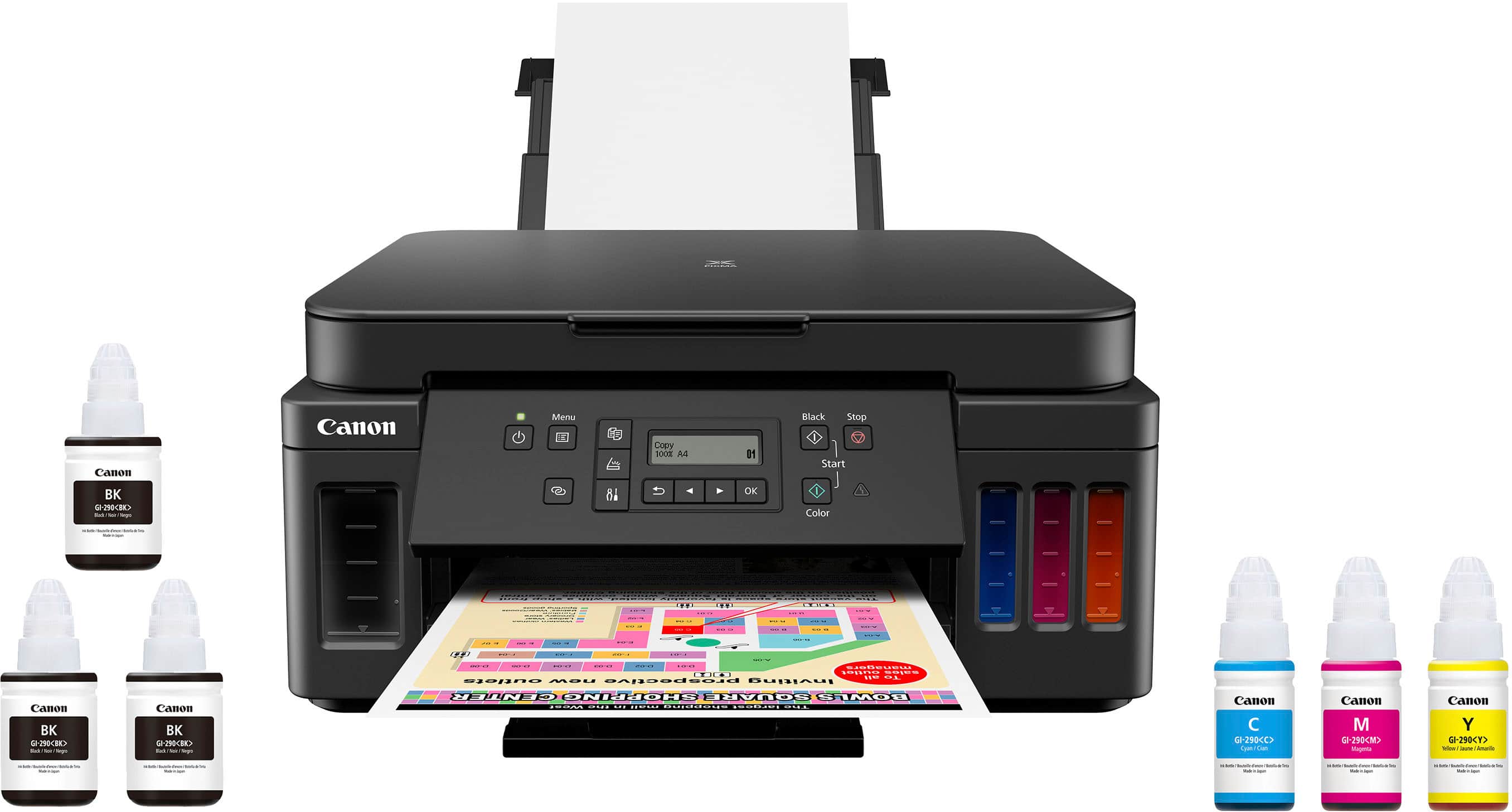
Customers find value in the PIXMA Megatank G6020's exceptional print quality, ease of use, and overall performance. The setup process is also considered simple. However, some customers have expressed concerns regarding the display, connectivity, control panel readability, and noise levels during printing.
This summary was generated by AI based on customer reviews.
- Pros mentioned:Print quality

Outstanding photo printing and two-sided option
|Posted .This reviewer received promo considerations or sweepstakes entry for writing a review.>>> Overall Canon PIXMA G6020 offers outstanding photo printing, possibility to print on both sides of a paper, with an ingenious and what seems to be an affordable way of refilling ink. A little heavy, with plastic casings and parts, solid nonetheless; not as fast as one would like, yet does the job timely. Definitely something to go for if you are looking for an inkjet color printer for personal (or small business) use. If you are a Canon enthusiast, I am sure you would give it 5 stars. I am not, but I do like Canon products very much, they haven’t disappointed me so far. Despite some performance drawbacks and configuration hiccups, this printer works just great. Minimum a 4 star. >>> Initial Preparation I followed the basic steps in the “Getting Started Manual” that came in the box. Took the printer out of the box and removed all the security tape. Easy to place the printer heads and add ink to the tanks. I was initially hesitant on pouring ink into the tanks, but after filling the black ink, I found that “refilling” the ink tanks is as easy as it gets (sure some extra care to not spill the ink). I think it is a neat idea to have the refillable option rather than buying new tanks/cartridges. The only thing that concerns me is what to do if a foreign object gets inside the tank. After this I turned on the device and after some moments of “adjustment” (printer noises/movement) it was ready to configure, the message on the printer was “Wi-fi Setup”. >>> Wireless setup Used my Surface Book connected to my home wireless network to setup the printer. Followed the on-screen instructions after downloading the software from Canon https:://ij.start.canon. I initially didn’t select anything from the operation panel on the printer (it still had the “Wi-fi Setup” option). Of course, my laptop wouldn’t connect to the printer. Next, I decided to use a USB cable TypeA-TypeB (not provided) to connect the printer to my Surface, and then after a couple of minutes, I was able to configure the Canon printer and have it wirelessly available. I loaded some Letter paper to the printer and did a couple of test pages and all printed just fine. I also used another Windows 10 laptop to access the printer. Windows 10 recognized it and I was able to add it and print a couple of documents. The wireless band the printer connected to is 2.4Ghz. This may be the reason why it may take a couple of seconds to “access” the printer when printing from a device wirelessly. Finally, I also tried, for the sake of trying, configuring the wireless from the operation panel in the printer, it was really cumbersome, I find the computer connected setup way easier. >>> First printouts From my Surface I was able to successfully print out different documents in Letter size paper (just a little annoying that the paper size had to be set in the printer operation panel, I would think it should have been detected automatically). When attempted printing the first time from the other laptop (Windows 10 Spanish version), I got a Yellow warning on the printer (Size or type of loaded paper is different from the settings 2113 error code). I didn’t realize the default paper size on the laptop was A4 and the printer was expecting Letter. A little inconvenient to find out one used the wrong size paper this way. I'd say for a business where multiple paper sizes are used, perhaps this single automatic tray printer is not the most convenient one. For personal use or a small business then it'd do the trick. After using two computers to print documents, I still didn’t see the “perform alignment” option stated in the manual (or perhaps I just walked through it). All the printouts seemed to be really high quality which would imply no alignment was needed. At some point, a “Start alignment to improve…” option showed up (I don’t recall how, I think I was just touching something on the operation panel in the printer), and only then the machine proceeded to perform the alignment operation. >>> Photo printing This was one of the main reasons I chose this printer: to be able to print photos. Provided the color ink lasts as expected I think this is a very affordable way to get your pictures in hard copy. Quality is excellent, so far it hasn't disappointed in that regards. I don't expect a photo printer to be very fast, so I don’t mind if it takes some time to print my precious memories. I would say that if you want to go inkjet and want to have good quality photo printouts on an affordable machine, then do yourself a favor and just pick this printer. >>> Two-sided printing Next to photo printing, the next thing that interested me the most was to have a two-sided printing option. I was tired of manually flipping pages on my old laser printer or use the printers at work to have two-sided documents printed. Two-sided printing is very convenient, and I think one of the selling points of this the PIXMA G6020. Personally, I find two-sided printing a must in modern printers. >>> Print quality Based on my last encounter with ink jet printers a while ago (more than 10 years back), I was expecting to have regular quality, but I was surprised. Printed test pages in gray levels: Economy: good quality. You can present your homework/report at that level. Standard: pretty good if you need to impress your boss/teacher. High: undoubtedly excellent quality but very slow to print. >>> Print speed I must say, ink jets are slow (of course compared to the laser ones) and this one feels slow too. It performs way worse than my old HP P1005 laser printer (2010 model). Although, I must say that quality is great. >>> Scanner I have scanned pictures I had from long ago. I have no concerns; the quality is just fine. I just wished it was an automatic document feeder so that I could scan multiple pages at once. If you need that option, then you’ll need to add some money and get a bigger printer. Well, since I am into scanning old photos and reproduce them, then it is not that bad for my personal use. >>> Ink This was one of the things I was not really sure about: how affordable the operation of this device would be in terms of ink? Fortunately refilling the tanks is very easy task, so I wouldn’t mind doing so. As of now, the color cartridges are $12 each and black about $20. I cannot tell much about this, whether it is going to be not so cheap to print very high-quality photos in this printer. Time will tell.
I would recommend this to a friend - Pros mentioned:Print quality
Tired of Buying Ink Cartridges? Buy this MegaTank!
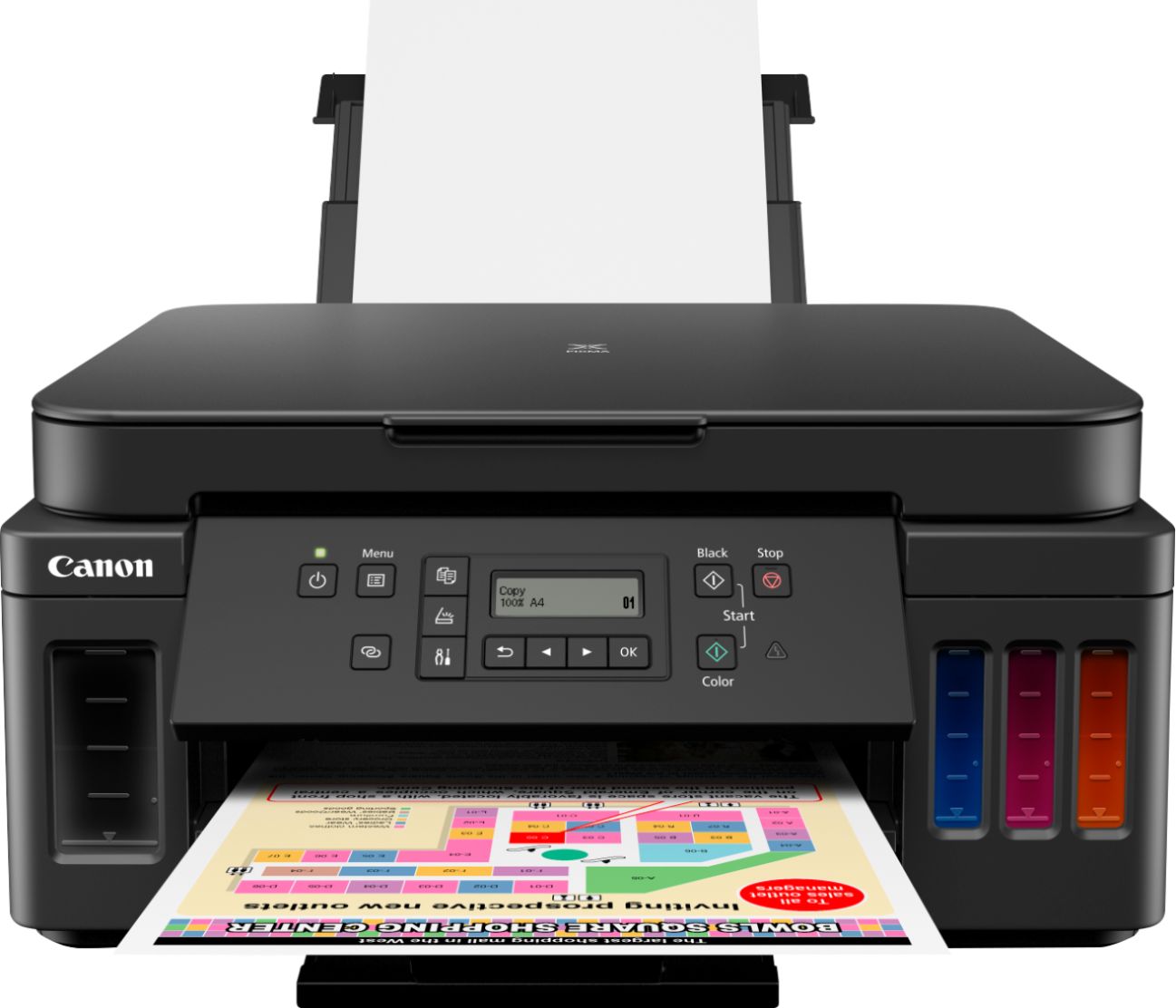
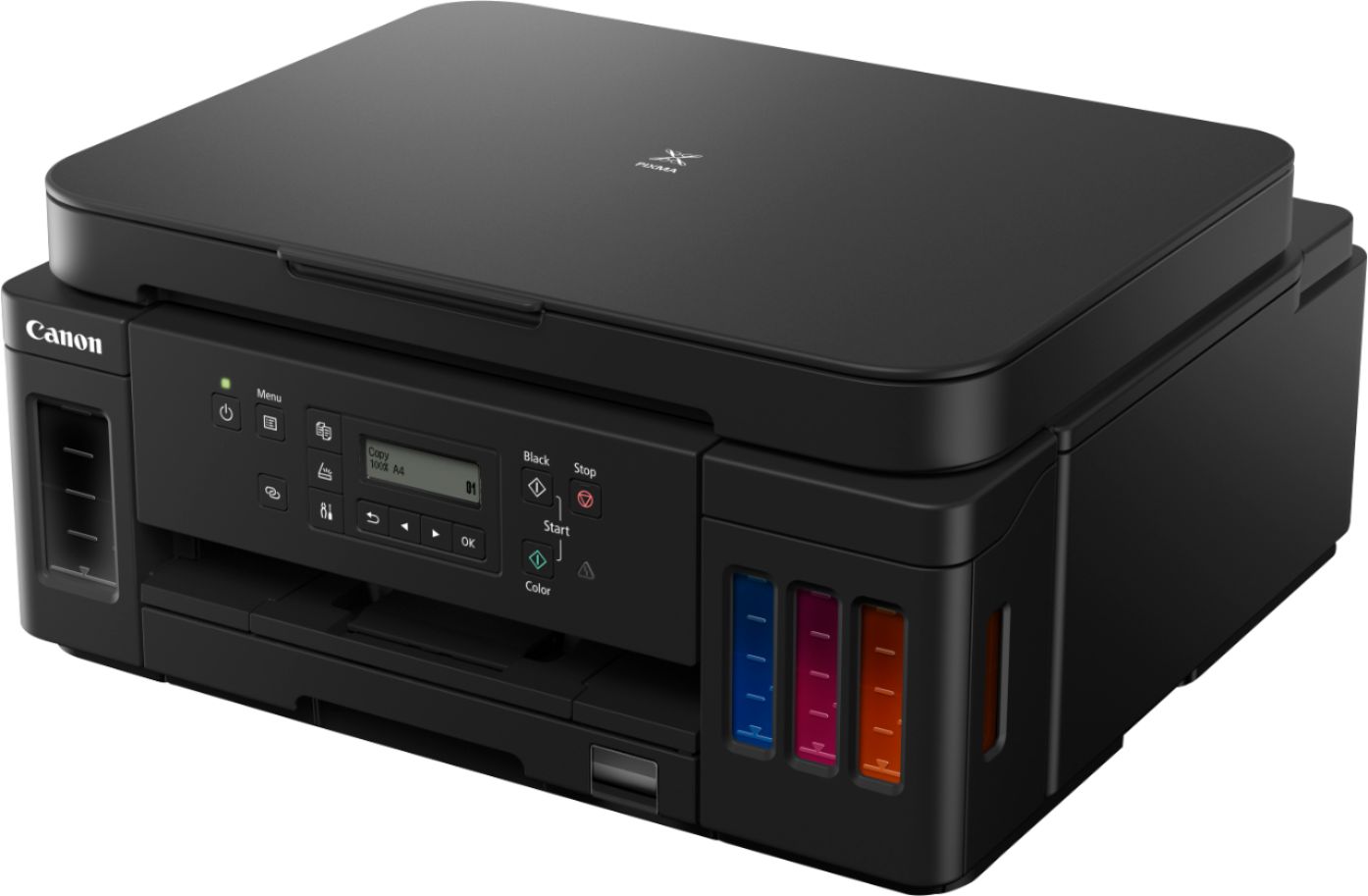
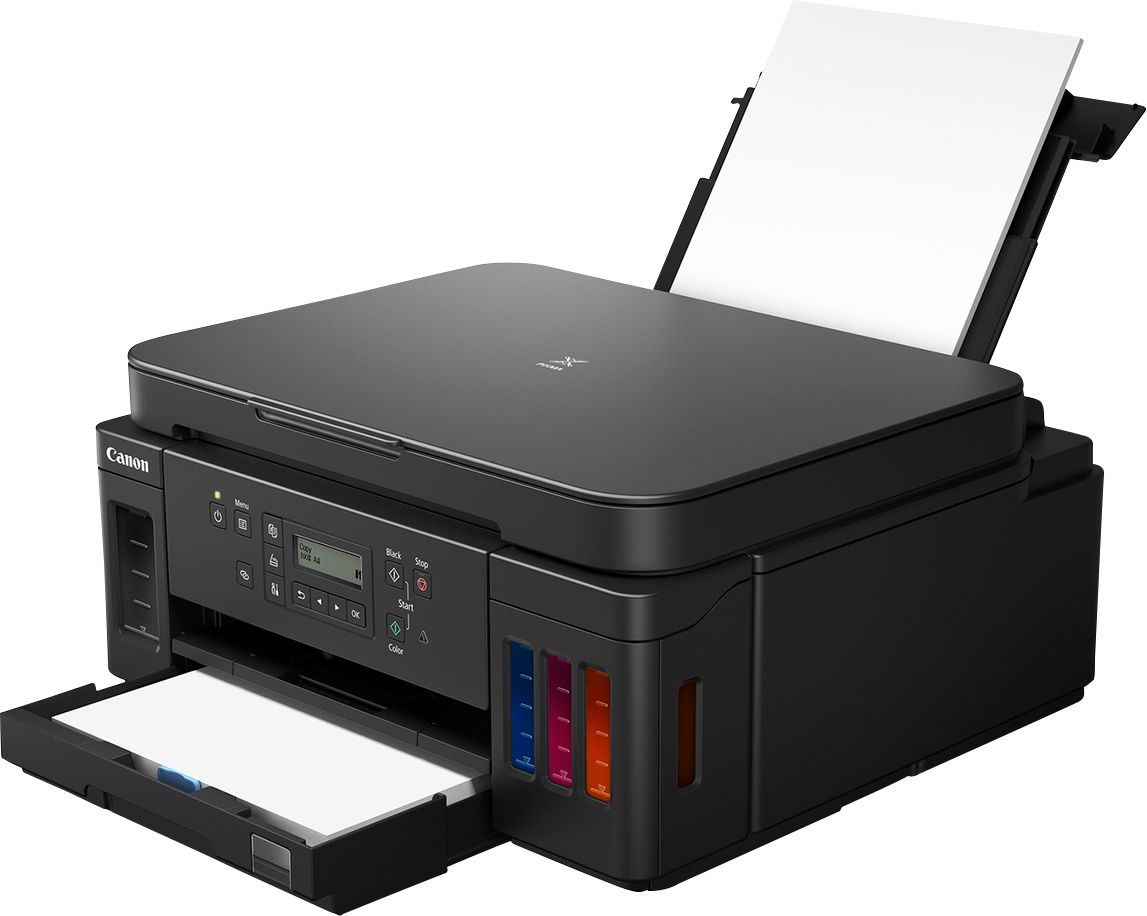
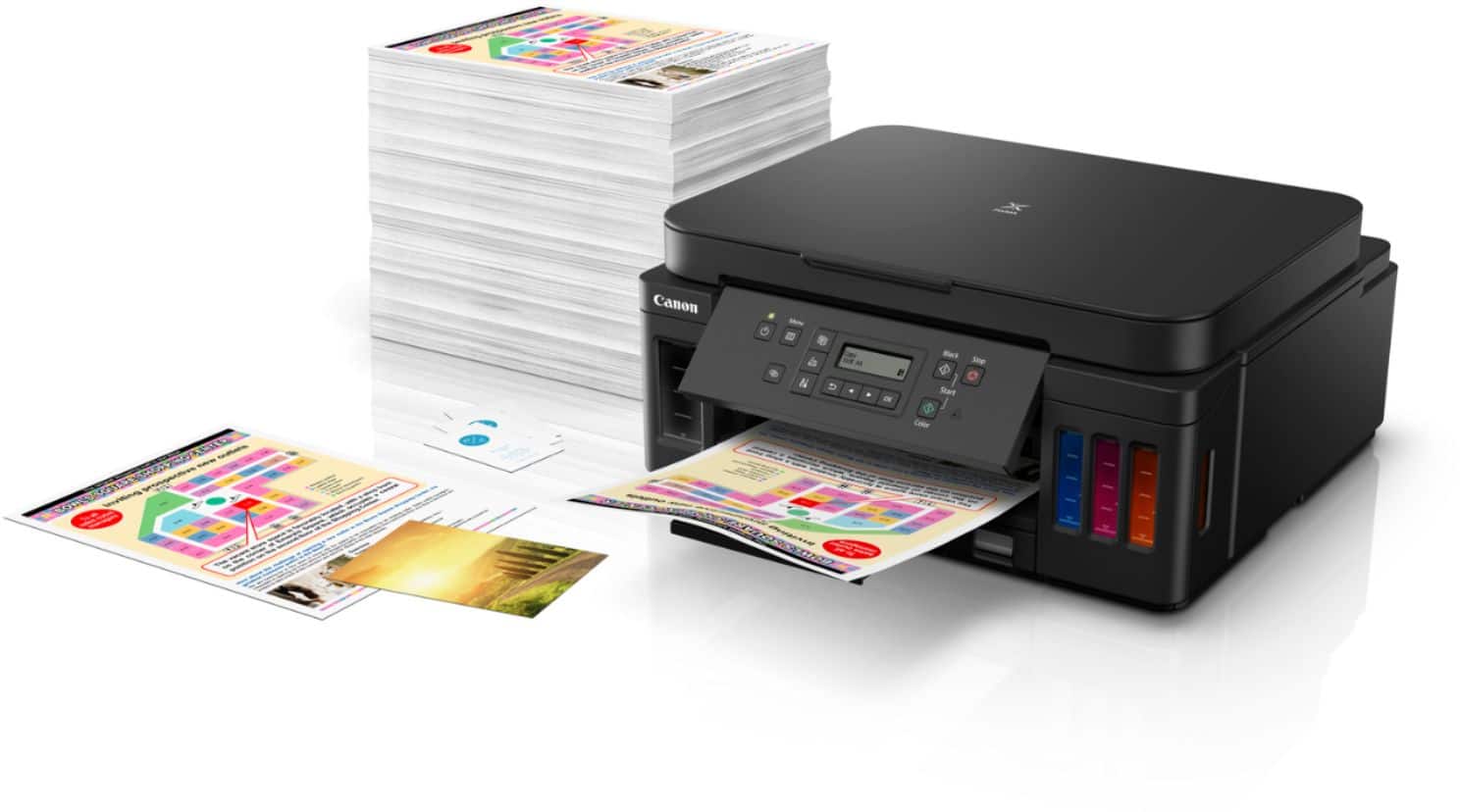
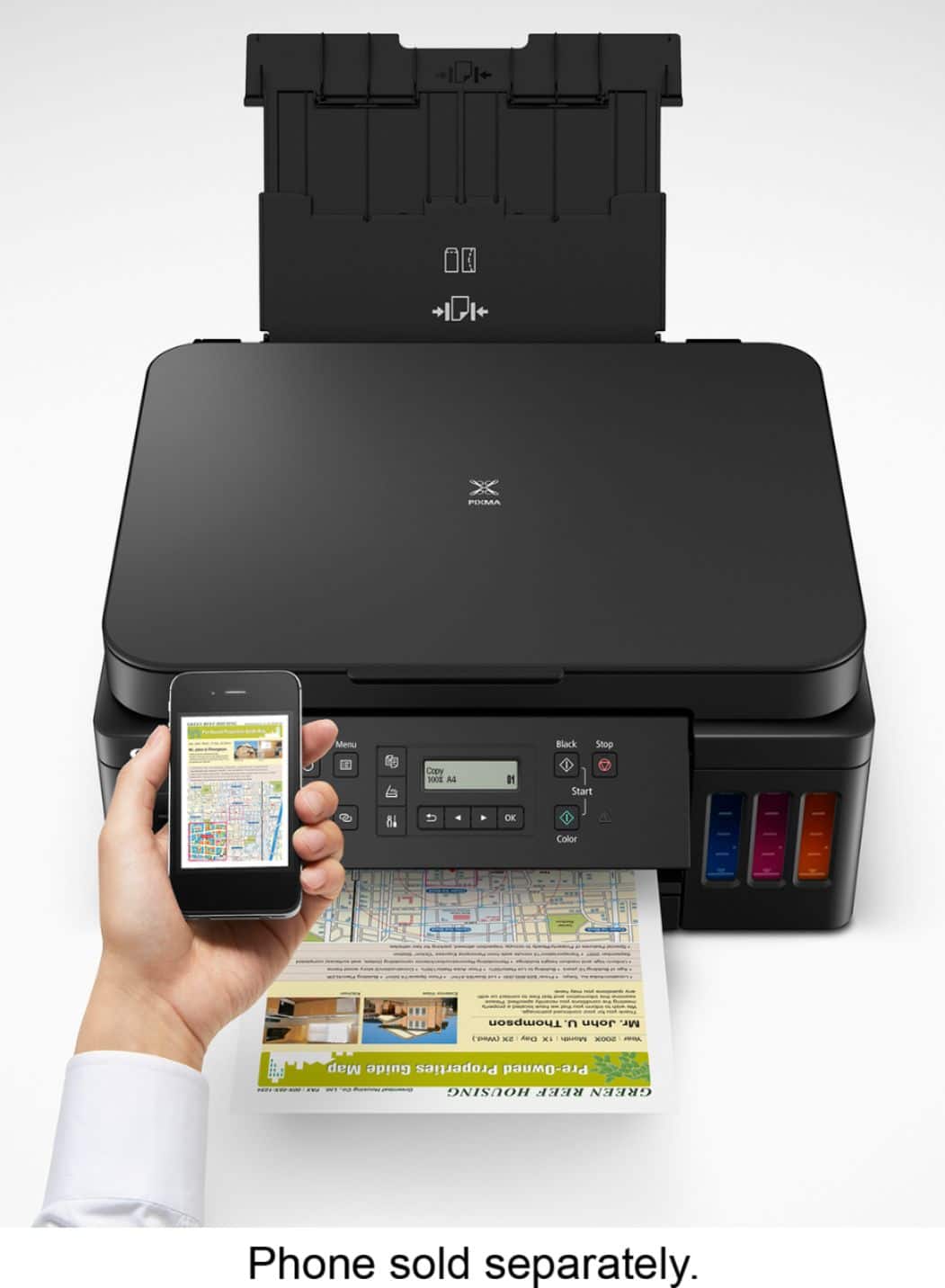
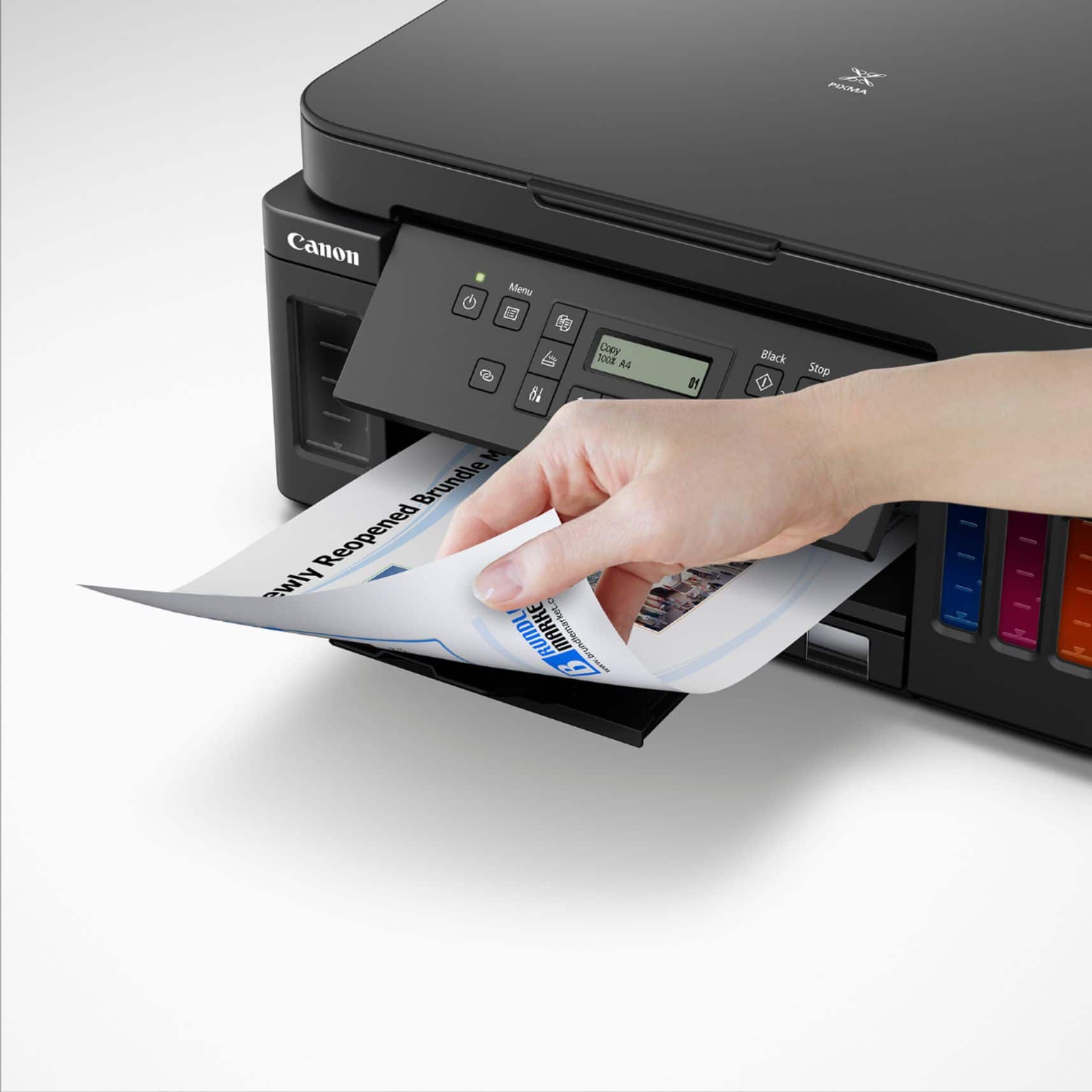
|Posted .This reviewer received promo considerations or sweepstakes entry for writing a review.This printer is a superb choice if cost per page is important to you. The Canon Pixma G6020 Wireless MegaTank All-in-One Printer is a very reliable, inexpensive, easy to use and relatively compact device which will economically print large quantities of documents at a very nice quality level. Canon is a very large ($37 billion sales) Japanese optical and electronics company, founded in 1937. It produced the first Japanese 35mm camera and pioneered many other products in Japan, including the electronic calculator, the first zoom lens movie camera, electronic flash units, inkjet printers, digital cameras, copiers, scanners, laser printers and high-technology medical products. It developed and is the primary supplier of the print engines used in most laser printers. In 1985 it created the first bubble jet inkjet printer. PIXMA printers are Canon’s high quality photo reproduction and general purpose printing devices for home and small office use. Here are the key features of this great multifunction printer: • Canon PIXMA G6020 MegaTank All-in-One Inkjet Printer/Copier/Scanner • Connectivity: Wireless (802.11b/g/n), USB, Ethernet connectivity, PictBridge • Ink capacity/page yield: Black 170 ml = approx. 6,000 pages, Cyan/Yellow/Magenta 70 ml each = approx. 7,700 pages • Print resolution: up to 4800 x 1200 dpi • Print speed: 15-20 seconds for first page, 7 – 13 pages per minute • Automatic duplex (two-sided) printing • Paper capacity: 250 sheets in lower tray, 100 sheets in upper/rear slot • Paper sizes: 3.5x3.5, 4x4, 4x6, 5x5, 5x7, 7x10, 8x10, Letter, Legal, #10 envelopes • Duty cycle: Up to 5,000 pages/month • Scan function: 1200 x 2400 resolution, 8.5 x 11.7 inch flatbed • Copy function: up to 99 copies, 2 on 1, 4 on 1, borderless, duplex • Alexa and Google Assistant compatible • Canon Print app for Apple and Android phones • Dimensions: 15.9 W x 14.6 D x 7.7 H (inches) • Weight: 17.8 pounds • Includes Easy-PhotoPrint Editor, PosterArtist, Scan utility, setup and driver software • One year limited warranty Setting up this printer is actually very easy, but I strongly urge you to watch the installation videos which Canon provides on its website. Canon is a wonderful, innovative technology company with superb products but its installation documentation not as well-written and illustrated as it should be. You could probably follow the drawings and diagrams but it is much safer to just pull up the available videos to guide you. There is a link to those videos in the printer setup guide. The steps required to set up the printer are really just removing tape and packing material, inserting the two print heads (black and color) and then filling the ink tanks. Filling the tanks is nearly fool-proof, but just for safety’s sake I suggest doing so while wearing casual clothing and not over carpeting. You probably won’t spill any of the ink, but why take chances? Just take the ink bottles out of their sealed packaging, remove the screw top and insert each into the appropriate ink tank inlet. You need to press down slightly to start the ink filling process. Tap the ink bottle a couple of times to be sure that all ink has been transferred and then remove the bottle, recap it and throw it away. Refilling the tanks won’t happen very often but it is no harder than changing ink cartridges. Once the tanks are filled, setup of the printer just requires inserting paper and letting it run through an alignment routine. Next, I had the very pleasant surprise of discovering that the printer could connect itself to my network without any intervention on my part (other than verifying my network’s name and password.) I did not even need to attach a USB cable (which most wireless printers frequently require in the setup phase.) I have several computers on my network and the new Canon G6020 appeared as an available printer on all of them. I noticed that some other reviewer reported some issues with network connection but I had no such problems. The setup worked automatically and perfectly. If for some reason you want to connect with a cable you also have the choice of USB or Ethernet ports on the printer. The Canon G6020 has a large (250 sheet) paper capacity in the lower paper drawer. It loads easily and is adjustable for multiple paper sizes. The printer also has a rear/upper paper feed slot which is hidden by a cover until needed. It would probably be most useful for envelope printing, handling odd paper sizes or feeding photo paper. Print quality is really excellent, even in the economy (standard) mode. In the higher quality (business document) mode the print quality matches most laser printers I have used. The printer driver provides nice printing options like 2 on 1 and 4 on 1 (two or four page images on a single sheet of paper), borderless, scaled, fit-to-page, booklet and others. The most useful option is the automatic duplexing (two-sided printing) which id manages without drama. Photo printing quality is good and acceptable for most purposes. If you want really outstanding photo printing quality you should invest in a dedicated photo printer. This printer’s color capability will be best used in printing business documents (graphs, multi-colored text, PowerPoint slide copies, etc.) and it does a very nice job on such tasks. The printing speed is not rapid but certainly acceptable at about 12 pages/minute (black) and about 6 pages/minute for color documents (speeds estimated by my own testing.) For home use and most small offices this is perfectly fine. Scanning, at resolutions up to 1200 x 2400 dpi, can be managed from the printer’s control panel or by using the included Canon IJ Scan Utility (or by just using Windows Fax and Scan utility.) I recommend Canon’s utility which will scan to a PDF, stich large documents together and facilitate OCR, among other features. The copy function is excellent, producing up to 99 copies in black print or color from each original with options for shrinking or enlarging originals. The only drawback is that you need to use the terrible control panel display to make your copy settings. This is the only really weak point on this otherwise fine device. The legibility and contrast of this two line LCD display is poor. It is not backlit, so you may find yourself bringing a flashlight and magnifying glass to your printer to read the panel. This is an element where Canon economized very unwisely. Other bonus features include Alexa/Google Assistant support and easy printing from phones and tablets using the free Canon Print app. But the most important feature of the Canon PIXMA G6020 MegaTank All-in-One Inkjet Printer/Copier/Scanner is that MegaTank. It holds 170 ml of black ink and a total of 210 ml of color ink (70 ml each of cyan, yellow and magenta). Those massive tanks will print about 6,000 sheets of black ink documents and about 7,700 sheets of color documents. The best part is the incredibly low cost of the ink. The black ink refill bottle costs just $18 and the color ink refills are just $12 each. And you get two extra black ink refills with the printer! If you print ten pages a day that black ink will last you for five years! The cost comparison to standard ink cartridges is amazing. A typical replacement inkjet cartridge costs about $40 and will print 400-500 pages at a cost per page of about $0.08. The cost per page of the MegaTank system is about $0.003 – less than 4% of the cost of a standard inkjet printer! If you are upgrading from a traditional inkjet printer you may be used to minimizing your printing to avoid the expense of ink cartridge replacement. This Canon G6020 may free you to print much more readily since you have a cost per page lower than almost any other printing device on the market. Those savings are due to the fact that you are not replacing the print head, as you must with each new ink cartridge, and the elimination of the plastic cartridge body cost. The Canon G6020 has print heads that you install when you first set up the printer and I suppose that you could replace those at some point, but they are designed to last for the life of the printer. The only caution that I would advise is that you print at least one page in black ink and one color copy every month to keep the ink lines from potentially drying out from lack of use. The Canon G6020 is attractive in a very business-like fashion. It is matte black with nicely rounded corners and it is fairly compact, given the huge ink tanks it contains. It will fit easily in all computer stations. And, since it connects wirelessly, it can be located in any convenient space – it does not need to be next to the PC it is serving. This is ideal for small offices since you can also use this great device as a supplemental copier. The more I use the Canon PIXMA G6020 MegaTank All-in-One Inkjet Printer/Copier/Scanner, the more I like it. When I first set it up I was going to give it just four stars because of the terrible control panel display. But as I got to know and appreciate its outstanding economics and its many other fine features, my aggravation with the control panel became such a minor issue that I can honestly give this great printer a full five stars and my unqualified endorsement. Buy it without qualms!
I would recommend this to a friend - Pros mentioned:Ease of use, Print quality
Refillable Ink Tank is A Plus
|Posted .This reviewer received promo considerations or sweepstakes entry for writing a review.If you are seeking a printer that does not have to be refilled often, then the Canon Pixma MegaTank Printer does exactly that. This printer was very easy to setup. The instructions provided were easy to follow. I was happy to see that my wifi connected easily to the printer and the devices I use to print. The devices I use to print are my desktop, cellphone, and laptop. In the type of work I do, it requires printing a lot of correspondence, reports and requires scanning numerous documents. Since using the printer, the quality of the documents printed has been good. The ability to print a lot of documents and not worrying about running out of ink is important to me. I am impressed at how much ink this printer holds. For me, this is a dream come true. Over Labor Day weekend, my friend had a birthday party and I printed several collages to place in a special birthday card using regular paper and photo glossy paper for a project. The picture quality came out great. She loved it! My only con to the printer that I have seen so far, is when printing certain images in color on regular paper. it doesn't come out as clear. Using photo paper is a better option. It was also a bit of a challenge to locate the rear feeder at first, as I am used to feeders located on the right-hand side. Other than that, I feel this printer would be great for businesses, college students, and those who work at home.
I would recommend this to a friend - Pros mentioned:Print quality
Good quality, excellent ink, quirky software
|Posted .This reviewer received promo considerations or sweepstakes entry for writing a review.The initial setup of this printer took close to an hour to get fully operational, just for printing. The software on the computer can be a little confusing and not entirely intuitive. The Android app looks nice and is easy to navigate but runs into some of the same quirks as the desktop suite, mostly, if you are attempting to print a screenshot of something off your smartphone the printer will not tell you in the image is above the default memory size and either refuses to print the image or will take 10+ minutes to print. This can be quite frustrating if you plan to use the mobile app or the desktop program to coordinate most of your printing but, when configured through the "add a printer" function in Windows 10, MacOS, Android, or iOS everything worked excellently with quick, high quality prints! The application and desktop program really shine when you are attempting to scan and manipulate documents before saving them to your computer, the software makes this task incredible easy and user friendly. The only things I wish it had was a top loading auto document feeder than could scan double sided and a larger screen. The current screen is a double line, non-backlit monochrome LCD that is near impossible to read without ambient light hitting it at just the right angle. This also makes standalone operation difficult but, with the nicely integrated and easy to use mobile application, this should be able to worked around with relative ease. The printer will print double sided, this is found in the print options when you decide to print something. Scanning is quick and very good quality, with many different quality modes to allow you to choose how big of a document the scan will become. All in all, this is a great printer for a small home office that is looking for a printer that will be able to prolong the period between having to refill the ink tanks while also providing high quality, durable printed documents without a primary goal of using the system for scanning and complicated copies. I also must give massive credit to Canon for including a FULL fill of all of the inks AND two additional full fills of the black ink! This is really where this printer shines is making printing economical!
I would recommend this to a friend - Pros mentioned:Overall performance, Print quality
Nice printer & scanner, works great.
||Posted . Owned for 3 weeks when reviewed.This reviewer received promo considerations or sweepstakes entry for writing a review.I had an older Canon megatank scanner/printer that worked great for quite a few years but was giving me some problems that I couldn't get to clear up, so I got this one to replace it and upgrade to a newer model. So far so good. Easy setup, works great and printing so far has been great. I really like the megatanks for ink as SO much cheaper than cartridges and the ink lasts a very long time. I also like how this one has the paper feed underneath along with the top back. Holds lots of paper in the feed so not having to fill often. I think for glossy or other sized paper you need to use the top back though. I have only did one small glossy picture to give it a try and see how it prints glossy color and it came out nice. Otherwise my black and black/color regular paper print text has been good. Black is nice and dark and everything is clear. Scanner works great too. I haven't tried to print front and back of pages yet, but this is supposed to do it without having to put the page back in for the back side, hopefully that works good and is easy to do. Price was good for this printer scanner. Plus besides the 3 color inks and 1 black it came with 2 extra blacks which is nice. I hope this one last as long as my last older model.
I would recommend this to a friend - Pros mentioned:Print quality
The Meg! - Great printer for students / sm offices
|Posted .This reviewer received promo considerations or sweepstakes entry for writing a review.I want to start by saying that the Canon Pixma Megatank G6020 Wireless All in One Printer, is the first printer I have EVER been excited about owning. I call it the Meg for short. We all know the struggles of owning a printer, they can be messy, a pain in the neck to set up, ink gets really expensive really fast and paper jams. I am excited to own this printer because Canon claims that you can print 6,000 black and white pages with one bottle of black ink and 7,700 color pages with a set of color ink bottles. That is awesome! The black ink bottle costs $17.99 as of today. If my math is correct, this printer costs 0.00299833 cents a page to print black and white documents with! The color ink refilled are $11.99 as of today each. That breaks down to 0.004671 cents a page color prints! That's insane! I imagine I will not need to refill this thing for at least a year or longer. Setting up the Canon MegaTank Printer was quick and easy. All you got to do is remove a few plastic tabs, install the included printer heads and fill up the ink tank reservoirs with the included ink. Canon is incredibly generous and includes 3 whole bottles of black ink in the box. 6,000 B and W prints per bottle. Let that sink in for a bit. Canon also includes a set of color ink bottles in the box to fill the tanks. Refilling the ink tanks is easy and pretty fool proof. As long as you follow directions and line up the bottle slowly and accurately, there is no ink spill or mess to clean up after. Canon includes a setup disk for windows, but honestly if you have wifi at home setting it up is easy. It supports WPS connection, making connecting this printer to your wireless router quick and easy. It also supports Google Cloud Print, so once you register the printer in google chrome, you can print from just about any device using the google chrome browser. Canon also has an app for iOS and Android that has many cool features for your prints. If you want to print photos, the app has many useful templates and guides to help make your photo prints. The printer also has a built in scanner for making photocopies of documents and photos. You can also save the scan to your computer or mobile device using the app. Printing large photos takes a few seconds, but the photos I printed looked great. They had nice vibrant colors and the ink dries pretty quick. Document printing is fast, and even faster if all you print is black and white text. Build Quality - This is probably the only downside I see in this printer. Some of the plastic parts feel light , and cheap. I feel like I have to be gentle when opening trays and covers because I' feel like i am going to break them. I've owned several printers and it's a common thing with printers. The build quality is what you should expect from a consumer printer. On the positive side, everything works great and as it should. No hiccups or glitches to deal with. The printer heads lined up properly and the scanner works great. The printer keeps a compact size considering everything it brings to the table. It has a large paper try to hold a nice big stack of paper, and you can also load envelopes, 4x6 or 5x7 photo paper on the backside with the pull out tray. The printer is smart enough to know when to pull the photo paper from the rear tray for photo prints and not the paper that you have stowed in the paper tray underneath. I can honestly say that this printer is an incredible value, and I highly recommend this to students, small offices or small businesses and really to anyone looking for a great budget friendly printer. No more running to the store for ink because you ran out mid print job! 5 shooting stars! ***** Pros; Excellent value, Ink lasts and lasts and lasts. Affordable Ink bottles, very easily to refill Prints photos and documents quickly Great wireless integration and cloud support. Cons: Some of the plastic feels cheap. I hope all the moving parts last as long as the ink does!
I would recommend this to a friend - Pros mentioned:Print qualityCons mentioned:Display
Great printer for documents, NOT for photos.
||Posted . Owned for 3 weeks when reviewed.This reviewer received promo considerations or sweepstakes entry for writing a review.I am a long-time owner of Canon printers. In my opinion, they deliver the best quality photo prints, but the ink is -- as many of you know -- very expensive. So, Canon is trying a new business model where they have increased the cost of the printers (rather than almost give them away) and lowered the cost of the inks for some models -- like the "MegaTank:" G6020. It holds a lot of ink (just 3 colors and black **Important!**) and produces a lot of pages for a fraction of the cost of traditional, smaller cartridges. I'm impressed with the quality of document printing, but this is DEFINITELY NOT a printer you want to buy if you want good quality photo prints, as well. After having a nice conversation with a very frank and forthcoming Canon printer representative, he told me that this printer is really designed for the home office, and works really well in that capacity. But the printer heads in these were not designed to do the usual type of high quality photo printing that many of their other multi cartridge printers were designed to do. In other words, look for printers that have 2 separate black cartridges (the big one is for documents), one gray, one magenta, one yellow and one cyan. Those printers are use different software designed for photo quality printing. In addition, on the down side, as you have read from others, the Canon designers (maybe management?) really screwed up by trying to save a couple of dollars and not use a back-lit display. The display on this printer is a little hard to read, and too small for the size of the printer and is a bit hard to understand. It is adjustable, so you can get the angle that works the best with the lighting in your office/room where you're using this. I gave this 4 stars because it does a really good job, and is fast printing, with documents, etc., both color and B&W. So, if you've got a home office, or you're a student and most of what you do is print/scan papers, and you don't want the get the ongoing sticker shock of the ridiculously priced inks from Canon and especially HP, then this would be a good choice for you.
I would recommend this to a friend - Pros mentioned:Ease of use, Setup
Happy Camper
||Posted .This reviewer received promo considerations or sweepstakes entry for writing a review.This Cannon G6020 is a small powerhouse. I does not take up much space and it was very easy to set up. For the low price, I thought it was a steal. I gave it 4 stars because it is not as fast as I though it would be, however, does EVERYTHING I need it to do, and more. I am still in the learning phase as there are some features it has that I haven't been able to figure out. For instance; Double-sided prints. Overall this is a good printer and I would recommend it to anyone. Cannon you did good with this one. Happy camper :)
I would recommend this to a friend - Pros mentioned:Print quality, SetupCons mentioned:Display
Slow and disappointing setup
||Posted . Owned for 2 weeks when reviewed.This reviewer received promo considerations or sweepstakes entry for writing a review.Quick Take: Pros: — Crisp Text — Accurate Colors — Small Footprint — Fantastic refillable ink system — Easy physical setup Cons: — Problematic Setup via Mac — Web Interface lacking wifi setup/modifications — Jams/Double-Sided printing issues — Problems waking from Sleep — Ridiculously small and difficult to use display — Slow printing — Slow first page out time — Paper tray is small and problematic when replacing paper Explanations for above: Pros: — Crisp Text Excellent print quality even at small point sizes for text. Very crisp and blacks are black. — Accurate Colors Colors appear to be accurate. I’ve not tried photo printing on photo paper but this is MUCH better than my previous HP Pagewide Pro I used. — Small Footprint Doesn’t take up a ton of space. It is about as small as it probably can be. The extension for manual feed is a little annoying as it sticks out.a bit. — Fantastic refillable ink system Love how the ink refill system works on this. Hoping the ink lasts as long as Canon and other reviews indicate. — Easy physical setup Taking it out of the box and setting it up physically was a piece of cake and everything is easy to get into the proper place. Cons: — Problematic Setup via Mac This just would NOT setup properly using the installation software for and would not setup the wifi properly without using the display (see below). Considering every smart device I’ve purchased lately is nearly foolproof for setup from camera, AC units, pumps, etc. you’d think they could get this right on a $300 printer. — Web Interface lacking wifi setup/modifications The web interface once you log into it lacks features of other printers and most importantly won’t let you reset or changer the SSID and password for the wireless network. I had to change my SSID after setup and figured piece of cake, just go into the web interface and make the change. Not so fast, it doesn’t let you do that. For some inexplicable reason you can change any wifi setting in the web interface which makes no sense. It is even more egregious given the terrible display and gyrations you need to go through to reset the wifi SSID manually. — Jams/Double-Sided printing issues I haven’t had the printer that long but have had several issues with “jams” which are less physical jamming and more lack of pulling paper from the tray. When I fixed it from the control panel it had difficulty restarting the printing. This has happened twice. In additions several times I’ve tried printing double-sided and it was clearly set correctly at print time but it printed single sided. I have no explanation for it. Reprinting it printed properly with no changes. Hopefully this isn’t a pattern. I wasted a good deal of paper and ink and had to reprint everything. (It was a form with info on both sides so I couldn’t just live with it.) — Problems waking from Sleep Several times I had issues getting the printer to wake from sleep. I believe the default I discovered (via web interface) has the printer shutting off quickly and NOT set to wake properly from sleep or not detecting printing. — Ridiculously small and difficult to use display I knew going into his based on other reviews that no one liked this display but figured I could live with it. I suppose I have to (can’t return it now) but why on a $300 printer today this doesn’t have a bigger and more user friendly display and even go a step further and wish for touch display? The most basic kids toys now have touch screens. Would it have really drastically increased the price? Worse is that difficulties setting it up force me to enter lengthy passwords into the printer manually which is incredibly tedious and uses something like the multi-press entry used on old cell phones decades ago. — Slow printing I may be a bit jaded on this but wow is this slow. Perhaps it is because I had an HP Pagewide Pro previously which had a one pass ink printing system vs a head that goes back and forth but still it is like watching paint dry. Not sure I’ll even get used to it but speed is definitely not one of its features. Worse is combined with the next point just adds to the pain. — Slow first page out time This is incredibly frustrating if printer sleeps or is idle for a while, it seemingly goes through a minutes worth of back and forth head movement and noises and eventually starts printing. I do occasional printing so it is often I wait what seems an eternity for the page to print. Not sure if I’ll ever adjust to this. — Paper tray is small and problematic when replacing paper The paper tray really should hold more paper but the worst part is that slider that adjusts for letter size paper moves far too easily and frequently gets bumped into the wrong position putting paper into the tray. This is exacerbated by the fact that there is no hard stop on the other end of the paper tray that is inserted into the printer. It is very easy to have the paper askew. I find myself taking the tray out and tipping it to get the paper to be pushed toward the front of the tray where it hits the adjustable stop. This is just poor design and probably will cause additional paper jams. Final Thoughts: While I’m forced to like this printer because it is unexpectedly past the return date for me (got caught with the change from Elite status to normal so didn’t realize I didn’t have 45 days like usual) I can’t recommend it. Maybe I’ll change my mind as I use it further but I’m incredibility disappointed in its easy of use and setup and speed. Coming from a much faster printer and not having had to use a current generation or even recent generation standard ink jet printer perhaps has me expecting too much. However, I expected a better and more seamless experience from Canon. I had a Canon in the past and it was stellar. I only wish I felt the same way about this one.
No, I would not recommend this to a friend - Pros mentioned:Overall performance
A good printer; I would buy it again
||Posted . Owned for 1 month when reviewed.This reviewer received promo considerations or sweepstakes entry for writing a review.I purchased this printer twice. I was very pleased the first time. It is easy to set up and worked very well. Color printing looked good. The only drawback is that it is difficult to read the information in the center box. I had to keep a magnifying glass nearby. It got a good amount of use because I was working from home, but it stopped working after a few years. Best Buy evaluated it and said it was shot, so I purchased a second one. I had to return it due to a defect in the setup process, which kept looping around rather than proceeding forward. BB did not have another available for purchase at the time, and I needed a printer urgently, so I have a different make now, but would greatly prefer the Canon Pixma.
I would recommend this to a friend - Pros mentioned:Print quality, SetupCons mentioned:Display
Liking it so far!
||Posted . Owned for 6 months when reviewed.This reviewer received promo considerations or sweepstakes entry for writing a review.Bought this to replace a 20 year old HP printer/scanner that I dearly loved, but had finally died. Did research and was intrigued by the new way the ink was handled in this machine via refillable tanks. Pros: Individual ink tanks that are so much cheaper to refill. Not to mention the printer comes with two extra bottles of black ink in the box - really appreciated that. Prints/copies fast and very clear (I mostly print text; haven't tried photos yet). Set-up was simple. Filling the tanks the first time was scary (I'm klutzy; I had a tarp spread out under me), but turned out to be easy and almost fun. Cons: No display backlight. IT'S SO HARD TO SEE. I keep a lamp nearby just for printer use. Also, getting it attached to wifi proved impossible and no manual/website troubleshooting helped. Do wish the bottom paper tray was deeper. Overall, I'm happy. Time will tell if the ink refills continue to be affordable, but I'm hopeful.
I would recommend this to a friend - Pros mentioned:Print quality, Setup
Great Quality and Long-Lasting Ink
||Posted .This reviewer received promo considerations or sweepstakes entry for writing a review.I’ve had a good experience with the Canon PIXMA MegaTank G6020. The print quality is clear and consistent for both documents and color prints. The MegaTank ink system is a big plus because it lasts a long time and saves money compared to regular ink cartridges. Setup was straightforward, and the wireless printing works well. Overall, it’s a reliable printer that performs as expected and is a good value for the price.
I would recommend this to a friend - Pros mentioned:Overall performanceCons mentioned:Control panel, Noise level
Excellent results -- some small issues
||Posted . Owned for 3 weeks when reviewed.This reviewer received promo considerations or sweepstakes entry for writing a review.Connecting this AIO printer to my network was WAY more difficult than it needed to be. Once I did, though, it does everything it is advertised to. I am a light user of color printing -- I think the large tanks will last me a year! Print, scan, and copy quality are good; the auto-duplexer works well. Three quibbles -- 1) it is noisy when printing, 2) the control panel is a small, black and white dot matrix panel (hard to use when entering long network passwords), and 3) defaults to powering off after a few hours. This last one can be configured differently, but takes reading the manual to figure out.
I would recommend this to a friend - Pros mentioned:Ease of use, Print qualityCons mentioned:Display
Very Good, But Short of Excellent.
||Posted . Owned for 3 weeks when reviewed.This reviewer received promo considerations or sweepstakes entry for writing a review.Easy to use. Challenging to set up wireless printing. Colors are good. Speed is OK. Impossible to read the screen. Why could they not add backlighting? I have to use my phone flashlight to read it! The only indicator light on the whole unit is the power button. I love the large ink tanks...good ink economy. This printer has much going for it in most ways. Too bad Canon designers mindlessly left a couple of necessities out. It could have been a great printer. If the negatives I mentioned are not important to you, then I unreservedly recommend it for you.
I would recommend this to a friend - Pros mentioned:Overall performanceCons mentioned:Connectivity
Best buy printer review.
||Posted . Owned for 3 weeks when reviewed.This reviewer received promo considerations or sweepstakes entry for writing a review.Like it printer is great. Noise is not an issue. Hard to connect to WiFi. Good value for the price.
I would recommend this to a friend - Pros mentioned:Print quality, Setup
A Fantastic Printer at an Affordable Price
||Posted . Owned for 2 months when reviewed.This reviewer received promo considerations or sweepstakes entry for writing a review.When it comes to printers, the Canon Pixma Mega Tank stands out for all the right reasons. It’s a real game-changer, offering top-notch performance and value for your money. Whether you're using it at home or in the office, this printer has got you covered with its speedy printing, easy setup, and long-lasting ink system. Let’s take a closer look at what makes it so impressive. Setup and Ease of Use Setting up the Canon Pixma Mega Tank is a breeze. Right out of the box, you’ll find it’s a cinch to get up and running. The instructions are clear and straightforward, so you won’t be left scratching your head. Plus, navigating through its features and functions is a piece of cake, making your printing tasks a whole lot simpler. Print Speed When it comes to printing speed, the Canon Pixma Mega Tank doesn’t disappoint. It’s lightning-fast, handling your printing needs with ease. Whether you’re printing documents, reports, or photos, this printer gets the job done quickly without compromising quality. Its speedy performance is a real lifesaver, especially when you’re in a rush to meet deadlines. Ink Efficiency and Cost Savings What really sets the Canon Pixma Mega Tank apart is its ink system. Unlike other printers, it’s equipped with a high-capacity ink system that lasts much longer. This means fewer trips to the store for ink replacements, saving you both time and money in the long run. Plus, you can say goodbye to unexpected ink shortages, thanks to its predictable ink levels. It’s a real money-saver for anyone who relies heavily on their printer. Overall Performance and Quality In terms of performance and quality, the Canon Pixma Mega Tank delivers in spades. It churns out prints that are crisp, clear, and vibrant, perfect for a variety of printing tasks. Whether you’re printing text or photos, you can count on this printer to produce top-notch results every time. With its reliable performance and hassle-free operation, it’s a real winner in our books. Conclusion All in all, the Canon Pixma Mega Tank is a real powerhouse of a printer. Its impressive speed, ease of use, and cost-saving features make it a standout choice for anyone in need of a reliable printer. If you’re tired of constantly replacing ink cartridges and dealing with slow printing speeds, then the Canon Pixma Mega Tank is definitely worth checking out.
I would recommend this to a friend - Pros mentioned:Print qualityCons mentioned:Display
A great printer for a reasonable price
||Posted . Owned for 1 month when reviewed.This reviewer received promo considerations or sweepstakes entry for writing a review.This is a really good all-around multi-function printer. It prints, scans and copies as well as you should expect from a modern printer. If the printer is connected to your wired/wireless network a nice scan feature is that, from the control panel, you can select the destination of any computer with the printer driver installed. Double-sided printing is a bit interesting. After printing the first side, the printer holds on to the page for quite a while then sucks it back in to print the other side. We will assume that the delay is because the entire second-side image has to be loaded in to memory and flipped upside down so it can print from the bottom - up. Photo printing looks a good as any other ink jet printer. Of course, the main selling point is the MegaTank. It holds a lot of ink. You will not need it often, but the refills are reasonably priced. Note: it comes with 3 black refills -- that's a lot of 'free' ink. Ink-related: Not sure how long the print head lasts, but it is good to know that they are replaceable. A clogged / damaged print head would, otherwise, be the end of the printer. The only complaint is the display. It is difficult to read except from a small range of angles and under ideal lighting. Plus, if you have old eyes, some type of magnifying device is needed.
I would recommend this to a friend - Pros mentioned:Overall performance, Print quality
High Quality Prints - Affordable Ink Solution
||Posted .This reviewer received promo considerations or sweepstakes entry for writing a review.Easy set-up, excellent performance. The orinter comes with enough ink to take care of all my printing needs fir the foreseeable future. If you do the math, the total cost of this ink megatank printer is well below the cost of a $44 cartridge ink printer, when you consider the number of disposable ink cartridges you'd buy in just one year to print even just a few hundred pages.
I would recommend this to a friend - Pros mentioned:Print quality
So glad I made the leap!
||Posted .This reviewer received promo considerations or sweepstakes entry for writing a review.The printer came with a lot of ink! I haven't come close to needing to refill but it definitely tipped the scales on purchasing this giant. Use: It's not a speedy printer but it prints well. I choose to set it on draft when it's something I don't need high quality on. I printed only one photograph and that from my phone. The quality left something to be desired but since I didn't adjust the setting and didn't use photo paper, there may be room for improvement. The front panel has very simple buttons that aren't labeled so for some, I guess. The panel isn't backlit so I have to particular about the angle when trying to read what is scrolling across. Also, the printer will not print if both the control panel and back paper feeder are not extended. I don't know why I need paper in the back to print when I'm only using paper from the front tray. But it meant having to give the printer a permanent extra 6-7 inches of space in the back. I've had one paper jam but it was due to the legal paper in the back having sat for a few weeks without use and starting to roll up. It was stuck in a not obvious place so I was quite irritated. Then I remembered the app and it gave me instructions with photos/video to get the paper right out. Set-up: I followed the instructions exactly and got it connected to my network without a hassle. But there was sitting and waiting to connect each (printer to internet, phone to printer, pc to printer). Overall: So far this has been a great printer and I'm very glad I made this purchase.
I would recommend this to a friend - Pros mentioned:Overall performance, Print quality
Perfect
||Posted . Owned for 7 months when reviewed.This reviewer received promo considerations or sweepstakes entry for writing a review.Works great, a little slow. The quality is quite good, the photos are not bad, there is printing on both sides, which is very convenient.
I would recommend this to a friend



















